The Human Resource Excel Template for Recruitment Analysis enables efficient tracking and evaluation of hiring processes by organizing candidate data and recruitment metrics in one place. This template helps identify trends, streamline decision-making, and improve recruitment strategies through clear visualization and data analysis. Its user-friendly format supports HR teams in optimizing talent acquisition and enhancing overall workforce planning.
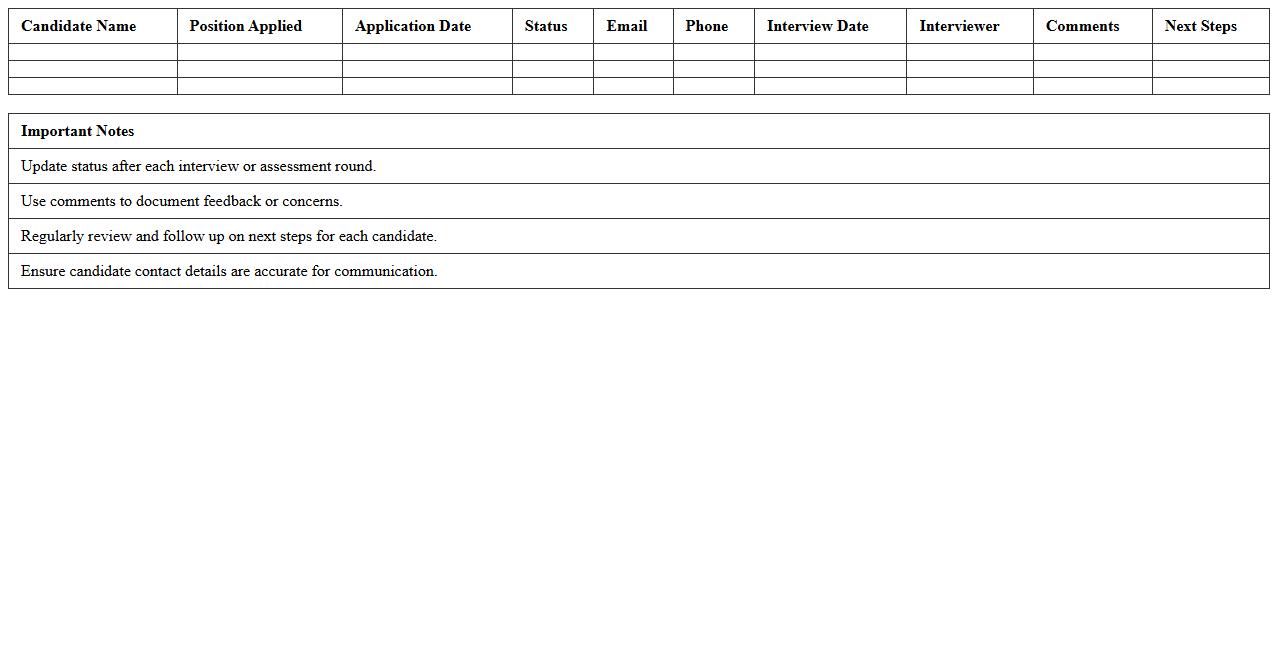
Candidate Application Tracker Excel Template
The
Candidate Application Tracker Excel Template is a structured spreadsheet designed to organize and monitor job applicants throughout the recruitment process, including details such as contact information, application status, interview dates, and feedback. It streamlines candidate management, ensuring no applicant is overlooked and enabling quick access to critical hiring data. This template enhances recruitment efficiency by providing a centralized, easy-to-update tool for HR teams and hiring managers.
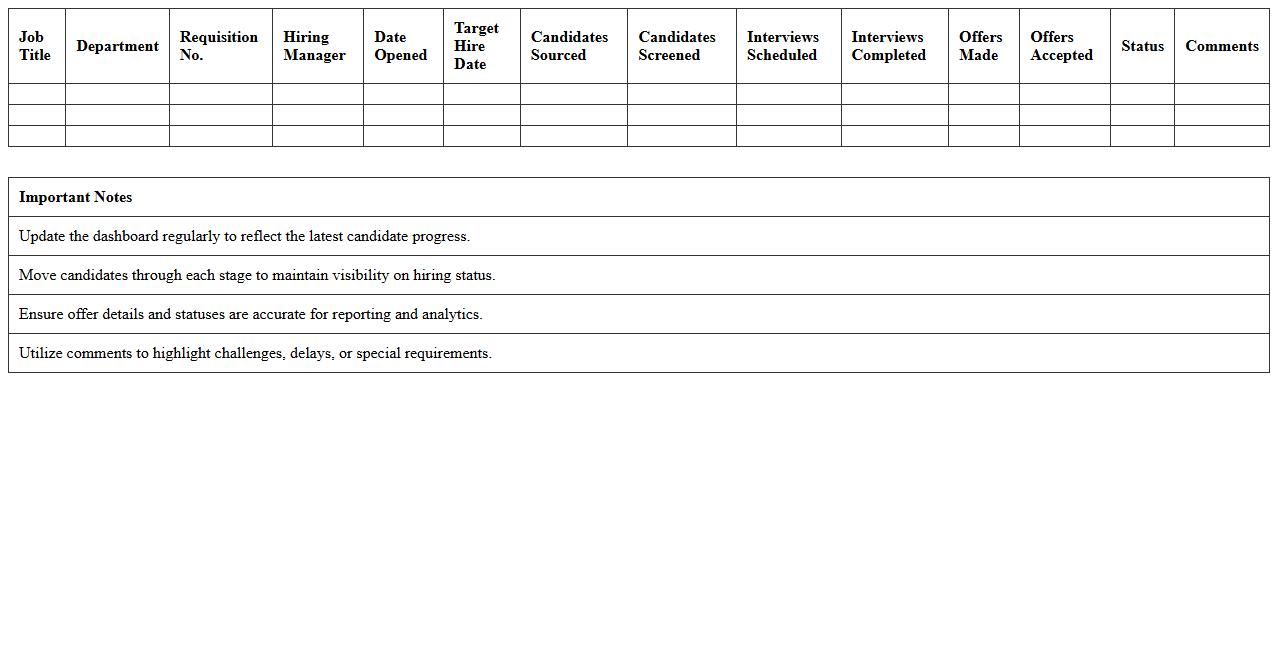
Recruitment Pipeline Dashboard Excel Sheet
The
Recruitment Pipeline Dashboard Excel Sheet is a dynamic tool designed to track and visualize the entire hiring process from candidate sourcing to final selection. It consolidates data such as applicant status, interview stages, and time-to-hire metrics, enabling recruiters to identify bottlenecks and optimize hiring efficiency. By providing real-time insights and organized recruitment metrics, this dashboard supports data-driven decision-making and improves overall talent acquisition strategies.
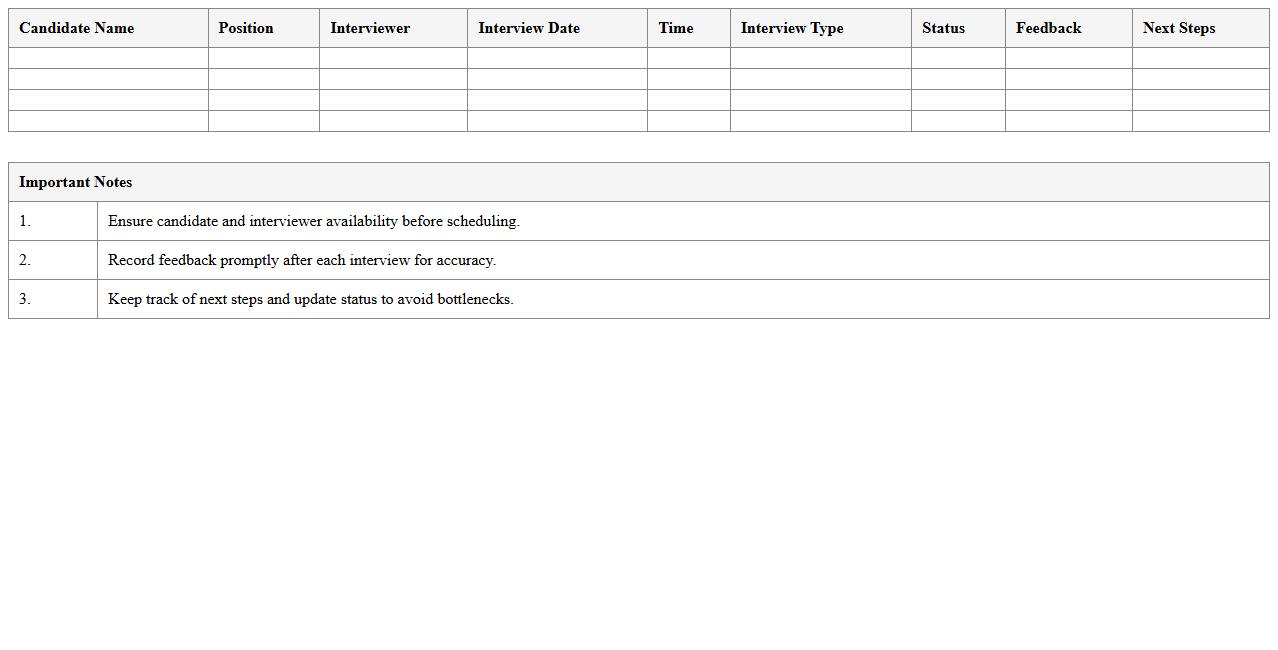
Interview Schedule & Feedback Tracker Excel
The
Interview Schedule & Feedback Tracker Excel document is a comprehensive tool designed to organize interview appointments and systematically record candidate evaluations. It enables recruiters and hiring managers to efficiently track interview dates, times, participant details, and feedback in one centralized location. By consolidating scheduling and assessment data, it enhances recruitment workflow, improves communication, and facilitates data-driven hiring decisions.
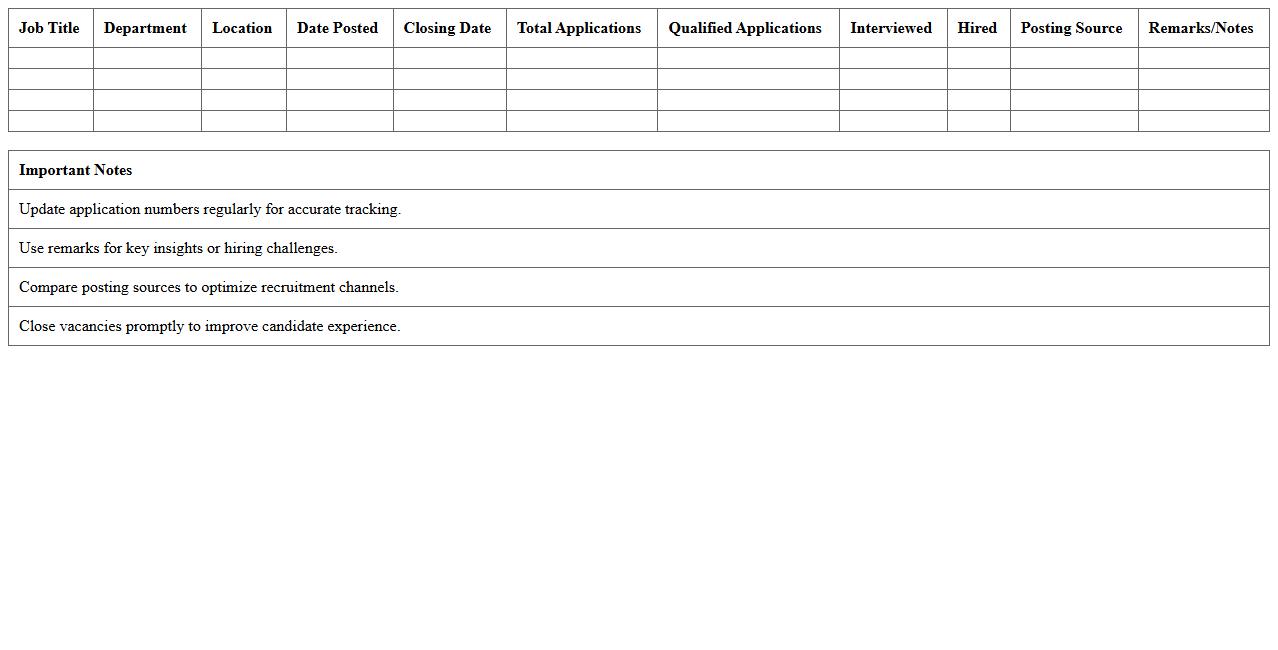
Job Vacancy Posting & Response Analysis Excel
The
Job Vacancy Posting & Response Analysis Excel document is a comprehensive tool designed to track and analyze job vacancies alongside the responses received for each posting. It enables employers and recruiters to measure metrics such as application volume, candidate quality, and response rates, facilitating data-driven hiring decisions. This document helps streamline recruitment by identifying trends, optimizing job advertisements, and improving overall talent acquisition efficiency.
Talent Sourcing & CV Screening Log Excel
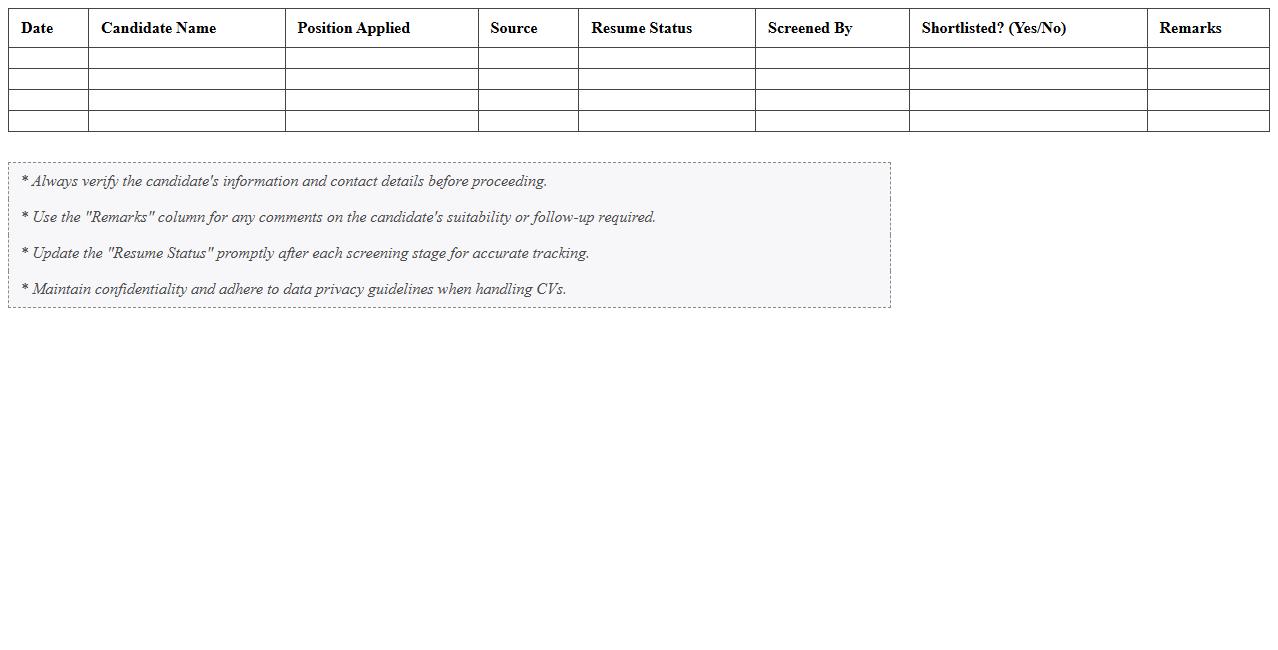
The
Talent Sourcing & CV Screening Log Excel document is a structured tool designed to efficiently track and manage candidate information during the recruitment process. It helps recruiters organize CVs, record sourcing channels, and evaluate candidate qualifications systematically, enabling quick identification of top talent. Using this log improves hiring accuracy, streamlines communication, and enhances reporting capabilities throughout the talent acquisition cycle.
Offer Acceptance Tracking & Analytics Excel
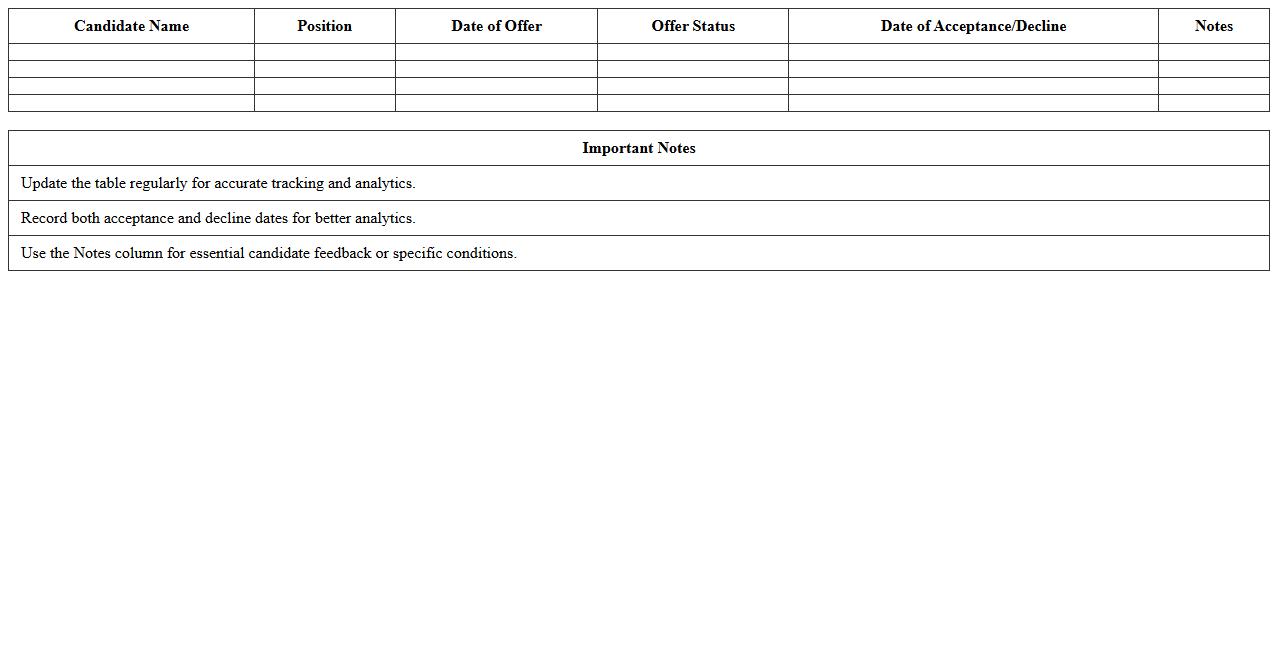
An
Offer Acceptance Tracking & Analytics Excel document is a powerful tool designed to monitor and analyze acceptance rates of job offers or proposals systematically. It helps organizations identify trends, measure recruiter performance, and optimize hiring strategies by providing comprehensive data visualization and reporting features. Utilizing this document improves decision-making processes and enhances recruitment efficiency by pinpointing factors influencing offer acceptance.
Recruitment Cost Analysis Excel Spreadsheet
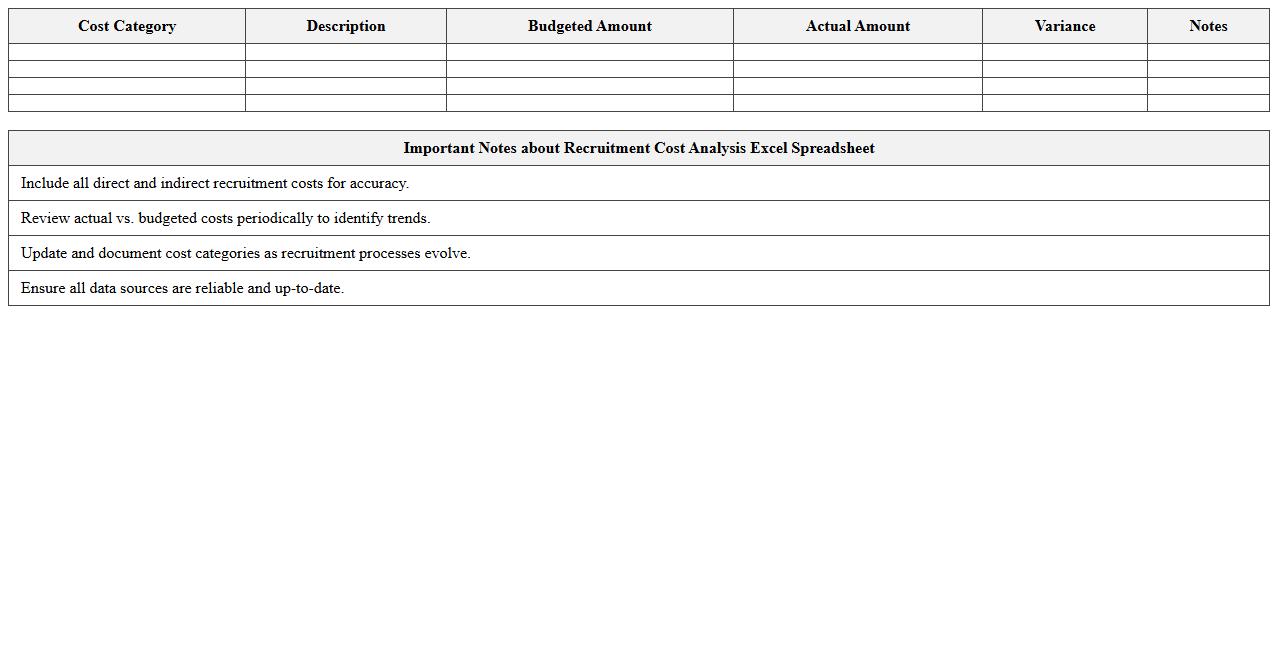
A
Recruitment Cost Analysis Excel Spreadsheet document is a tool designed to track, analyze, and manage expenses related to hiring processes, including advertising fees, recruiter salaries, and onboarding costs. This spreadsheet helps organizations identify the most cost-effective recruitment channels and optimize budgeting decisions by providing clear insights into each stage of hiring. By leveraging detailed cost breakdowns, companies can improve recruitment strategies, reduce unnecessary expenditures, and enhance overall talent acquisition efficiency.
Onboarding Progress Monitoring Excel Template
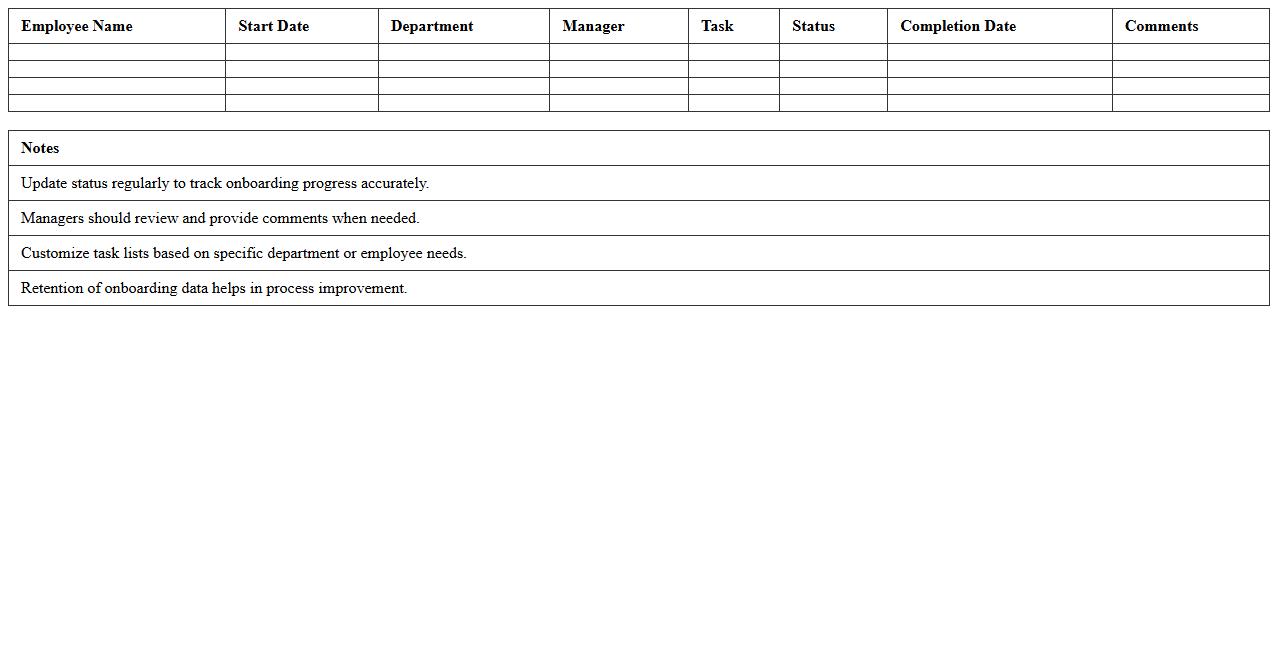
The
Onboarding Progress Monitoring Excel Template is a structured spreadsheet designed to track and evaluate the status of new employee onboarding activities. It enables HR teams to systematically monitor key milestones such as document submission, training completion, and task assignments, ensuring a smooth integration process. Using this template helps improve organizational efficiency, reduces onboarding delays, and enhances new hire engagement by providing clear visibility into each candidate's progress.
Time to Hire Metrics Dashboard Excel
The
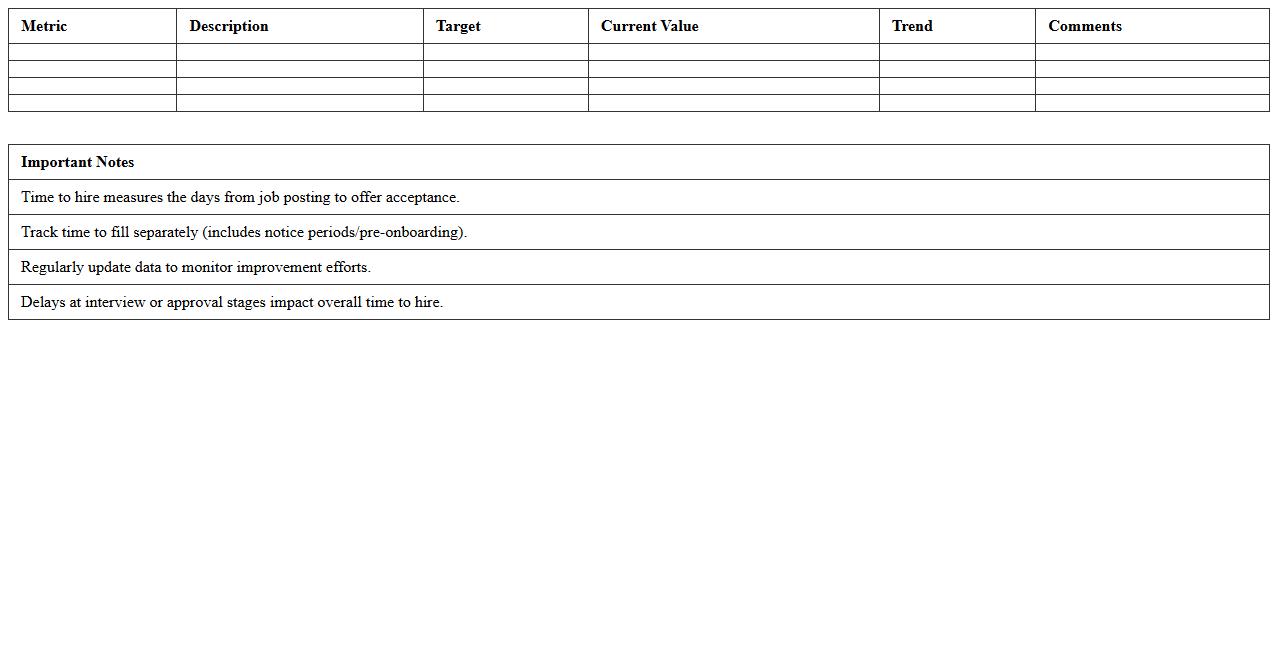
Time to Hire Metrics Dashboard Excel document tracks the duration from job posting to candidate acceptance, providing critical insights into recruitment efficiency. It helps HR teams identify bottlenecks in the hiring process and optimize workflows to reduce time-to-fill. By visualizing key performance indicators, organizations can make data-driven decisions to enhance talent acquisition strategies.
Diversity Hiring Analysis Excel Sheet
A
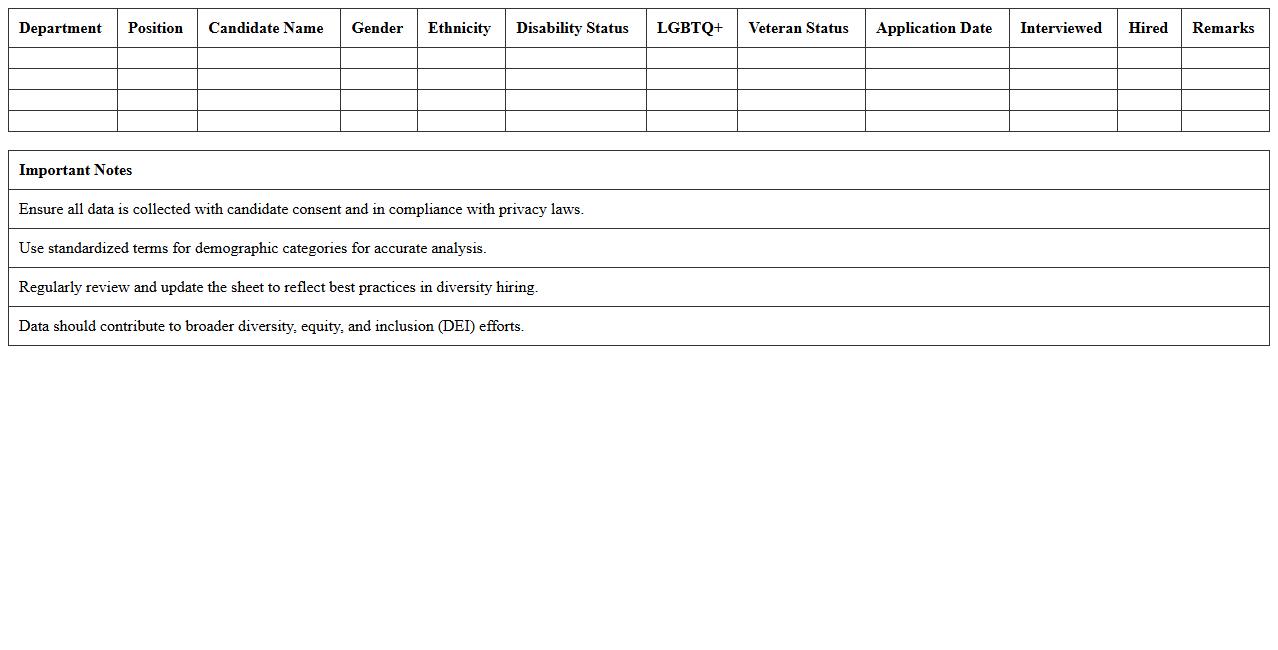
Diversity Hiring Analysis Excel Sheet document systematically tracks and evaluates workforce diversity metrics such as gender, ethnicity, age, and experience levels throughout the hiring process. It enables organizations to identify patterns, gaps, and biases in recruitment, fostering data-driven decisions to promote equitable hiring practices. Utilizing this tool enhances transparency, supports compliance with diversity goals, and drives inclusive talent acquisition strategies.
How to track applicant sourcing channels in HR Excel for recruitment analysis?
To effectively track applicant sourcing channels in HR Excel, begin by creating a data sheet that logs each candidate's source, such as job boards, referrals, or social media. Use dropdown lists for consistent data entry and filter options to analyze channel performance quickly. Summarize the data with PivotTables to identify the most effective sourcing channels for recruitment.
Which Excel formulas help calculate time-to-hire metrics in recruitment data?
The time-to-hire metric can be calculated by subtracting the candidate's application date from their hiring date using the formula =DATEDIF(ApplicationDate, HiringDate, "d"). Additionally, functions like AVERAGEIFS help find average time-to-hire across different departments or roles. Combining these formulas provides valuable insights into recruitment efficiency.
How to visualize recruitment funnel stages using PivotTables in HR Excel?
Visualizing recruitment funnel stages is possible by organizing candidate data into stages such as applied, interviewed, and hired. Use PivotTables to summarize counts at each stage and insert slicers to filter by department or job role. Adding charts like funnel or bar graphs enhances the interpretation of the recruitment progress visually.
What Excel templates are best for monitoring candidate diversity statistics?
Excel templates that include fields for demographic data such as gender, ethnicity, and age are ideal for monitoring candidate diversity statistics. Look for templates with built-in data validation and charts for visual diversity insights. Templates featuring PivotTables and conditional formatting can make diversity tracking both efficient and visually impactful.
How to automate interview feedback collection in HR recruitment spreadsheets?
Automate interview feedback collection by integrating form inputs directly into your HR Excel spreadsheet using Microsoft Forms or Google Forms linked via Power Query. Use dropdown menus and standardized feedback fields to maintain consistency. Automating this process reduces manual entry, improves data accuracy, and speeds up recruitment decision-making.
More Human Resource Excel Templates