Employee Benefits Enrollment Tracker Excel Template
The
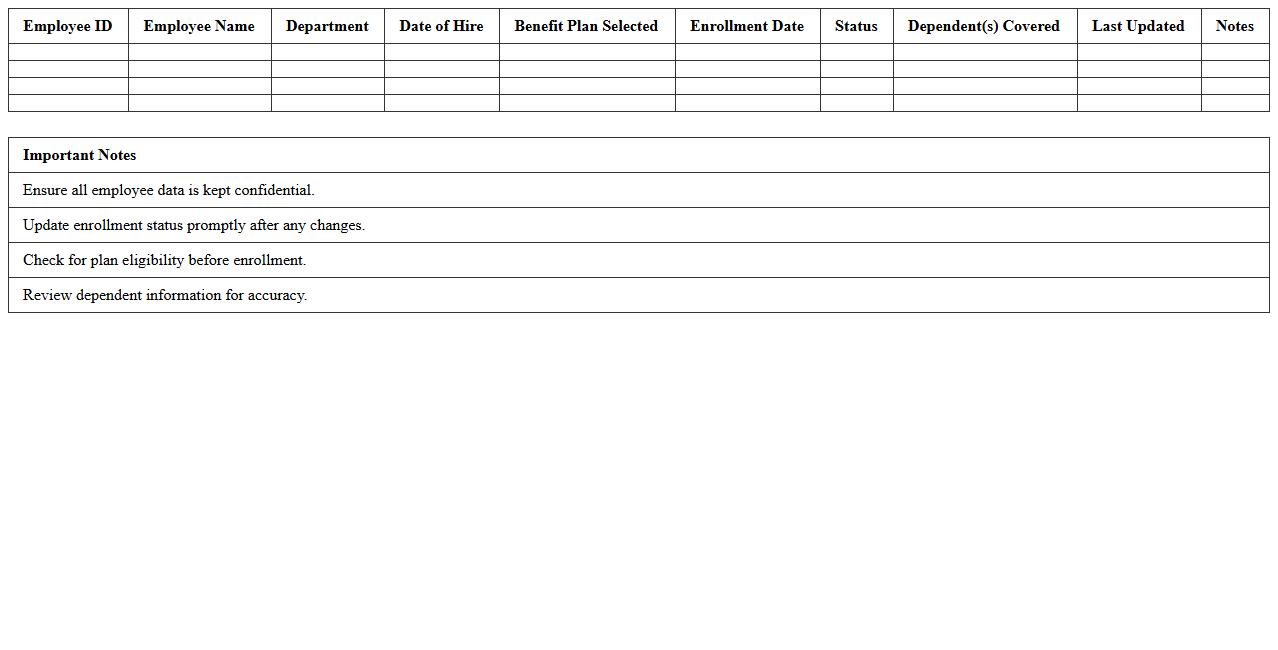
Employee Benefits Enrollment Tracker Excel Template is a comprehensive tool designed to organize and monitor employee benefits selections efficiently. It enables HR professionals to track enrollment status, manage deadlines, and ensure accurate data collection for various benefit plans such as health insurance, retirement options, and wellness programs. This template streamlines the benefits administration process, reduces errors, and enhances compliance while providing valuable insights through customizable reports and dashboards.
HR Benefits Administration Dashboard Template
The
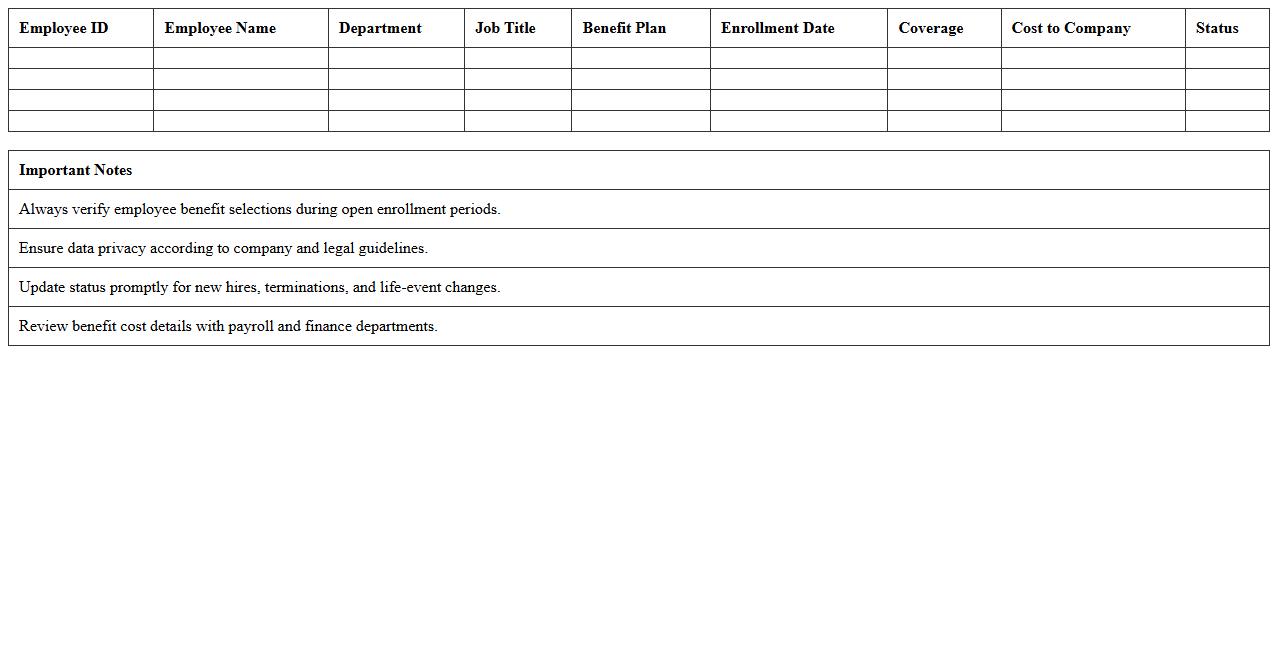
HR Benefits Administration Dashboard Template document streamlines the management of employee benefits by consolidating key data points such as enrollment status, claim tracking, and benefit utilization into one visual interface. This helps HR professionals monitor trends, identify discrepancies, and ensure compliance with benefits policies efficiently. Using this template improves decision-making, enhances communication with employees, and reduces administrative overhead through real-time insights and automated updates.
Employee Benefits Cost Analysis Spreadsheet
An
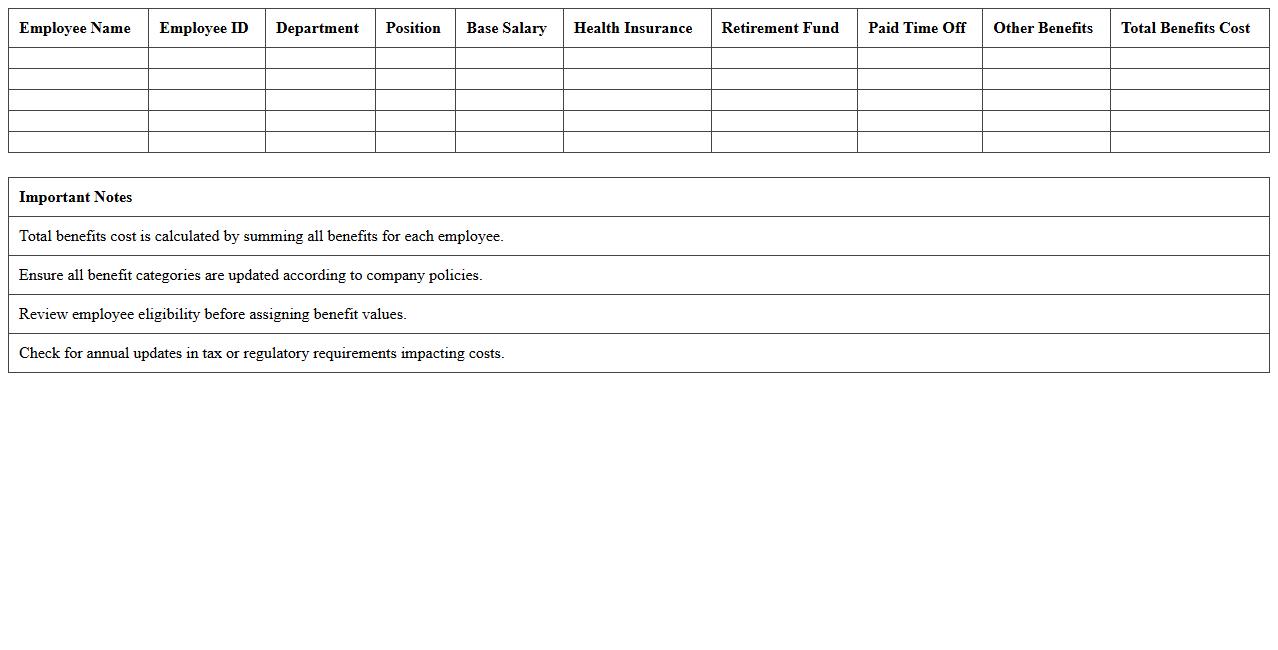
Employee Benefits Cost Analysis Spreadsheet is a detailed financial document designed to track, analyze, and manage the expenses related to employee benefits such as health insurance, retirement plans, and paid leave. This tool helps businesses accurately calculate total compensation costs, enabling informed budgeting and strategic decision-making to optimize benefits offerings. By providing clear visibility into benefits expenditure, the spreadsheet supports cost control and enhances the overall efficiency of human resource management.
Benefits Eligibility Audit Sheet Excel
The
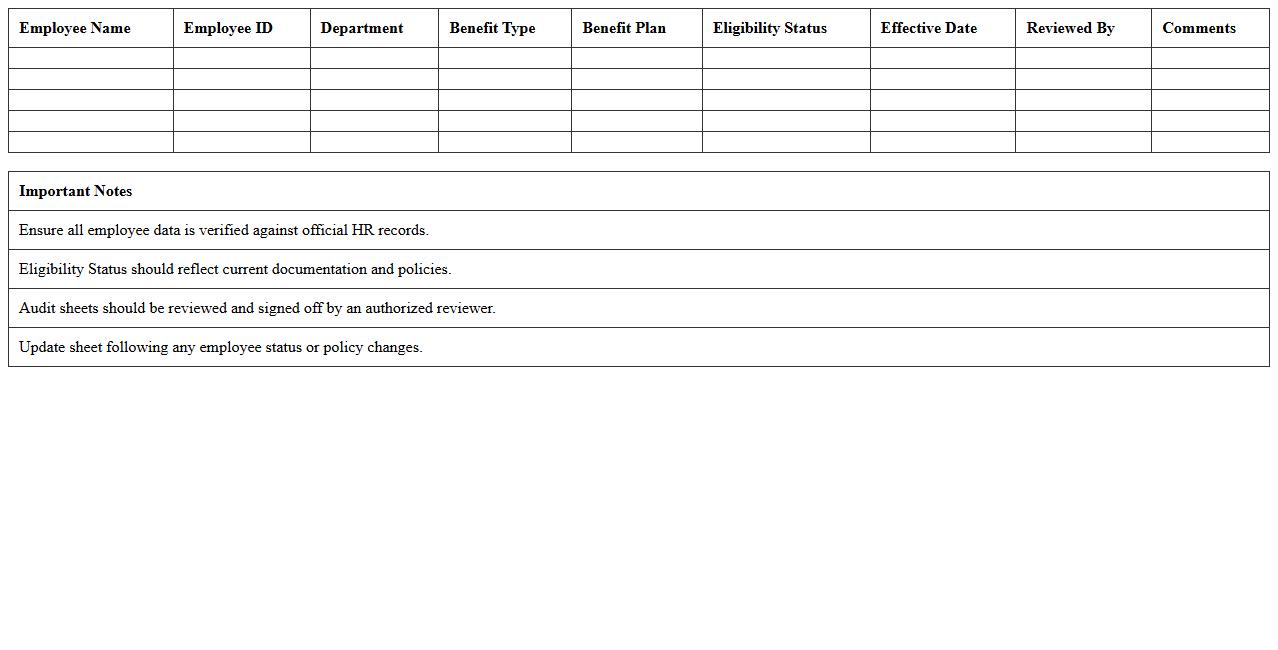
Benefits Eligibility Audit Sheet Excel document serves as a structured tool to systematically verify and document employee eligibility for various benefits, ensuring compliance with company policies and regulatory standards. It streamlines the audit process by allowing HR professionals to track, update, and analyze eligibility criteria efficiently, reducing errors and enhancing transparency. This audit sheet improves decision-making by providing clear, organized data that supports accurate benefits administration and cost management.
Health Insurance Plan Comparison Template
A
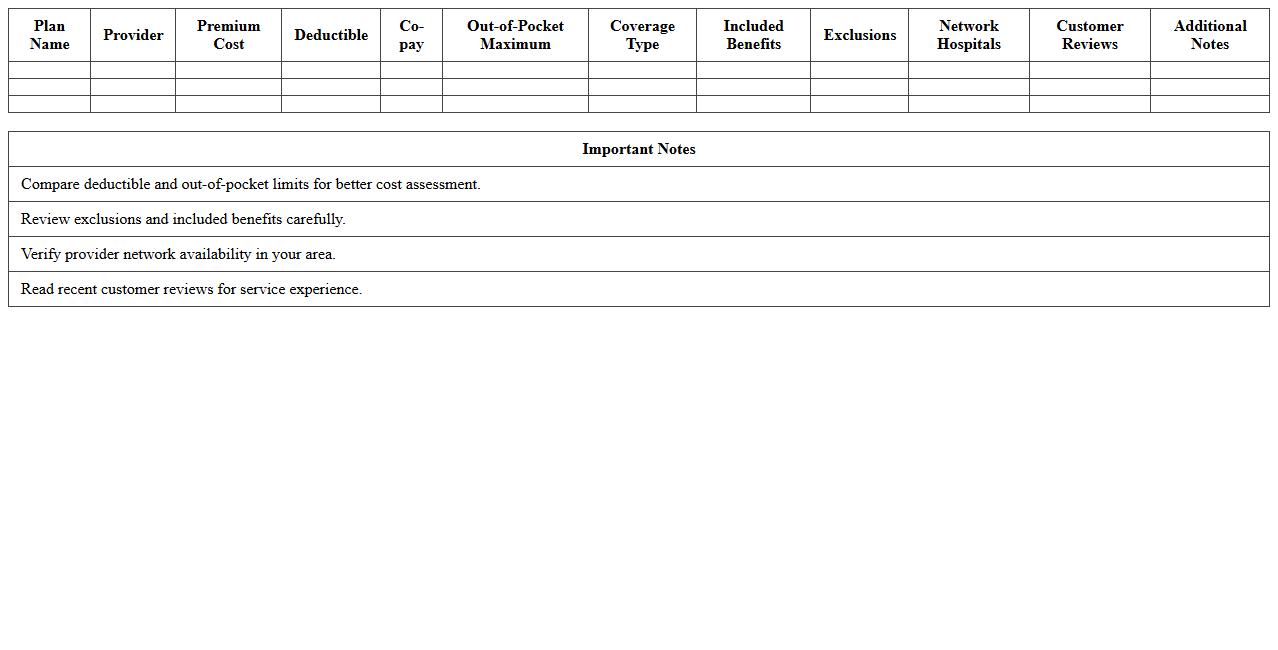
Health Insurance Plan Comparison Template is a structured document designed to systematically evaluate various health insurance options based on factors such as premiums, coverage benefits, deductibles, copayments, and network providers. It enables users to clearly visualize differences between plans, making it easier to identify the most cost-effective and comprehensive insurance suited to individual needs. Using this template supports informed decision-making by organizing complex policy details into an accessible, side-by-side comparison format.
Payroll and Benefits Deduction Schedule Excel
The
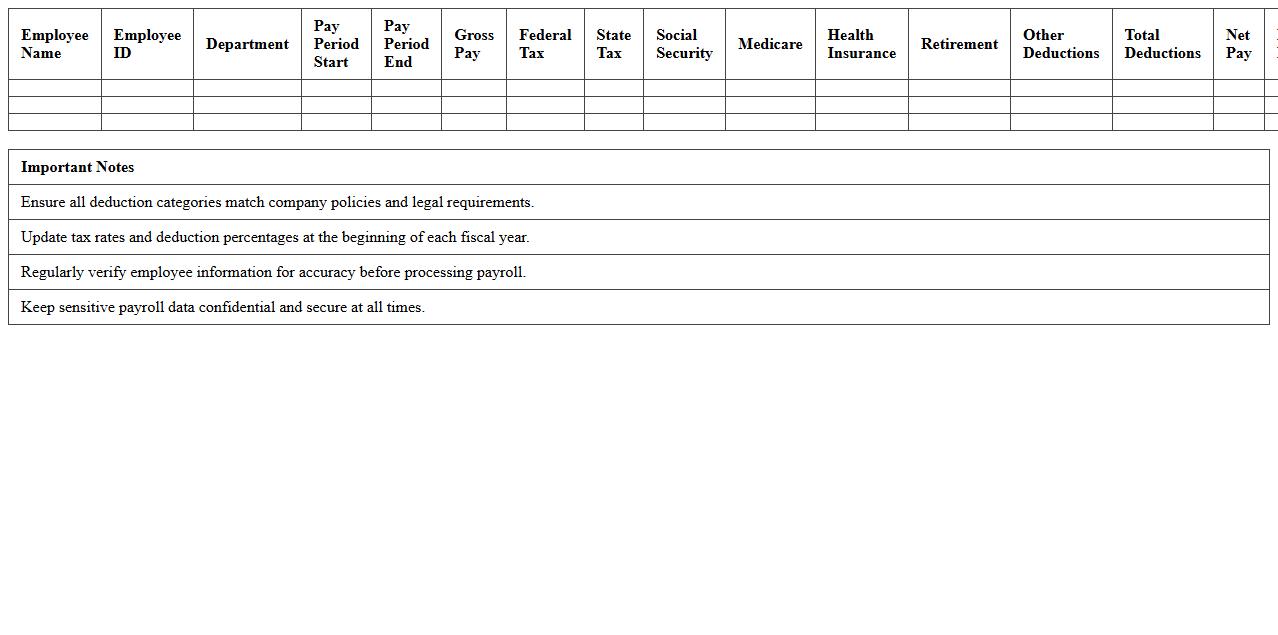
Payroll and Benefits Deduction Schedule Excel document organizes employee salary payments alongside scheduled deductions for benefits, taxes, and other withholdings. It streamlines payroll processing by providing clear timelines and amounts, ensuring accuracy and compliance with regulatory requirements. This tool helps HR and finance teams manage cash flow effectively while maintaining transparent records for audits and employee inquiries.
Employee Leave and Benefits Accrual Tracker
An
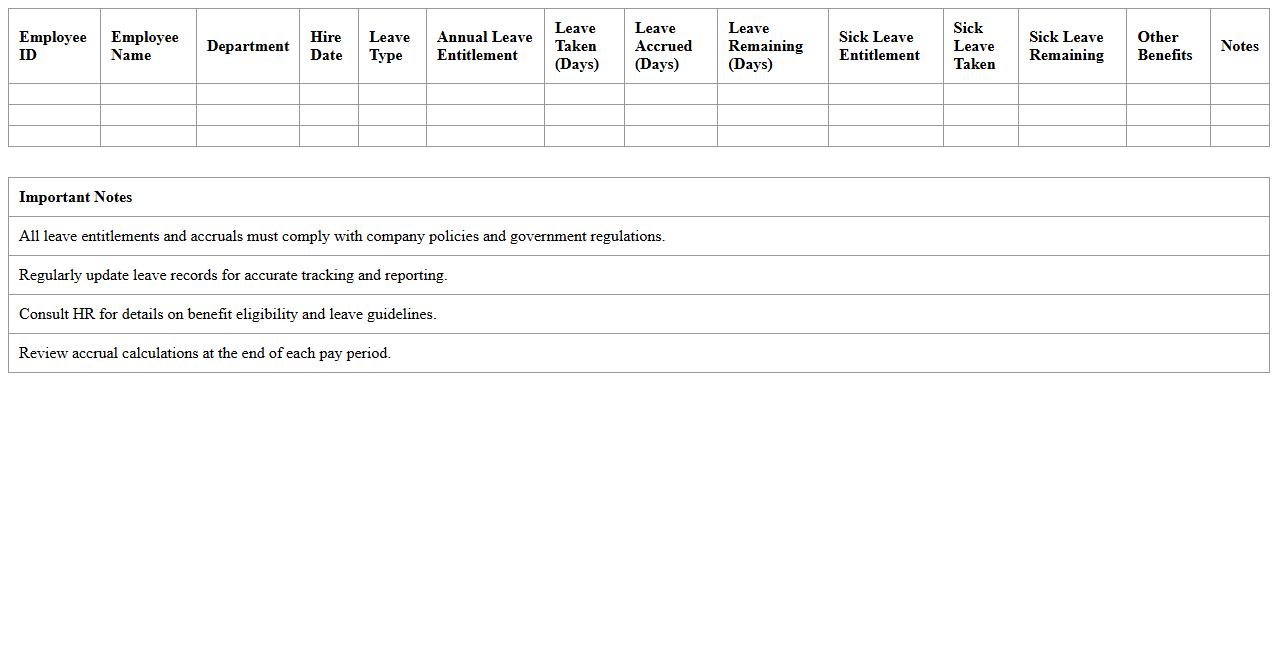
Employee Leave and Benefits Accrual Tracker document systematically records and monitors employees' accumulated leave balances, such as vacation, sick leave, and other entitlements. It ensures accurate tracking of leave accruals, usage, and carryovers, helping organizations maintain compliance with labor laws and company policies. This tool supports efficient workforce management by providing transparent data for payroll processing, resource planning, and employee benefit administration.
Retirement Plan Contributions Management Excel
A
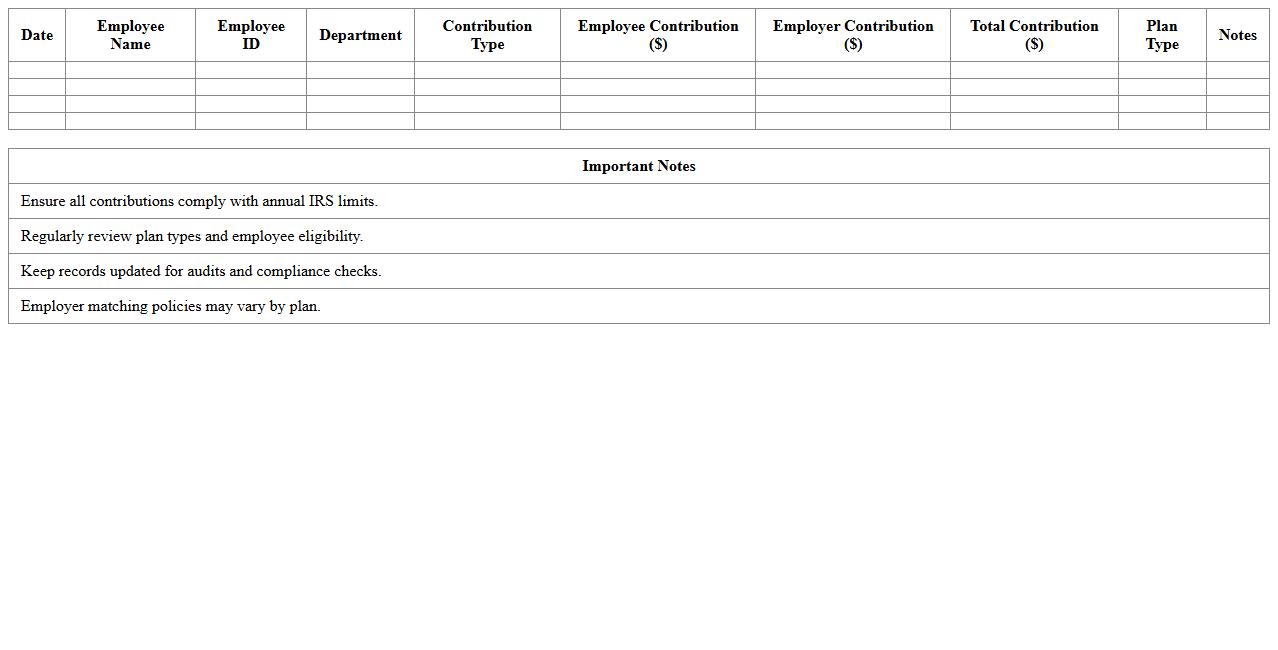
Retirement Plan Contributions Management Excel document enables accurate tracking and organization of employee contributions, employer matches, and overall plan balances. This tool simplifies monitoring diverse retirement accounts, ensuring compliance with regulatory limits and enhancing financial forecasting for long-term savings. By automating calculations and generating detailed reports, it supports informed decision-making and efficient management of retirement funds.
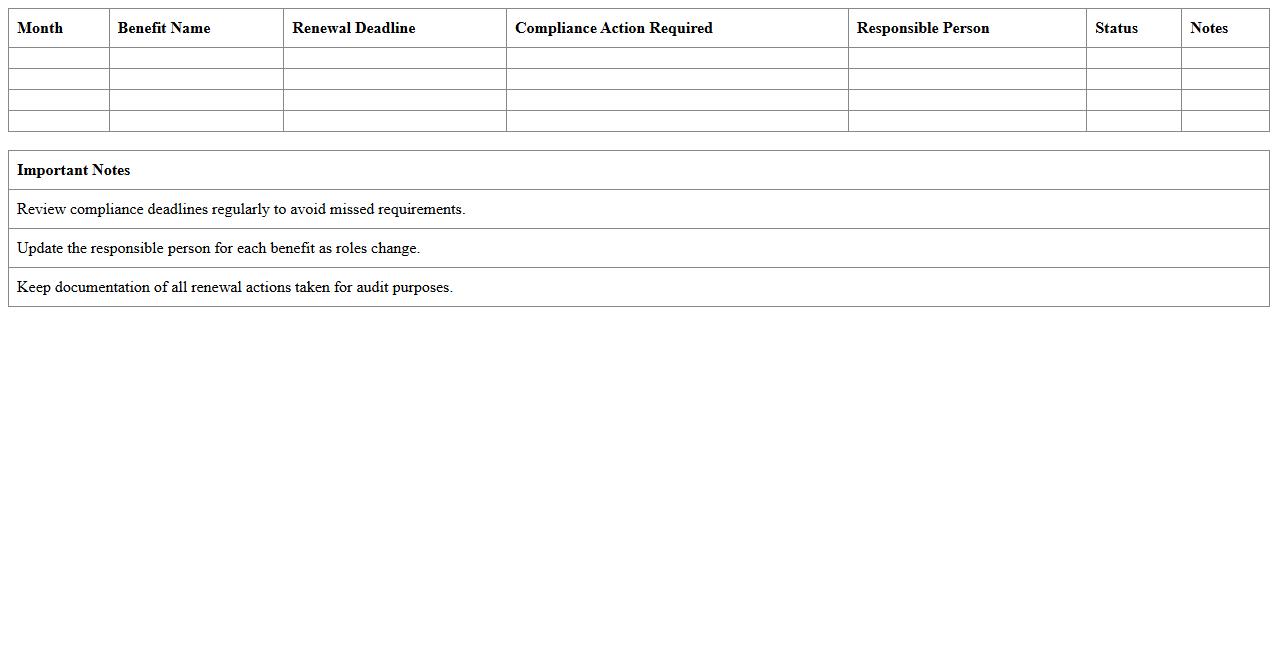
Benefits Renewal and Compliance Calendar Sheet
The
Benefits Renewal and Compliance Calendar Sheet document is a strategic tool designed to track key deadlines for employee benefits renewal and regulatory compliance. It ensures timely actions are taken to avoid lapses in coverage and regulatory penalties by organizing dates related to insurance renewals, employee eligibility verification, and compliance filing requirements. This document streamlines administrative processes, enhances accuracy in compliance management, and supports proactive planning for benefits administration.
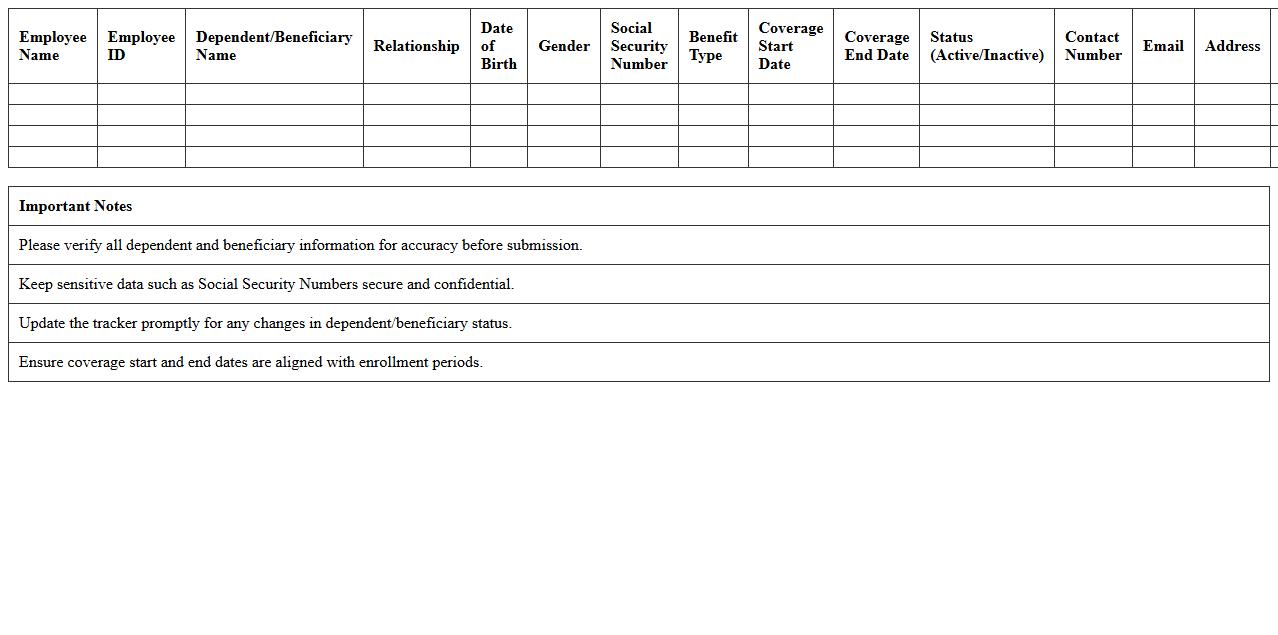
Dependent and Beneficiary Information Tracker Excel
The
Dependent and Beneficiary Information Tracker Excel document is a structured tool designed to organize and maintain detailed records of dependents and beneficiaries, including names, relationships, contact details, and relevant dates such as birth or policy expiration. This tracker helps streamline the management of personal and financial data, ensuring that critical information is readily accessible for legal, insurance, and HR purposes. By maintaining accurate and up-to-date entries, users can efficiently handle benefits distribution, update records promptly, and avoid potential complications in claim processing.
How can HR automate benefits enrollment tracking in Excel with formulas?
HR can automate benefits enrollment tracking using Excel formulas like IF, COUNTIF, and VLOOKUP to monitor employee status and enrollment dates. These formulas enable automatic updates when employee information changes, reducing manual errors and saving time. Combining date functions with logical tests creates dynamic tracking sheets for enhanced accuracy.
What Excel templates are best for managing employee benefits eligibility periods?
The best Excel templates for managing employee benefits eligibility include eligibility trackers and benefits calendars with built-in date calculations. Templates featuring columns for hire dates, waiting periods, and eligibility triggers simplify tracking when employees qualify for benefits. Downloadable templates with dropdown menus and data validation improve accuracy and ease of use.
How to use conditional formatting to flag benefits compliance issues in HR records?
Conditional formatting in Excel can highlight benefits compliance issues such as expired enrollments or missing documentation by setting rules based on dates or specific text values. Using color scales or icons draws immediate attention to records that require action, enhancing HR's oversight. This visual alert system ensures timely compliance management and audit readiness.
Which Excel functions help reconcile payroll deductions for multiple benefits plans?
Functions like SUMIFS, VLOOKUP, and INDEX-MATCH are essential for reconciling payroll deductions across various benefits plans by matching employee IDs and deduction categories. These functions aggregate deduction amounts and cross-reference payroll data with benefits enrollment details. Utilizing these formulas streamlines error detection and financial reconciliation.
What pivot table techniques assist in analyzing benefits utilization rates by department?
Pivot tables help analyze benefits utilization rates by grouping data into departments and summarizing metrics such as enrollment counts or claims. Using slicers and filters allows HR to drill down by date ranges or plan types for deeper insights. Calculated fields within pivot tables enable precise calculation of utilization percentages for strategic decision-making.