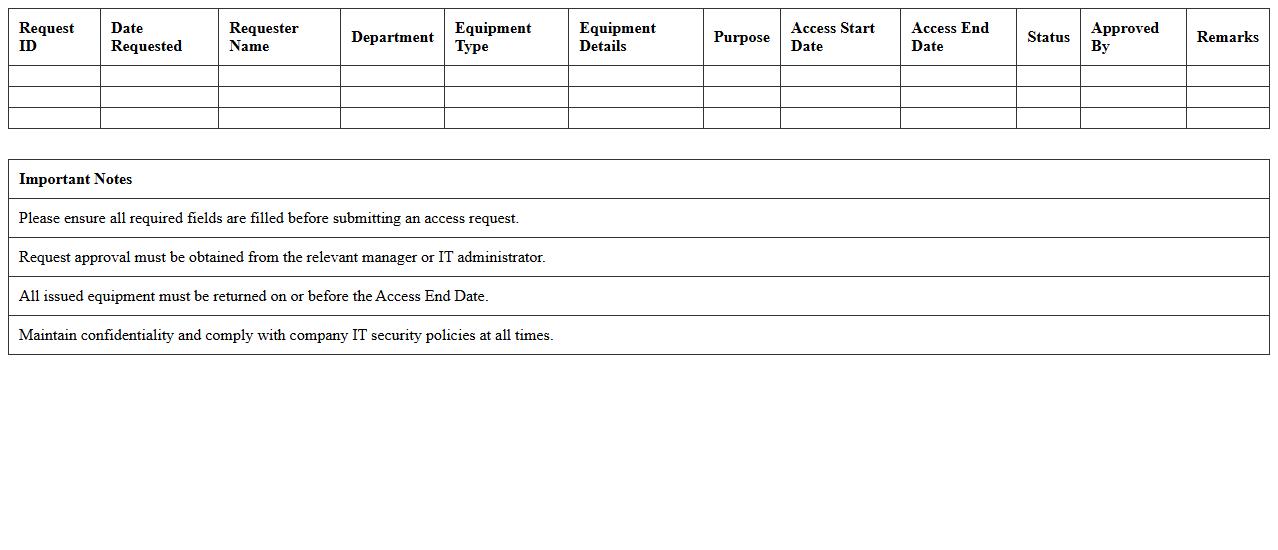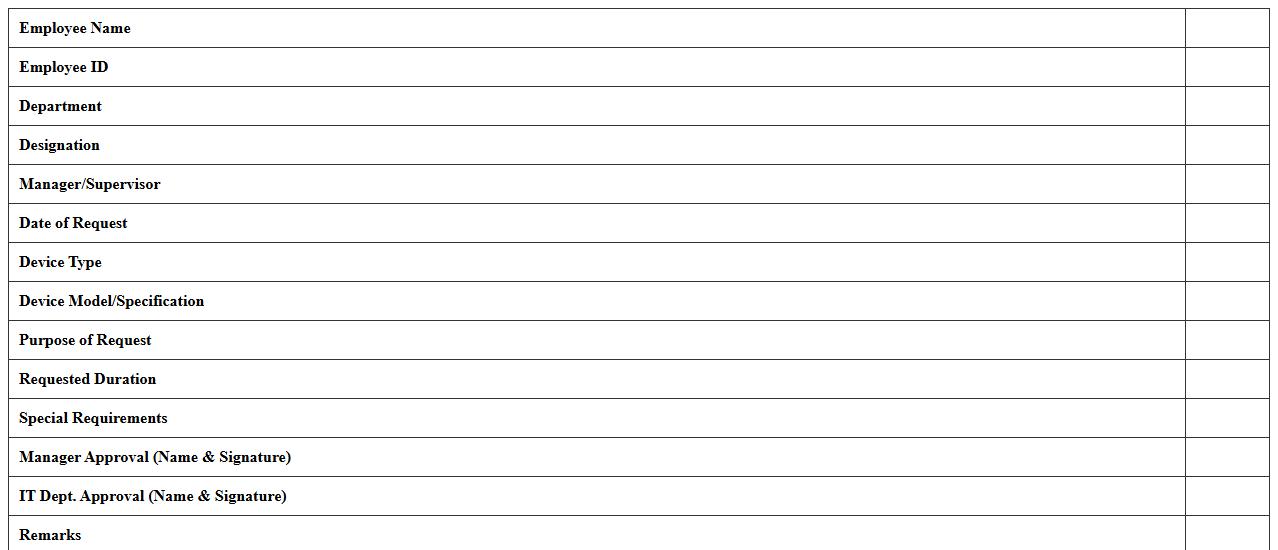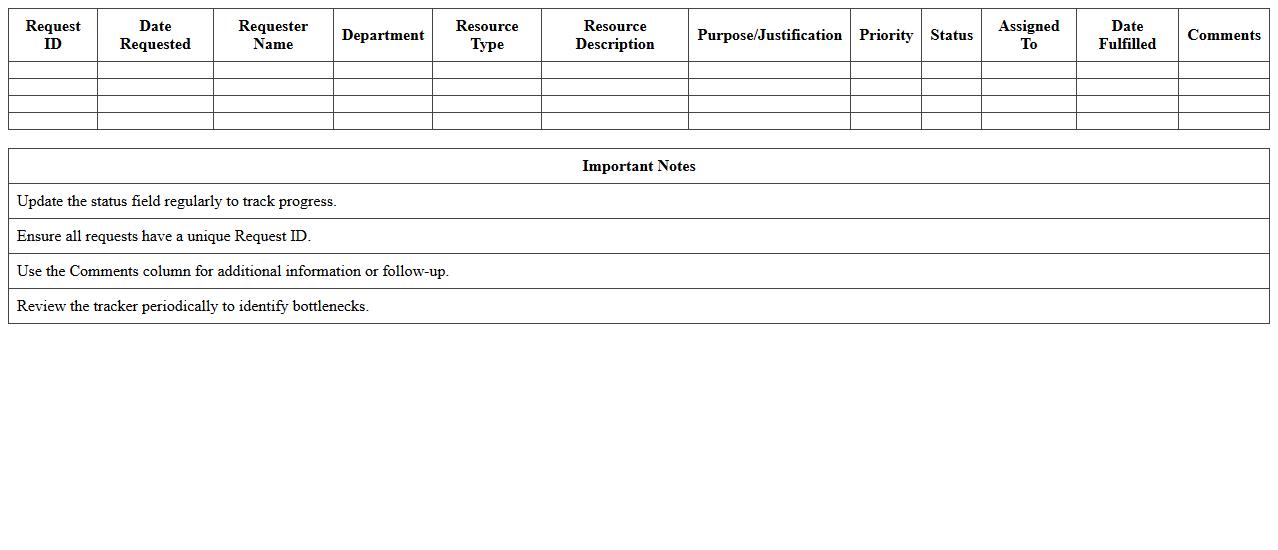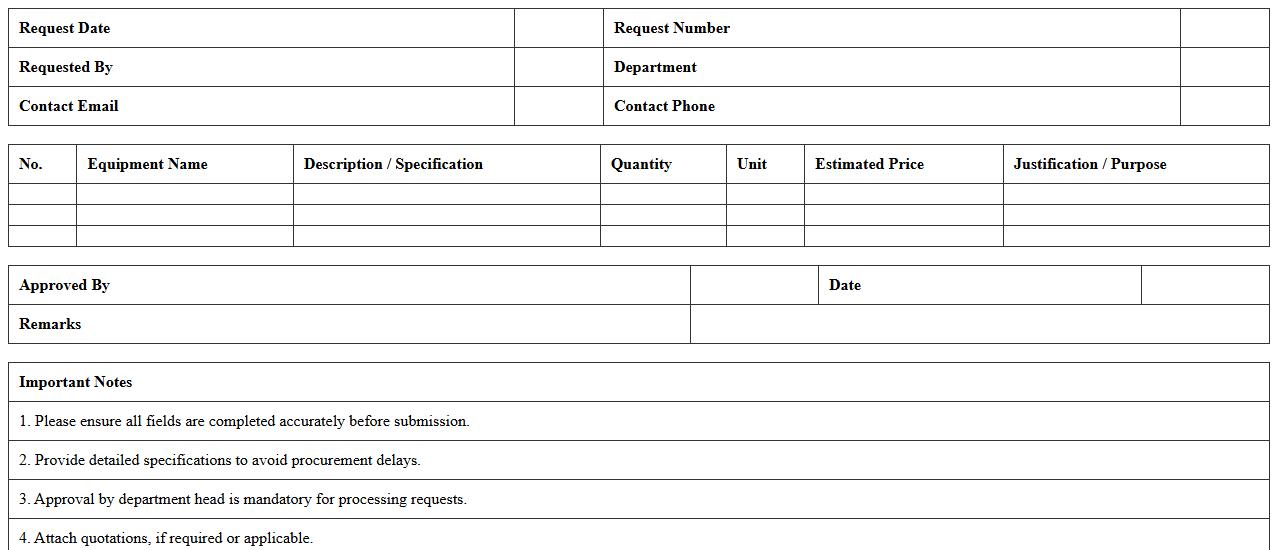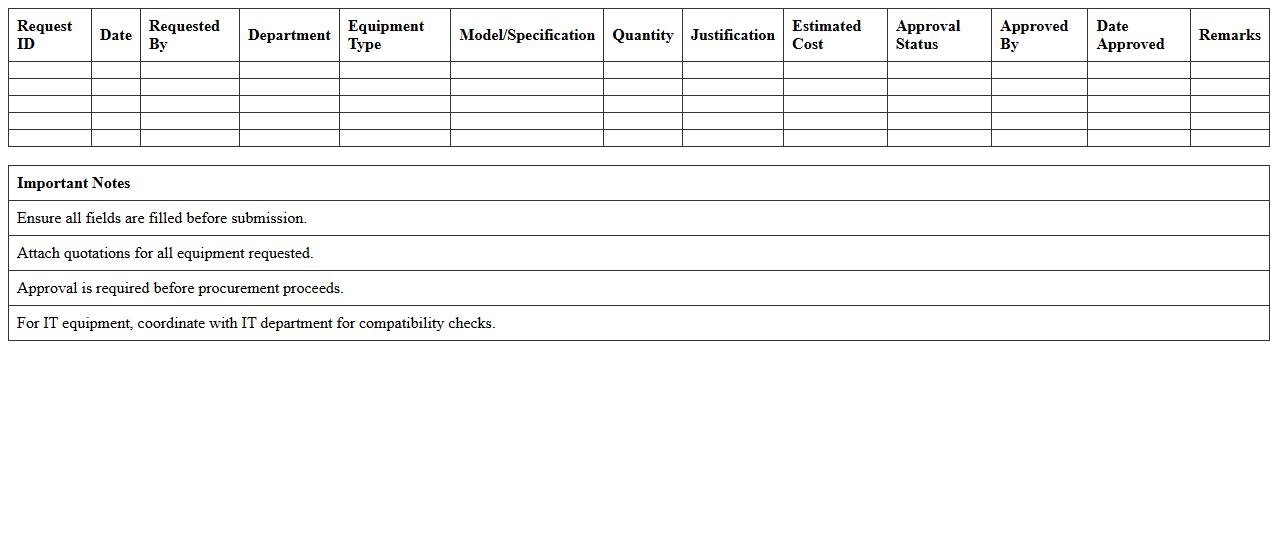
The Information Technology Equipment Request Form Excel Template streamlines the process for employees to request necessary IT hardware and software efficiently. This template ensures clear communication of requirements and tracks approval status, reducing delays and errors in fulfillment. Its user-friendly design simplifies data entry and helps IT departments manage inventory and allocate resources effectively.
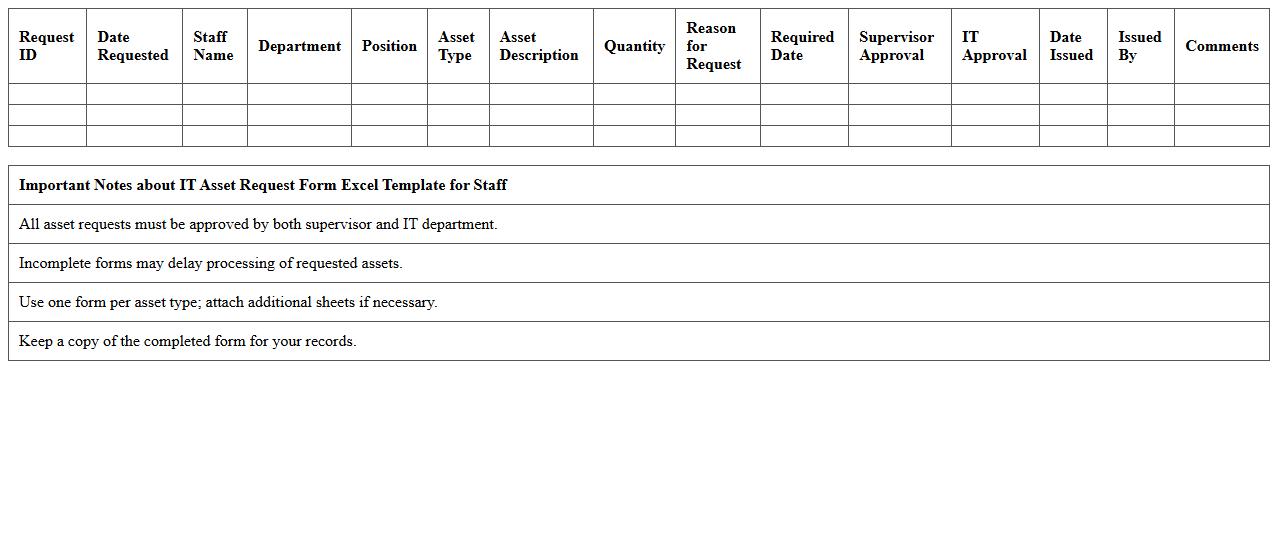
IT Asset Request Form Excel Template for Staff
The
IT Asset Request Form Excel Template for staff is a structured document designed to streamline and standardize the process of requesting IT equipment and software. It captures essential details such as asset type, quantity, justification, and approval status, enabling efficient tracking and management of IT resources. This template enhances transparency, reduces processing time, and helps maintain accurate inventory records critical for budgeting and auditing.
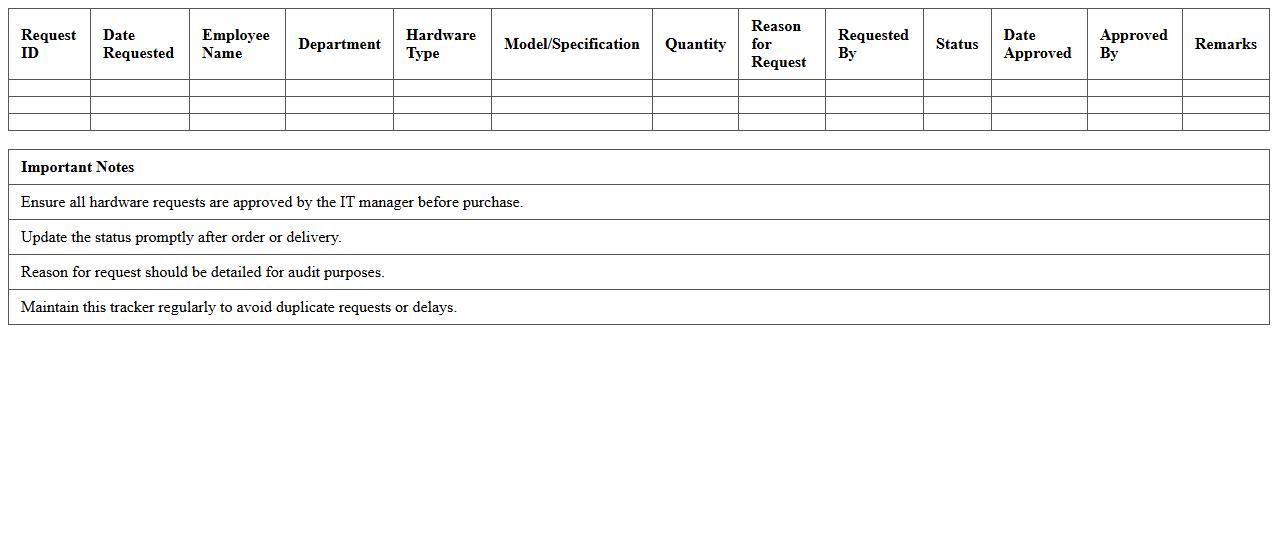
Computer Hardware Request Tracker Excel Sheet
A
Computer Hardware Request Tracker Excel Sheet is a structured document designed to monitor and manage hardware requests within an organization efficiently. This sheet captures essential details such as requestor information, hardware specifications, approval status, and delivery timelines, enabling streamlined communication and accountability. By consolidating data in one accessible file, it improves inventory management, reduces processing delays, and assists in budget planning for IT departments.
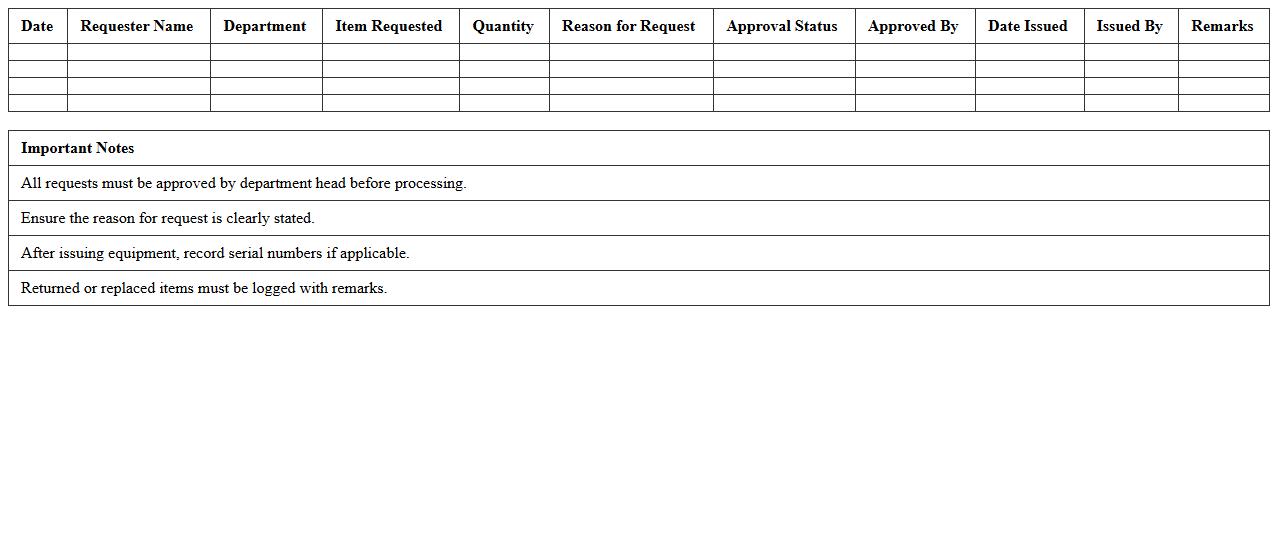
Laptop & Peripheral Equipment Request Log
The
Laptop & Peripheral Equipment Request Log document tracks and records all requests for laptops and related peripheral devices within an organization. It helps maintain a detailed inventory, ensures accountability, and streamlines the approval and distribution process by providing a clear overview of equipment demands. This log enhances operational efficiency by preventing equipment shortages and facilitating timely replacements or upgrades.
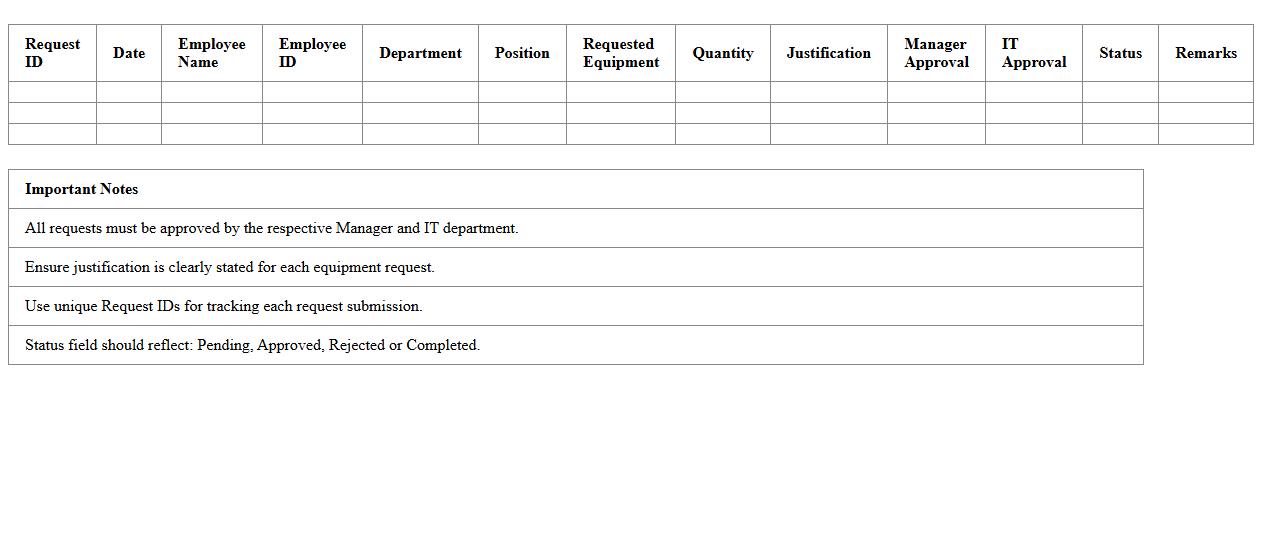
Employee Tech Equipment Request Application Spreadsheet
The
Employee Tech Equipment Request Application Spreadsheet is a structured document designed to track and manage employee requests for technology equipment efficiently. It consolidates essential information such as employee details, requested items, approval status, and delivery dates, enabling streamlined inventory management and budgeting. This tool helps organizations reduce delays and errors in equipment allocation, ensuring employees receive necessary devices promptly for optimal productivity.
IT Equipment Access Request Management Excel Template
The
IT Equipment Access Request Management Excel Template document enables organizations to systematically track and manage requests for IT hardware and software access. It helps streamline the approval process by organizing request details, user information, and authorization statuses in a centralized spreadsheet. This template improves operational efficiency, ensures compliance with IT policies, and reduces the risk of unauthorized access.
Device Allocation Request Form for Employees XLS
The
Device Allocation Request Form for Employees XLS is a structured spreadsheet designed to streamline the process of requesting, tracking, and managing hardware devices issued to employees. It captures essential details such as employee information, device specifications, allocation dates, and approval status, ensuring accountability and efficient inventory management. This document helps organizations maintain an accurate record of device distribution, reduce asset loss, and optimize resource planning.
Technology Resource Request Tracker Excel Template
The
Technology Resource Request Tracker Excel Template document is a structured tool designed to efficiently record, monitor, and manage requests for technology assets within an organization. It helps streamline the approval process by providing a clear overview of resource availability, request status, and allocation timelines. This template enhances project management by ensuring timely access to necessary technology resources, reducing delays and optimizing overall operational productivity.
Office IT Equipment Order Request Form Spreadsheet
An
Office IT Equipment Order Request Form Spreadsheet is a structured document designed to streamline the process of requesting IT hardware and accessories within an organization. It captures detailed information such as item descriptions, quantities, requestor details, and approval statuses, ensuring accuracy and accountability in procurement. This tool enhances operational efficiency by centralizing requests, reducing errors, and facilitating timely fulfillment of IT equipment needs.
Staff IT Asset Checkout Request Excel Sheet
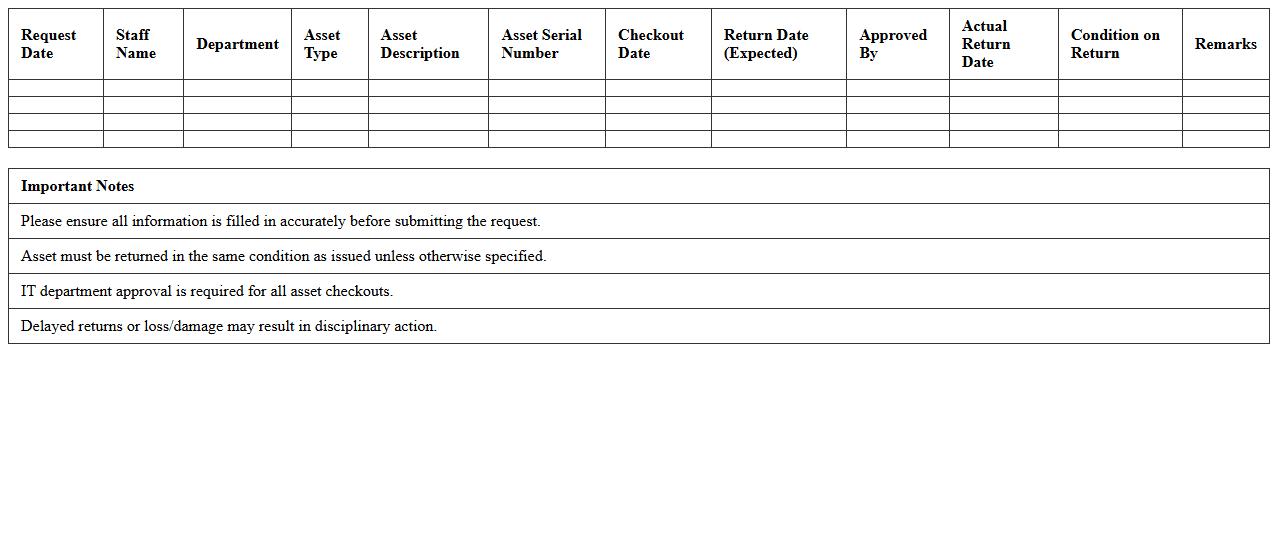
The
Staff IT Asset Checkout Request Excel Sheet is a structured document used to track and manage the allocation of IT equipment to employees efficiently. It streamlines the process by recording essential details such as employee information, asset type, checkout date, and expected return date, ensuring accountability and reducing asset loss. This tool enhances operational visibility and helps IT departments maintain accurate inventory records for better resource planning.
Digital Equipment Acquisition Request Log Template
The
Digital Equipment Acquisition Request Log Template is a structured document designed to track and manage requests for purchasing or acquiring digital equipment within an organization. It enables systematic recording of request details such as item specifications, requestor information, approval status, and procurement timelines, which helps streamline the approval process and maintain transparency. Utilizing this template improves inventory management, ensures accountability, and facilitates informed decision-making in resource allocation.
How to automate IT equipment approval workflow in Excel request forms?
To automate the approval workflow, use Excel's built-in features like macros and VBA scripting for task routing and status updates. Creating a clear approval status column with drop-down options such as "Pending," "Approved," or "Rejected" can streamline the process. Integrate email notifications through Outlook to alert relevant managers at each workflow stage.
What data validation rules are ideal for employee ID fields in IT request Excel forms?
Apply data validation to enforce precise formats, such as requiring employee IDs to be text strings of a fixed length or matching a specific pattern. Use custom formulas or regular expressions in Excel to ensure IDs follow company standards. This minimizes input errors and maintains data integrity across all requests.
How to track equipment delivery status using conditional formatting in Excel forms?
Use conditional formatting to visually indicate delivery status by assigning colors to different states like "In Transit," "Delivered," or "Delayed." Set rules based on status text or dates to dynamically highlight cells. This approach provides instant visual feedback, making it easy to monitor equipment delivery at a glance.
What are best practices for drop-down device selection lists in IT equipment Excel forms?
Design drop-down lists using Excel's data validation feature, sourcing options from a dedicated table for easy updates and error reduction. Categorize devices logically and keep the list concise to enhance user experience. Implement dependent drop-downs if you want to allow more granular device choices based on prior selections.
How to integrate digital signatures in Excel-based IT equipment request forms?
To incorporate digital signatures, use Excel's built-in signature line feature or integrate third-party add-ins like DigiSigner for enhanced security. Make sure the form is locked or protected after signing to preserve authenticity. This ensures compliance with company policies and adds a layer of verification for IT equipment requests.
More Information Technology Excel Templates