Raw Material Procurement Tracking Excel Template for Suppliers
The
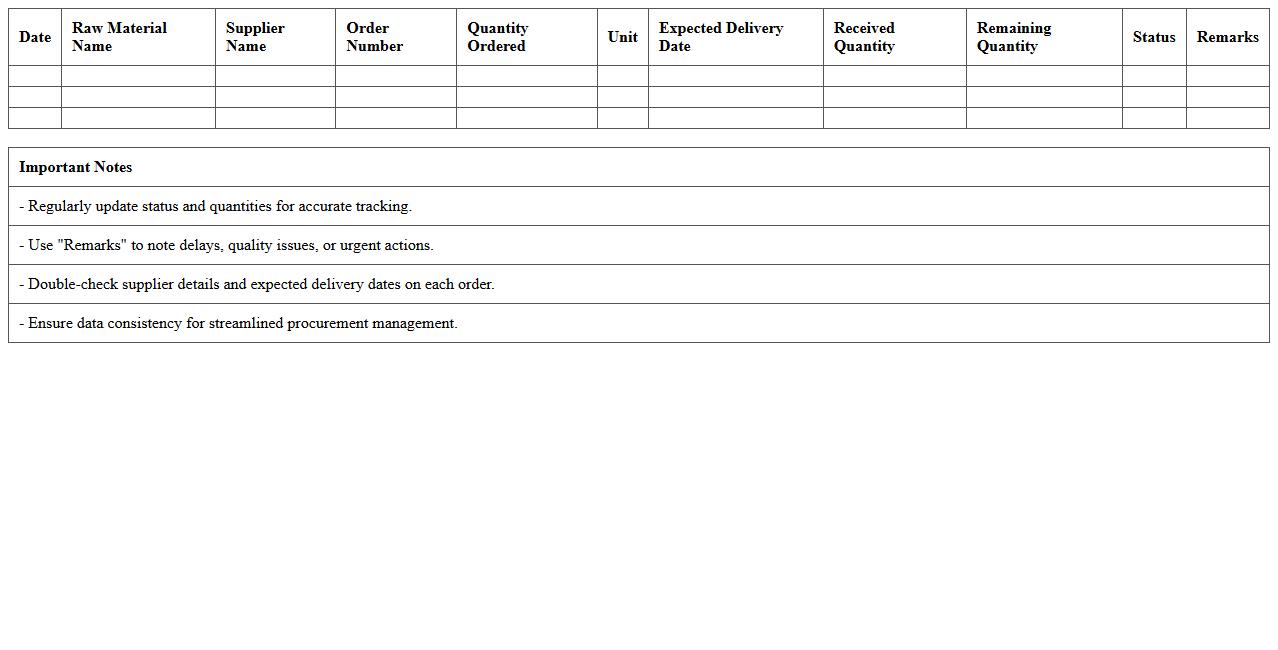
Raw Material Procurement Tracking Excel Template for suppliers is a structured spreadsheet designed to monitor and record the acquisition of raw materials from various vendors. It helps businesses maintain accurate data on order quantities, delivery schedules, costs, and supplier performance, facilitating efficient procurement management. By using this template, companies can reduce errors, improve supplier relationships, and optimize inventory levels for smoother production workflows.
Component Purchase Order Tracking Excel Template for Suppliers
The
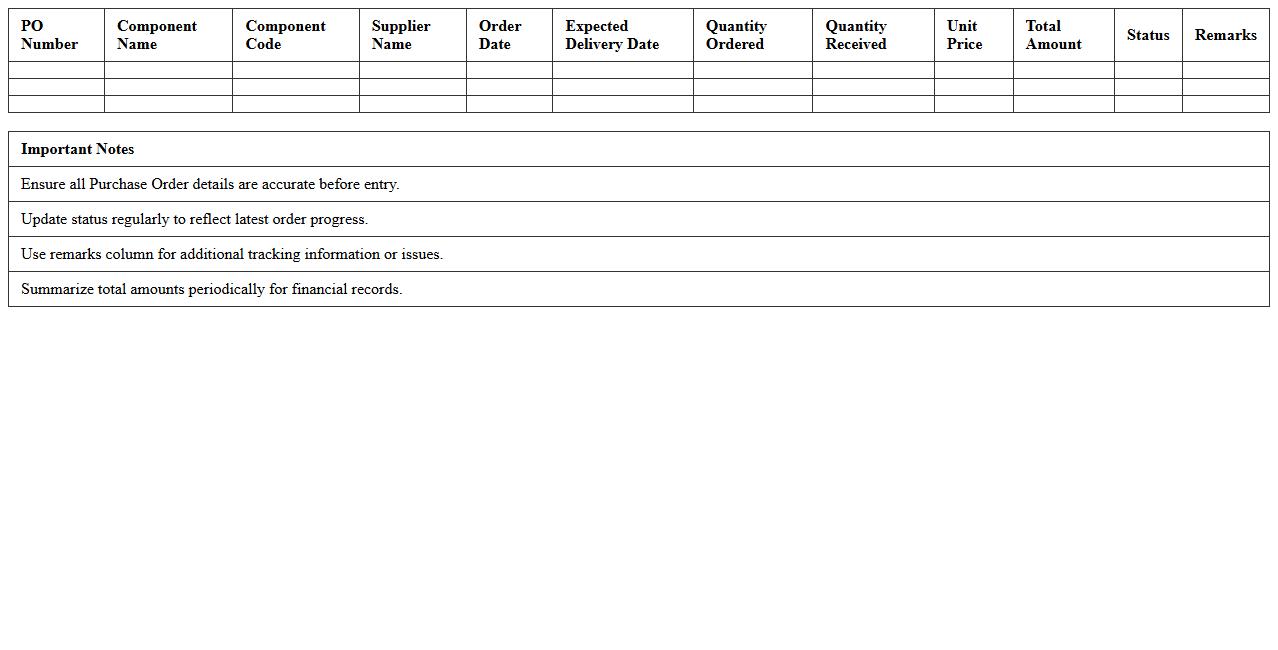
Component Purchase Order Tracking Excel Template for suppliers is a structured spreadsheet designed to monitor and manage purchase orders for components efficiently. It enables businesses to track order status, delivery dates, quantities, and supplier information in one centralized location, ensuring timely procurement and minimizing delays. Using this template enhances accuracy in inventory management, streamlines communication with suppliers, and improves overall supply chain visibility.
Supplier Delivery Status Excel Template for Manufacturing Procurement
The
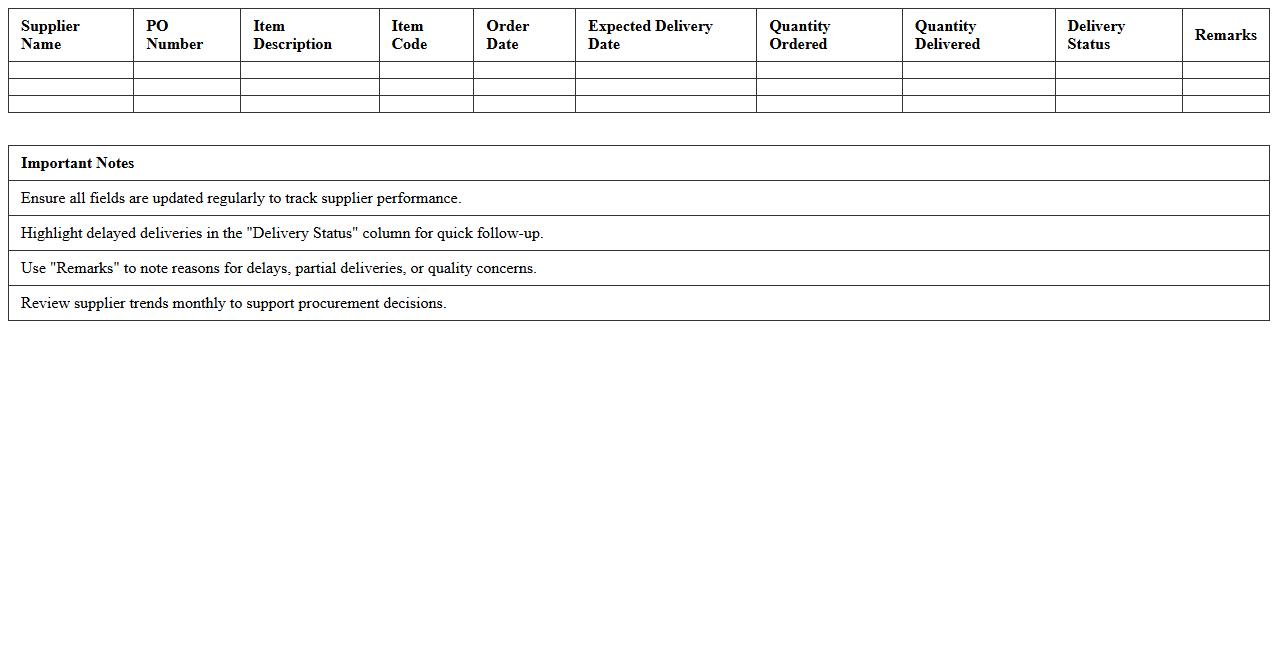
Supplier Delivery Status Excel Template for Manufacturing Procurement documents and tracks the timely receipt of materials from suppliers, ensuring accurate monitoring of order fulfillment against expected delivery dates. It consolidates essential procurement data such as purchase order numbers, supplier names, quantities ordered, quantities received, and delivery delays, enabling procurement teams to identify bottlenecks and optimize supply chain efficiency. By providing real-time visibility into supplier performance, this template supports informed decision-making, reduces production downtime, and enhances inventory management.
Inventory Purchase Record Excel Template for Suppliers
The
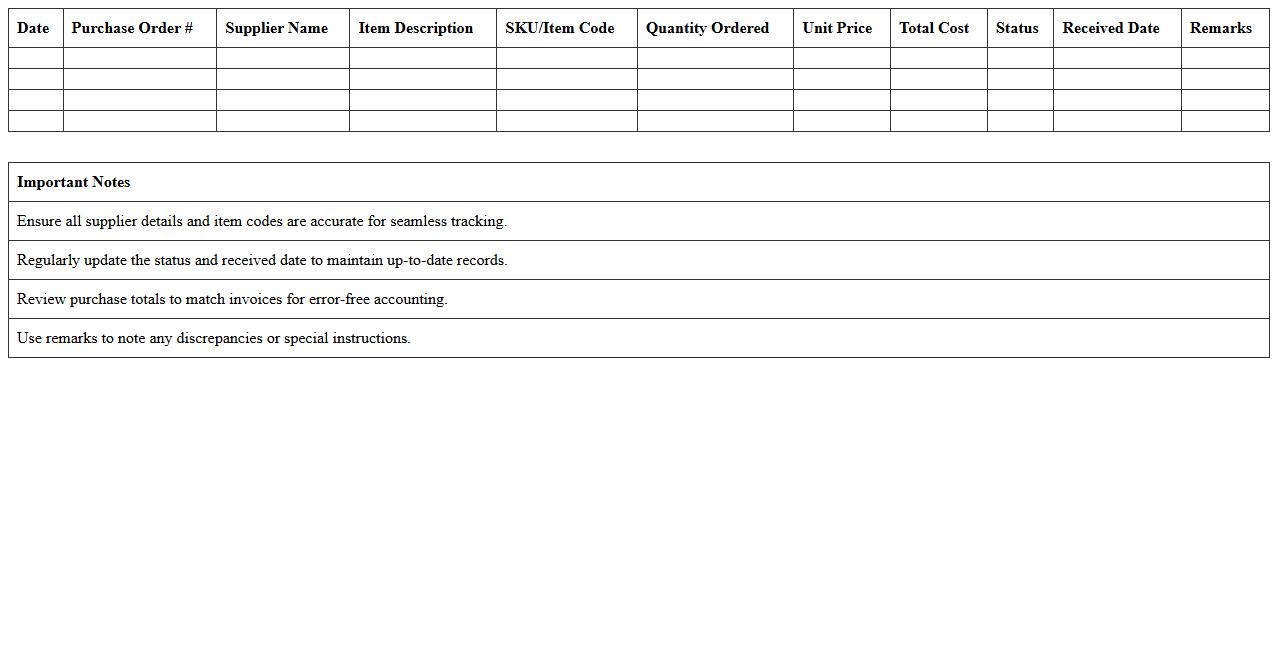
Inventory Purchase Record Excel Template for suppliers is a structured document designed to systematically track product orders, quantities, prices, and supplier details. It enables efficient management of purchase data, ensuring accuracy in inventory control and facilitating timely reordering. This template helps businesses maintain organized records, reduce errors, and streamline supplier communications for optimal inventory management.
Supplier Quote Comparison Excel Template for Manufacturing Procurement
The
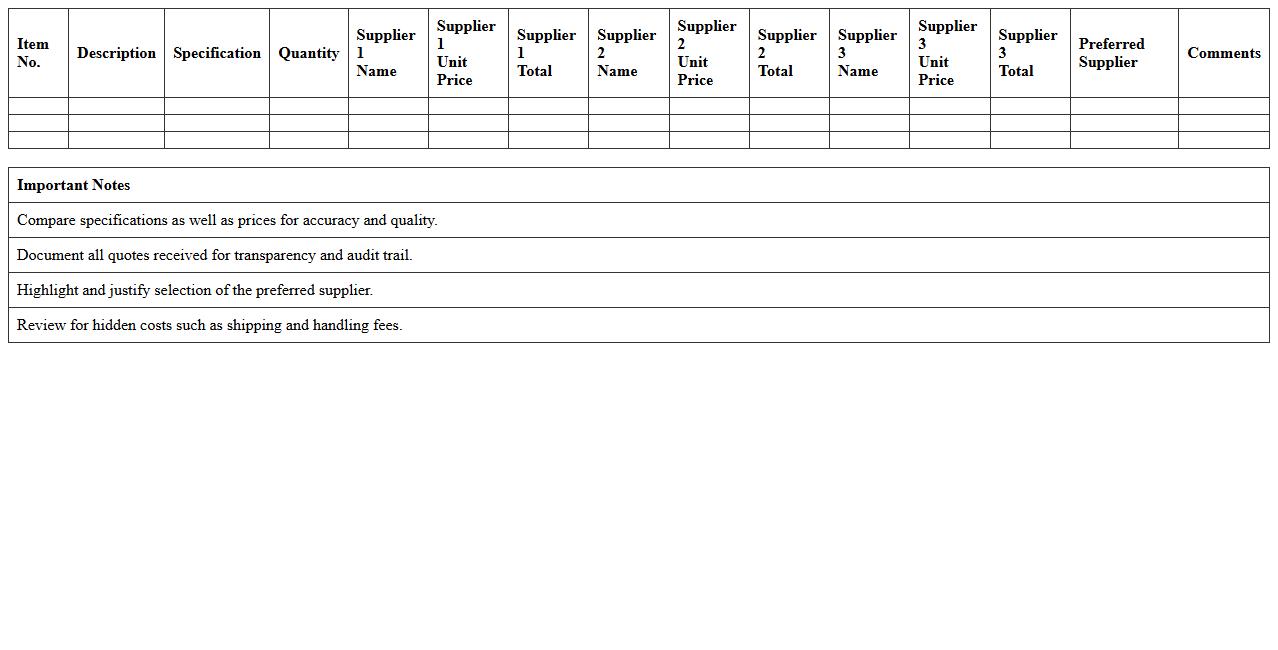
Supplier Quote Comparison Excel Template for Manufacturing Procurement is a structured spreadsheet designed to organize, compare, and analyze multiple supplier bids efficiently. It helps procurement teams evaluate pricing, delivery times, quality metrics, and terms side-by-side, enabling informed decision-making that reduces costs and improves supplier selection. This tool streamlines the procurement process, ensuring transparency and fostering competitive sourcing strategies in manufacturing operations.
Order Lead Time Monitoring Excel Template for Suppliers
The
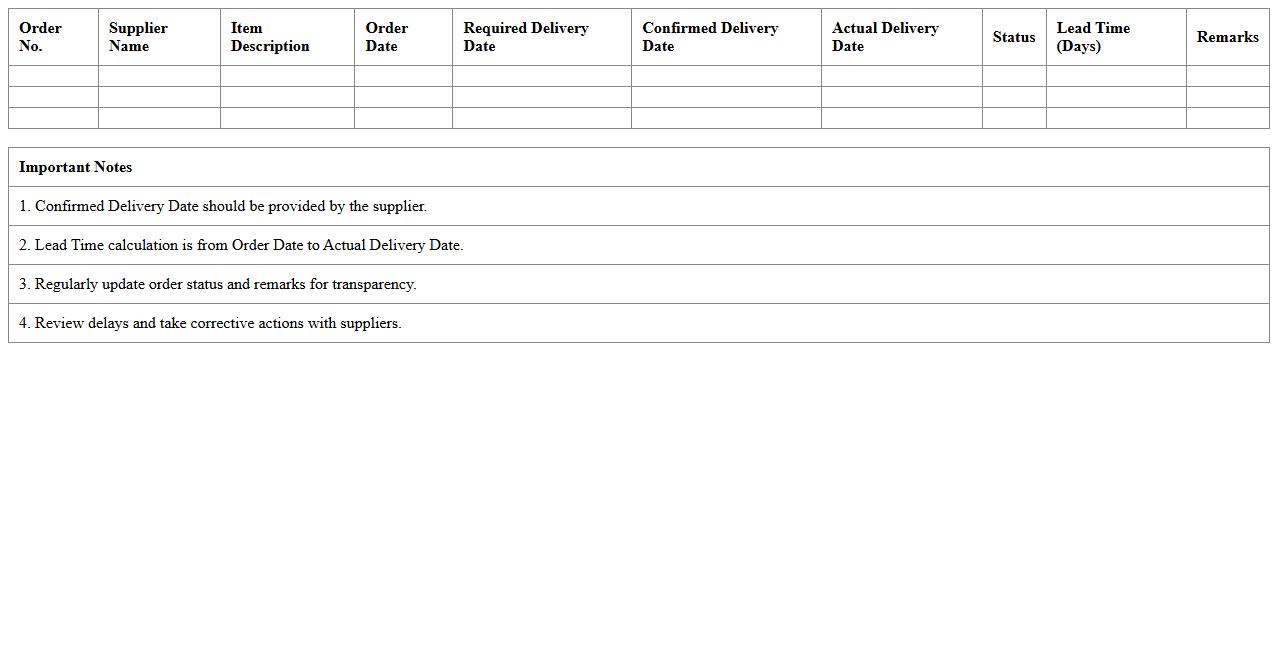
Order Lead Time Monitoring Excel Template for suppliers is a practical tool designed to track and analyze the time taken from order placement to delivery. It enables businesses to identify delays, optimize procurement schedules, and improve supplier performance efficiency. By consolidating lead time data, the template supports strategic decision-making and strengthens supply chain management.
Manufacturing Supplier Invoice Tracking Excel Template
The
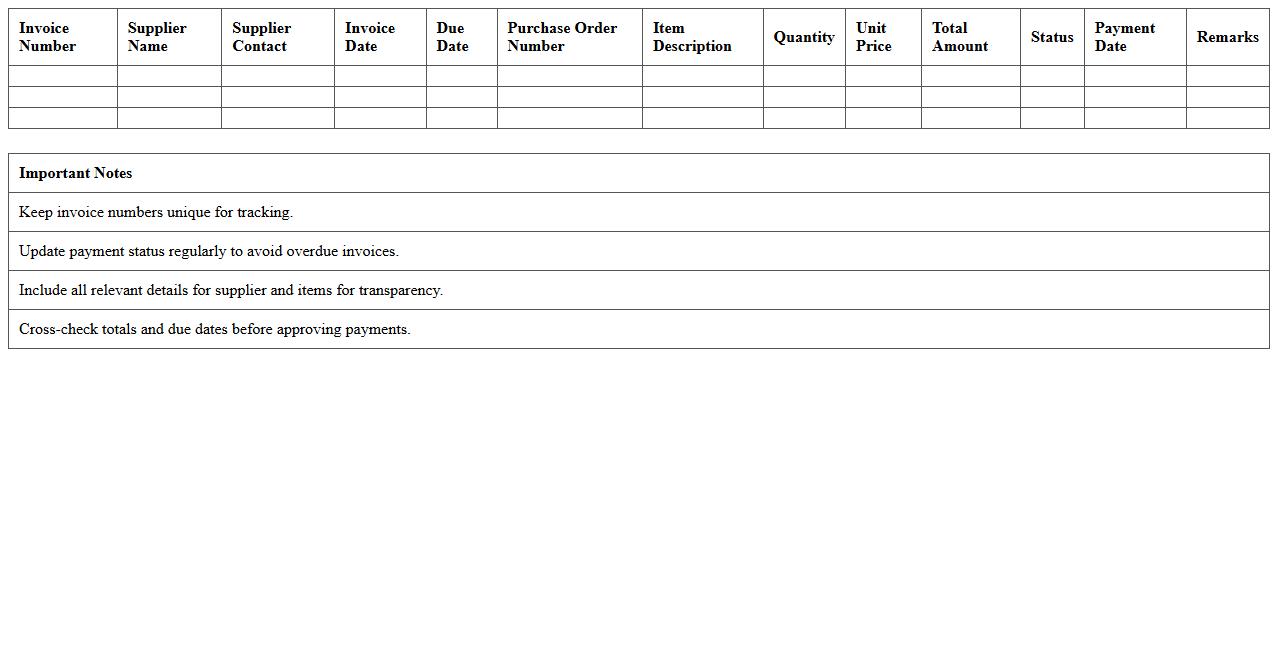
Manufacturing Supplier Invoice Tracking Excel Template is a specialized document designed to systematically record and monitor invoices from suppliers within the manufacturing sector. It helps businesses maintain accurate financial records, track payment statuses, and manage cash flow efficiently. By streamlining invoice tracking, this template reduces errors and ensures timely payments, which enhances supplier relationships and optimizes procurement processes.
Procurement Cost Analysis Excel Template for Suppliers
The
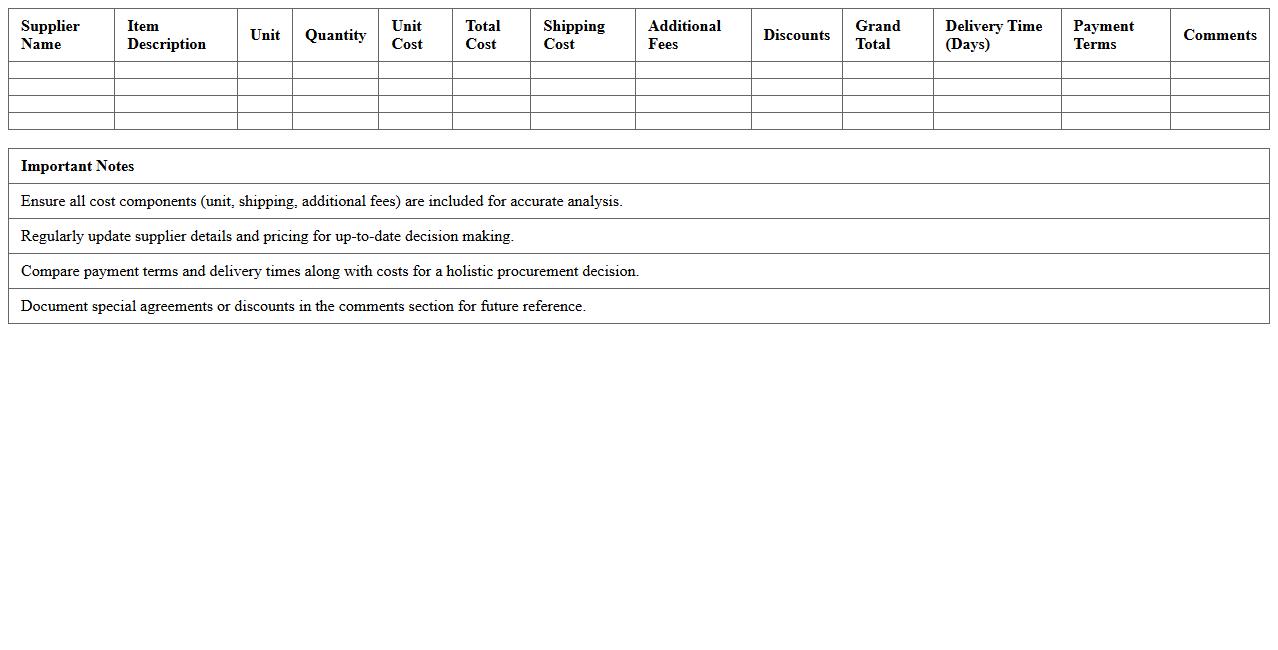
Procurement Cost Analysis Excel Template for Suppliers is a comprehensive tool designed to organize, track, and evaluate supplier-related expenses systematically. It enables users to input various cost components such as material costs, shipping fees, and taxes, providing a clear overview of total procurement expenses. This template is invaluable for businesses seeking to optimize supplier negotiations, identify cost-saving opportunities, and improve budgeting accuracy.
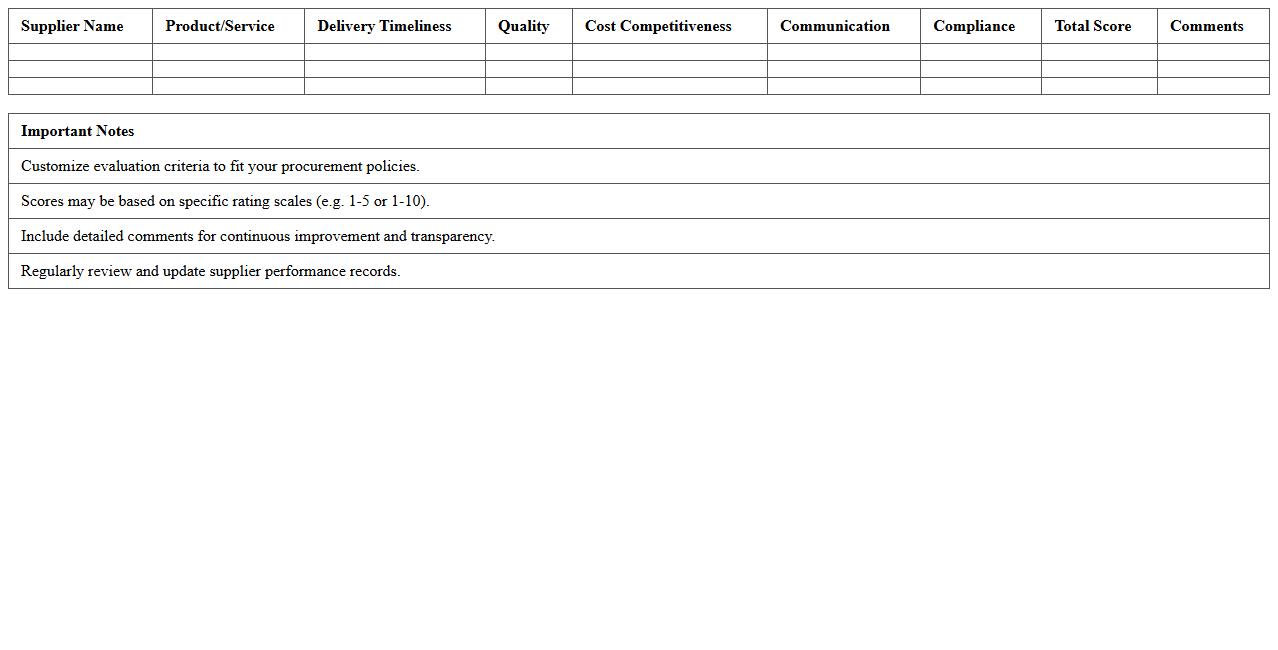
Supplier Performance Evaluation Excel Template for Procurement
The
Supplier Performance Evaluation Excel Template for procurement is a structured tool designed to assess and track supplier reliability, quality, delivery time, and compliance with contractual terms. It enables procurement teams to systematically score and compare supplier performance using quantifiable metrics, facilitating data-driven decision-making and enhancing supply chain efficiency. By identifying top-performing suppliers and areas needing improvement, the template helps optimize sourcing strategies, reduce risks, and maintain strong vendor relationships.
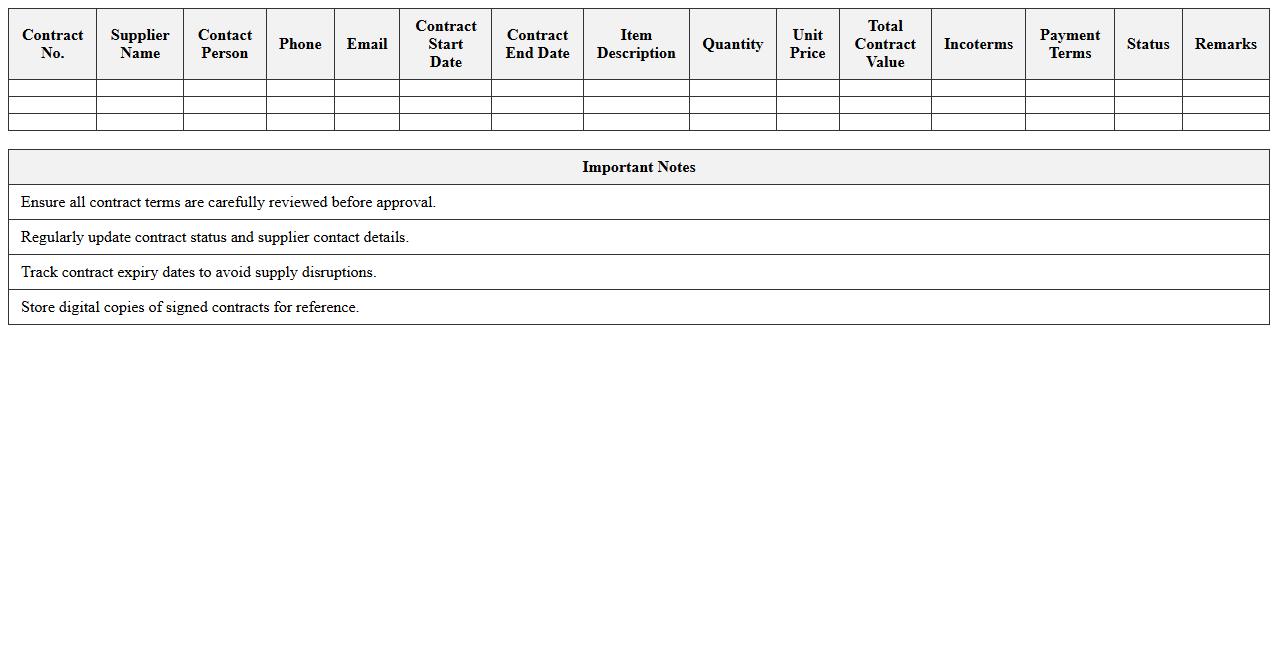
Purchase Contract Management Excel Template for Manufacturing Suppliers
A
Purchase Contract Management Excel Template for Manufacturing Suppliers is a structured document designed to streamline the tracking and administration of supplier agreements, including terms, pricing, delivery schedules, and compliance requirements. It helps manufacturing companies maintain organized records, monitor contract milestones, and ensure timely renewals or renegotiations, thereby reducing risks and improving supplier relationships. Utilizing this template enhances accuracy in procurement processes and supports data-driven decision-making for cost control and operational efficiency.
How can suppliers use Excel to automate PO status updates in manufacturing procurement tracking?
Suppliers can utilize Excel macros and VBA scripts to automate Purchase Order (PO) status updates efficiently. By linking Excel sheets with a dynamic database, the PO status can update in real-time as new data is entered or received. This approach minimizes manual data entry, increases accuracy, and streamlines manufacturing procurement tracking processes.
What essential columns should be included for supplier-specific lead time monitoring in procurement sheets?
Key columns for effective supplier-specific lead time monitoring include PO Date, Supplier Name, Expected Delivery Date, Actual Delivery Date, and Lead Time (calculated). Including these ensures comprehensive tracking of timelines and allows procurement teams to evaluate supplier performance. Additional columns like Delay Reason and Status can provide deeper insights into any deviations.
How to integrate barcode scanning for GRN (Goods Receipt Notes) within Excel tracking for suppliers?
Barcode scanning can be incorporated into Excel using a handheld scanner that inputs data directly into designated cells linked to the Goods Receipt Notes (GRN). Configuring Excel forms or templates to capture barcode data enables real-time entry and automatic updating of the inventory status. This integration improves accuracy in tracking received goods and accelerates GRN validation processes.
What formulas help detect delayed shipments automatically in manufacturing procurement logs?
Formulas such as =IF(ActualDeliveryDate>ExpectedDeliveryDate,"Delayed","On Time") enable automatic detection of shipment delays within procurement logs. Conditional formatting can highlight these delays visually, making it easier for procurement managers to identify issues quickly. Combining date functions with logical tests enhances proactive decision-making in managing supplier delivery schedules.
How can Excel dashboards visualize supplier delivery performance in real-time?
Excel dashboards utilize pivot tables, charts, and slicers to provide real-time visualization of supplier delivery performance metrics. Key performance indicators (KPIs) like on-time delivery rates and average lead times can be displayed dynamically for quick analysis. These visual tools empower procurement teams to monitor progress and address challenges effectively in manufacturing supply chains.