IT Change Request Tracking Spreadsheet
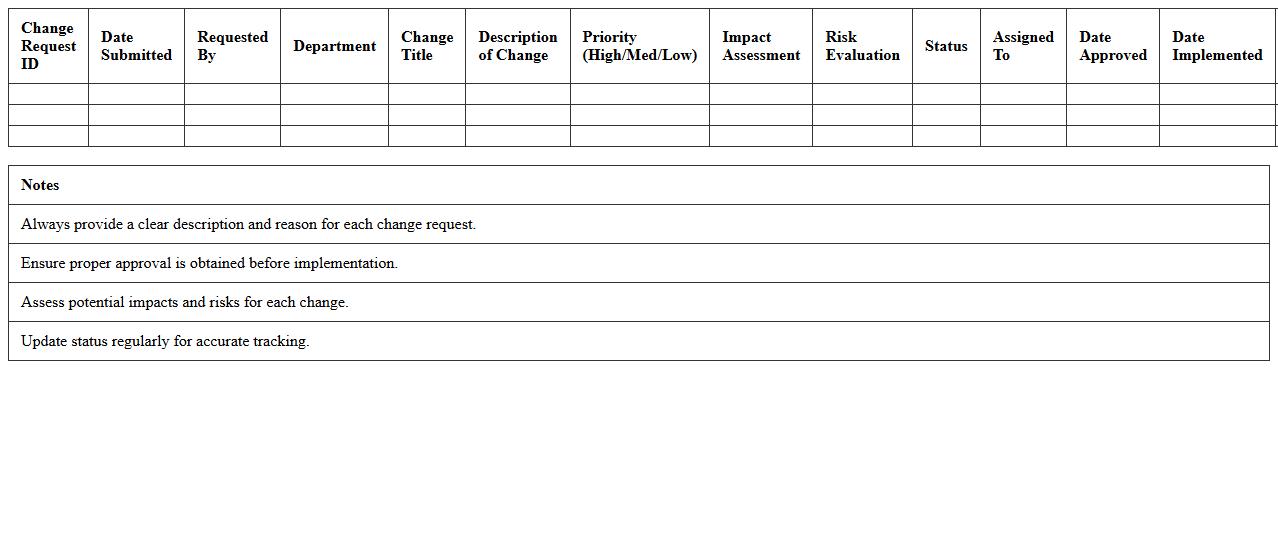
The
IT Change Request Tracking Spreadsheet document serves as a centralized tool for logging, monitoring, and managing all IT change requests within an organization. It enables teams to prioritize requests, track progress, assign responsibilities, and ensure compliance with change management policies. By providing real-time visibility into change statuses and impacts, this spreadsheet improves communication, reduces risks, and streamlines the IT change approval process.
System Update Audit Log Excel Template
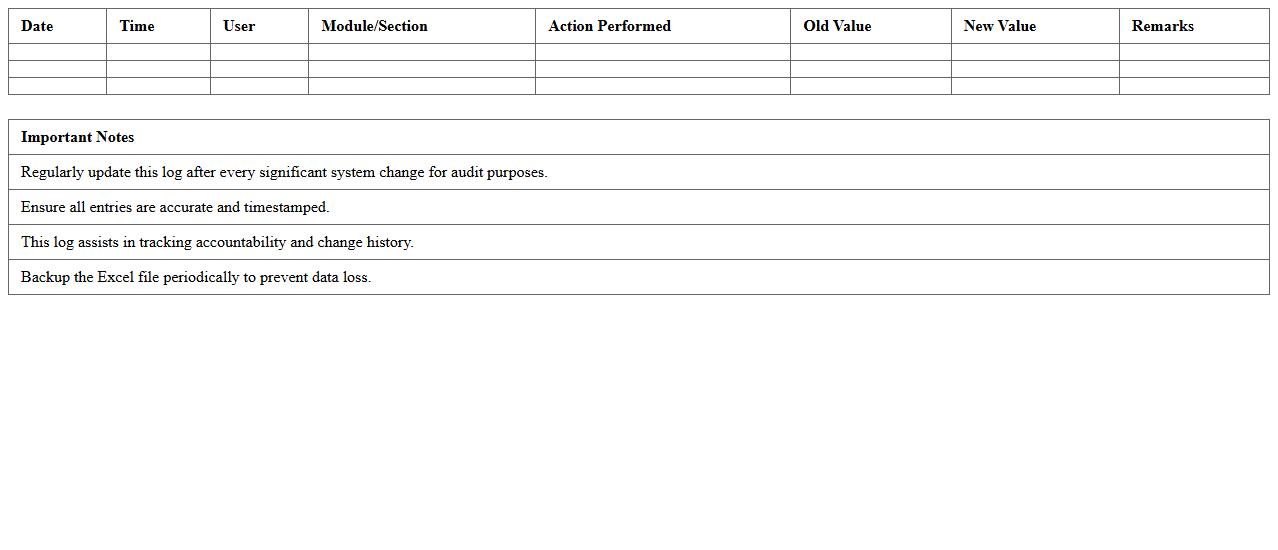
The
System Update Audit Log Excel Template document is a structured spreadsheet designed to track and record all system updates, including software patches, configuration changes, and user activities within an IT environment. It provides a clear, organized format for logging timestamps, update descriptions, responsible personnel, and approval statuses, enabling efficient monitoring and compliance verification. This template streamlines auditing processes, enhances transparency, and supports regulatory requirements by maintaining a reliable historical record of system modifications.
Infrastructure Change Management Register
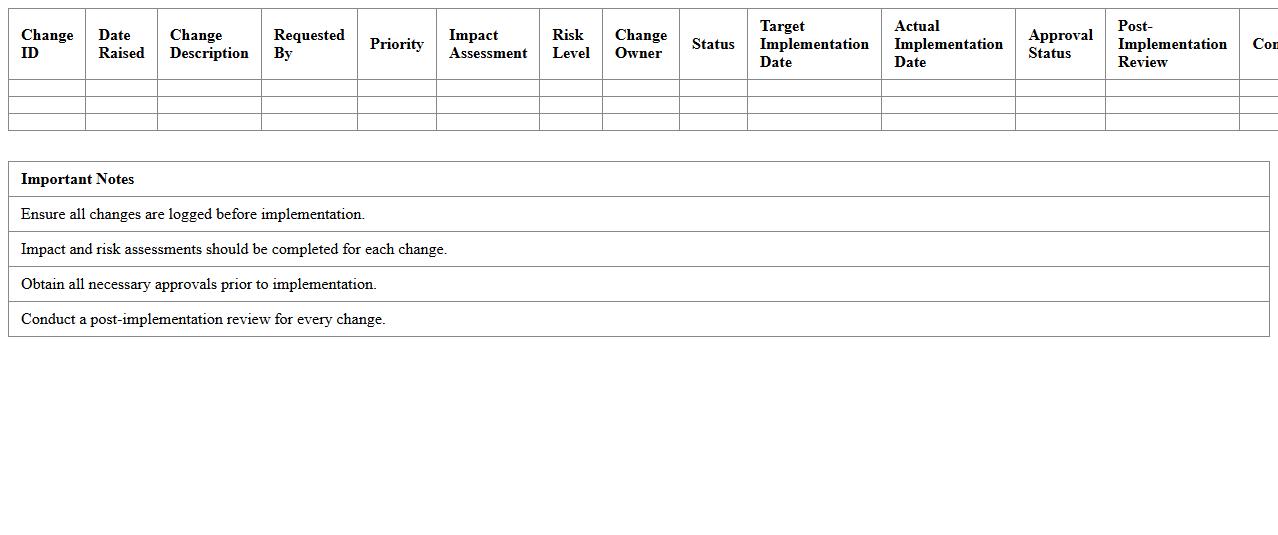
The
Infrastructure Change Management Register document systematically records all proposed, approved, and implemented changes within an organization's IT infrastructure, ensuring transparency and control over modifications. It provides essential data for assessing risks, scheduling updates, and maintaining compliance with industry standards. By centralizing change information, it helps prevent service disruptions and supports continuous improvement in infrastructure management.
Software Upgrade Change Log Sheet
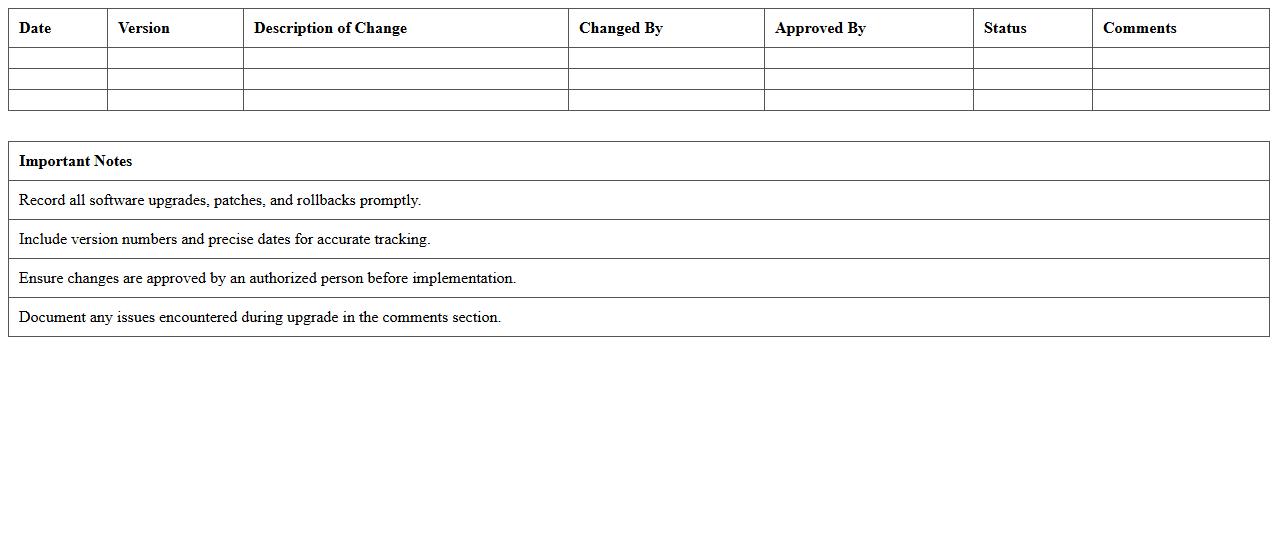
A
Software Upgrade Change Log Sheet document records all modifications, enhancements, and fixes applied during software upgrade processes, providing a detailed history of changes. It allows developers, testers, and stakeholders to track the progression of software versions, ensuring transparency and accountability. This document is essential for troubleshooting issues, maintaining version control, and facilitating smoother deployment and rollback procedures.
Network Configuration Modification Tracker
The
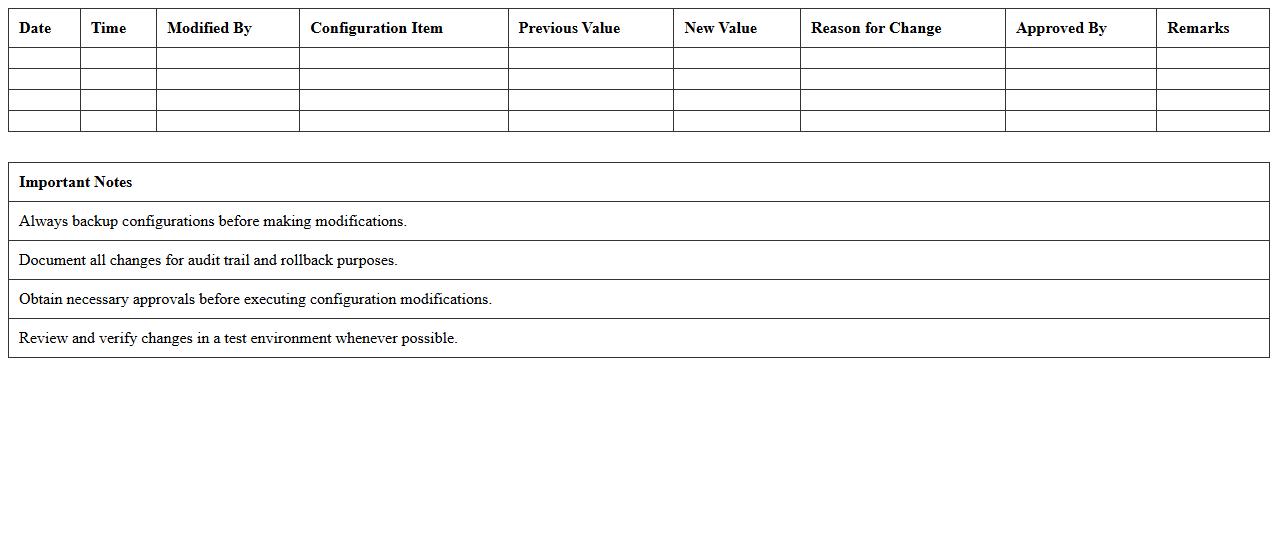
Network Configuration Modification Tracker document records all changes made to network settings, such as IP address adjustments, firewall rule updates, and device configurations. By maintaining a detailed log, it helps IT teams quickly identify the cause of connectivity issues and ensures compliance with organizational policies. This document is essential for enhancing network security, troubleshooting, and minimizing downtime.
Application Deployment Change History Log
The
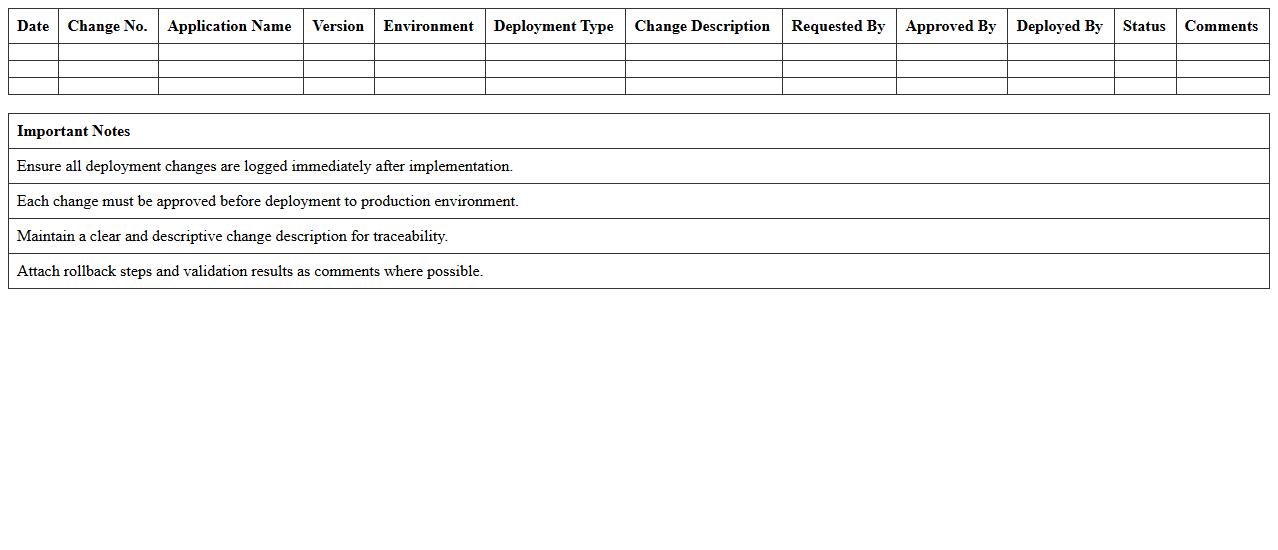
Application Deployment Change History Log document tracks all modifications made during application deployment, capturing version updates, configuration changes, and deployment timestamps. This log is essential for maintaining transparency, enabling efficient troubleshooting, and supporting audit compliance by providing a clear record of deployment activities. It helps development and operations teams identify the impact of specific changes and ensures consistent application performance and stability.
IT Maintenance Activity Log Template
An
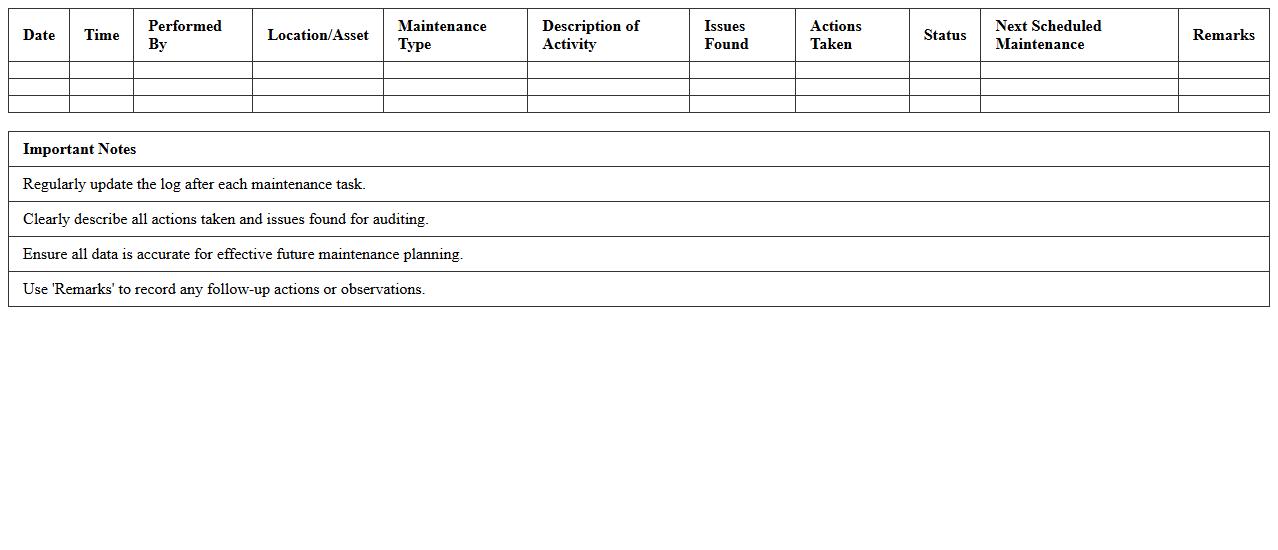
IT Maintenance Activity Log Template is a structured document designed to record and track all maintenance tasks performed on IT systems, including software updates, hardware repairs, and routine checks. It helps organizations maintain an organized history of technical activities, enabling better troubleshooting, compliance auditing, and resource allocation. Consistent use of this template ensures transparency in IT operations and supports proactive system management to minimize downtime.
Database Change Management Excel Log
A
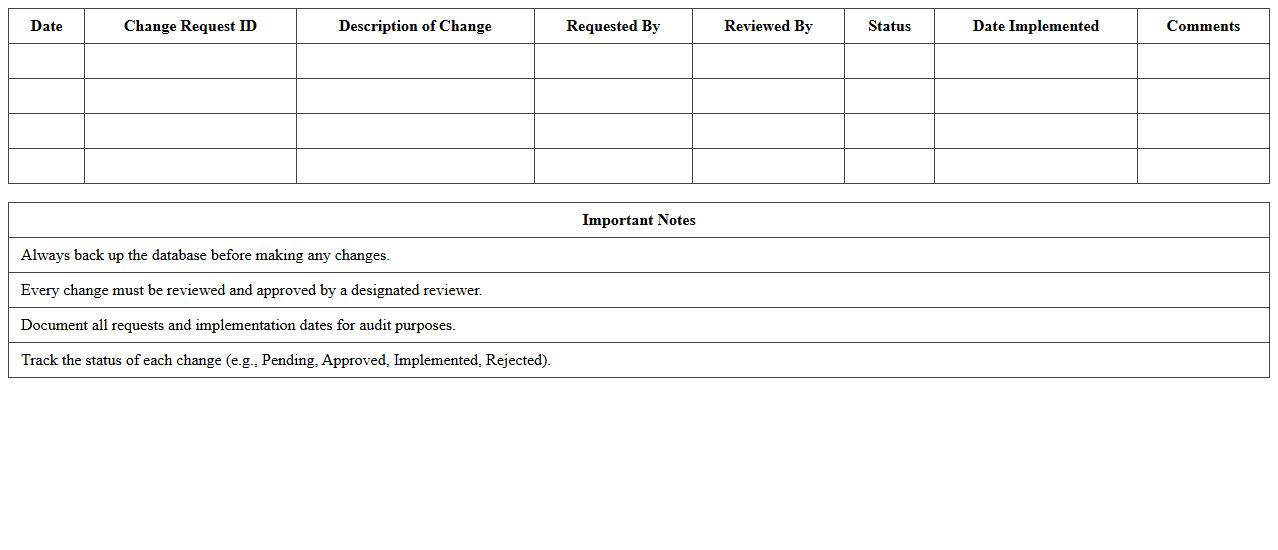
Database Change Management Excel Log document is a structured spreadsheet used to track all modifications made to a database, including schema changes, updates, and migration steps. It provides a clear audit trail, ensuring accountability and enabling teams to monitor the progress and impact of each change systematically. This log is essential for maintaining data integrity, reducing errors during deployments, and facilitating compliance with regulatory standards.
IT Incident and Change Documentation Sheet
The
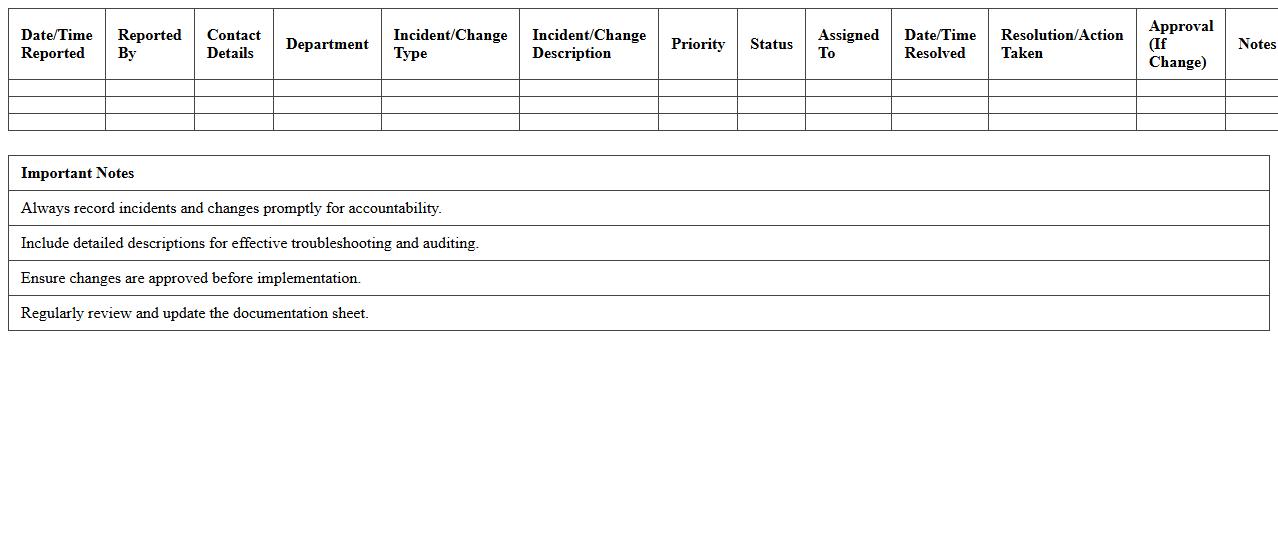
IT Incident and Change Documentation Sheet is a critical tool used to systematically record and track all IT-related incidents and changes within an organization. This document ensures accurate logging of issues, resolutions, and modifications, enabling faster troubleshooting and minimizing downtime. By maintaining comprehensive records, it supports compliance, audits, and continuous improvement in IT service management.
System Patch Update Record Template
The
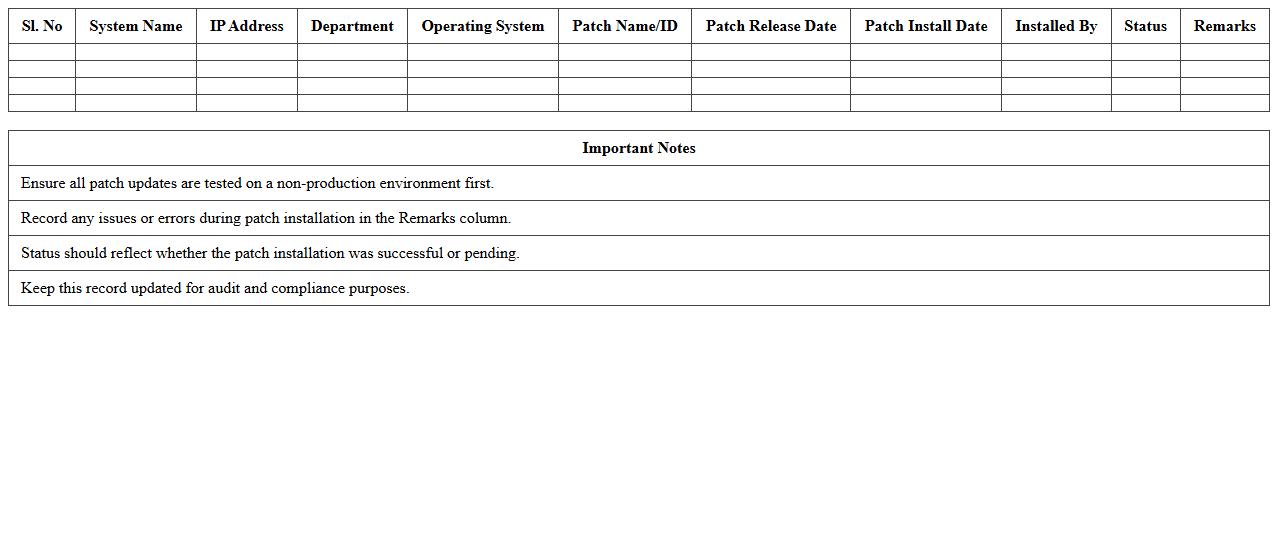
System Patch Update Record Template document systematically tracks all updates applied to a system, including patch descriptions, installation dates, and responsible personnel. This organized record enhances auditability, compliance verification, and efficient troubleshooting by providing clear historical data on system modifications. Maintaining this template ensures timely patch management, reducing vulnerabilities and improving overall system security.
How to automate version tracking in an IT Change Log Excel sheet?
To automate version tracking in an IT Change Log Excel sheet, use Excel's built-in features like macros and VBA scripts. These tools allow automatic incrementing of version numbers each time changes are saved. Additionally, linking version numbers to timestamps ensures precise tracking over time.
What are essential columns for compliance in an IT Change Log Excel template?
Essential columns for compliance in an IT Change Log Excel template include Change ID, Date, Description, Change Owner, and Approval Status. These columns provide clear traceability and accountability for every change made. Including a column for Regulatory Requirements ensures the log meets audit and compliance demands.
How can system administrators integrate Excel change logs with ticketing systems?
System administrators can integrate Excel change logs with ticketing systems by using APIs or middleware tools like Power Automate. This integration allows automatic import and synchronization of changes recorded in Excel with ticket statuses. As a result, it enhances consistency and streamlines the change management workflow.
What methods ensure audit trail integrity in IT Change Log Excel documents?
Ensuring audit trail integrity in IT Change Log Excel documents involves enabling worksheet protection and using digital signatures. Additionally, maintaining time-stamped entries and limiting editing permissions prevents unauthorized modifications. Version history and log backups further reinforce data integrity for audits.
How to implement conditional formatting for critical changes in an IT Change Log Excel?
Implement conditional formatting for critical changes by setting rules that highlight rows or cells based on change priority or severity. Use color codes like red or orange to instantly identify critical entries. This visual enhancement improves quick recognition and prioritization during reviews.