IT Hardware Request Form Excel Template
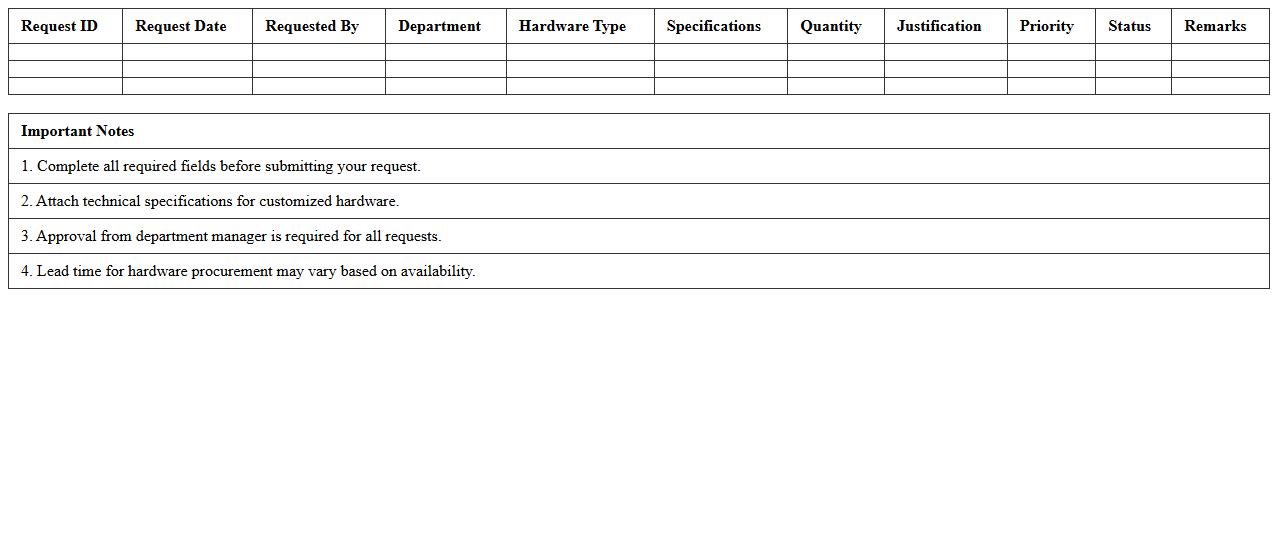
An
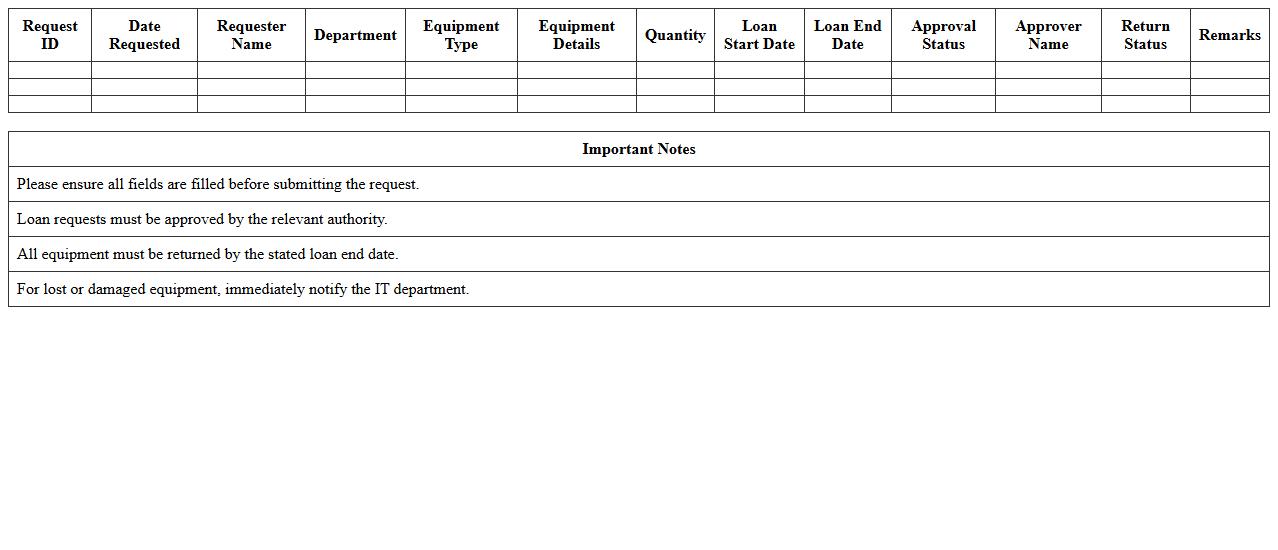
IT Hardware Request Form Excel Template is a structured document designed to streamline the process of requesting computer equipment and peripherals within an organization. It helps track essential details such as item specifications, quantities, requester information, and approval status, ensuring accurate communication between employees and IT departments. By using this template, companies can efficiently manage inventory, reduce request processing time, and maintain clear records for auditing and budgeting purposes.
Software Installation Request Tracker Excel Template
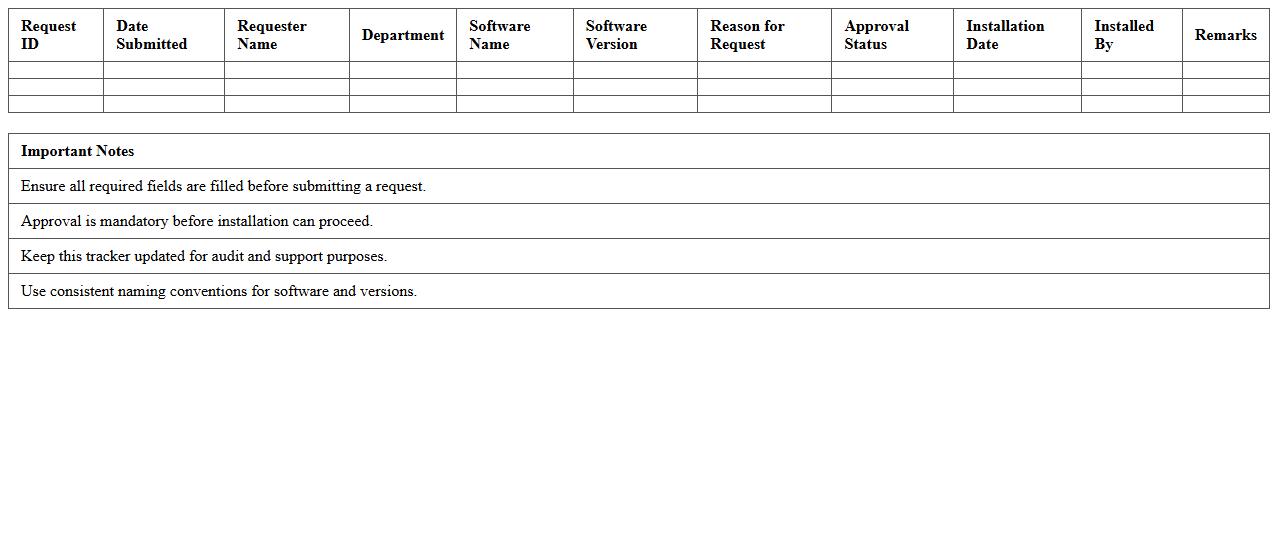
The
Software Installation Request Tracker Excel Template document is designed to systematically record and monitor software installation requests within an organization. It helps streamline the approval process, ensuring timely and organized tracking of each request, including software name, requester details, installation date, and status updates. This template is useful for IT teams to prioritize tasks, maintain compliance, and reduce errors in software deployment management.
IT Help Desk Ticket Log Spreadsheet
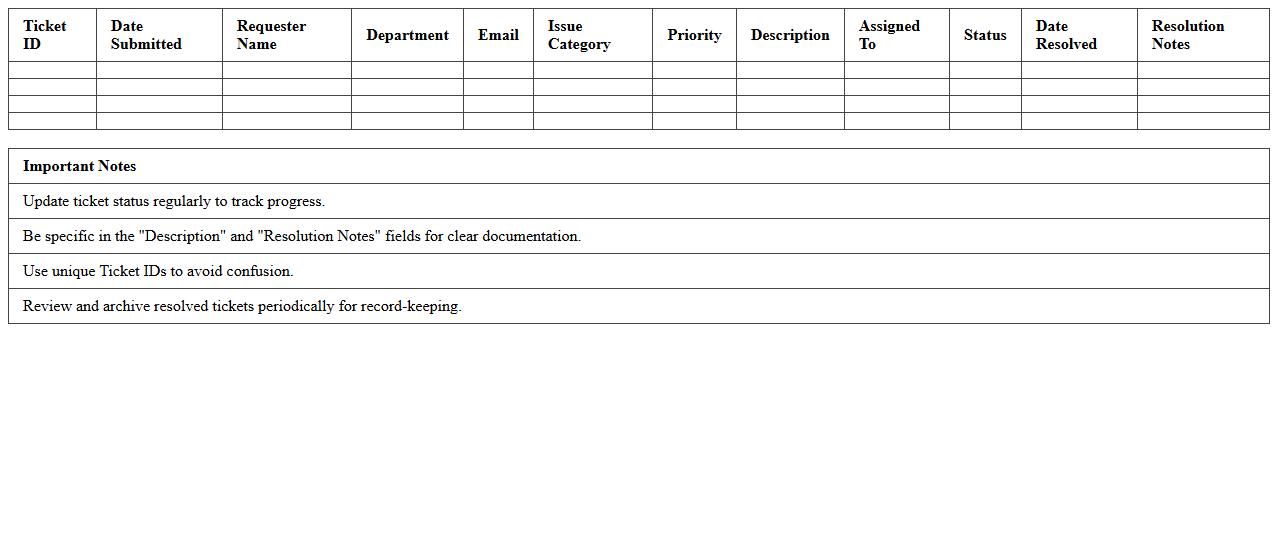
An
IT Help Desk Ticket Log Spreadsheet is a structured document used to record, track, and manage support requests and technical issues reported by users. It helps IT teams prioritize tasks, monitor resolution times, and maintain a history of incidents for better troubleshooting and analysis. This tool improves communication, ensures accountability, and enhances overall efficiency in IT support operations.
User Access Request Management Excel Sheet
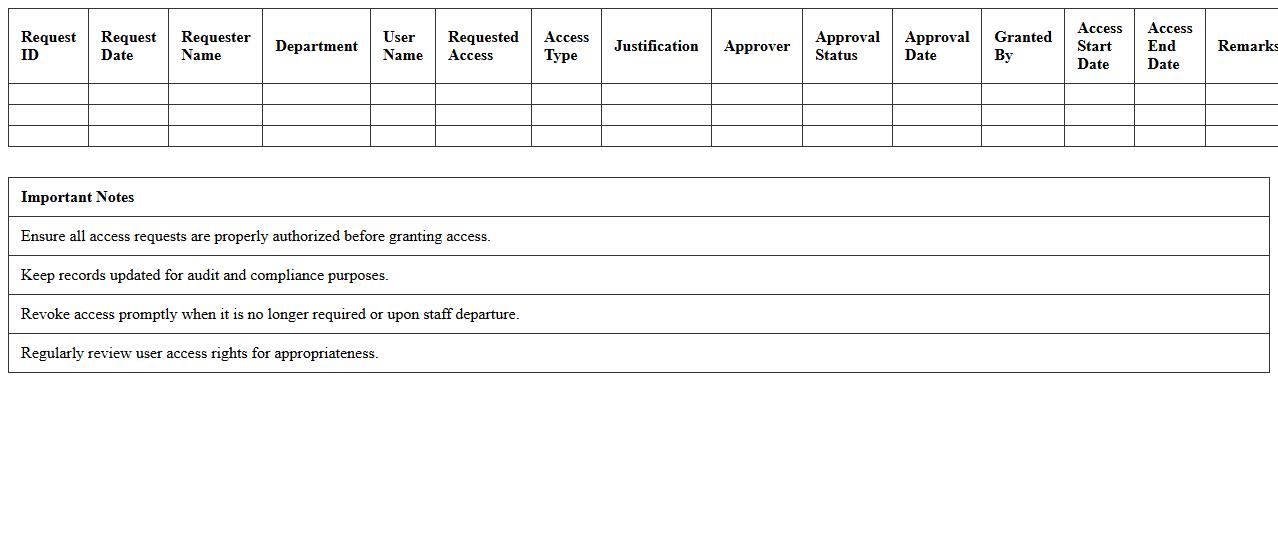
The
User Access Request Management Excel Sheet document serves as a centralized tool to track and manage user access permissions across various systems and applications. It streamlines the process of requesting, approving, and auditing access rights, ensuring compliance with security policies and reducing the risk of unauthorized access. This document enhances transparency and accountability by maintaining a detailed log of all access requests, approvals, and changes, facilitating efficient user access control management.
Network Issue Reporting Excel Template
The
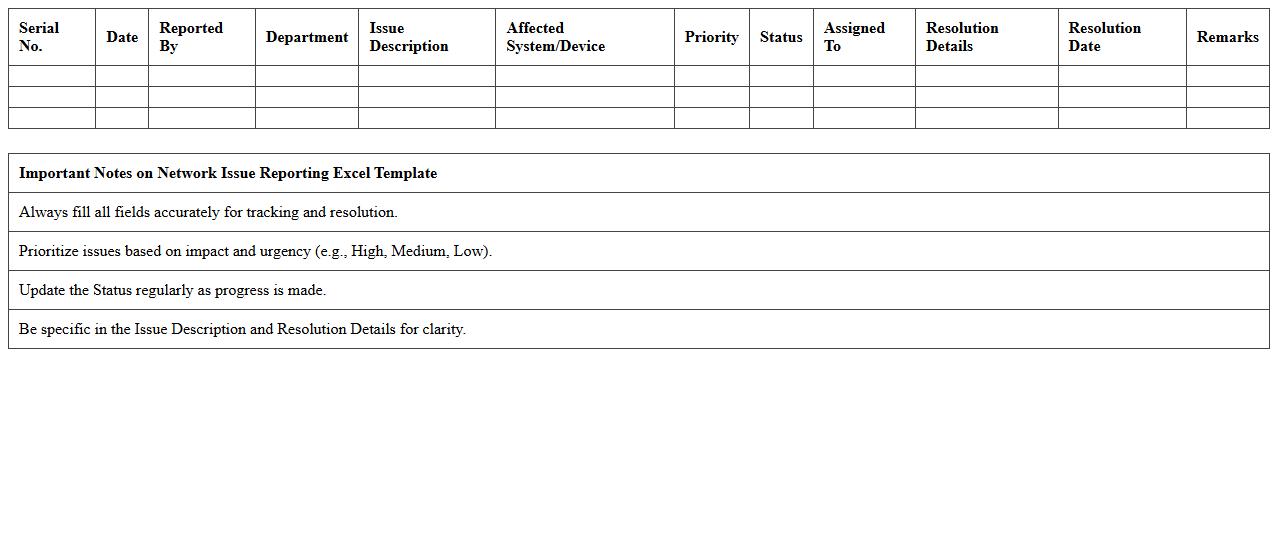
Network Issue Reporting Excel Template is a structured document designed to log, track, and analyze network problems systematically. It helps IT teams identify recurring network faults, monitor resolution progress, and generate reports for effective troubleshooting. Using this template improves communication, prioritizes tasks based on issue severity, and enhances overall network performance management.
IT Asset Service Request Tracker Excel
The
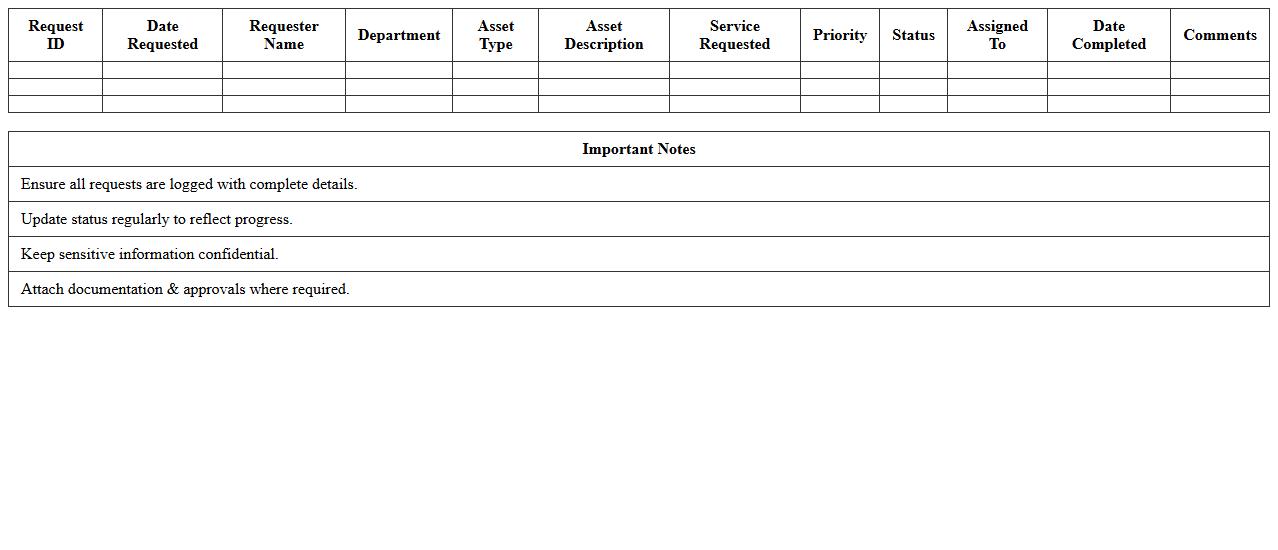
IT Asset Service Request Tracker Excel document is a structured tool designed to log, monitor, and manage IT asset-related service requests efficiently. It helps organizations keep detailed records of asset issues, track resolution progress, and ensure timely maintenance or upgrades. This centralized tracking improves accountability, reduces downtime, and supports data-driven decision-making in IT asset management.
Password Reset Request Form Excel
A
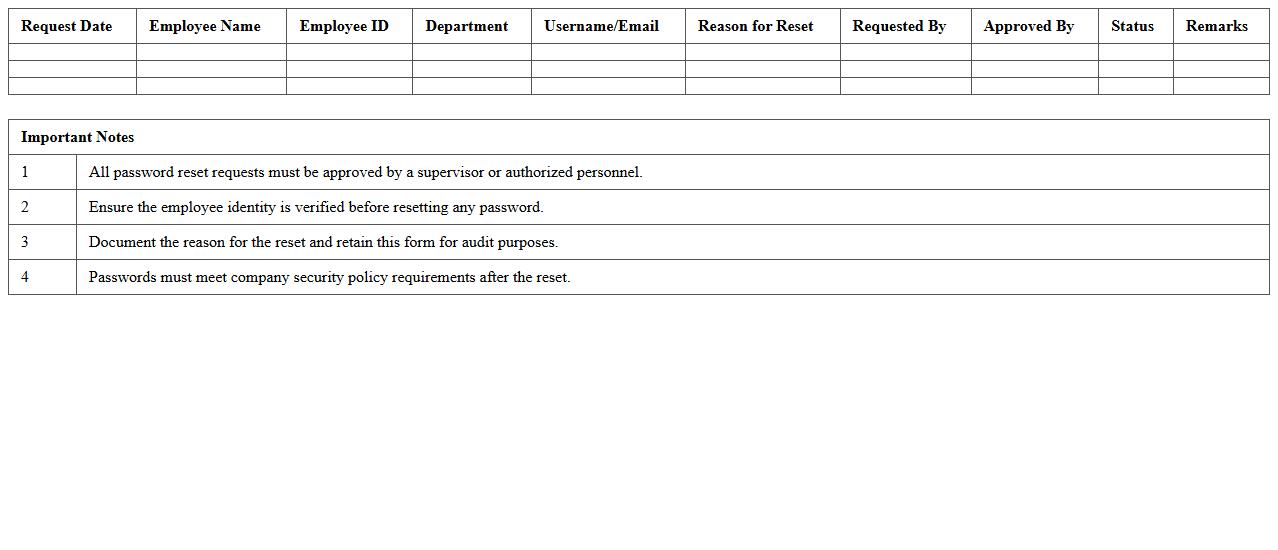
Password Reset Request Form Excel document is a structured template that captures essential user information needed to initiate a password reset process efficiently. It typically includes fields for user identification, contact details, and reason for request, enabling IT administrators to manage and track password reset requests systematically. This form enhances security by ensuring proper authorization and reduces downtime by streamlining communication between users and support teams.
System Upgrade Request Log Spreadsheet
The
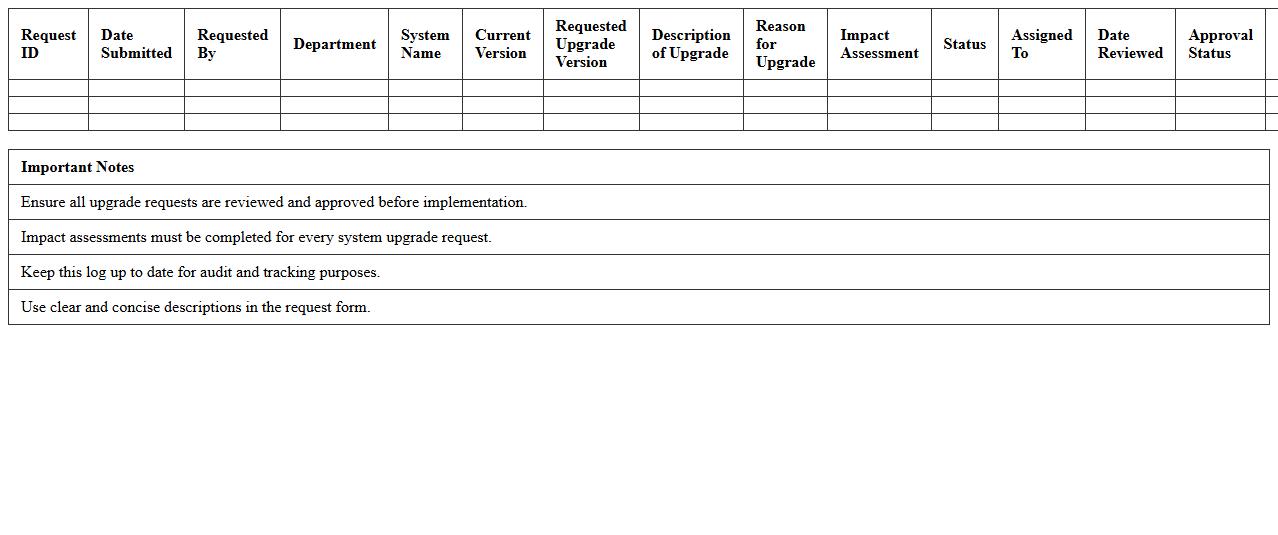
System Upgrade Request Log Spreadsheet document is a centralized tool designed to track and manage all system upgrade requests within an organization. It captures essential data such as request dates, descriptions, priority levels, and approval statuses, enabling efficient monitoring and transparency. This spreadsheet streamlines communication among IT teams and stakeholders, ensuring timely upgrades and minimizing system downtime.
IT Equipment Loan Request Excel Template
The
IT Equipment Loan Request Excel Template is a structured document designed to streamline the process of requesting and tracking the issuance of IT hardware and devices within an organization. It helps maintain clear records of loan dates, equipment details, borrower information, and return status, reducing administrative errors and improving accountability. This template enhances operational efficiency by providing a standardized format for managing IT assets and ensuring timely equipment returns.
IT Service Request Status Dashboard Excel
The
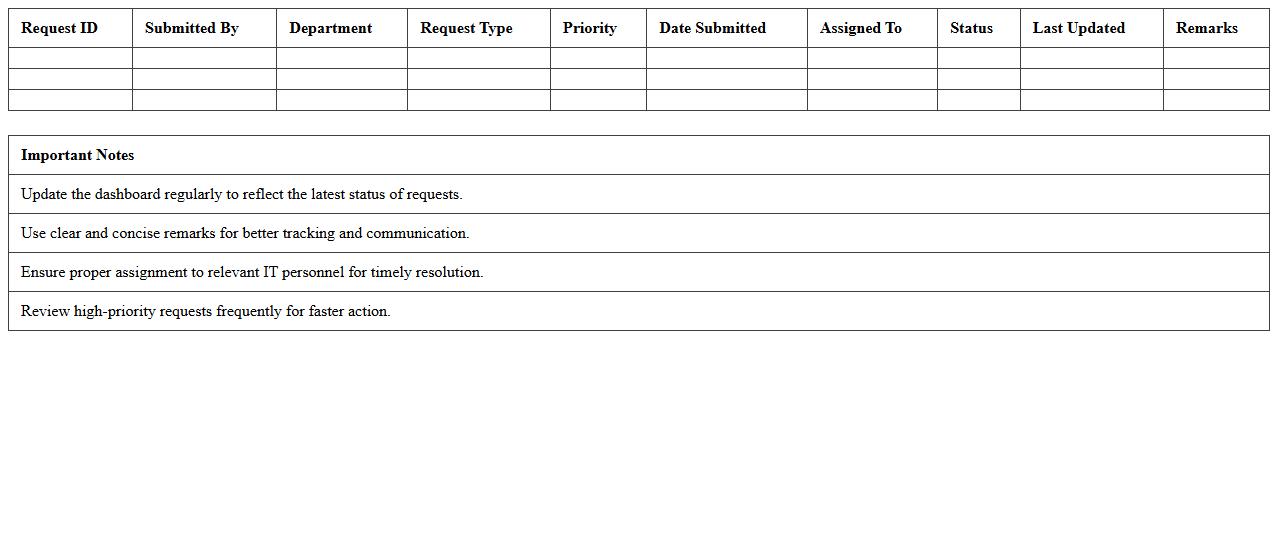
IT Service Request Status Dashboard Excel document provides a centralized platform to track and monitor the progress of all IT service requests in real-time. It enables teams to visualize request statuses, prioritize tasks, and identify bottlenecks quickly, improving response times and overall service efficiency. By consolidating key data points such as request type, assigned technician, and resolution deadlines, this dashboard enhances decision-making and resource allocation for IT support operations.
How can I automate IT service request tracking in Excel for faster response times?
To automate IT service request tracking in Excel, use macros or VBA scripts to streamline data entry and updates. Integrate formulas that automatically update the status of each request based on inputted dates and responses. This automation improves efficiency and ensures quicker response times for IT support.
What formulas optimize priority assignment in IT support request logs?
Use the IF and VLOOKUP functions to assign priority levels based on request urgency and impact. Combining these with the AND function allows for multifaceted criteria to determine priority automatically. This method ensures more accurate priority assignment and better task management.
How to design a drop-down list for common IT issues in an Excel service request template?
Create a named range with frequent IT issues and apply Data Validation to the request form cells to display a drop-down list. This approach standardizes issue reporting and reduces input errors. Using a drop-down list enhances user experience and speeds up data collection.
What data validation techniques prevent duplicate IT support entries in Excel?
Implement Data Validation with custom formulas like COUNTIF to restrict duplicate entries in key columns such as request ID or user name. This proactive check ensures each support request remains unique and helps maintain accurate records. Preventing duplicates streamlines support management and reporting.
How to create conditional formatting alerts for overdue IT service requests in Excel?
Apply Conditional Formatting with formulas comparing request due dates to the current date to highlight overdue tasks. Use distinct colors for visual emphasis on overdue IT service requests in your tracking sheet. This technique aids quick identification and prioritization of delayed support tickets.