The Banking Operations Dashboard Excel Template for Branch Managers provides a comprehensive overview of key performance indicators, enabling efficient monitoring of branch activities and financial health. This customizable template allows branch managers to track daily transactions, loan approvals, and customer service metrics seamlessly. Designed for ease of use, it enhances decision-making by presenting data in clear, interactive charts and tables.
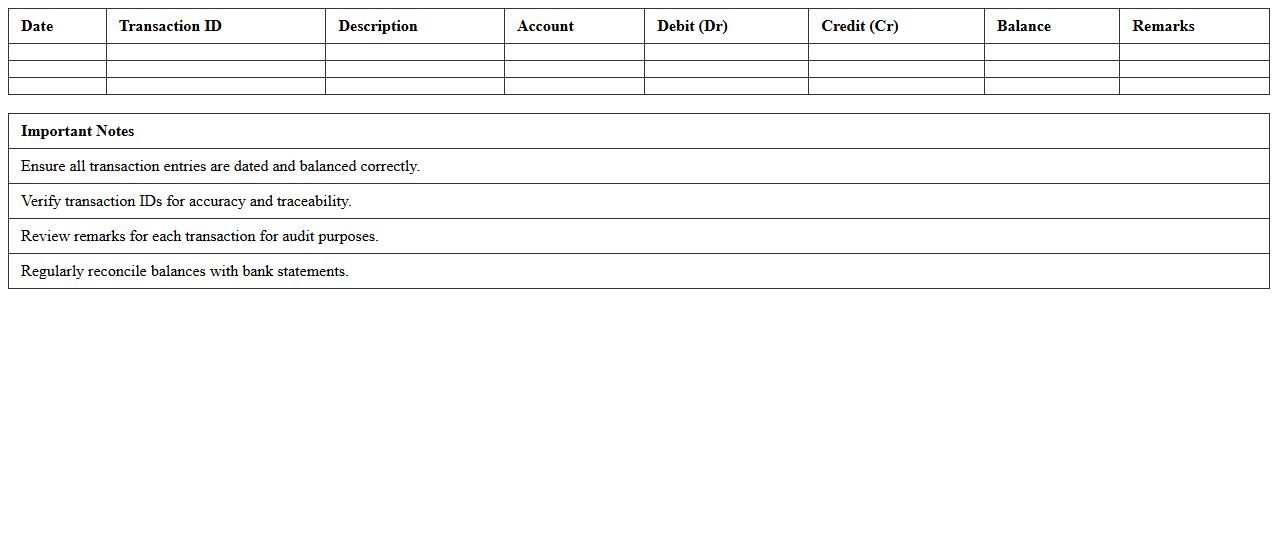
Daily Banking Transactions Report Excel Template
The
Daily Banking Transactions Report Excel Template is a structured spreadsheet designed to record, track, and analyze daily financial transactions within a bank or business. It helps users maintain accurate records of deposits, withdrawals, transfers, and balances, enhancing financial transparency and accountability. By automating calculations and organizing data efficiently, this template saves time and reduces errors in daily banking operations.
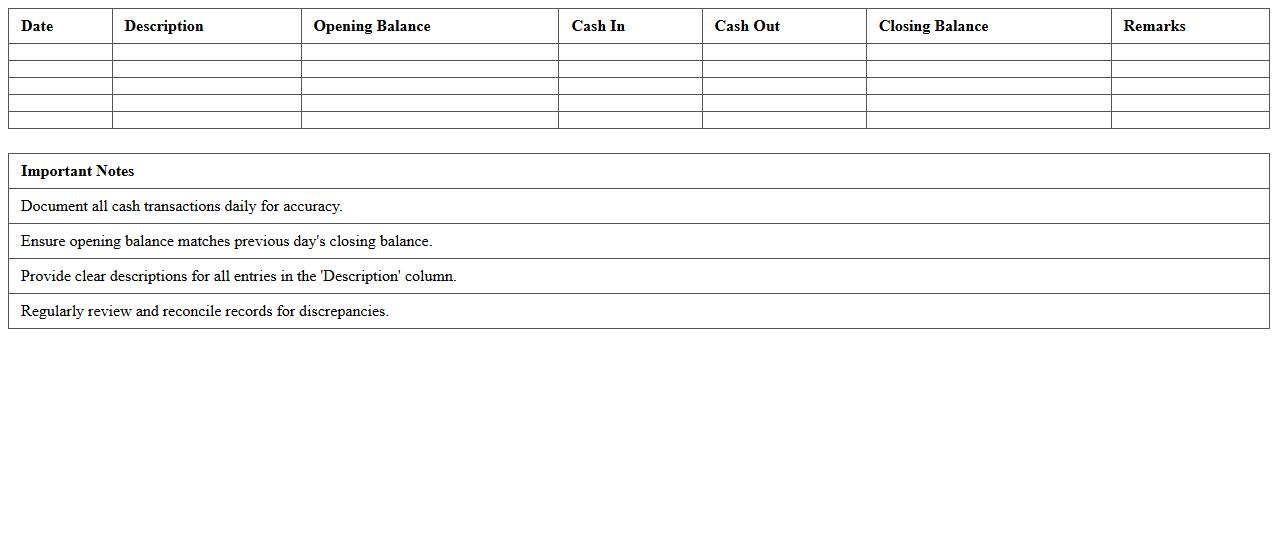
Branch Cash Flow Monitoring Spreadsheet
A
Branch Cash Flow Monitoring Spreadsheet is a detailed financial tool designed to track and manage the inflows and outflows of cash within a specific branch of a business. It helps identify patterns in cash management, ensuring adequate liquidity is maintained for daily operations while highlighting potential cash shortages or surpluses. This document enhances financial control, facilitates accurate forecasting, and supports strategic decision-making for improved branch profitability.
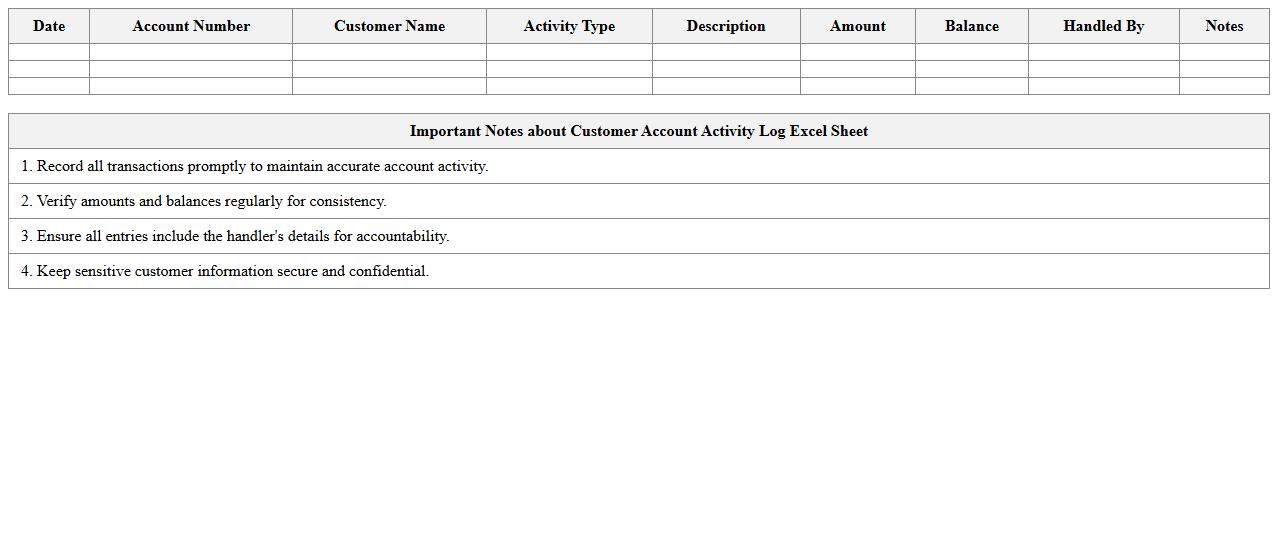
Customer Account Activity Log Excel Sheet
The
Customer Account Activity Log Excel Sheet is a structured document used to track and record all transactions and interactions related to a customer's account, including deposits, withdrawals, purchases, and service requests. It provides a comprehensive timeline of account activities that enhances transparency, aids in identifying discrepancies, and supports efficient auditing processes. By maintaining accurate and organized records, businesses can improve customer service, detect fraud early, and streamline account management operations.
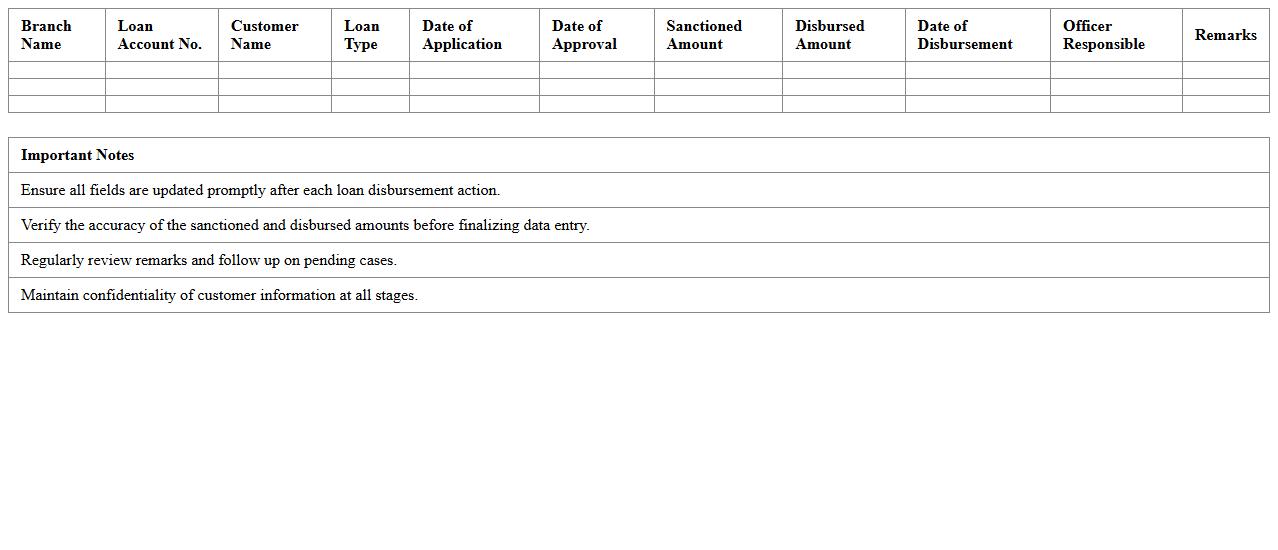
Loan Disbursement Tracking Template for Branches
The
Loan Disbursement Tracking Template for Branches document is a structured tool designed to monitor and record the release of loan funds across multiple branch locations systematically. It enables financial institutions to maintain accurate, real-time data on loan disbursements, helping ensure compliance, reduce errors, and streamline reporting processes. By providing clear visibility into the loan distribution status at each branch, this template supports efficient cash flow management and enhances decision-making capabilities.
Branch Performance KPI Dashboard Excel
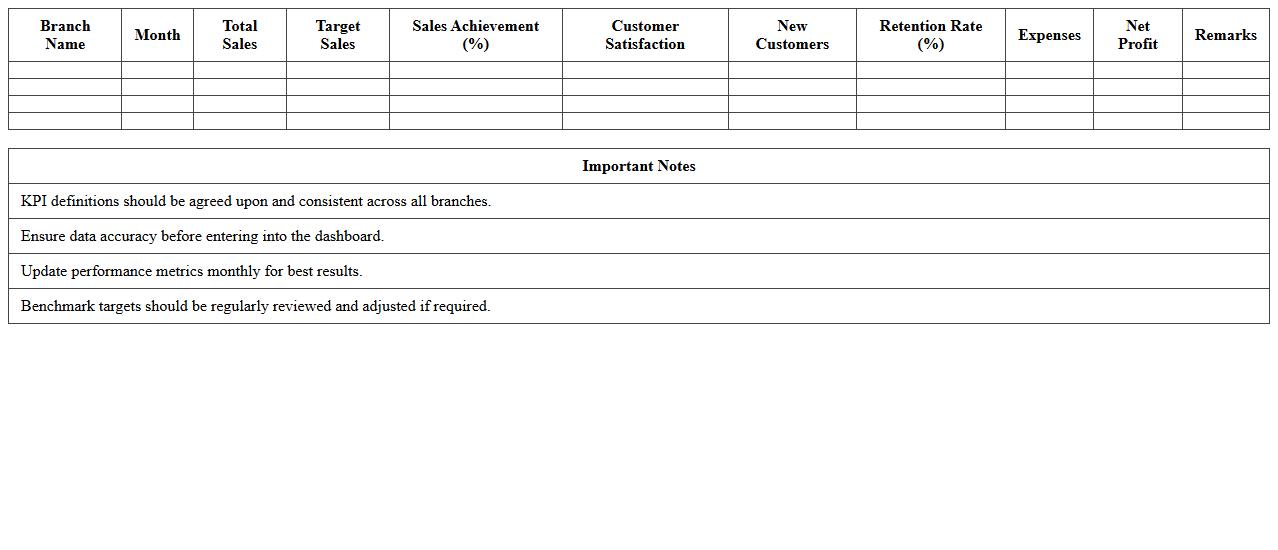
The
Branch Performance KPI Dashboard Excel document is a powerful tool designed to track and analyze key performance indicators across multiple branches of an organization. It consolidates metrics such as sales growth, customer satisfaction, and operational efficiency into a visual format, enabling quick identification of performance trends and areas needing improvement. This dashboard enhances decision-making by providing real-time insights that help managers optimize resources and drive business growth.
ATM Cash Reconciliation Excel Record
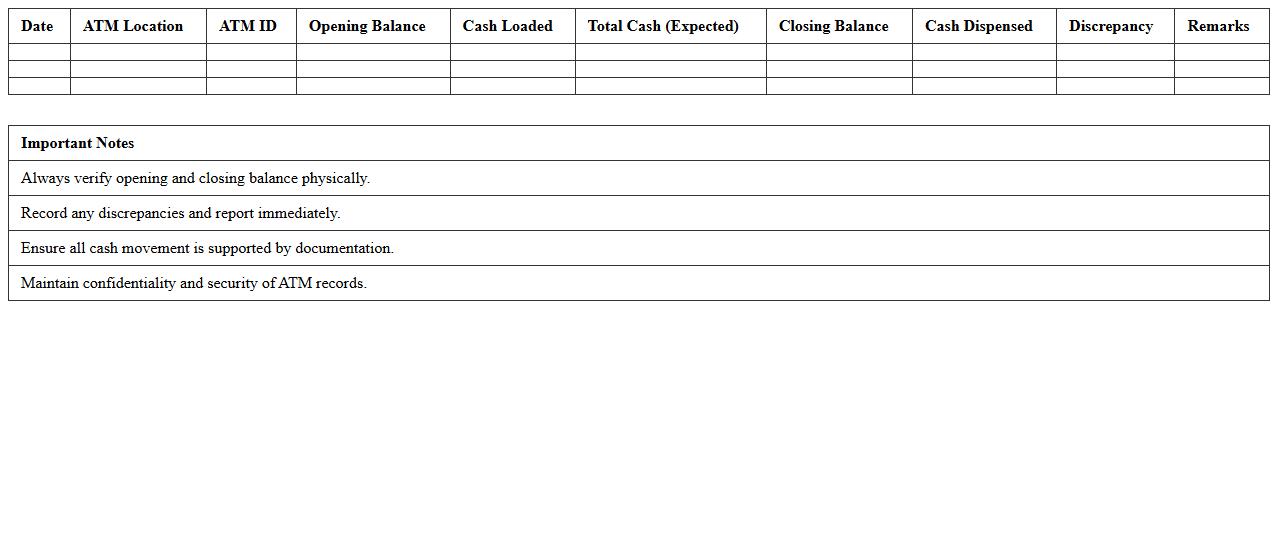
The
ATM Cash Reconciliation Excel Record document is a systematic tool used to track and verify cash transactions at an ATM, ensuring accurate accounting of cash inflows and outflows. It helps detect discrepancies between recorded transactions and actual cash levels, promoting financial accuracy and preventing theft or errors. This document is essential for businesses and banks to maintain transparent cash management and streamline audit processes.
Staff Attendance and Roster Management Excel
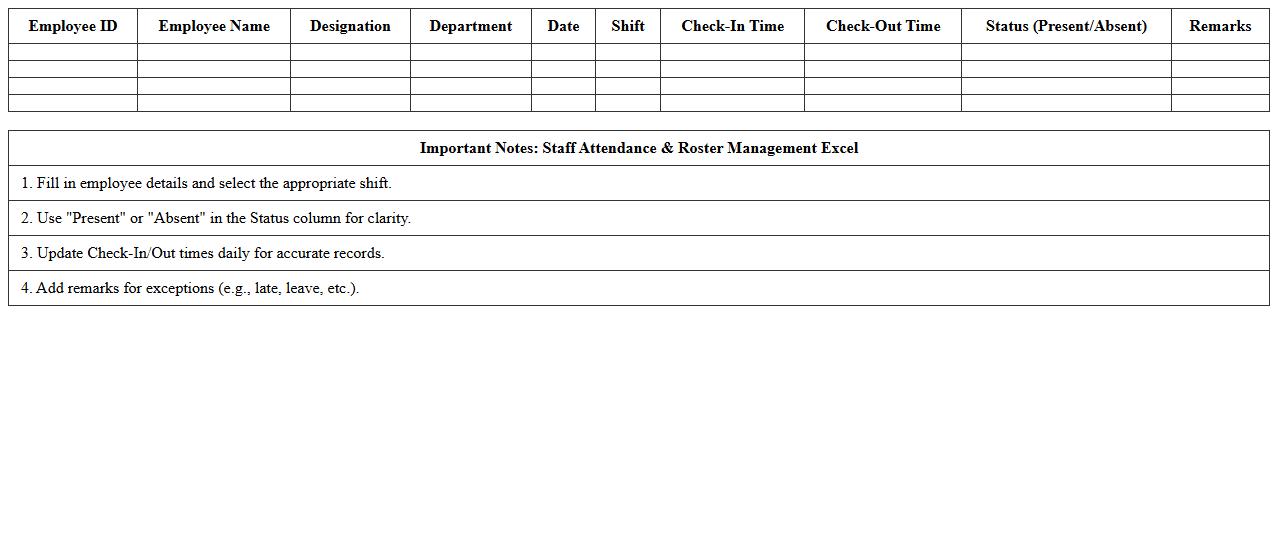
The
Staff Attendance and Roster Management Excel document serves as a comprehensive tool to track employee attendance, schedule shifts, and manage workforce allocation efficiently. It simplifies monitoring work hours, leave records, and shift patterns, ensuring accurate payroll processing and compliance with labor regulations. By centralizing this data, businesses can optimize staffing levels, reduce absenteeism, and enhance overall operational productivity.
Cheque Clearance Status Tracker Template
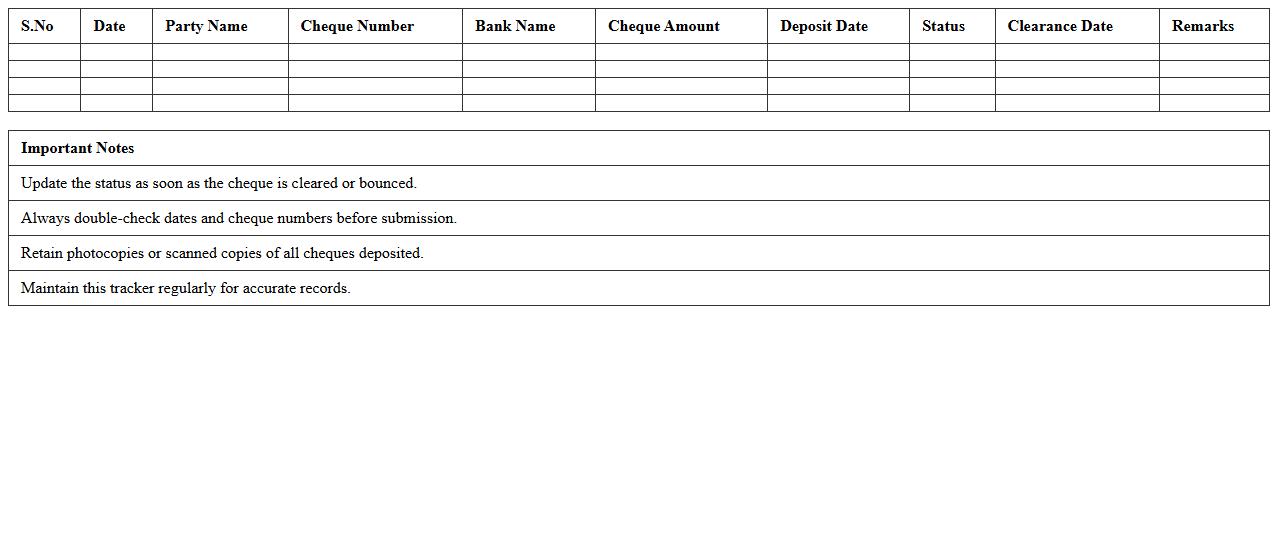
The
Cheque Clearance Status Tracker Template document is a structured tool designed to monitor and record the status of cheque transactions efficiently. It allows users to track each cheque's clearance progress, including details such as issue date, bank name, cheque number, and clearance date, ensuring accurate financial management. This template helps reduce errors, streamline reconciliation processes, and provides clear visibility of pending and cleared payments, enhancing both personal and business cash flow monitoring.
Branch Expense Management Excel Sheet
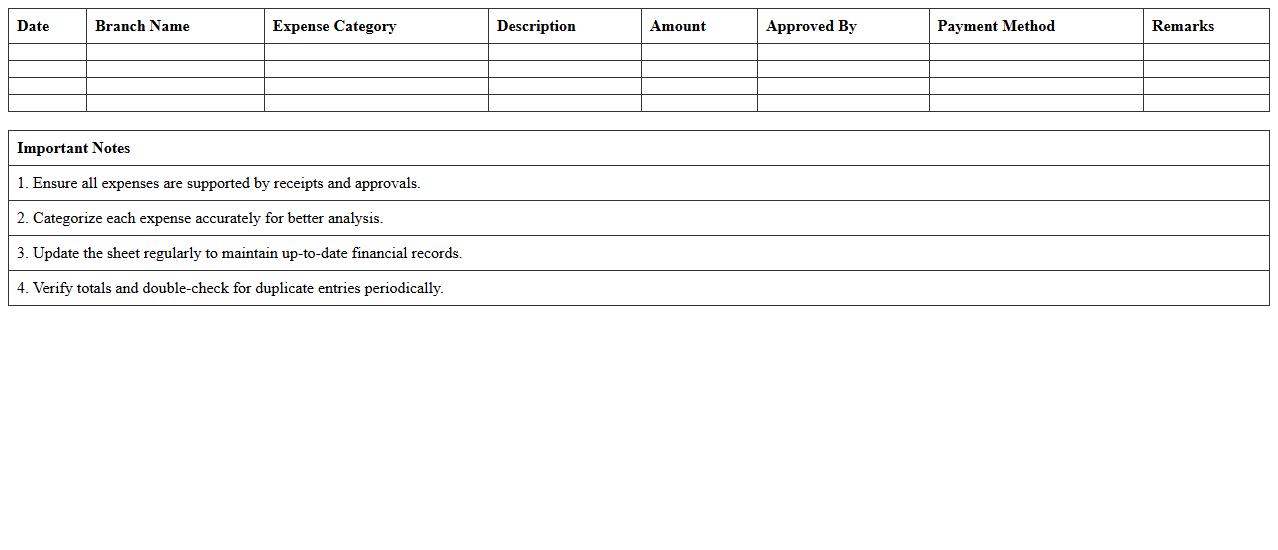
A
Branch Expense Management Excel Sheet is a structured document designed to track and analyze the financial expenditures of various branches within an organization. It organizes data such as operational costs, utilities, salaries, and other expenses, allowing for clear visibility and control over branch-specific spending. This tool is essential for budgeting, identifying cost-saving opportunities, and ensuring financial accountability across multiple locations.
Suspicious Transaction Monitoring Log Excel
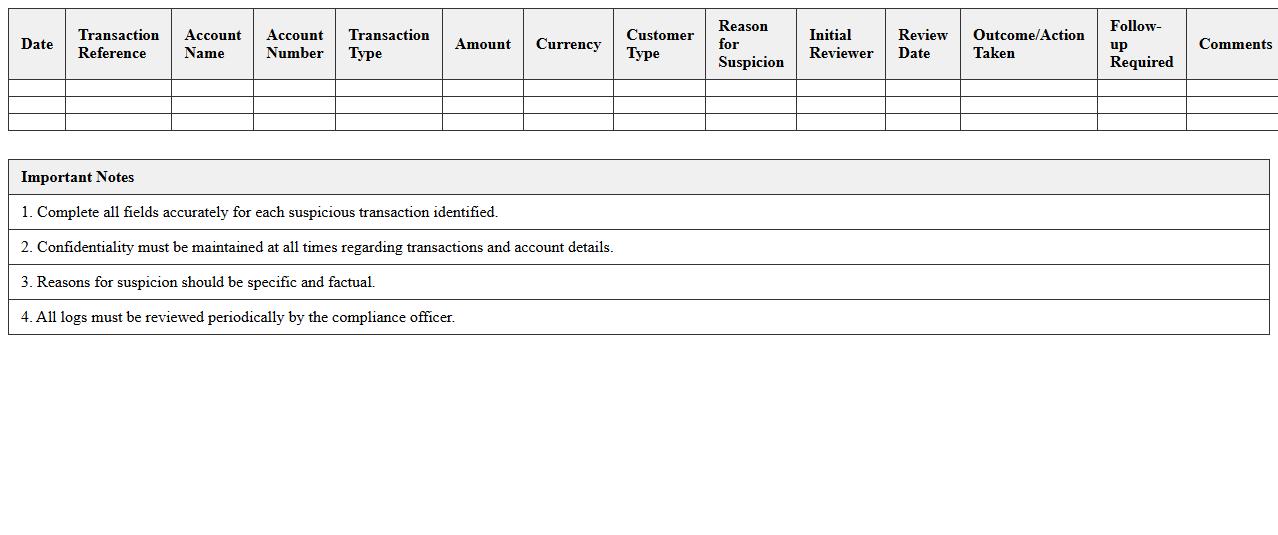
The
Suspicious Transaction Monitoring Log Excel document is a detailed record used to track and analyze potentially fraudulent or unusual financial activities. It helps organizations identify patterns and anomalies in transactions, enabling effective compliance with anti-money laundering (AML) regulations. Utilizing this log improves risk management by providing a clear, organized format for reviewing and reporting suspicious behavior.
What are key Excel formulas for automating daily branch cash flow in the Banking Operations Dashboard?
The primary Excel formulas for automating daily branch cash flow include SUMIF and SUMPRODUCT to aggregate transactional data based on specific criteria. VLOOKUP or XLOOKUP are essential for retrieving account details and matching branch codes dynamically. Additionally, IFERROR helps maintain clean dashboards by handling missing or erroneous data gracefully.
How does the dashboard track and visualize branch-specific NPA (Non-Performing Assets) trends?
The dashboard utilizes time-series data, applying LINE CHARTS or SPARKLINES to visualize NPA trends for each branch. Pivot Tables summarize overdue loan accounts, while conditional formatting flags NPA percentages exceeding predefined thresholds. Integration of dynamic slicers allows users to filter NPA data by branch and date ranges, offering intuitive trend analysis.
Can the Excel dashboard integrate live teller transaction data for real-time operations monitoring?
Yes, the Excel dashboard can connect to live teller transaction data via Power Query or linked external data sources such as SQL databases and cloud-hosted Excel files. This integration facilitates near real-time data refreshes that automatically update charts and summary tables. Setting appropriate refresh intervals ensures continuous synchronization without manual intervention.
What conditional formatting rules highlight unusual withdrawal spikes for branch managers?
Conditional formatting rules target withdrawals exceeding a calculated threshold, typically using a formula like =Amount>(AVERAGE($AmountRange)*2) to flag anomalies. Color scales or icon sets visually emphasize unusually large transactions compared to historical data. Applying these rules at the branch level helps managers quickly identify suspicious withdrawal patterns signaling potential risk.
How to generate branch-wise profitability reports using Pivot Tables in the dashboard?
Branch-wise profitability reports are created by adding transaction amounts and associated costs into a Pivot Table as values, with branch names as row labels. Calculated fields can compute profit margins by subtracting costs from revenue directly within the Pivot Table. Utilizing slicers enhances interactivity, enabling users to filter reports by time periods and specific branches effortlessly.
More Banking Excel Templates