The Banking Excel Template for Fraud Detection Analysis provides a structured framework to identify and analyze suspicious transactions effectively. It utilizes advanced formulas and pivot tables to highlight anomalies and trends in banking data. This tool enhances decision-making by offering clear visualizations and automated alerts for potential fraud.
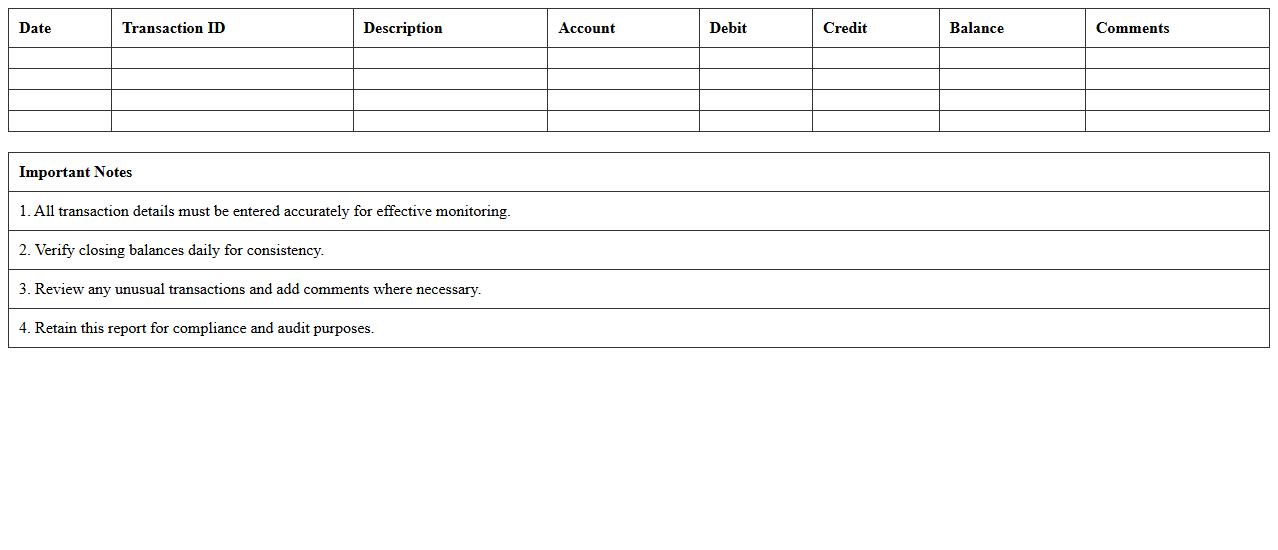
Daily Transaction Monitoring Report Excel Template
The
Daily Transaction Monitoring Report Excel Template is a structured spreadsheet designed to track and analyze daily financial transactions systematically. It helps organizations identify unusual or suspicious activities by offering a clear overview of transaction patterns, enabling timely fraud detection and compliance with regulatory requirements. This tool enhances decision-making and streamlines auditing processes through real-time data visualization and comprehensive record-keeping.
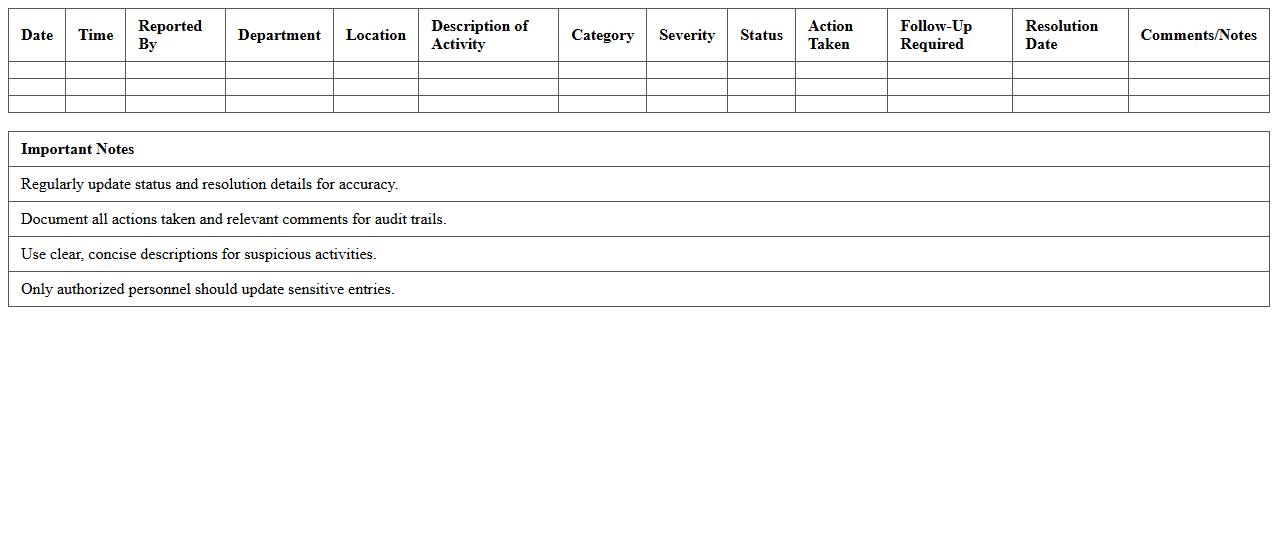
Suspicious Activity Tracking Dashboard Excel Spreadsheet
The
Suspicious Activity Tracking Dashboard Excel Spreadsheet document centralizes the monitoring and analysis of unusual transactions or behaviors within an organization, enhancing risk management and compliance efforts. It enables users to systematically capture, categorize, and visualize data on potentially fraudulent activities, aiding in swift investigative actions. This tool significantly improves the ability to detect patterns and anomalies, facilitating proactive decision-making in security and financial oversight.
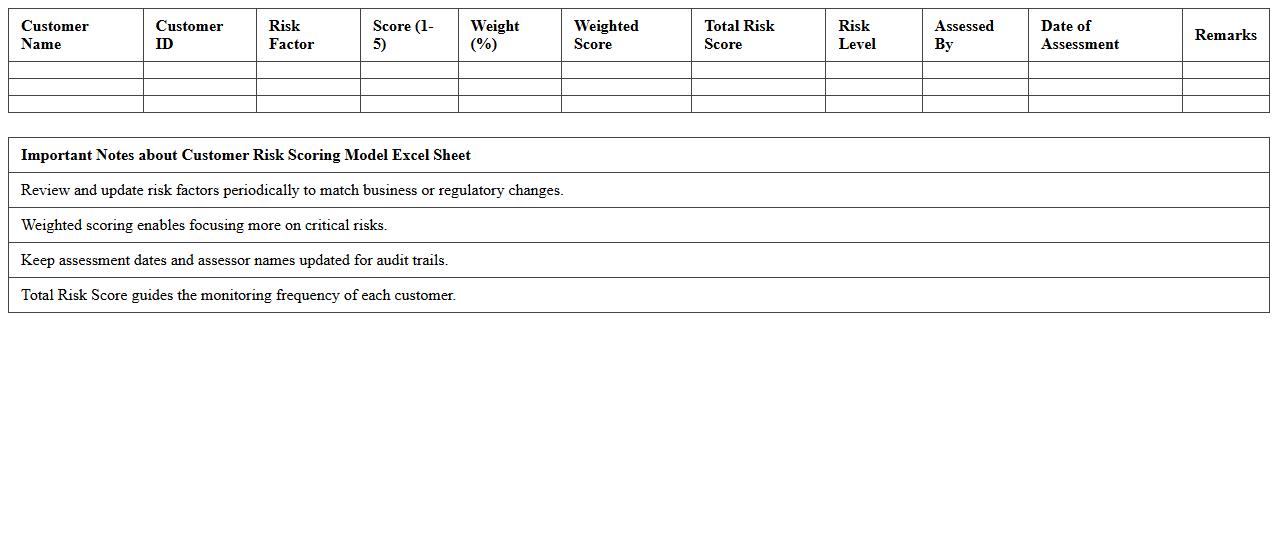
Customer Risk Scoring Model Excel Sheet
The
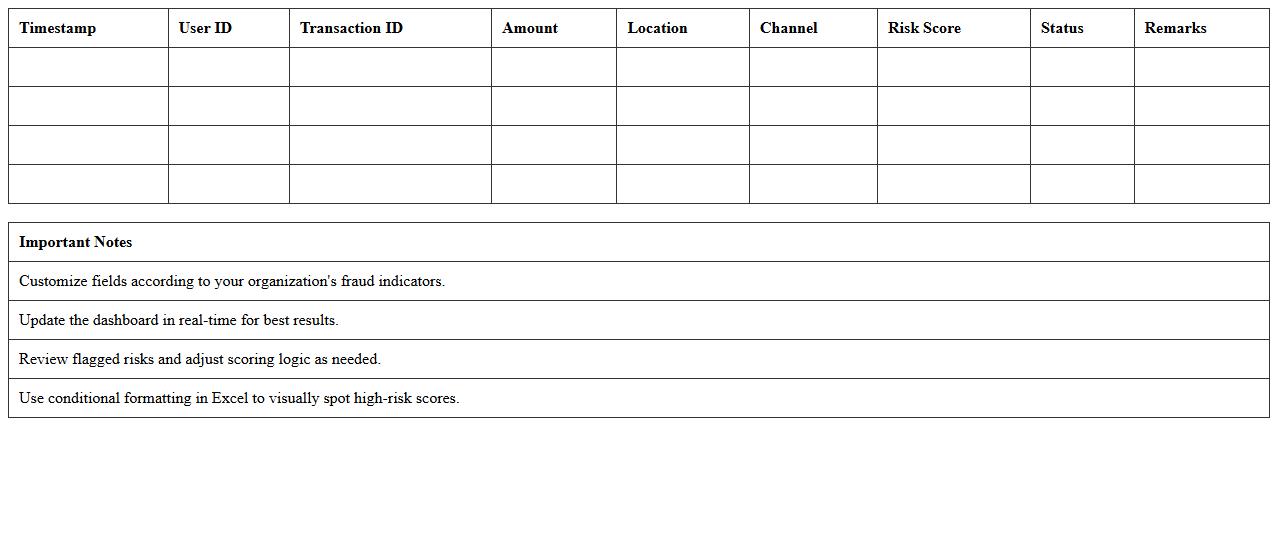
Customer Risk Scoring Model Excel Sheet is a structured tool designed to evaluate and quantify the risk level associated with individual customers based on specific criteria such as credit history, transaction patterns, and demographic data. This model enables businesses to make informed decisions by identifying high-risk customers, thereby reducing potential financial losses and improving resource allocation. By providing a clear, data-driven risk profile, the sheet enhances compliance efforts and supports proactive risk management strategies.
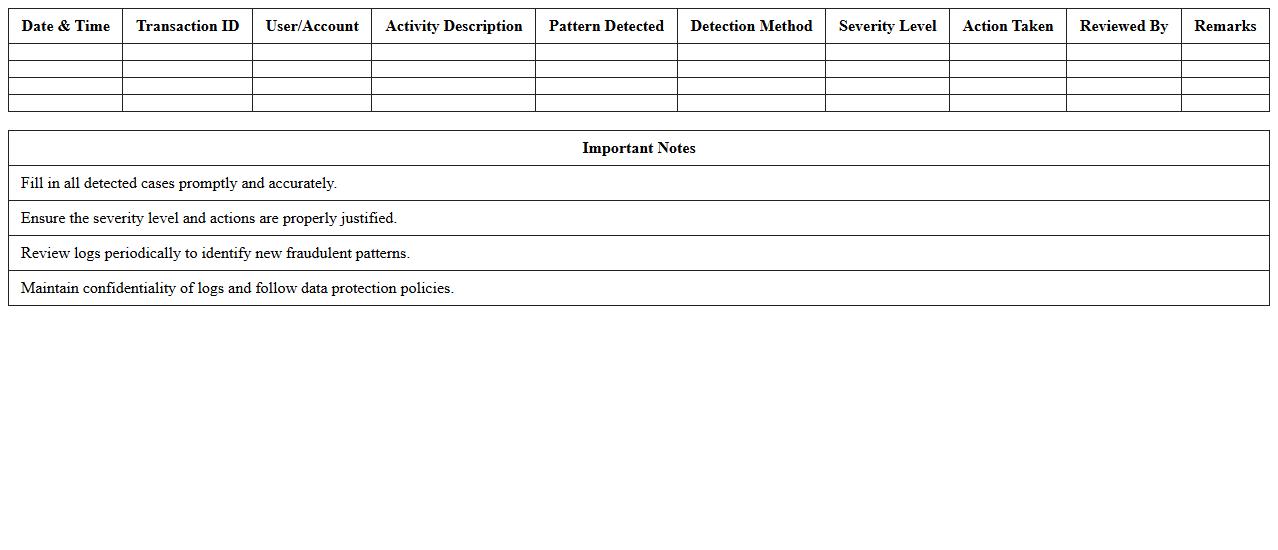
Fraudulent Pattern Detection Log Template
The
Fraudulent Pattern Detection Log Template is a structured document designed to systematically record and analyze suspicious activities and behaviors indicative of fraud. It helps organizations track recurring fraudulent patterns, facilitating early identification and prevention of financial losses. This template enhances data consistency and supports compliance by providing clear documentation for audits and investigations.
Alerts and Investigation Workflow Excel Planner
The
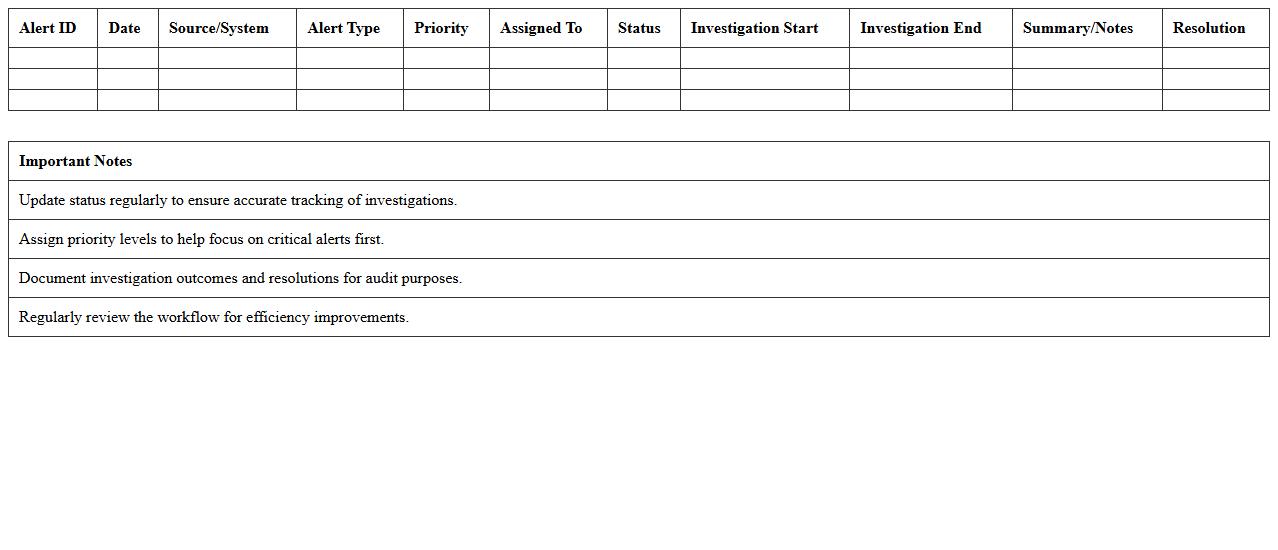
Alerts and Investigation Workflow Excel Planner document is a comprehensive tool designed to streamline the tracking and management of alert investigations within an organization. It enables teams to systematically document alert origins, assign responsibilities, monitor investigation progress, and record outcomes for enhanced transparency and accountability. This planner improves operational efficiency by providing clear visibility into ongoing investigations and ensuring timely resolution of security or compliance issues.
Unusual Transaction Volume Analysis Template
The
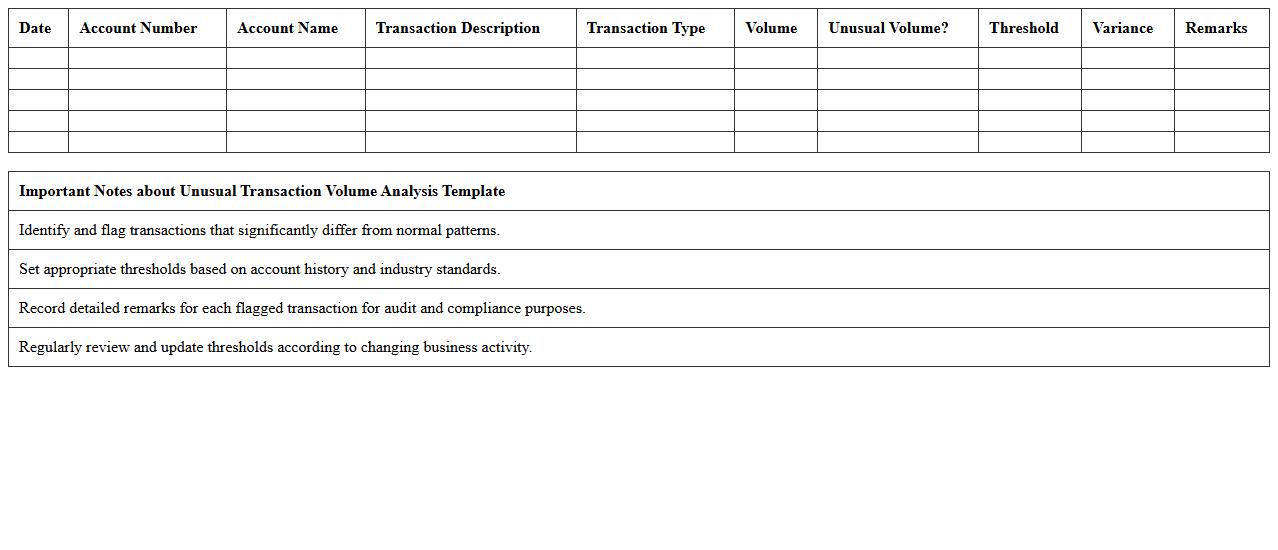
Unusual Transaction Volume Analysis Template document is a structured tool designed to identify and evaluate anomalies in transaction volumes within financial data. It helps organizations detect suspicious activities, such as potential fraud or market manipulation, by highlighting deviations from typical transaction patterns. This template streamlines the analysis process, enabling faster decision-making and enhancing compliance with regulatory requirements.
Real-Time Fraud Analytics Dashboard Excel
The
Real-Time Fraud Analytics Dashboard Excel document is a powerful tool designed to monitor and analyze fraudulent activities as they happen, using live data inputs and dynamic visualization features. It enables users to quickly identify suspicious transactions, detect patterns, and respond promptly to potential threats, reducing financial loss and enhancing security measures. This dashboard is essential for financial institutions, businesses, and compliance teams aiming to maintain integrity and transparency in their operations.
Account Anomaly Reporting Excel Spreadsheet
The
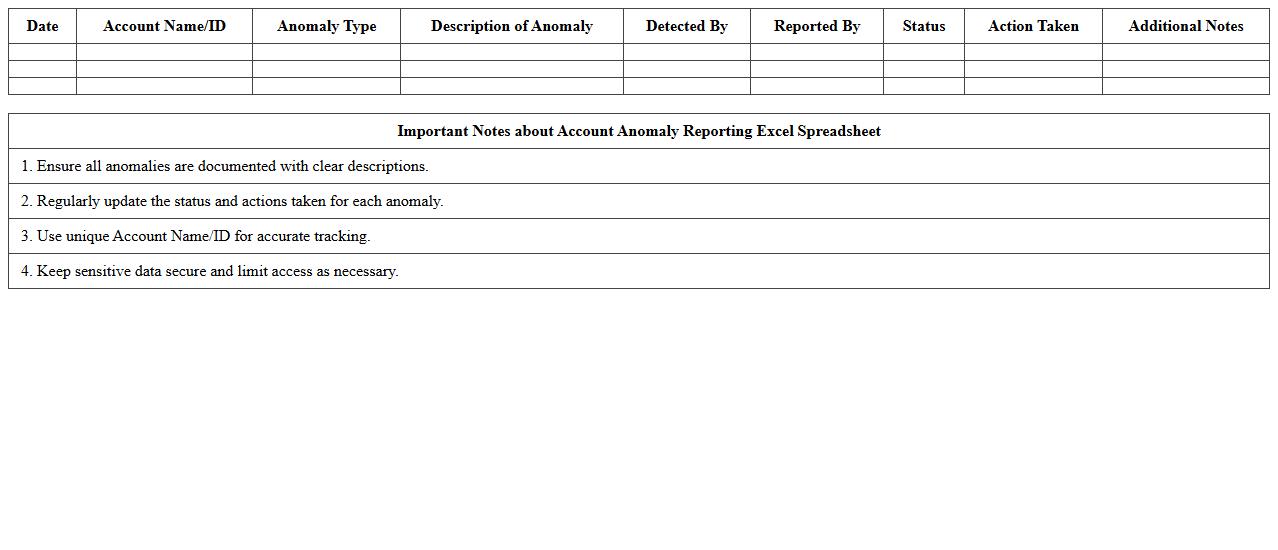
Account Anomaly Reporting Excel Spreadsheet document is a powerful tool designed to identify and analyze irregularities within financial accounts by leveraging automated data sorting and conditional formatting features. It helps businesses quickly detect discrepancies such as unusual transactions, duplicate entries, or unexpected balance changes, enabling timely resolution and improved financial accuracy. Utilizing this spreadsheet enhances internal controls, reduces risk of fraud, and supports compliance with regulatory requirements through detailed anomaly tracking and reporting.
Branch-wise Fraud Incident Summary Template
The
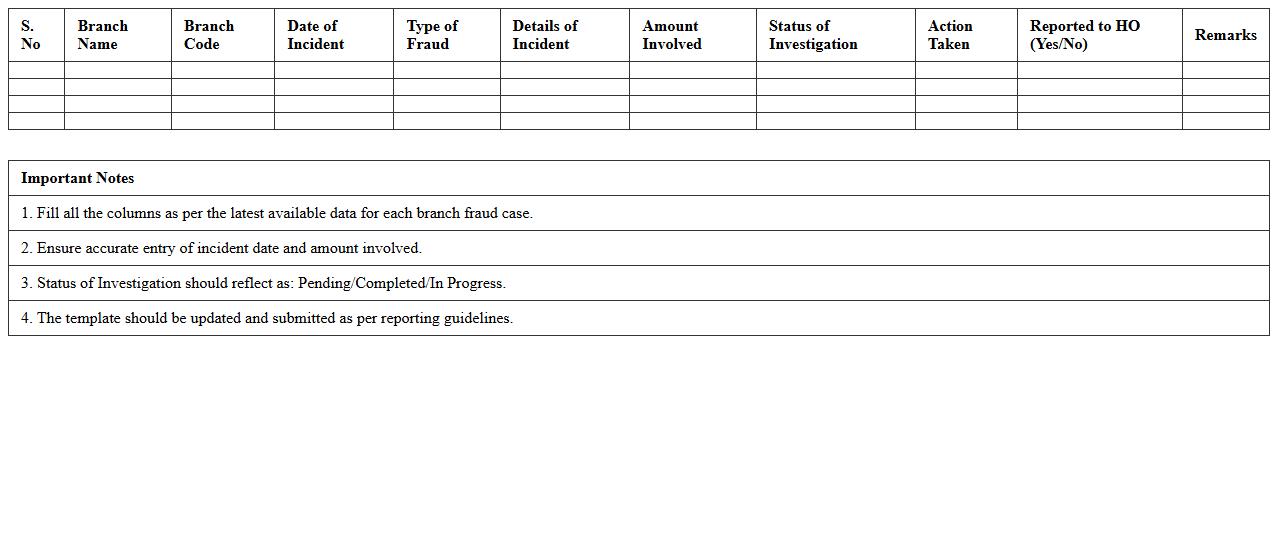
Branch-wise Fraud Incident Summary Template document systematically organizes data on fraudulent activities across various branches, enabling precise tracking and analysis of incidents by location. It facilitates the identification of patterns, high-risk areas, and branch-specific vulnerabilities, which supports targeted fraud prevention strategies. By consolidating detailed fraud metrics, this template enhances reporting accuracy and streamlines decision-making for risk management teams.
Employee Fraud Monitoring Checklist Excel
The
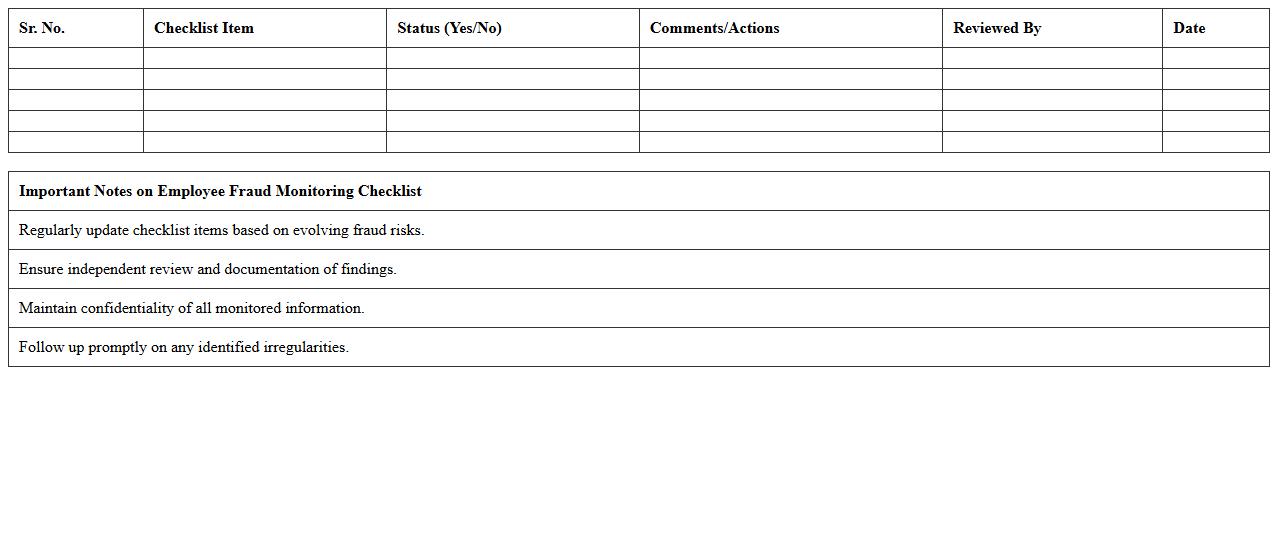
Employee Fraud Monitoring Checklist Excel document is a structured tool designed to help organizations systematically track and identify potential fraudulent activities by employees. It includes detailed criteria and red flags, enabling efficient risk assessment and timely intervention. Using this checklist enhances internal controls, reduces financial losses, and supports compliance with regulatory requirements.
How can Excel macros automate anomaly detection in banking transaction letters?
Excel macros can automate anomaly detection by scripting repetitive checks for unusual patterns within transaction letters. These macros analyze data fields like amounts, dates, and transaction codes to flag discrepancies efficiently. Automating this process saves time and increases accuracy in identifying potential fraud.
What formulae identify outliers in remittance letter amounts in Excel?
Formulas such as IF, AVERAGE, and STDEV help detect outliers by comparing remittance amounts to standard deviation thresholds. The formula =IF(ABS(A2 - AVERAGE($A$2:$A$100)) > 2*STDEV($A$2:$A$100), "Outlier", "") highlights transactions deviating significantly. This statistical approach efficiently pinpoints suspicious remittance values.
How is conditional formatting used to flag suspicious patterns in banking correspondence logs?
Conditional formatting applies color codes to highlight suspicious patterns such as repeated phrases or unusual transaction values in correspondence logs. By setting rules based on keywords or numerical thresholds, suspicious entries become visually distinct. This accelerates the review process, enabling quicker anomaly detection.
Which pivot table techniques reveal duplicate letter entries for potential fraud in Excel?
Pivot tables summarize large datasets to identify duplicate letter entries by grouping data on client IDs, dates, or transaction numbers. Using the count function within pivot tables highlights repeated instances efficiently. This technique simplifies spotting potential fraud by focusing on irregular duplicate occurrences.
How to cross-reference client letter data with blacklisted entities using Excel functions?
Excel's VLOOKUP or XLOOKUP functions cross-reference client letter data against blacklisted entity lists to identify matches. This comparison flags suspicious clients by instantly retrieving relevant blacklist information. Integrating these functions enhances compliance checks and fraud prevention workflows.
More Banking Excel Templates