The Accounting Excel Template for Partnership Firms streamlines financial tracking by offering customizable sheets tailored to partnership accounts, including capital contributions, profit-sharing, and expense management. It enhances accuracy and efficiency by automating calculations such as interest on capital and distribution of profits among partners. Designed for ease of use, this template supports comprehensive financial reporting essential for partnership firms' decision-making.
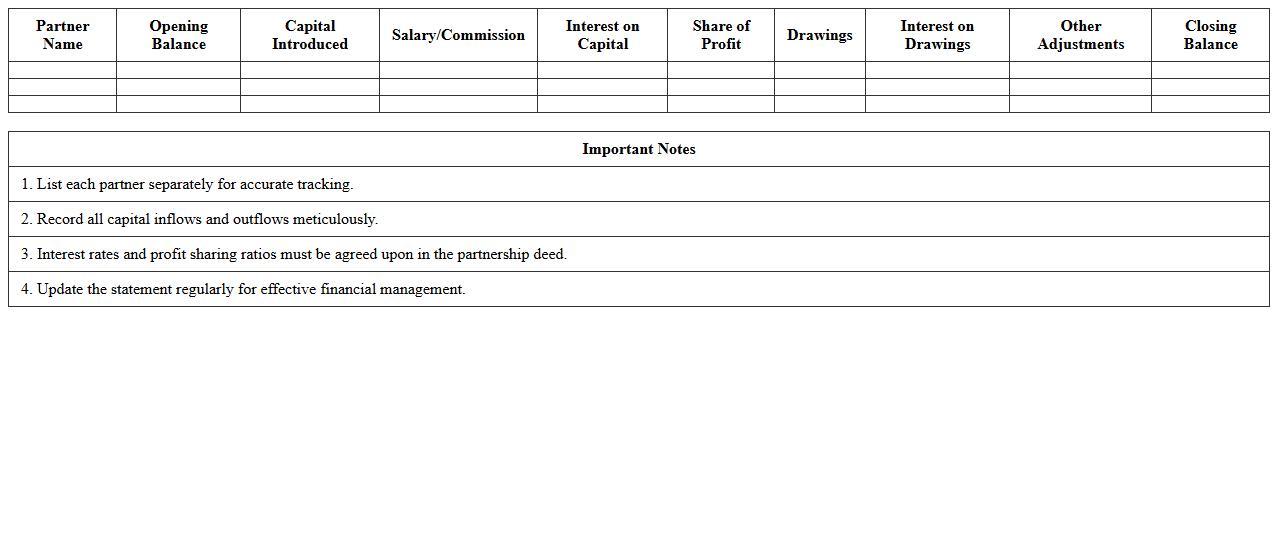
Partnership Firm Capital Account Statement Excel Template
The
Partnership Firm Capital Account Statement Excel Template is a structured financial document designed to record and track individual partners' capital contributions, withdrawals, and profit-sharing over time. This template helps maintain accurate and transparent financial records essential for equitable profit distribution and effective financial management within a partnership. Using this Excel template simplifies complex calculations, ensures consistency in accounting, and aids in making informed business decisions.
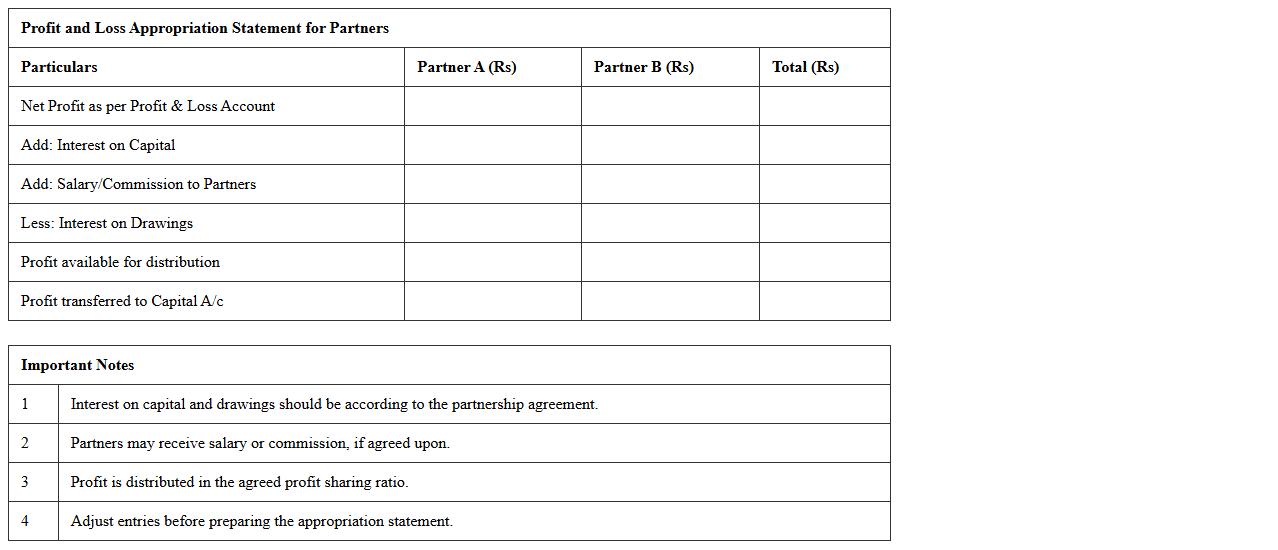
Profit and Loss Appropriation Statement for Partners Excel Template
The
Profit and Loss Appropriation Statement for Partners Excel Template is a valuable financial document designed to allocate net profit or loss among partners according to agreed ratios. It simplifies the process of distributing earnings, accounting for interest on capital, partner salaries, and reserve allocations, ensuring transparent and accurate financial management. This template enhances decision-making by providing clear insights into each partner's share, facilitating smooth business operations and effective partnership administration.
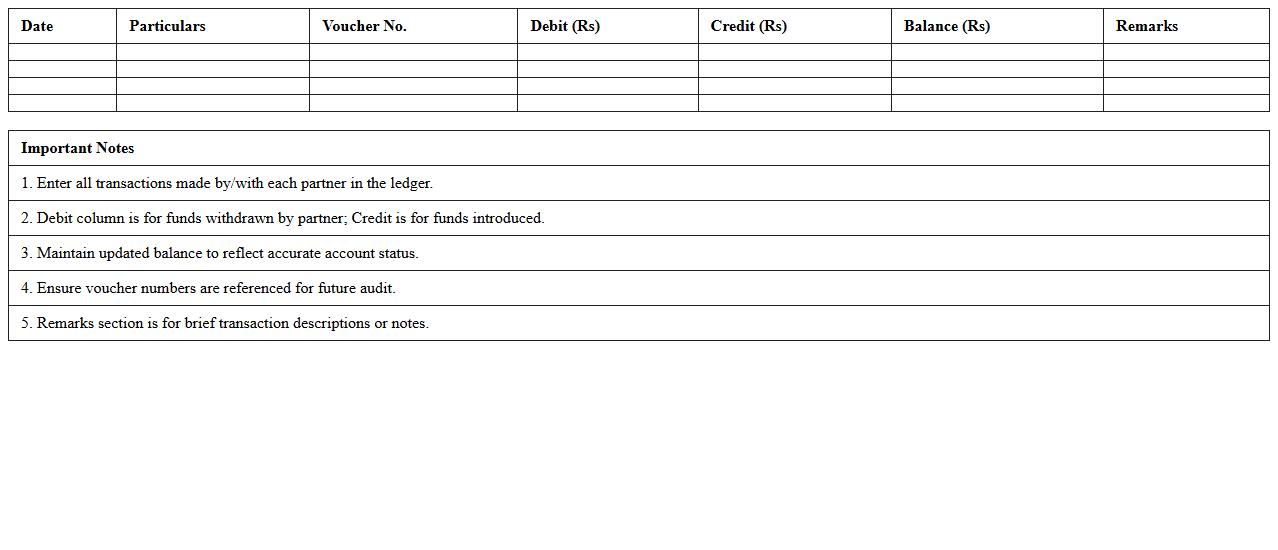
Partner Current Account Ledger Excel Sheet
The
Partner Current Account Ledger Excel Sheet document is a detailed financial record tool used to track transactions, balances, and payments between business partners systematically. It helps in maintaining transparency, ensuring accurate accounting, and simplifying reconciliation processes by organizing data in a clear, structured format. This document is essential for monitoring partner contributions, withdrawals, and outstanding balances, supporting efficient financial management and decision-making.
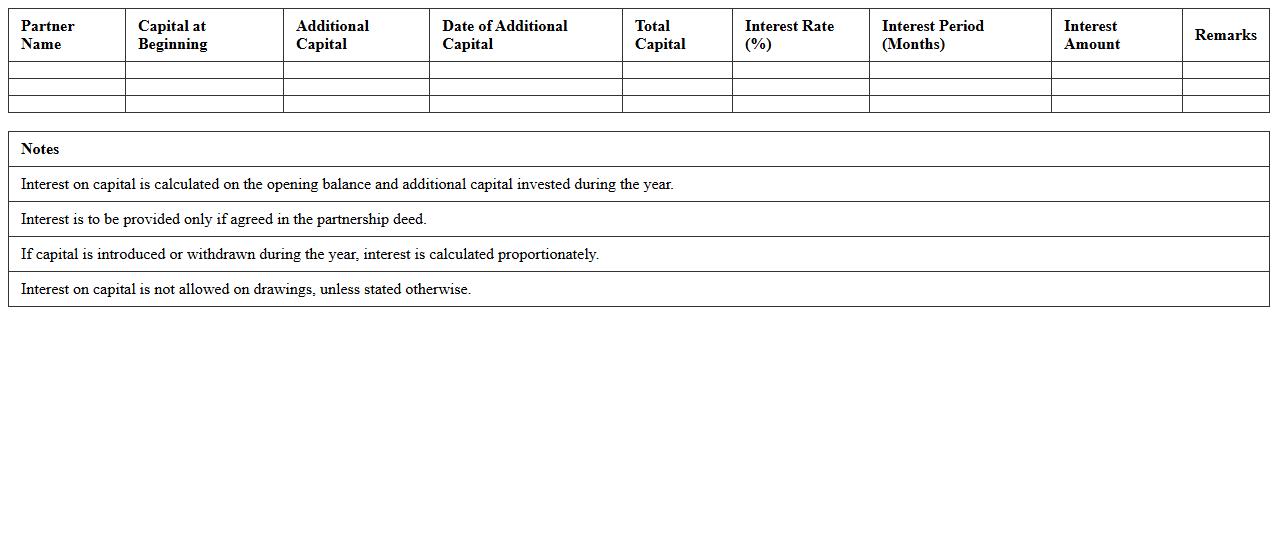
Interest on Capital Calculation Sheet for Partnership
The
Interest on Capital Calculation Sheet for partnership documents quantifies the amount payable to partners based on their invested capital over a specific period, ensuring transparent and fair distribution of profits. This sheet helps align financial records with the partnership agreement, minimizing disputes by providing clear, systematic calculations of interest owed. It is a crucial tool for maintaining accurate accounting and fostering trust among partners through objective financial assessments.
Drawings and Interest on Drawings Register Template
The
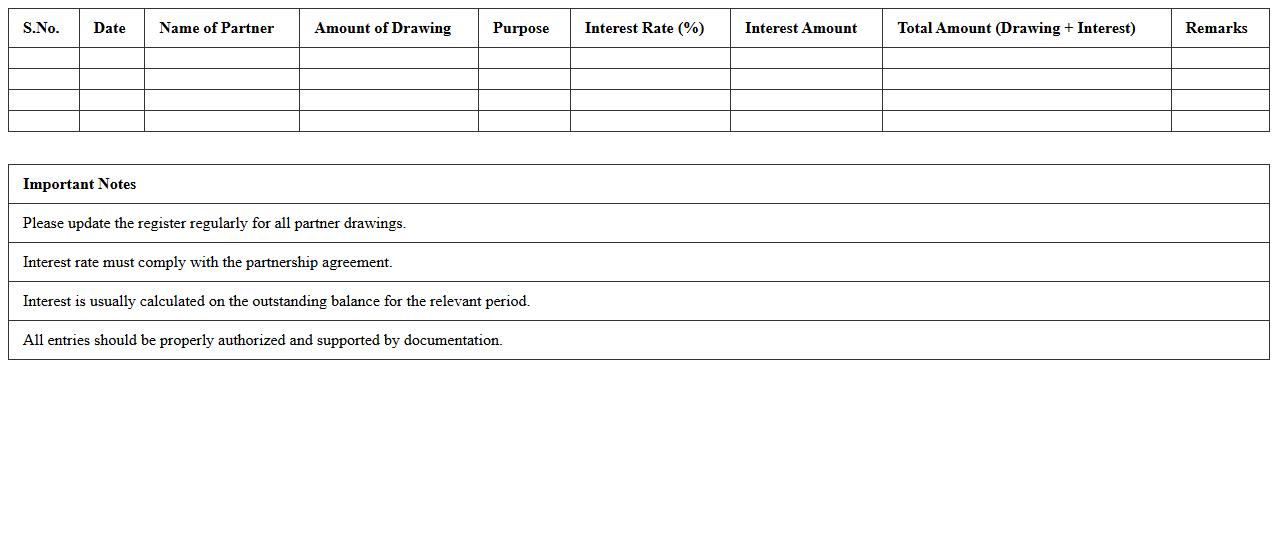
Drawings and Interest on Drawings Register Template document is a financial record used by businesses to track amounts withdrawn by owners for personal use and the interest charged on these withdrawals. It helps maintain accurate bookkeeping by clearly distinguishing between business funds and personal drawings, ensuring correct calculation of interest applicable on outstanding drawings. This template is useful for managing owner equity, improving financial transparency, and aiding in the preparation of financial statements.
Fixed Capital Method Partnership Accounting Template
The
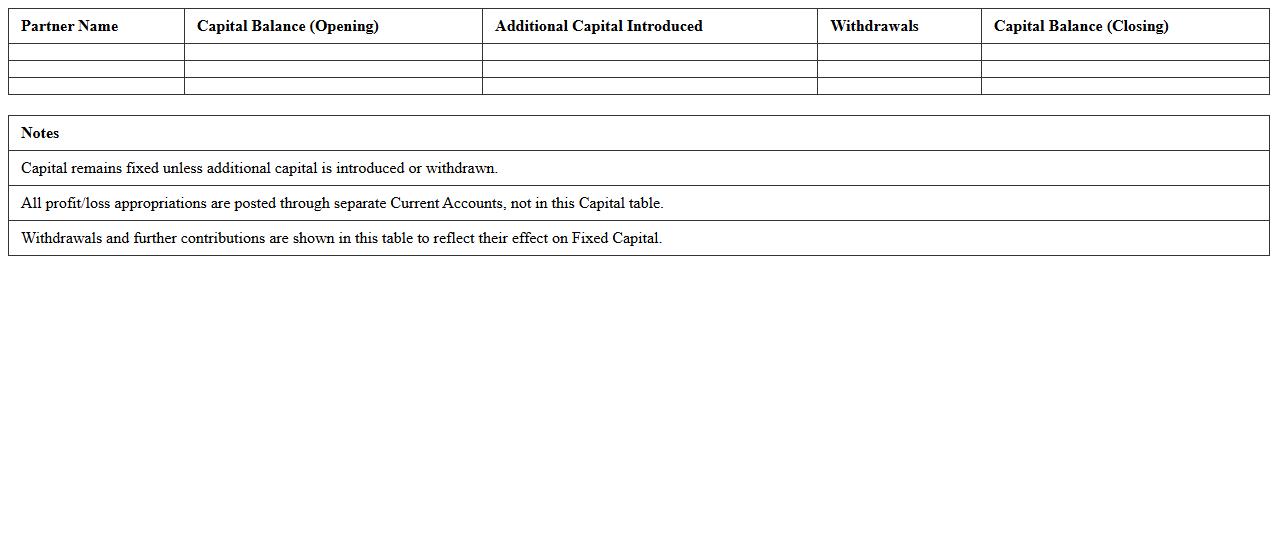
Fixed Capital Method Partnership Accounting Template is a structured document used to manage and record the capital accounts of partners in a partnership where initial capital contributions remain fixed throughout the partnership's life. It helps maintain clarity by separating fixed capital from current accounts used for recording operational profits, losses, and withdrawals. This template is useful for ensuring accurate financial reporting, simplifying partner account management, and facilitating transparent distribution of profits and losses.
Revaluation Account Format in Excel for Partnership
The
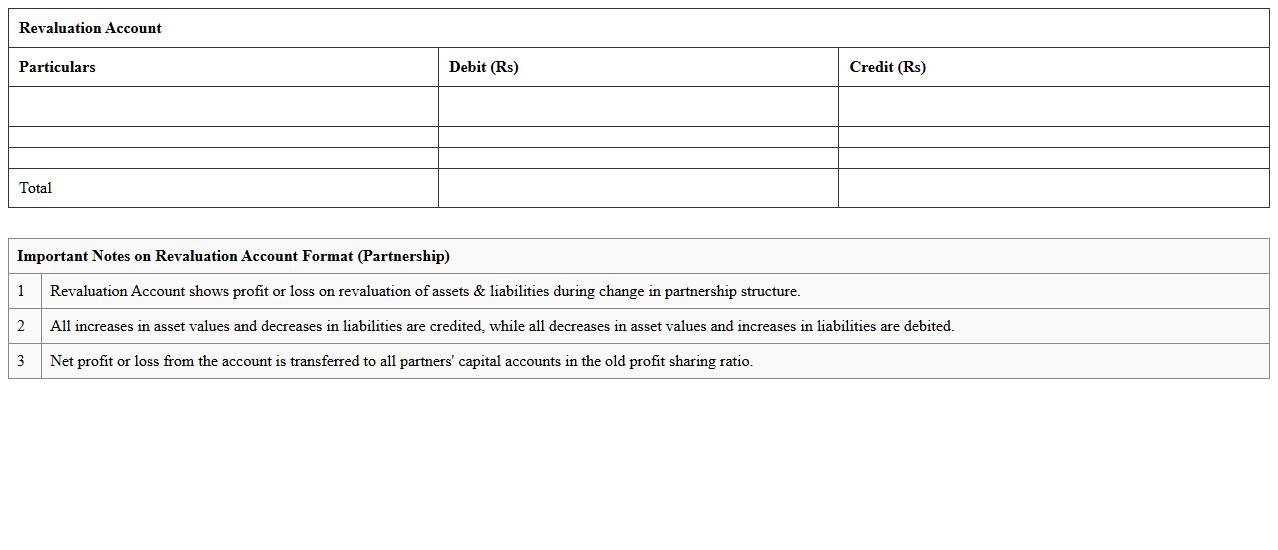
Revaluation Account Format in Excel for Partnership serves as a structured template to record and calculate changes in asset values and liabilities during partnership revaluation processes. It helps partners accurately determine gains or losses on revaluation, ensuring fair adjustment of capital accounts. This format improves transparency, simplifies complex calculations, and aids in maintaining organized financial records for effective decision-making.
Admission of New Partner Adjustment Statement Excel
The
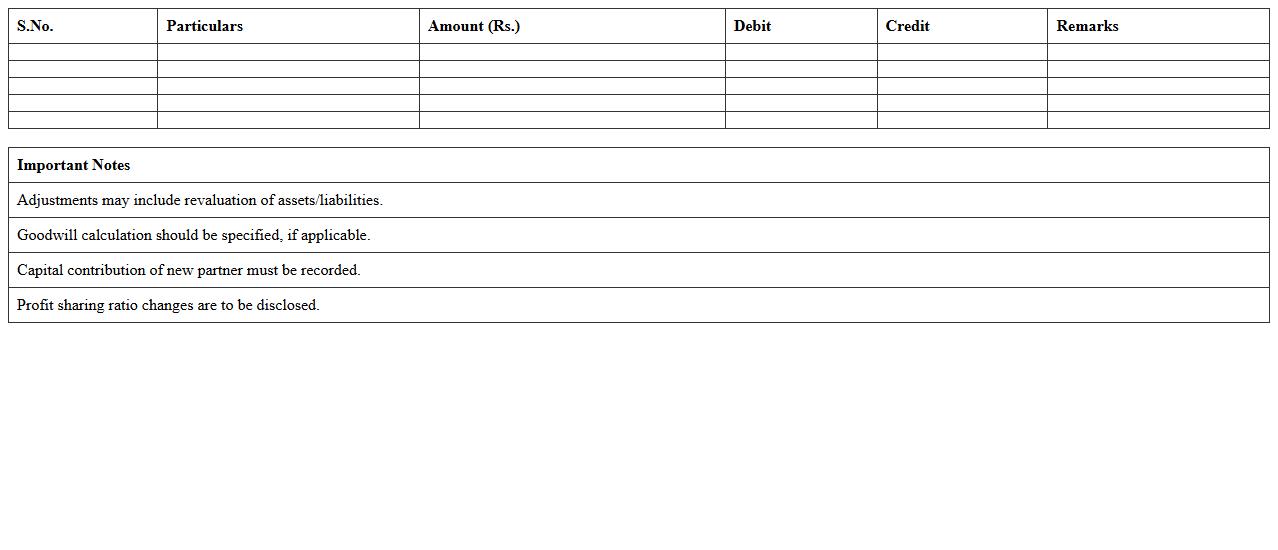
Admission of New Partner Adjustment Statement Excel document is a financial tool designed to accurately recalculate the capital accounts and profit-sharing ratios when a new partner joins a partnership. It helps in adjusting existing partners' capital balances and ensures transparency by documenting all changes in equity and goodwill valuations. This Excel sheet streamlines complex calculations, facilitating clear and organized financial reporting for effective decision-making.
Retirement of Partner Settlement Excel Worksheet
The
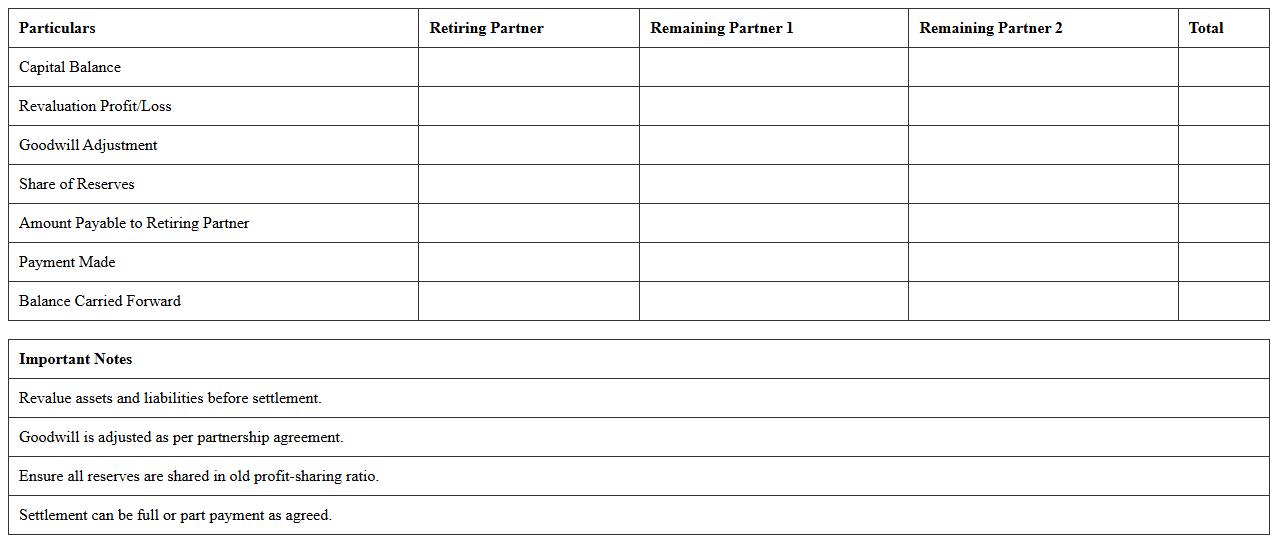
Retirement of Partner Settlement Excel Worksheet document is designed to calculate and allocate the financial settlement when a partner exits a business partnership, ensuring accurate division of assets, liabilities, and profits. It automates complex calculations like capital account balances, goodwill adjustments, and final payouts, reducing errors and saving time. This worksheet is useful for business owners and accountants to ensure transparent, fair, and legally compliant partner retirements.
Distribution of Profit Statement for Partnership Firms Excel
The
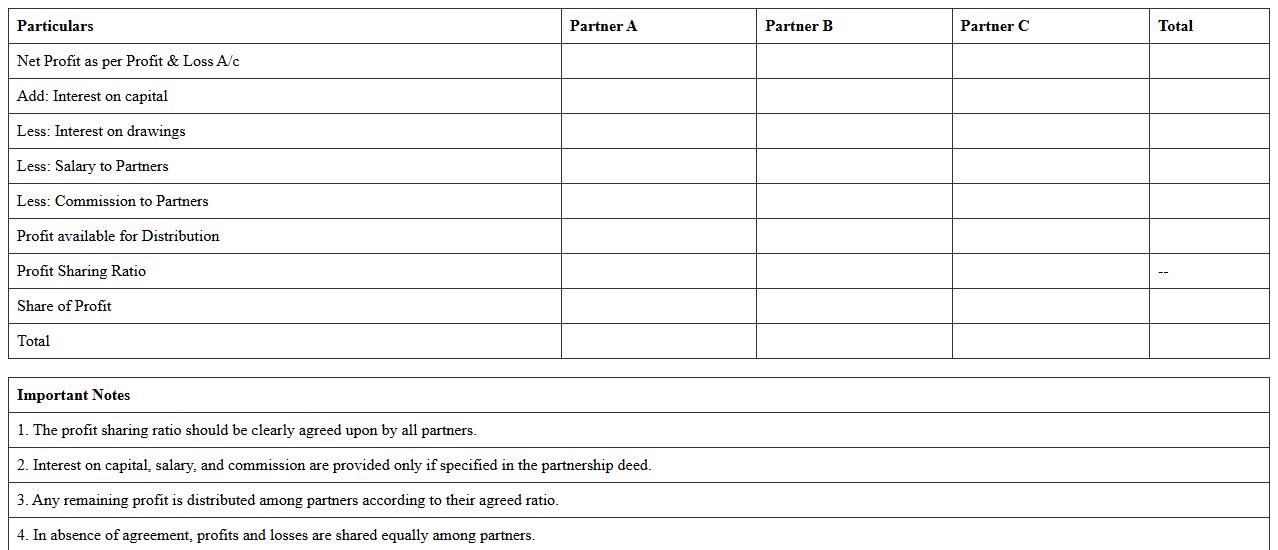
Distribution of Profit Statement for Partnership Firms Excel document is a financial tool designed to calculate and allocate profits among partners accurately based on agreed ratios or contributions. This document automates complex calculations, reducing errors and saving valuable time during financial reporting. It proves useful for maintaining transparency, ensuring fair profit sharing, and facilitating efficient decision-making within partnership firms.
How to automate capital account statements in Excel for partnership firms?
To automate capital account statements in Excel, use dynamic tables linked with partner contributions and withdrawals. Implement pivot tables and slicers to summarize transactions by period and partner easily. Regularly update the data source to ensure real-time automation and accuracy in statements.
What Excel formulas track partner profit-sharing ratios efficiently?
Utilize the SUMPRODUCT formula to calculate weighted profit-sharing based on individual partner shares and combined profits. The IF function helps to handle different sharing scenarios across partners dynamically. Combine these with named ranges to simplify formula management and improve clarity.
How to generate partner withdrawal schedules using Excel macros?
Create an Excel macro that automatically pulls partner withdrawal data from transaction sheets and formats a schedule in a new worksheet. Use VBA loops to iterate through each partner's record and populate withdrawal dates and amounts. Scheduling macros can be assigned to buttons for quick updates and seamless integration.
What Excel templates best manage partnership revaluation accounts?
Templates designed for partnership revaluation include pre-built sheets for asset valuations and adjustment entries. Choose ones with clear segregation of assets, liabilities, and revaluation gains or losses to streamline accounting processes. Customizable layouts with embedded formulas help maintain accuracy in revaluation computations.
How to reconcile partner current accounts in Excel year-end closing?
Reconcile partner current accounts by cross-verifying ledger balances with detailed transaction registers using VLOOKUP or XLOOKUP formulas. Highlight discrepancies by applying conditional formatting for quick identification and correction. Summarize reconciled totals in a clean dashboard for year-end reporting and audit readiness.
More Accounting Excel Templates