Sales Revenue Tracker Spreadsheet for Retail Accounting
A
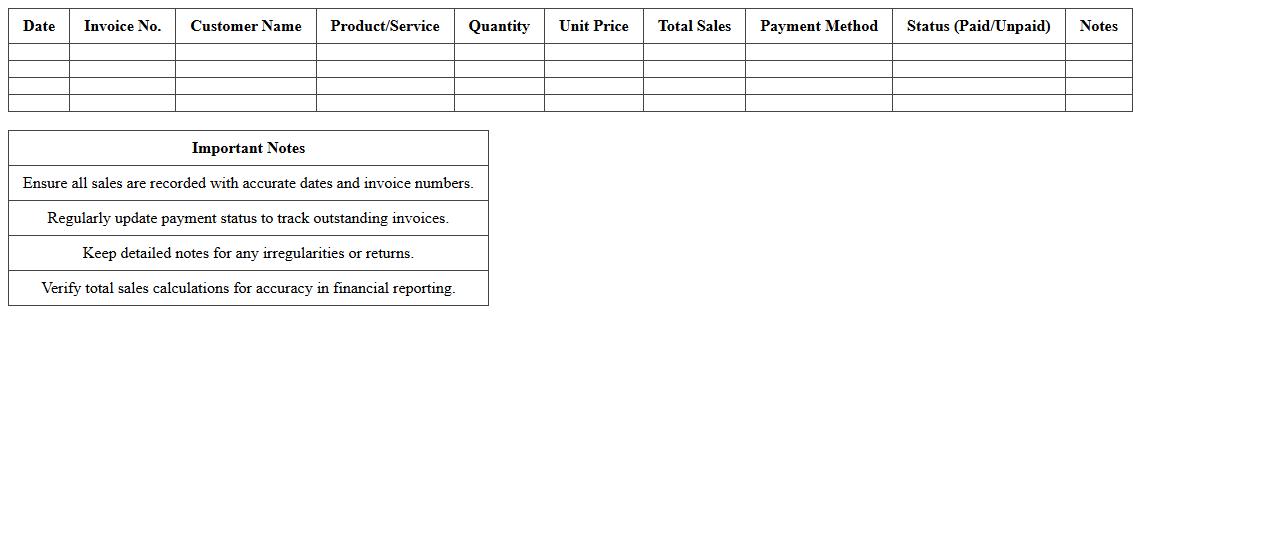
Sales Revenue Tracker Spreadsheet for Retail Accounting is a digital tool designed to record and monitor daily sales transactions, providing accurate financial data for analysis. It helps retailers track revenue streams, manage inventory turnover, and identify top-selling products to optimize sales strategies. Using this spreadsheet improves financial accuracy, streamlines reporting processes, and supports informed decision-making for business growth.
Daily Cash Flow Statement Excel Template for Retail
The
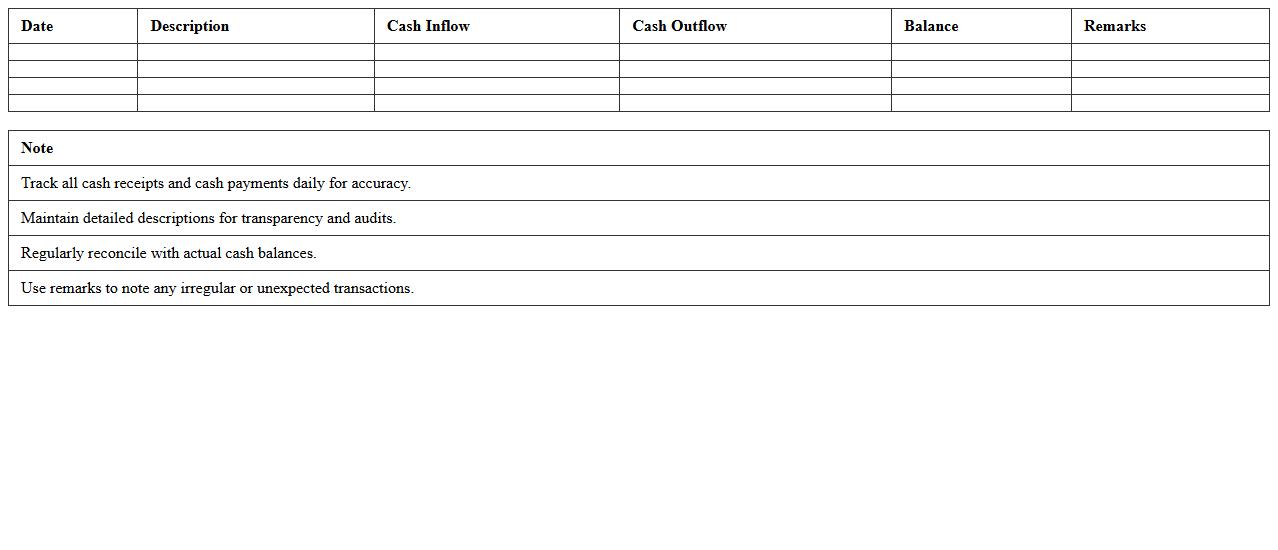
Daily Cash Flow Statement Excel Template for Retail is a crucial document designed to track daily inflows and outflows of cash within a retail business. It helps monitor sales revenue, expenses, and net cash position in real time, ensuring accurate financial analysis and better liquidity management. Retailers benefit from this template by using it to forecast cash availability, identify potential cash shortages, and make informed operational decisions to maintain financial stability.
Retail Store Inventory Valuation Excel Sheet
A
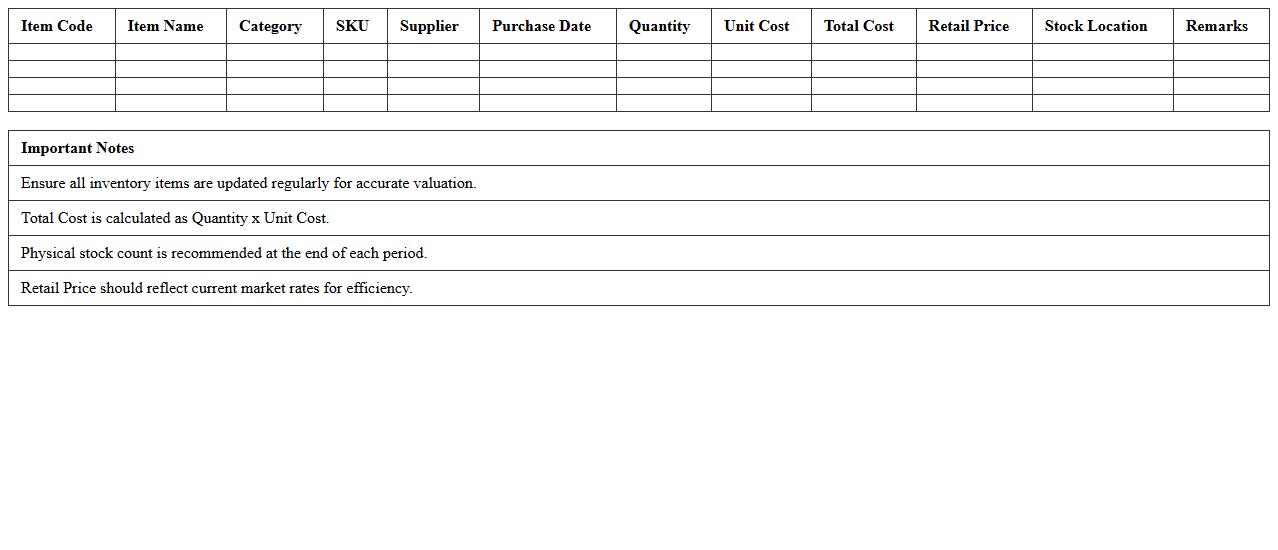
Retail Store Inventory Valuation Excel Sheet document is a comprehensive tool designed to record, track, and calculate the monetary value of inventory items in retail businesses. It helps store managers accurately assess stock levels, cost of goods sold, and overall inventory worth, facilitating better financial planning and decision-making. Using this spreadsheet ensures efficient inventory management, reduces stock discrepancies, and improves profit margin analysis.
Expense Tracking & Categorization Template for Retail Business
An
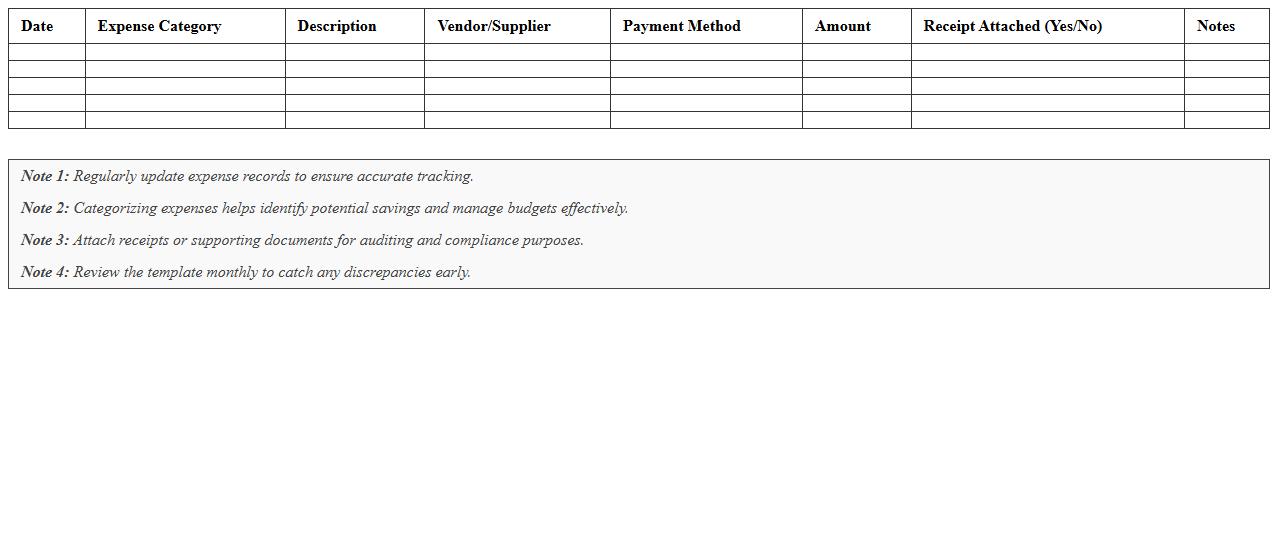
Expense Tracking & Categorization Template for Retail Business is a structured document designed to organize and monitor all business expenses by categories such as inventory, utilities, payroll, and marketing. This template helps retailers maintain accurate financial records, identify spending patterns, and control costs effectively. Using this tool enhances budgeting accuracy and streamlines financial analysis, supporting better decision-making and profitability in retail operations.
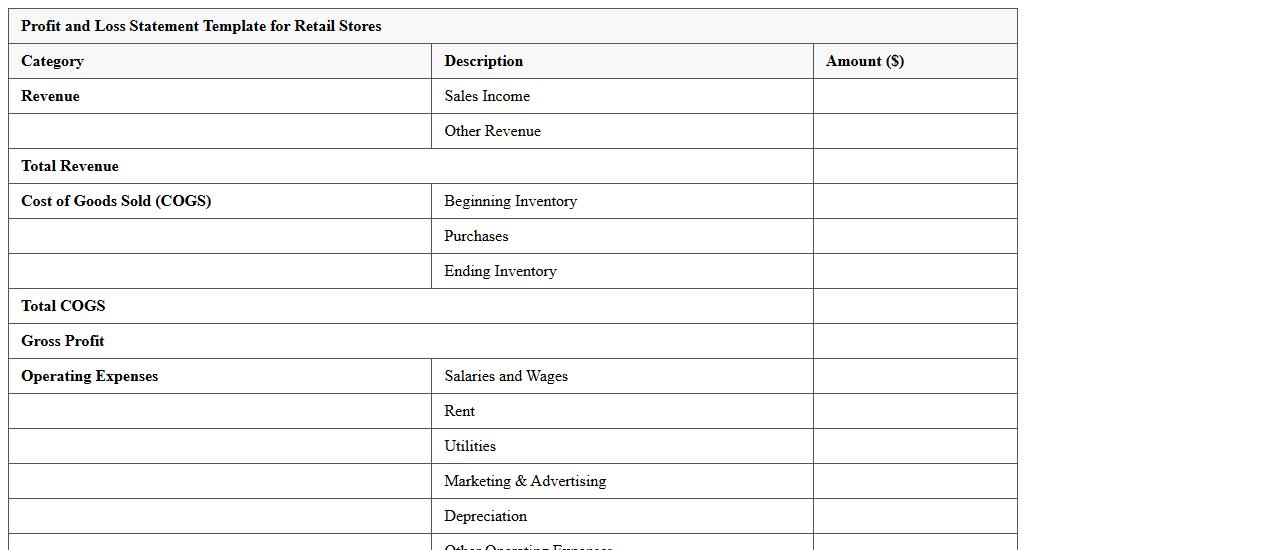
Profit and Loss Statement Template for Retail Stores
A
Profit and Loss Statement Template for Retail Stores is a financial document that outlines revenues, costs, and expenses over a specific period, helping retailers track business performance. It simplifies the process of recording sales income, cost of goods sold, operating expenses, and net profit, providing clear insights into profitability. Retailers use this template to make informed decisions, manage budgets effectively, and identify areas for financial improvement.
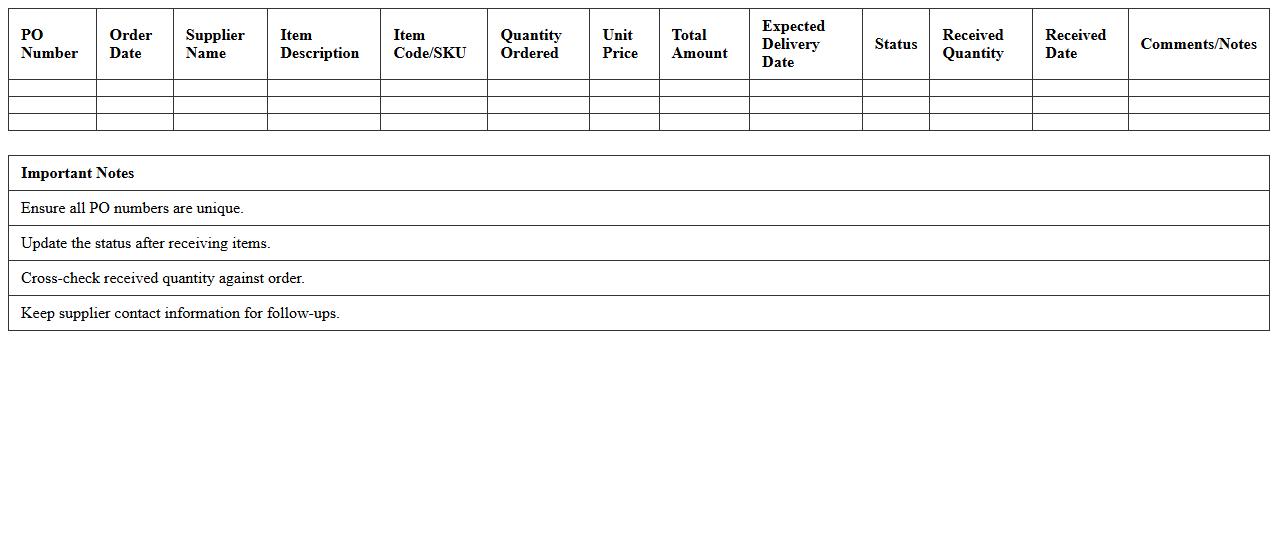
Retail Store Purchase Order Tracker Excel
The
Retail Store Purchase Order Tracker Excel document is a specialized spreadsheet designed to monitor and manage purchase orders efficiently within retail operations. It helps track order details such as item quantities, order dates, supplier information, and delivery status to ensure accurate inventory control and timely restocking. Utilizing this tracker reduces errors, improves supplier communication, and streamlines the procurement process, ultimately enhancing overall retail store management.
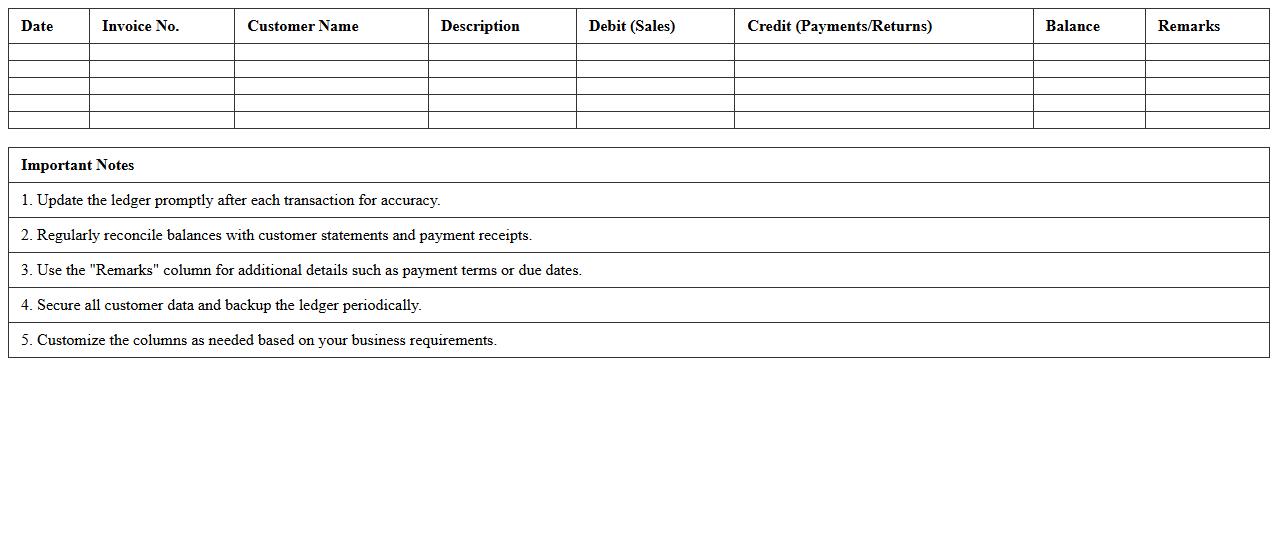
Accounts Receivable Ledger Spreadsheet for Retailers
The
Accounts Receivable Ledger Spreadsheet for retailers is a detailed financial document that tracks all outstanding customer invoices and payments, ensuring accurate monitoring of credit sales. It provides a clear overview of customer balances, payment due dates, and transaction history, facilitating efficient cash flow management and reducing the risk of bad debts. Retailers use this spreadsheet to streamline collections, improve financial planning, and maintain healthy business operations.
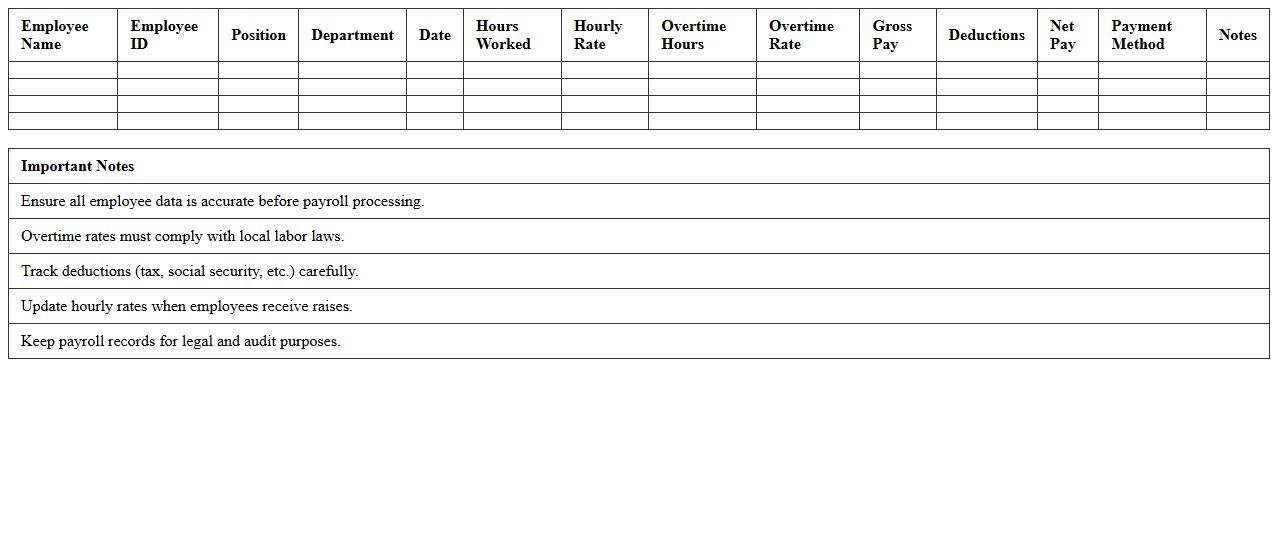
Retail Store Payroll Management Excel Template
The
Retail Store Payroll Management Excel Template is a structured spreadsheet designed to streamline employee salary calculations, attendance tracking, and tax deductions in retail environments. It helps businesses maintain accurate payroll records, ensures timely payments, and simplifies compliance with labor laws by automating complex payroll processes. Utilizing this template boosts efficiency, reduces errors, and provides a clear financial overview essential for managing store operations effectively.
Monthly Retail Budget Planner Spreadsheet
A
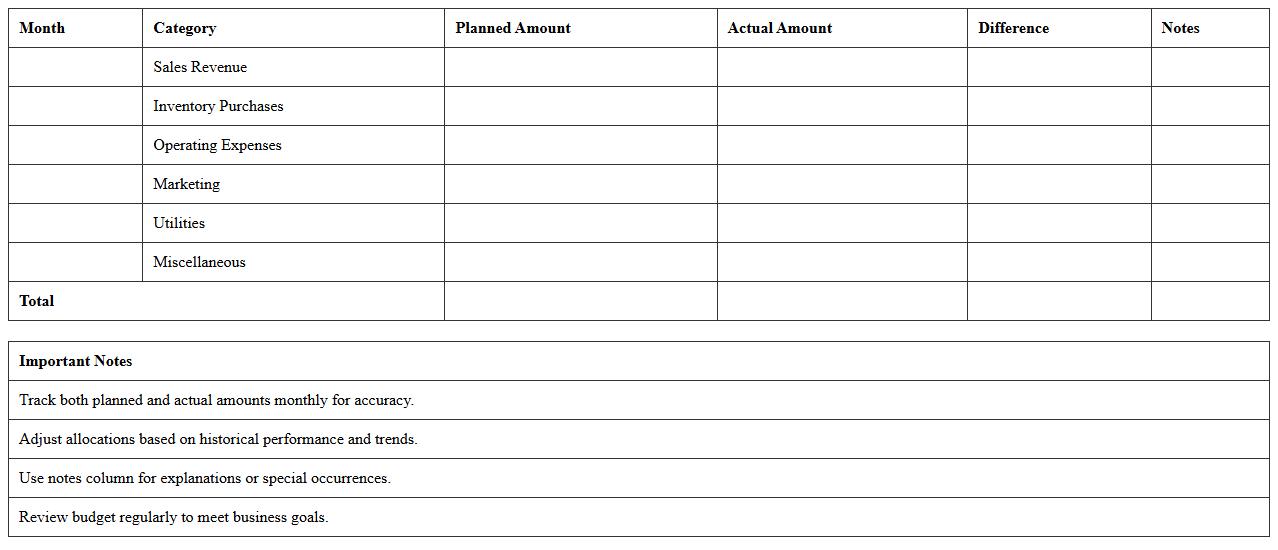
Monthly Retail Budget Planner Spreadsheet is a comprehensive financial tool designed to help retailers track and manage their monthly expenses and revenues efficiently. It allows users to categorize costs, forecast sales, and monitor cash flow, ensuring accurate budgeting and financial control. This spreadsheet enhances decision-making by providing clear insights into spending patterns and profitability, ultimately supporting better financial planning and resource allocation.
Retail Store Tax Calculation and Reporting Template
A
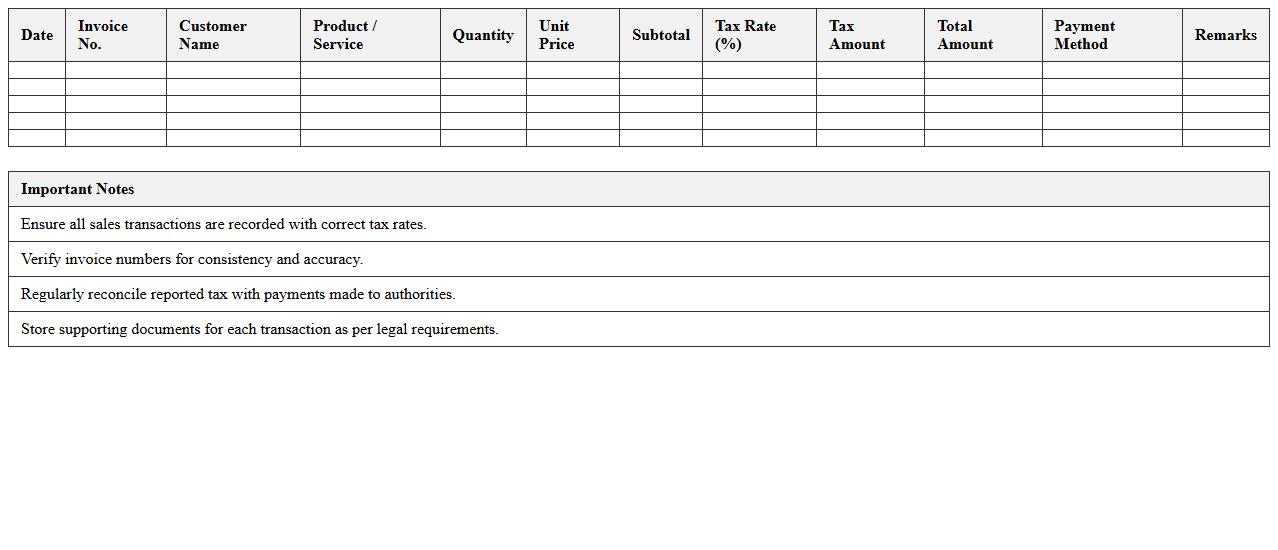
Retail Store Tax Calculation and Reporting Template is a structured document designed to accurately compute and track sales tax liabilities for retail businesses, ensuring compliance with local, state, and federal tax regulations. It streamlines the process of recording transactions, applying appropriate tax rates, and generating detailed reports for audit and filing purposes. Utilizing this template reduces errors, saves time in tax preparation, and supports transparent financial management within retail operations.
How to automate inventory reconciliation in Accounting Excel for retail stores?
To automate inventory reconciliation, start by integrating real-time stock data using Excel's Power Query or VBA scripts. Use formulas like SUMIF and VLOOKUP to match inventory counts with sales data. Regularly update your sheet to ensure accurate tracking and seamless reconciliation.
Best Excel formulas for tracking daily sales and expenses in retail?
Key Excel formulas include SUMIFS for calculating total sales based on dates and categories, and IF statements to flag anomalies in expenses. Use VLOOKUP or INDEX-MATCH to link product prices with sales entries. These formulas help retail managers maintain precise daily financial records.
How to design a purchase order template for retail stores in Excel?
Create a clean purchase order template by including fields like supplier details, order date, and item descriptions in a structured table. Use data validation dropdowns for easy selection of products and quantities. Incorporate Excel formulas to calculate total costs and taxes automatically.
Tips for managing multi-location retail financials in one Excel sheet?
Utilize separate worksheets for each store location linked with a master summary sheet for consolidated analysis. Employ pivot tables to summarize multi-location sales and expense data dynamically. Maintain consistent data structures across sheets for easier comparison and reporting.
How to generate monthly profit and loss reports using Excel for retail stores?
Gather all income and expense data in categorized columns, then apply SUMIFS to total monthly figures accurately. Use pivot tables or charts to visualize profit trends over time clearly. Automate report templates with dynamic date filters to streamline monthly financial analysis.