Monthly Transportation Cost Log for Small Business Excel
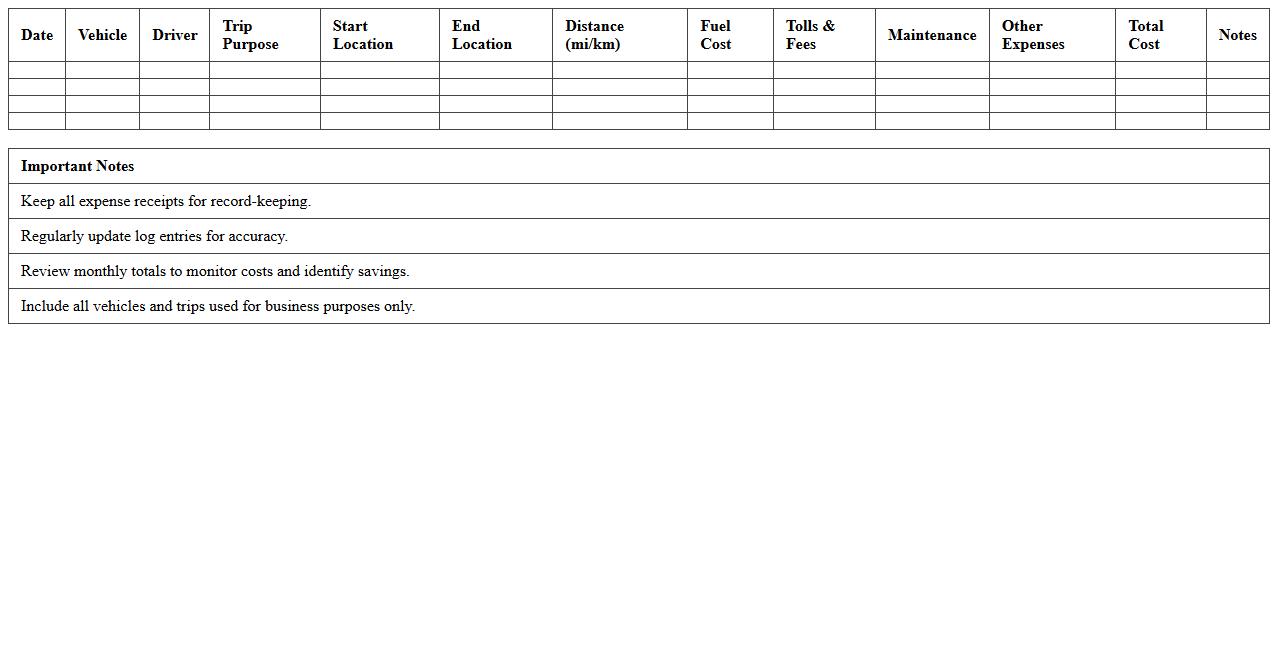
The
Monthly Transportation Cost Log for Small Business Excel document is a detailed tracking tool designed to help businesses monitor and manage expenses related to transportation on a monthly basis. It allows users to record costs such as fuel, maintenance, tolls, and vehicle depreciation, which provides valuable data for budgeting and financial planning. By maintaining accurate transportation cost records, small businesses can optimize spending, identify cost-saving opportunities, and improve overall operational efficiency.
Business Travel Mileage and Fuel Expense Tracker Spreadsheet
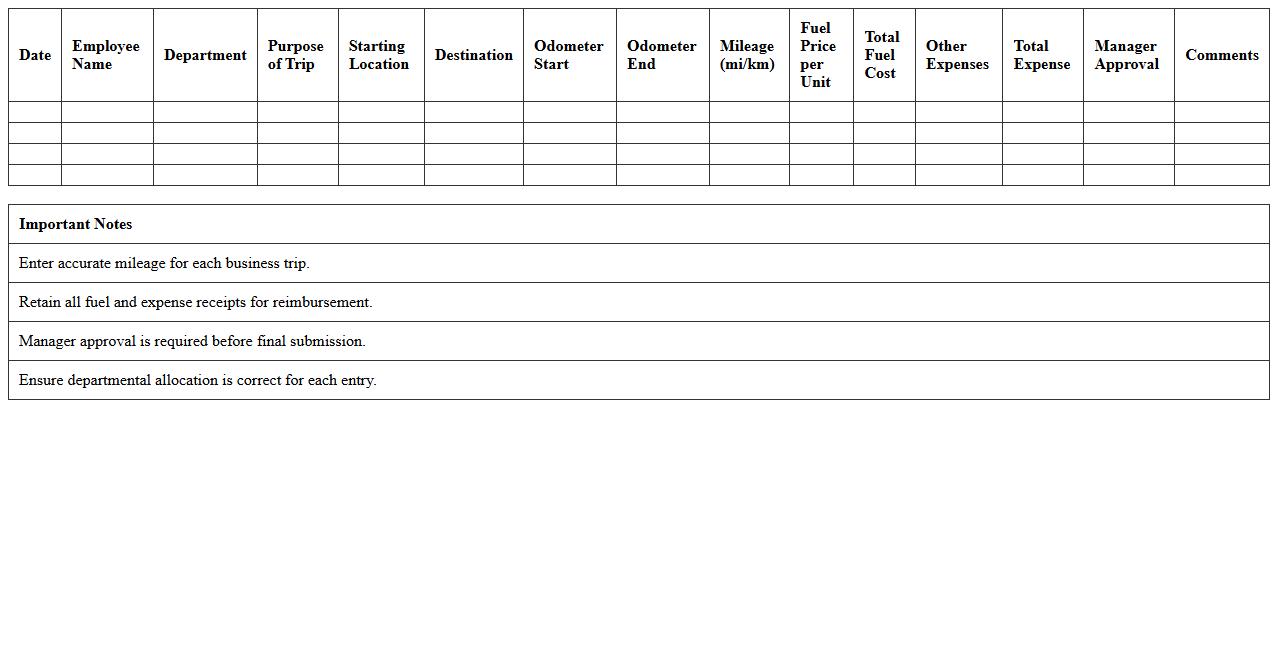
A
Business Travel Mileage and Fuel Expense Tracker Spreadsheet is a detailed document designed to record and calculate distances traveled and fuel costs incurred during business trips. It helps organizations and individuals monitor travel expenses accurately, ensuring efficient budgeting and reimbursement processes. By maintaining precise records, users can optimize travel budgets, streamline tax deductions, and improve overall financial management related to business travel.
Company Vehicle Maintenance and Expense Record Template
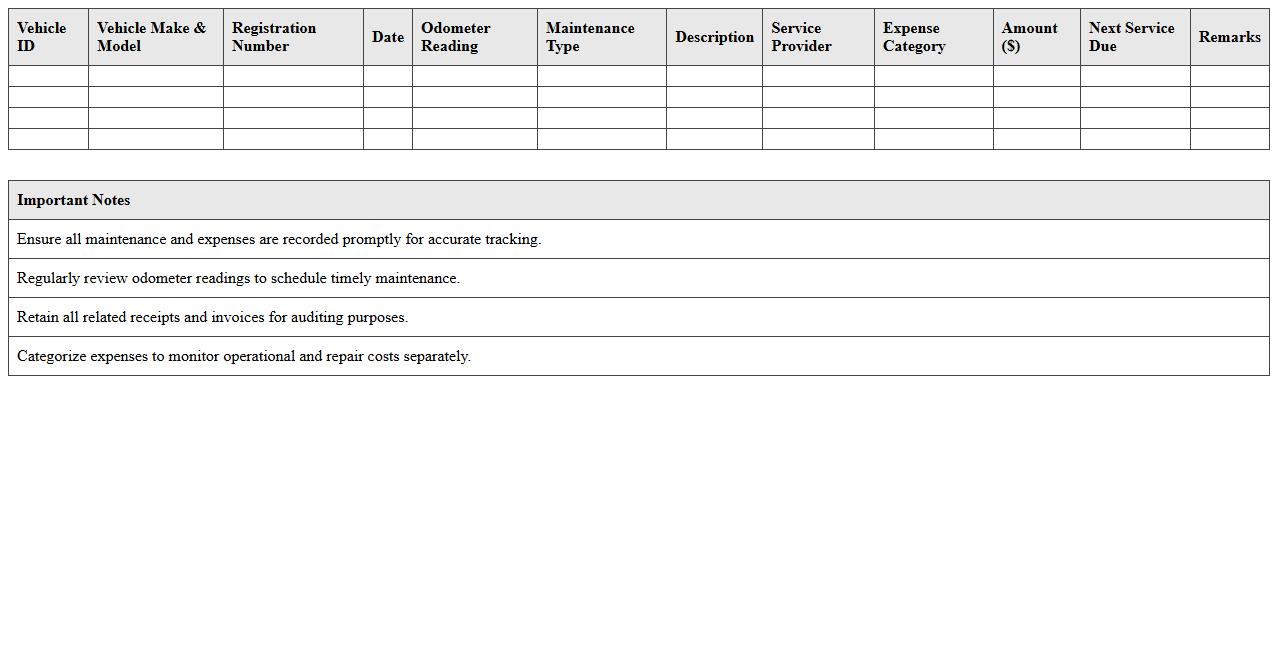
A
Company Vehicle Maintenance and Expense Record Template is a structured document designed to track all maintenance activities, fuel costs, repairs, and other expenses related to company-owned vehicles. By systematically recording these details, businesses can optimize vehicle performance, extend lifespan, and accurately monitor operational costs. This template is essential for budget management, ensuring timely service schedules and maintaining compliance with safety regulations.
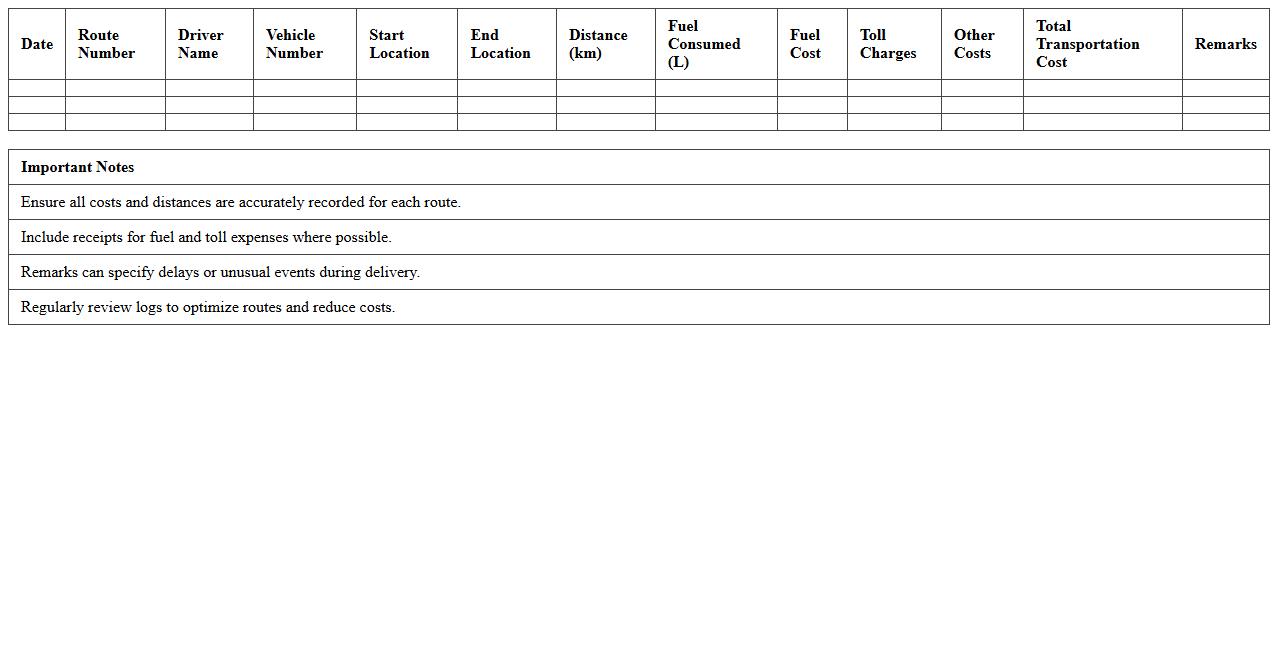
Delivery Route Transportation Cost Log Excel Sheet
The
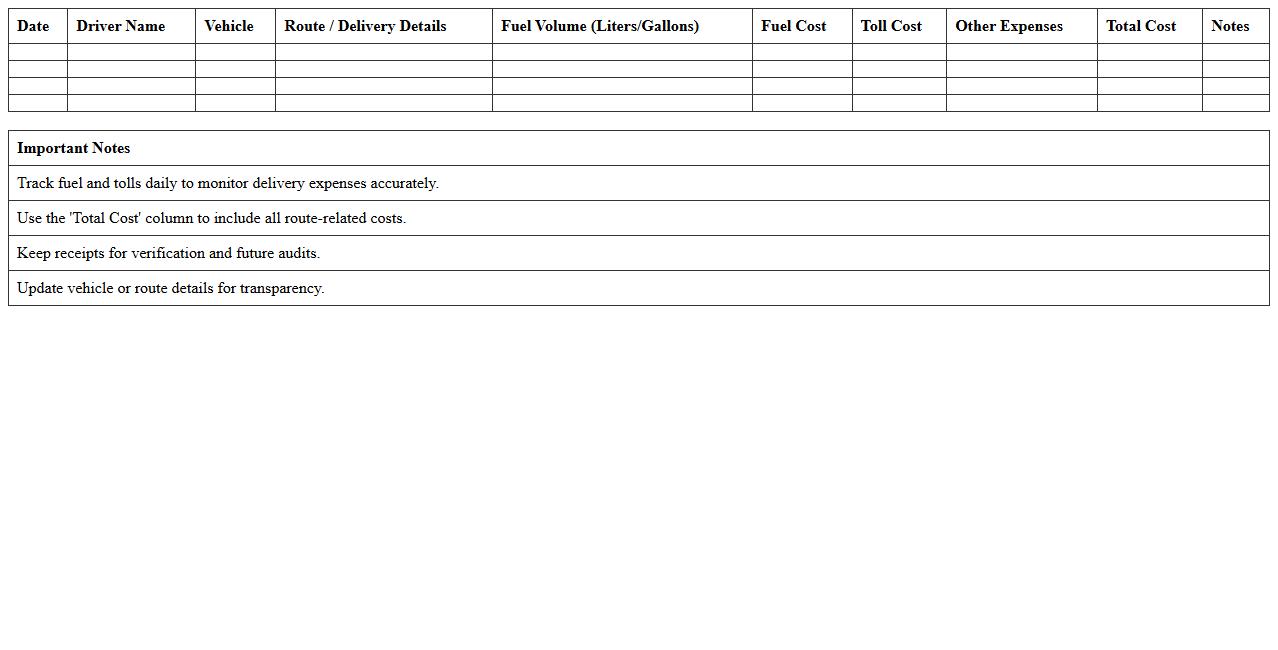
Delivery Route Transportation Cost Log Excel Sheet document is a detailed spreadsheet designed to track and analyze expenses related to delivery routes, including fuel costs, tolls, vehicle maintenance, and driver wages. It enables businesses to monitor transportation costs accurately, identify inefficiencies, and optimize routes to reduce overall expenses. This tool supports budget management and enhances decision-making for logistics operations by providing organized, real-time cost data.
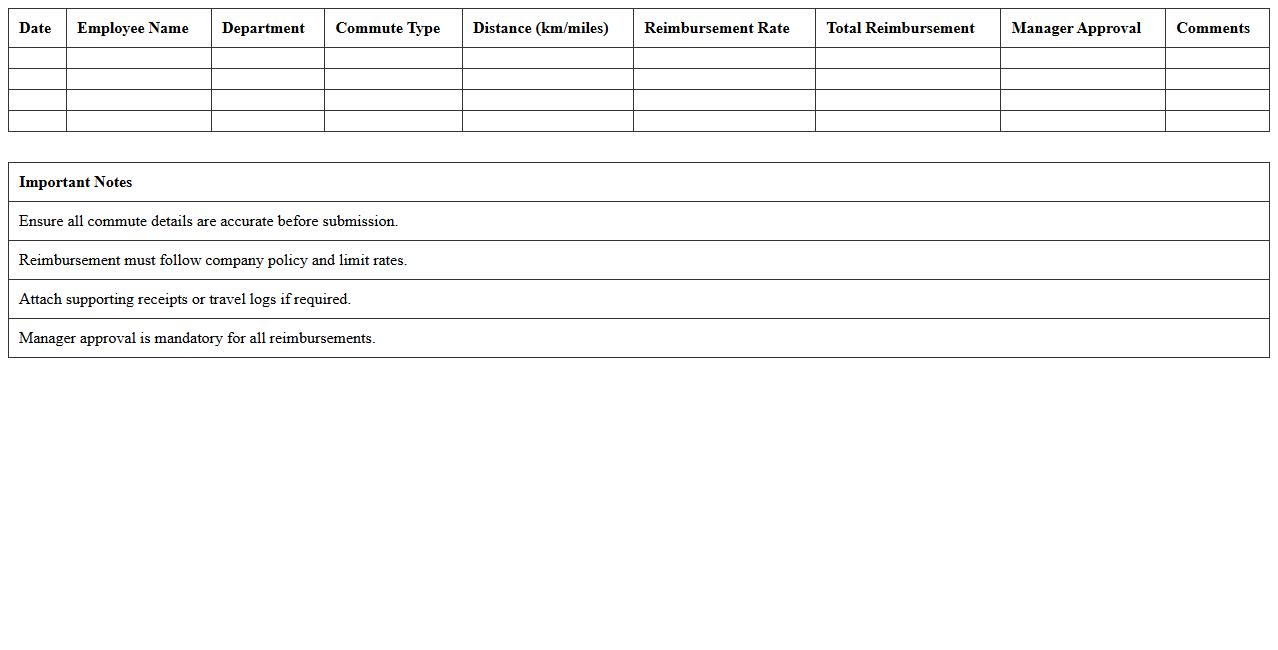
Employee Commute Reimbursement Tracker Excel
The
Employee Commute Reimbursement Tracker Excel document is a structured spreadsheet designed to record and calculate transportation expenses for employees commuting to work. It streamlines the reimbursement process by automatically totaling mileage, fares, and other travel costs, ensuring accurate and timely compensation. This tool enhances expense management efficiency, reduces manual errors, and provides clear records for auditing and budgeting purposes.
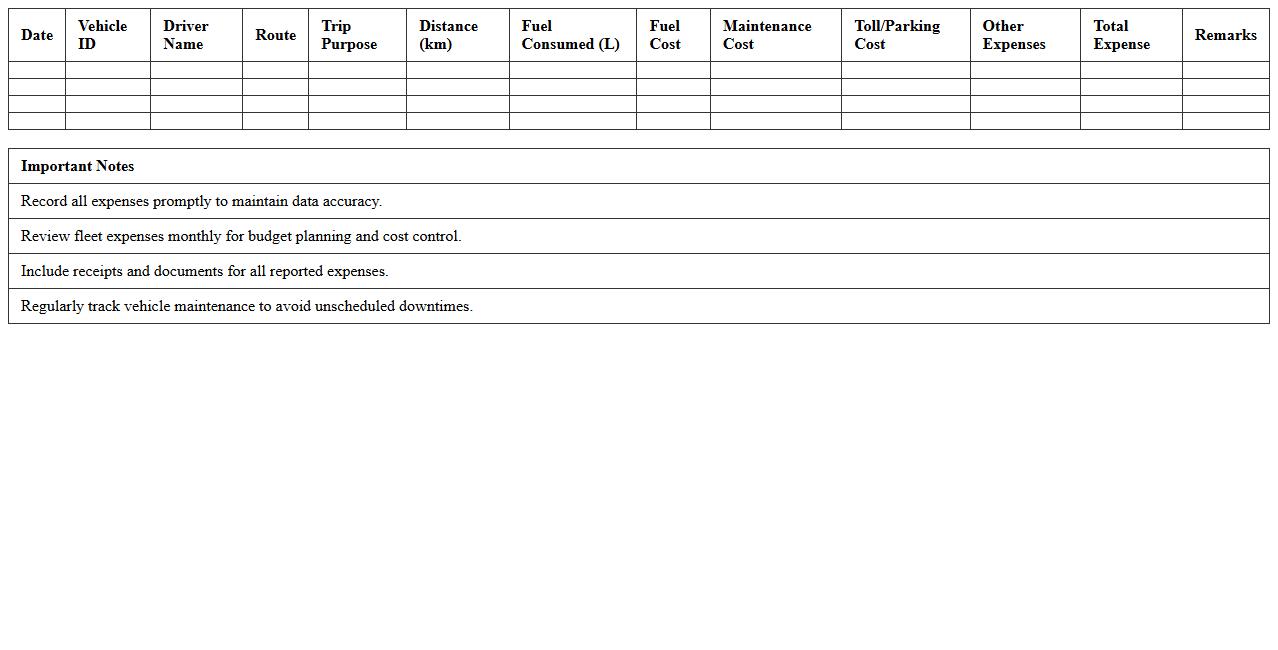
Logistics Fleet Expense Management Spreadsheet
A
Logistics Fleet Expense Management Spreadsheet is a structured document designed to track and analyze all costs related to vehicle operations within a logistics fleet, including fuel, maintenance, insurance, and driver expenses. This tool enables fleet managers to pinpoint inefficiencies, control expenditures, and optimize budgeting processes. Efficient use of this spreadsheet leads to improved cost transparency and supports strategic decision-making in fleet operations.
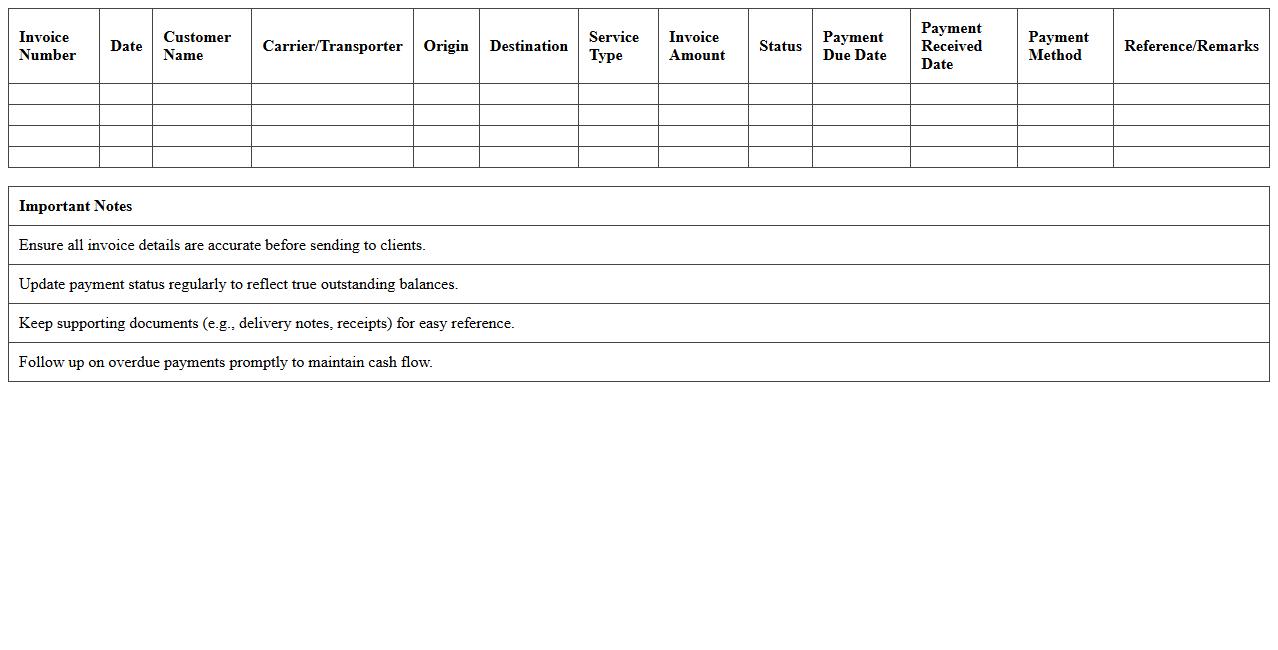
Transportation Invoicing and Payment Tracking Template
The
Transportation Invoicing and Payment Tracking Template document is designed to streamline the billing process between transportation service providers and clients by organizing invoice details, payment statuses, and due dates in one place. This template helps businesses maintain accurate financial records, reduce errors in invoice management, and ensure timely payments, improving cash flow and operational efficiency. By providing a clear overview of outstanding and completed transactions, it supports better financial planning and accountability for all parties involved.
Local Delivery Fuel and Toll Tracker for Small Businesses
The
Local Delivery Fuel and Toll Tracker for small businesses is a comprehensive tool designed to monitor and manage fuel expenses and toll costs incurred during local deliveries. It helps businesses maintain accurate records, optimize route efficiency, and control operational costs, ultimately improving profitability. By offering detailed insights into delivery expenses, it supports better budgeting and enhances financial transparency.
Business Trip Expense Report Template Excel
The
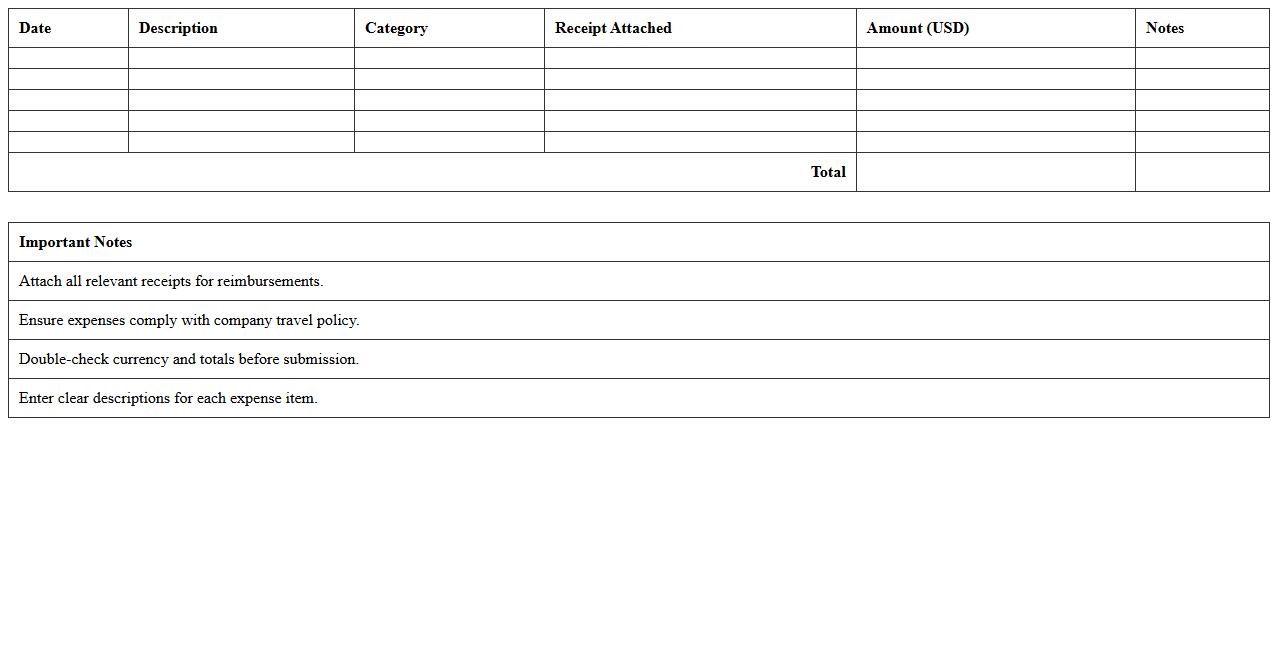
Business Trip Expense Report Template Excel document serves as a structured format designed to track and manage expenses incurred during business travel. It streamlines the process of itemizing costs such as transportation, lodging, meals, and incidentals, ensuring accurate financial documentation and easy reimbursement. This template enhances budget control, improves expense transparency, and simplifies accounting procedures for both employees and management.
Ride-sharing and Taxi Expense Log Spreadsheet
A
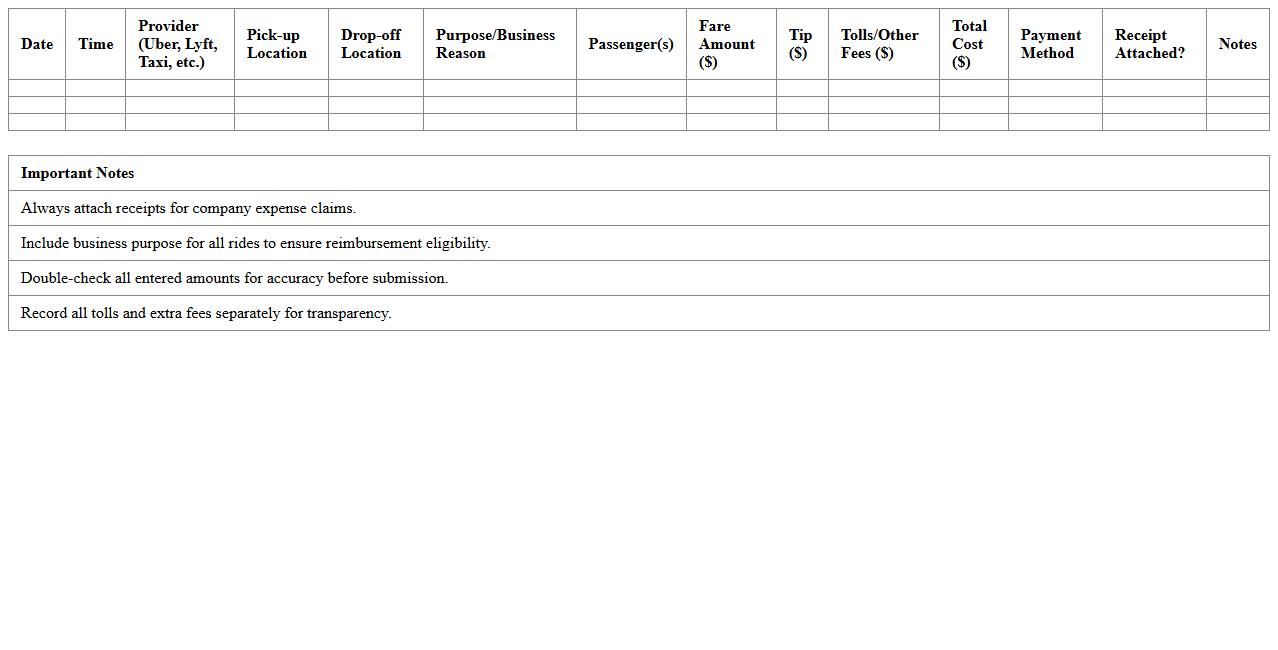
Ride-sharing and Taxi Expense Log Spreadsheet is a document designed to systematically track transportation costs, including fares from ride-sharing services like Uber and Lyft, as well as traditional taxi rides. This spreadsheet helps individuals and businesses monitor and categorize travel expenses, enabling accurate budgeting and financial reporting. By maintaining detailed records, users can identify spending patterns, ensure compliance with reimbursement policies, and optimize transportation budgets effectively.
How can I automate mileage reimbursement calculations in a Transportation Expense Tracker Excel template?
To automate mileage reimbursement calculations, use Excel formulas that multiply the total miles traveled by the reimbursement rate per mile. You can link a fixed rate in a separate cell and reference it within the formula for easy updates. Incorporate data validation to ensure mileage entries are accurate for seamless calculations.
What Excel formulas best summarize monthly fuel costs for small business fleet vehicles?
The SUMIFS formula is ideal for summarizing fuel costs by month and vehicle category in Excel. By setting criteria for dates falling within a specific month and filtering by vehicle IDs, this formula provides precise fuel expenditure totals. This method allows dynamic updates as data changes, improving the accuracy of financial tracking.
Which pivot table setup helps categorize transportation expenses by client or project?
Set up a pivot table with Client or Project names in the Rows section and Expense Types in the Columns section to categorize transportation costs effectively. Sum the related expense amounts in the Values area to get an organized overview of spending. This structure makes it easy to analyze and report transportation expenses by client or project.
How do I set up dropdowns for vehicle selection in an expense tracker sheet?
Create vehicle selection dropdowns using Excel's Data Validation feature with a predefined list of vehicles. Store the vehicle names in a separate range or sheet for easy maintenance and link this range to the dropdown source. This setup enhances data entry consistency and minimizes errors in vehicle tracking.
What conditional formatting highlights over-budget transportation expenses in Excel?
Use Excel's Conditional Formatting to highlight expenses exceeding budgeted amounts by applying a rule with a formula comparing actual costs to budget limits. Choose a distinct fill color or font style to make over-budget entries stand out instantly. This visual cue improves monitoring and financial control of transportation expenses.