Daily Sales and Inventory Tracking Excel Template for Small Retail Stores
The
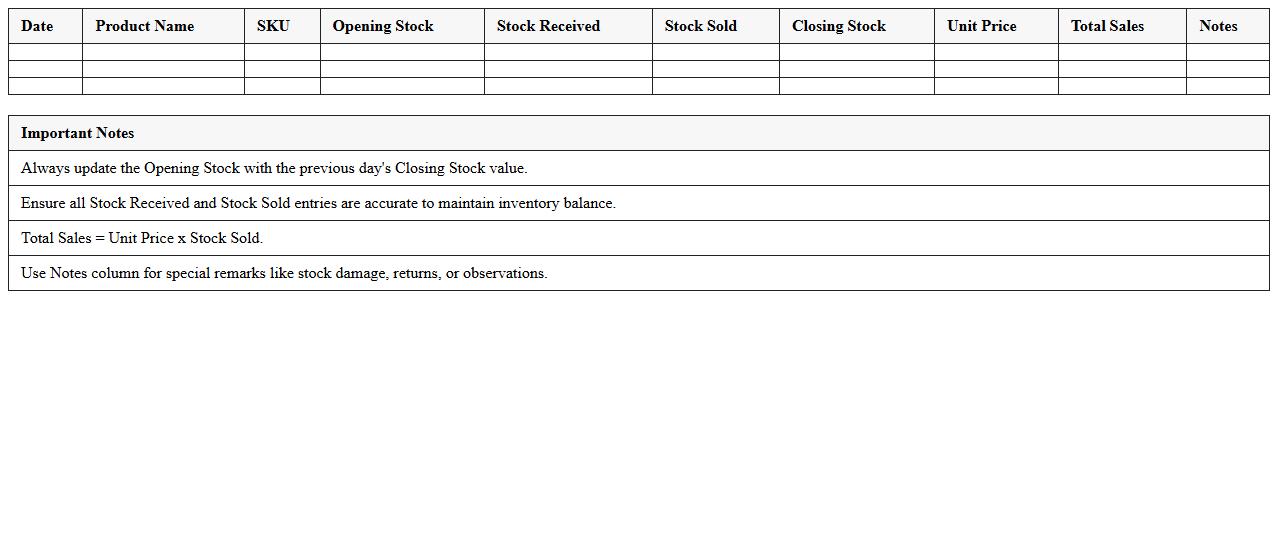
Daily Sales and Inventory Tracking Excel Template for small retail stores is a comprehensive tool designed to monitor sales transactions and manage stock levels efficiently. It helps store owners record daily sales data, track product quantities, and analyze inventory turnover rates, enabling timely restocking and reducing the risk of stockouts or overstocking. This template improves operational accuracy and decision-making, ultimately enhancing profitability and customer satisfaction.
Product Stock Level and Reorder Point Excel Sheet for Retail Shops
The
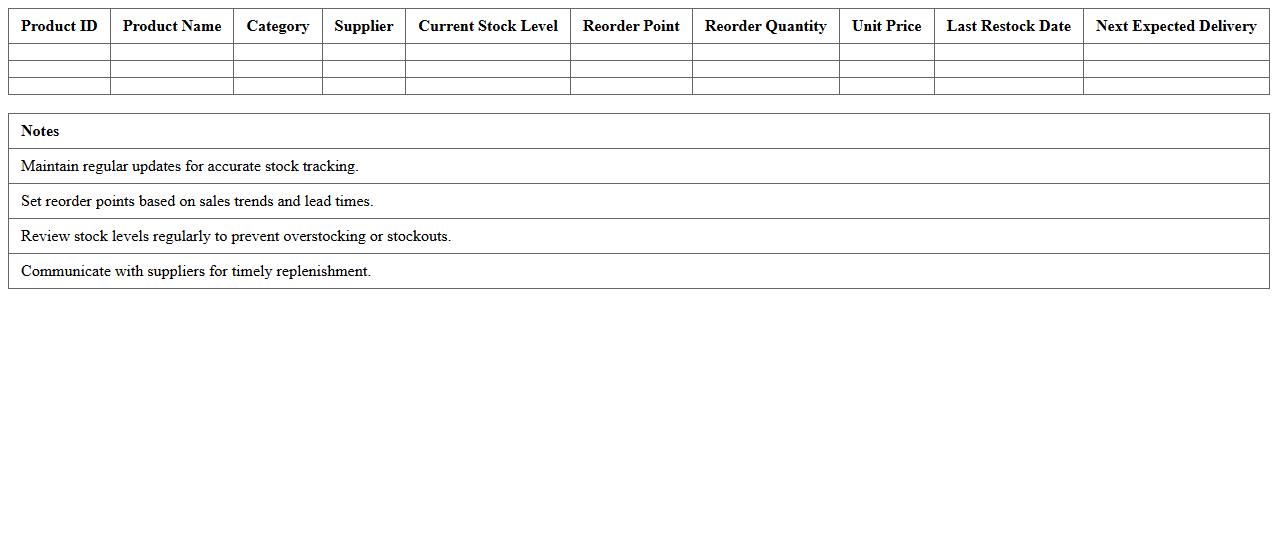
Product Stock Level and Reorder Point Excel Sheet for retail shops is a practical tool designed to track inventory quantities and determine optimal reorder points to prevent stockouts or overstocking. By maintaining accurate stock level data, retail managers can make informed purchasing decisions, ensuring timely replenishment and efficient inventory management. This document helps enhance cash flow management, reduce carrying costs, and improve customer satisfaction through consistent product availability.
Barcode Inventory Log Excel Template for Small Retail Businesses
The
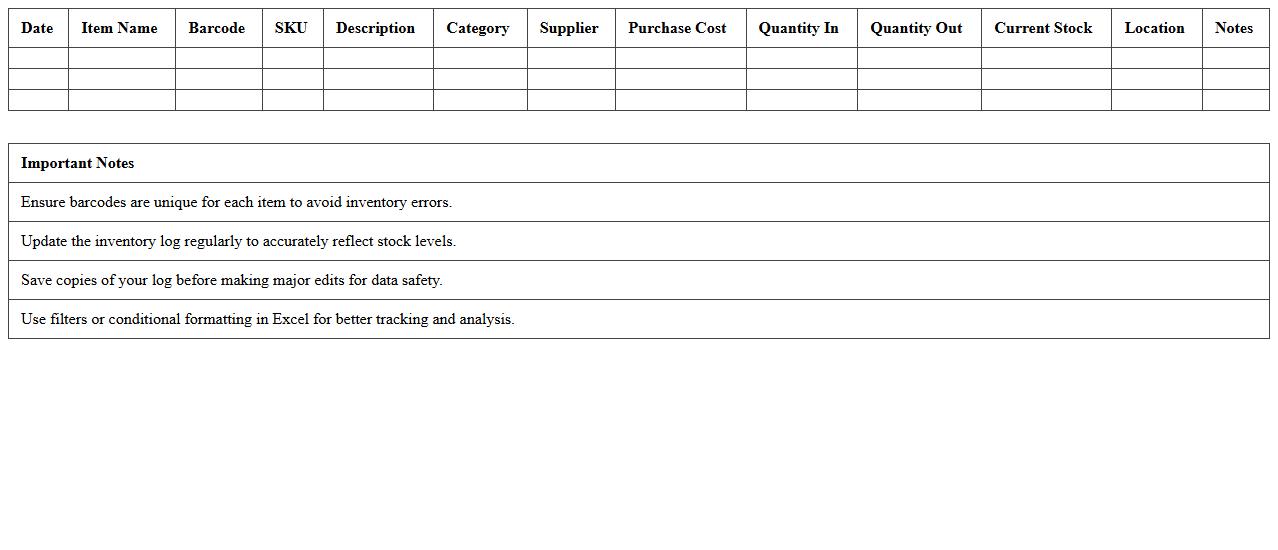
Barcode Inventory Log Excel Template for small retail businesses is a structured spreadsheet designed to streamline product tracking by integrating barcode scanning capabilities with inventory management. This document helps retailers maintain accurate stock levels, reduce manual entry errors, and quickly update quantities as sales occur, improving overall efficiency. Utilizing this template enables small businesses to optimize inventory control, minimize stockouts or overstocking, and enhance daily operational workflows.
Retail Store Goods Inward and Outward Register Excel Template
The
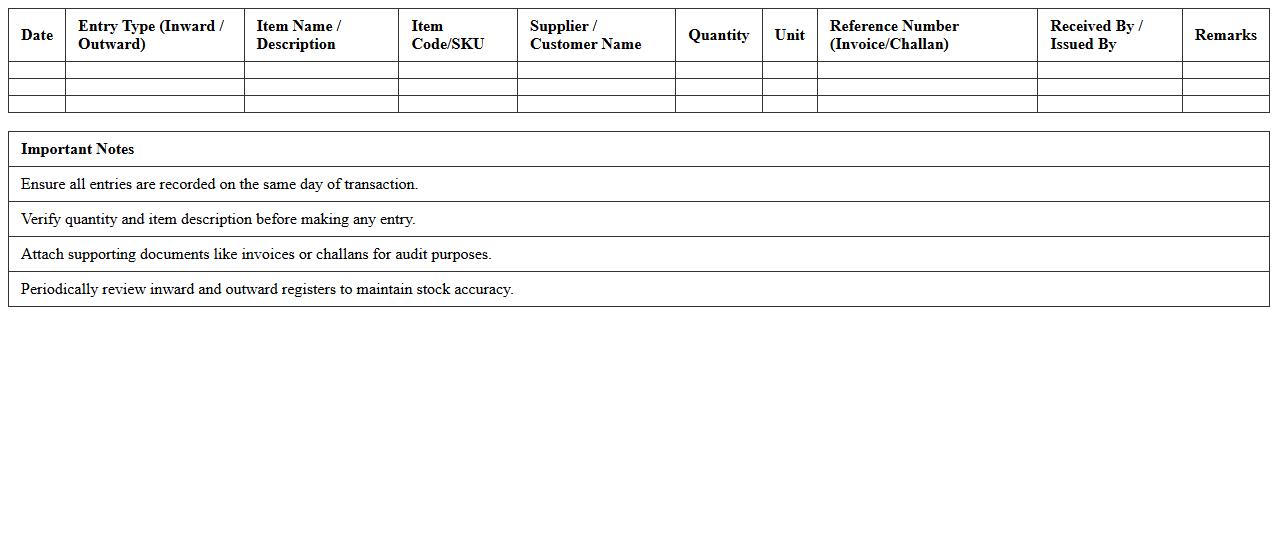
Retail Store Goods Inward and Outward Register Excel Template is a structured document designed to track incoming and outgoing inventory efficiently. It helps retail managers maintain accurate records of stock movement, ensuring real-time visibility of goods receipt and dispatch. This template improves inventory control, reduces errors, and supports seamless reconciliation for financial audits.
Supplier Order and Delivery Tracking Excel Spreadsheet for Retailers
The
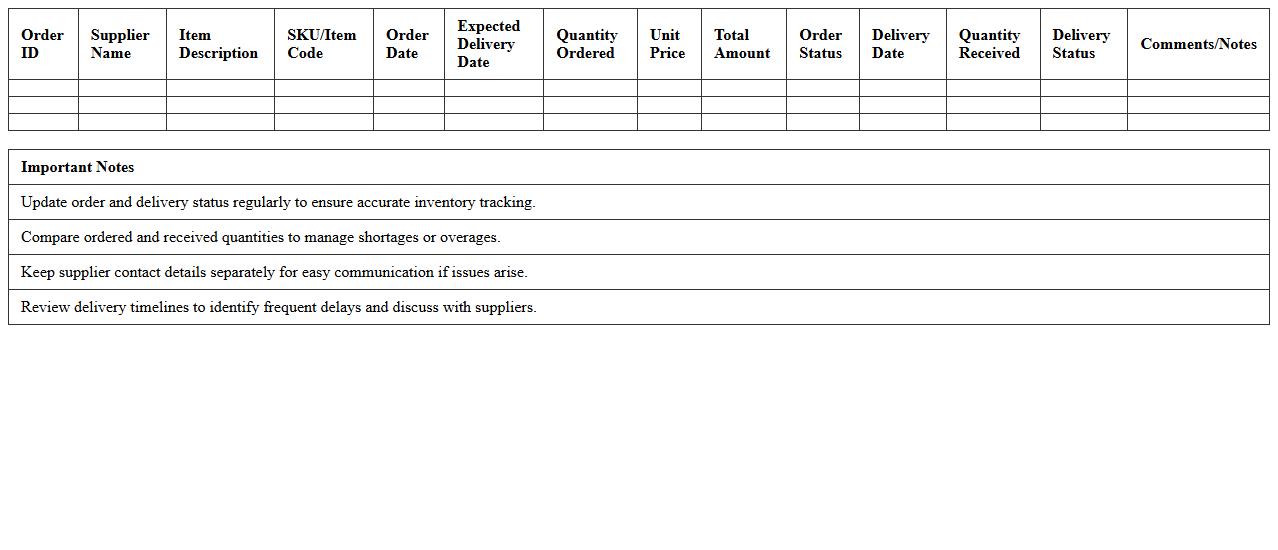
Supplier Order and Delivery Tracking Excel Spreadsheet for retailers is a comprehensive tool designed to efficiently monitor purchase orders, supplier information, and delivery schedules in one centralized platform. It helps retailers reduce errors, manage inventory levels accurately, and streamline communication with suppliers by providing real-time updates on order status and expected delivery dates. This spreadsheet ultimately enhances operational efficiency, minimizes stockouts, and supports better decision-making in supply chain management.
Fast-Moving and Slow-Moving Items Analysis Excel for Retail Inventory
The
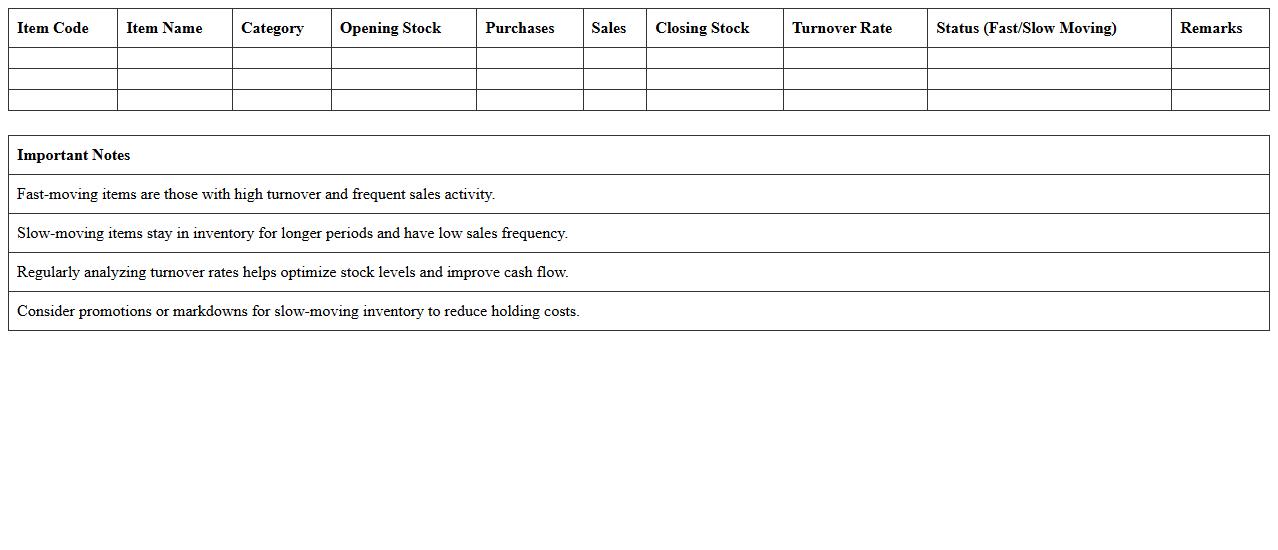
Fast-Moving and Slow-Moving Items Analysis Excel for retail inventory is a powerful tool designed to categorize and track product sales velocity, helping retailers identify which items sell quickly and which remain stagnant. By analyzing sales data, this document enables efficient stock management, reduces overstock or stockouts, and optimizes reorder timing. Retailers can leverage these insights to enhance inventory turnover, improve cash flow, and tailor marketing efforts for specific product segments.
Retail Shrinkage and Loss Prevention Tracker Excel Template
The
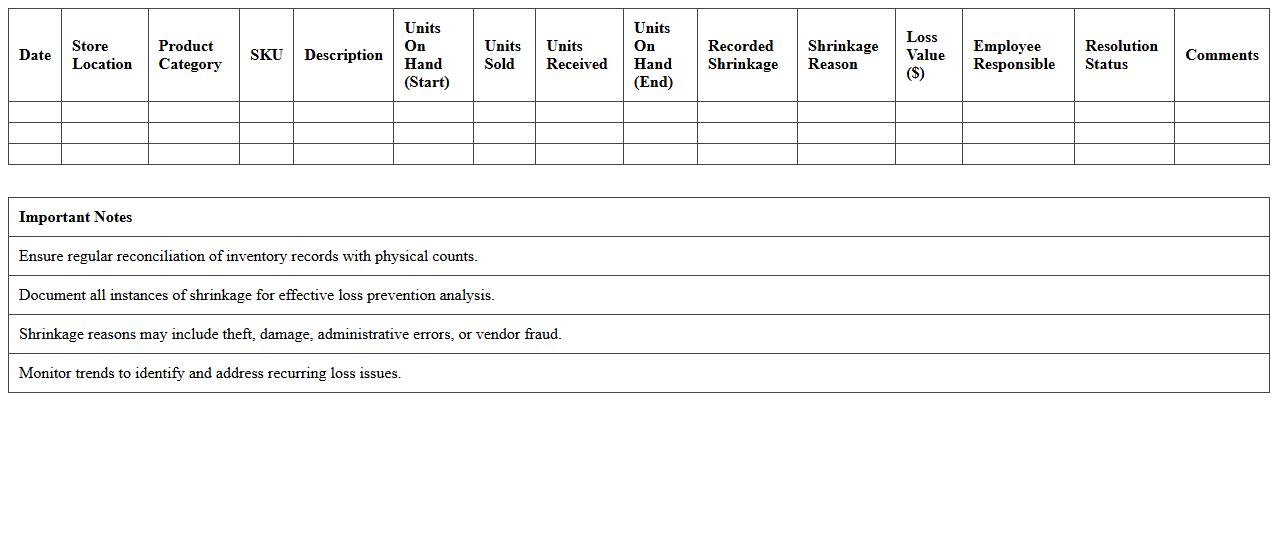
Retail Shrinkage and Loss Prevention Tracker Excel Template is a specialized tool designed to monitor and analyze inventory discrepancies caused by theft, damage, or administrative errors. By systematically documenting shrinkage incidents and tracking loss prevention measures, this template helps businesses identify patterns and implement strategic controls to reduce financial losses. Utilizing this tracker enhances operational efficiency and supports data-driven decisions to protect retail assets and improve overall profitability.
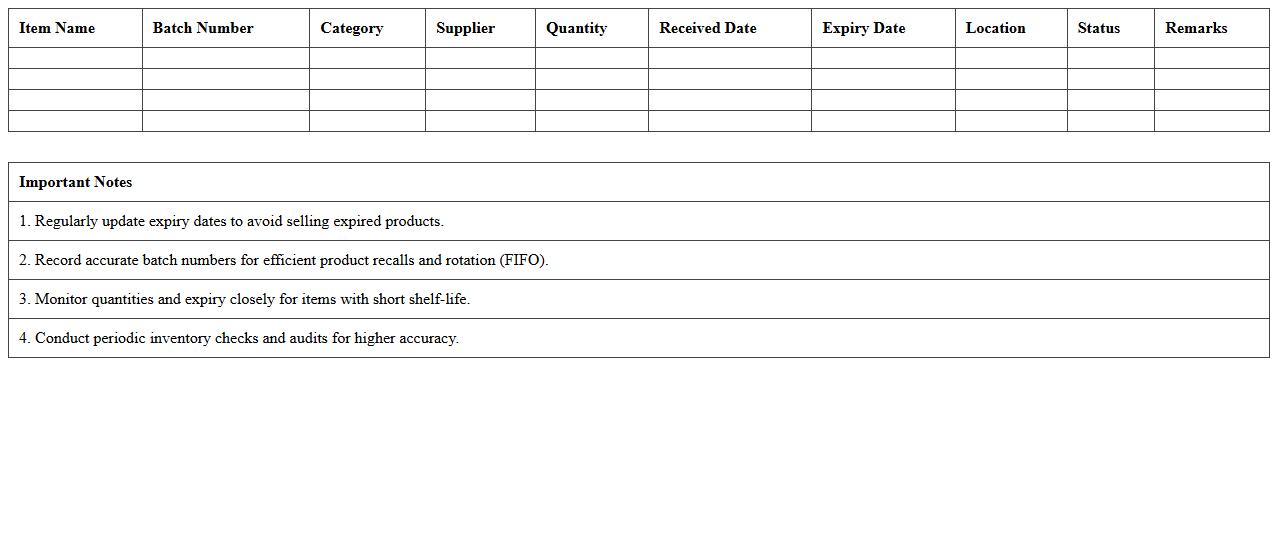
Expiry Date and Batch Tracking Excel Sheet for Perishable Retail Inventory
The
Expiry Date and Batch Tracking Excel Sheet for perishable retail inventory is a specialized tool designed to monitor product shelf life and batch information efficiently. It enables retailers to track product expiration dates, manage stock rotation, and reduce waste by identifying items nearing their expiry. This document improves inventory accuracy, ensures compliance with safety standards, and supports timely decision-making for stock replenishment and clearance sales.
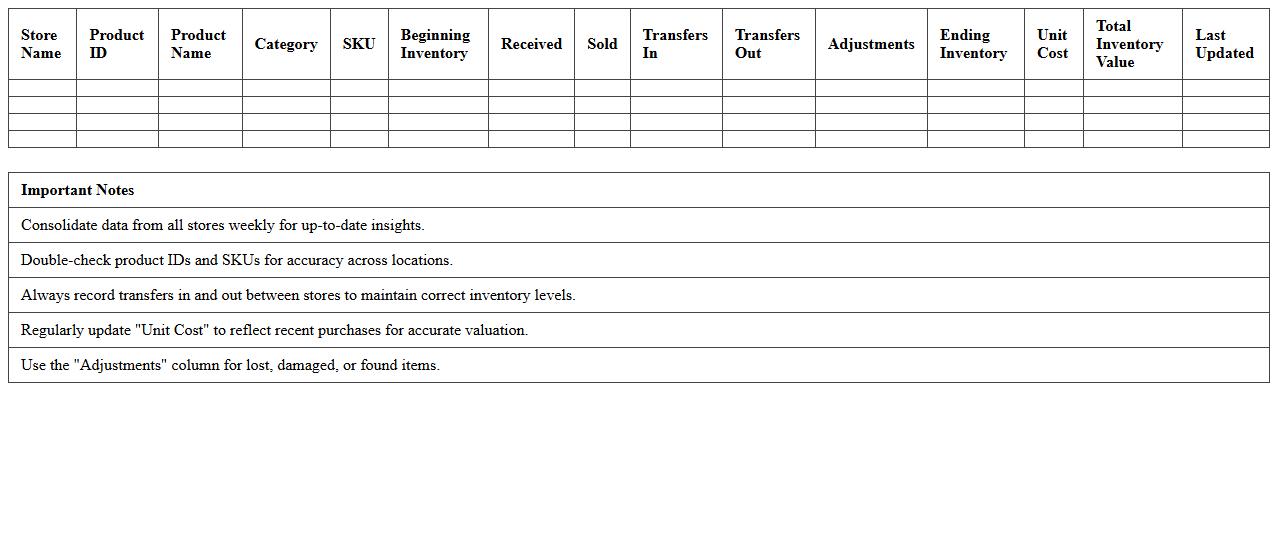
Multi-Store Inventory Consolidation Excel Template for Small Retail Chains
The
Multi-Store Inventory Consolidation Excel Template for Small Retail Chains is a specialized tool designed to centralize and manage inventory data from multiple store locations in one easy-to-use spreadsheet. This template helps retailers track stock levels, sales, and reorder points across different outlets, enabling accurate forecasting and efficient inventory replenishment. By providing a comprehensive overview of inventory status, it reduces stockouts and overstock situations, leading to improved cash flow and operational efficiency.
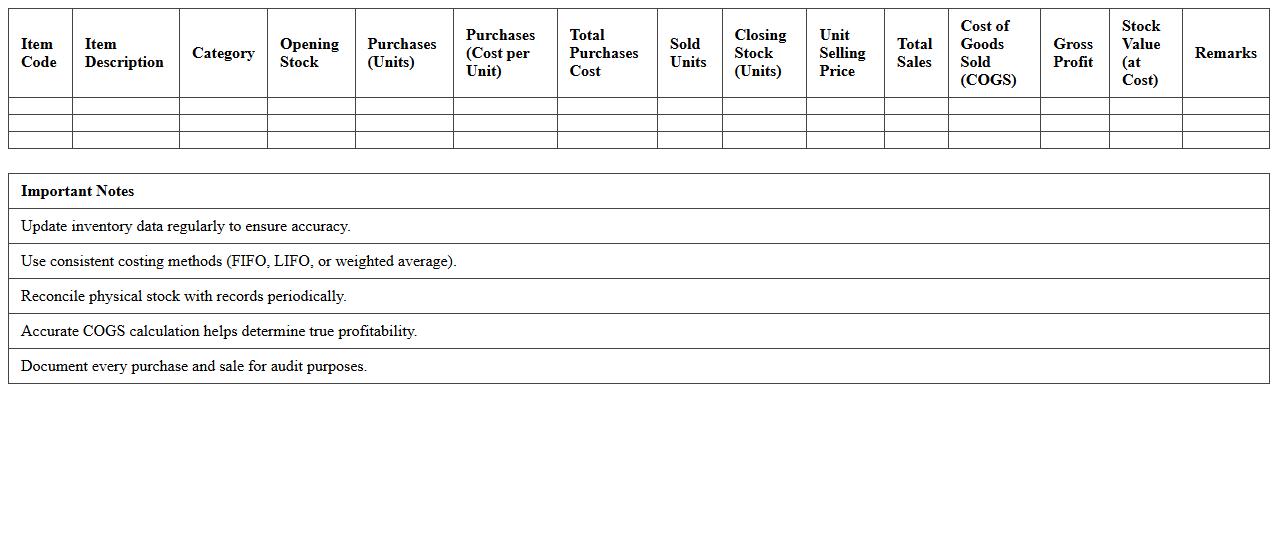
Retail Inventory Valuation and Costing Excel Spreadsheet for Small Shops
A
Retail Inventory Valuation and Costing Excel Spreadsheet for small shops is a powerful tool designed to accurately track inventory levels, costs, and valuation in real-time. It helps business owners calculate the value of their stock based on various costing methods such as FIFO, LIFO, or average cost, ensuring precise financial reporting and inventory management. This document simplifies complex inventory calculations, enhances decision-making, and improves profitability by providing clear insights into product costs and stock value.