Production Schedule Tracking Excel Template
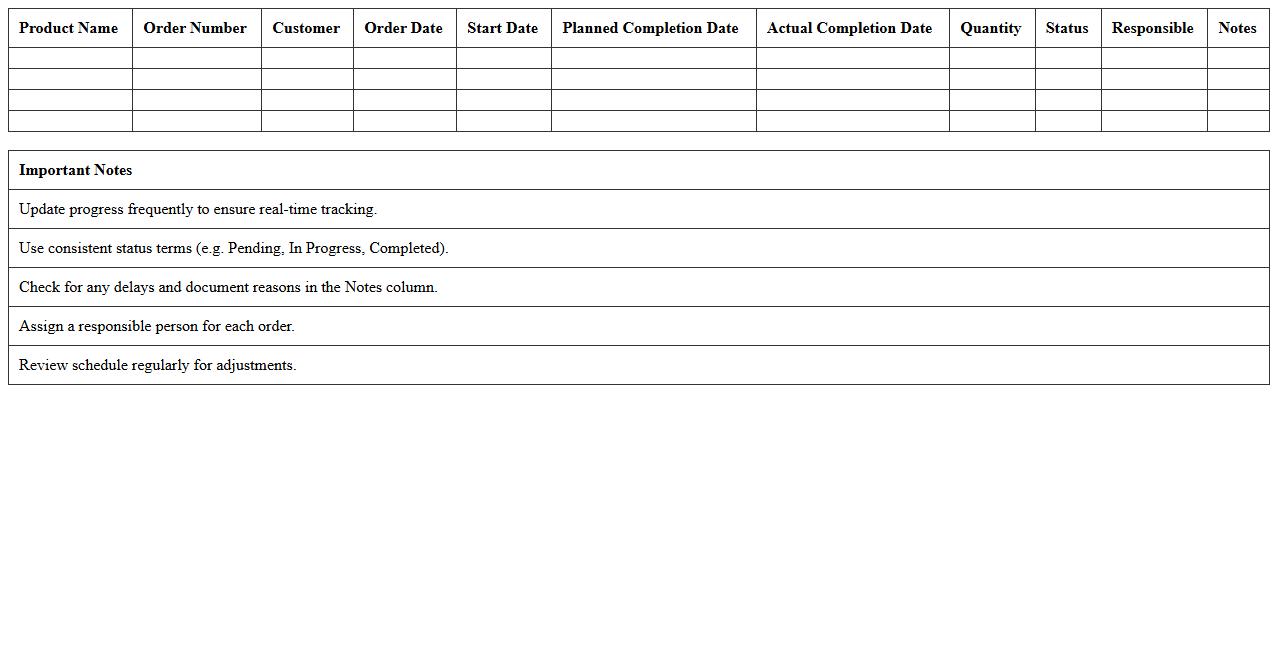
The
Production Schedule Tracking Excel Template is a powerful tool designed to organize and monitor manufacturing timelines, resource allocation, and task progress efficiently. By providing a clear visual layout of production phases, deadlines, and workforce assignments, it helps businesses optimize workflow and reduce delays. This template enhances project management accuracy, enabling timely delivery and improved operational productivity.
Manufacturing Process Workflow Excel Sheet
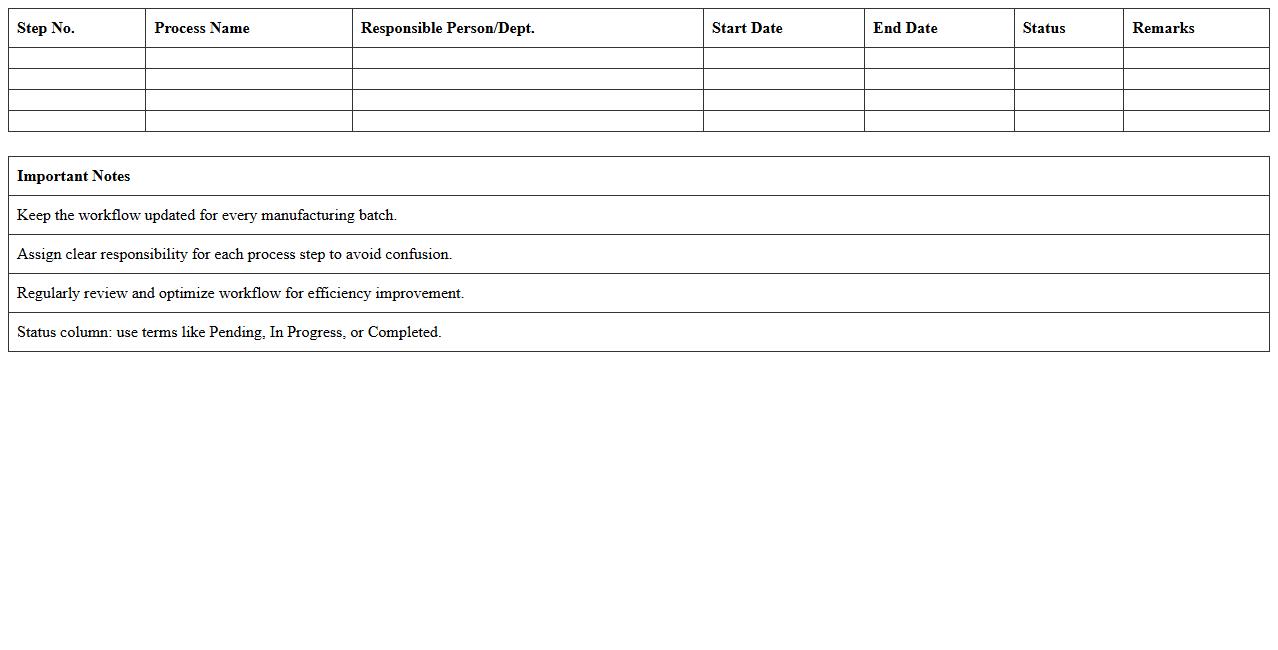
A
Manufacturing Process Workflow Excel Sheet document is a structured spreadsheet designed to map out each stage of the manufacturing process, detailing inputs, outputs, and timelines. It helps streamline operations by visualizing workflows, identifying bottlenecks, and ensuring resource allocation aligns with production goals. This tool enhances efficiency, enables easier communication among teams, and supports data-driven decision-making to improve overall manufacturing productivity.
Work Order Status Tracker Spreadsheet
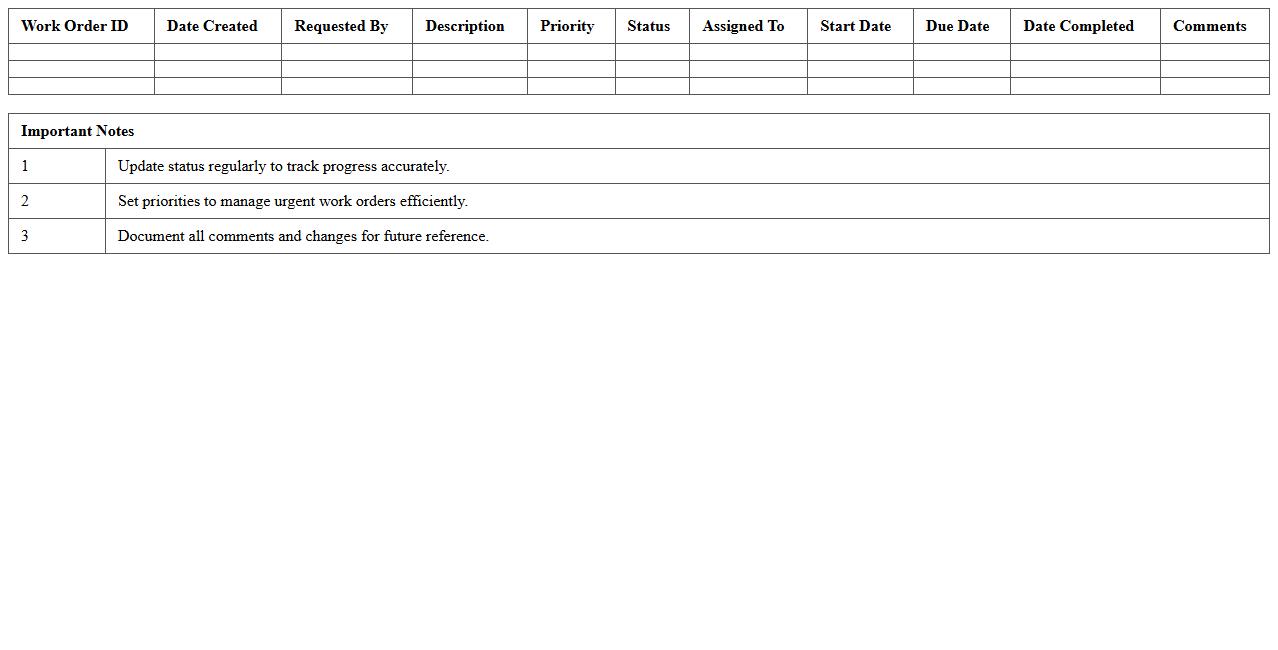
A
Work Order Status Tracker Spreadsheet is a comprehensive document designed to monitor and update the progress of work orders in real-time. It allows businesses to organize tasks, assign responsibilities, and track completion stages efficiently, reducing delays and improving accountability. By providing clear visibility of each work order's current status, this tool enhances workflow management and supports timely decision-making.
Daily Output & Downtime Log Excel Template
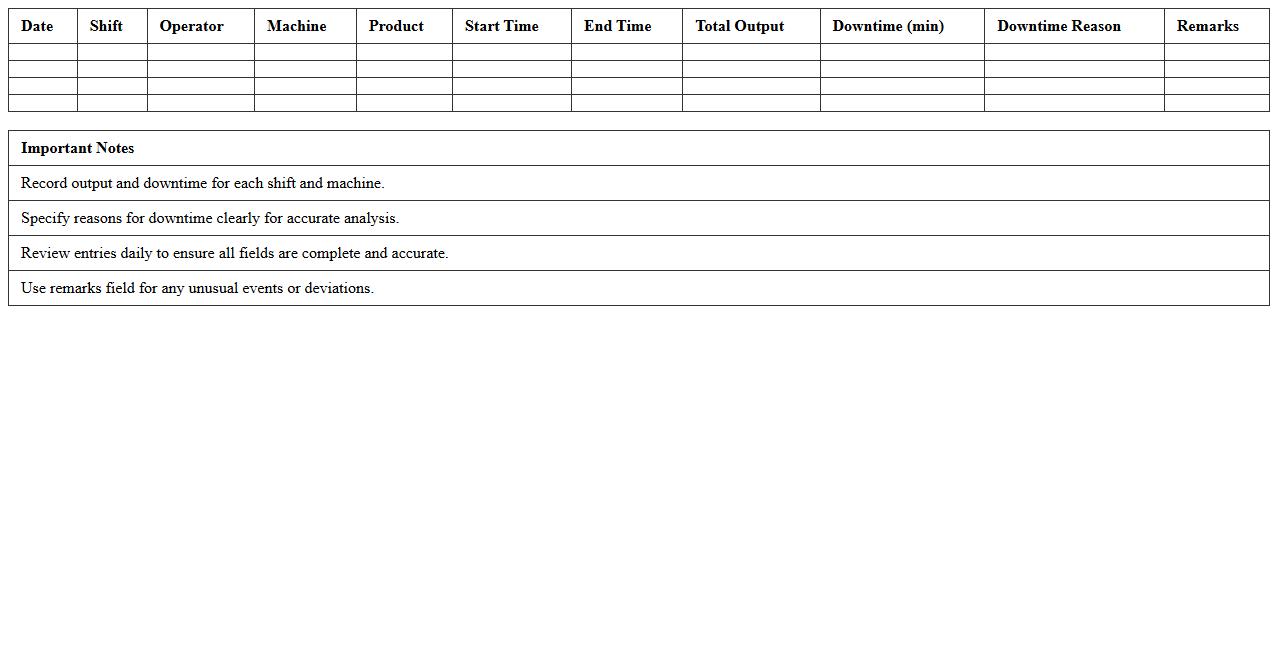
The
Daily Output & Downtime Log Excel Template is a structured document designed to track daily production output alongside equipment or process downtime. It helps organizations identify patterns in operational inefficiencies, enabling targeted improvements and increased productivity. By maintaining accurate records of output and downtime, businesses can optimize maintenance schedules and resource allocation effectively.
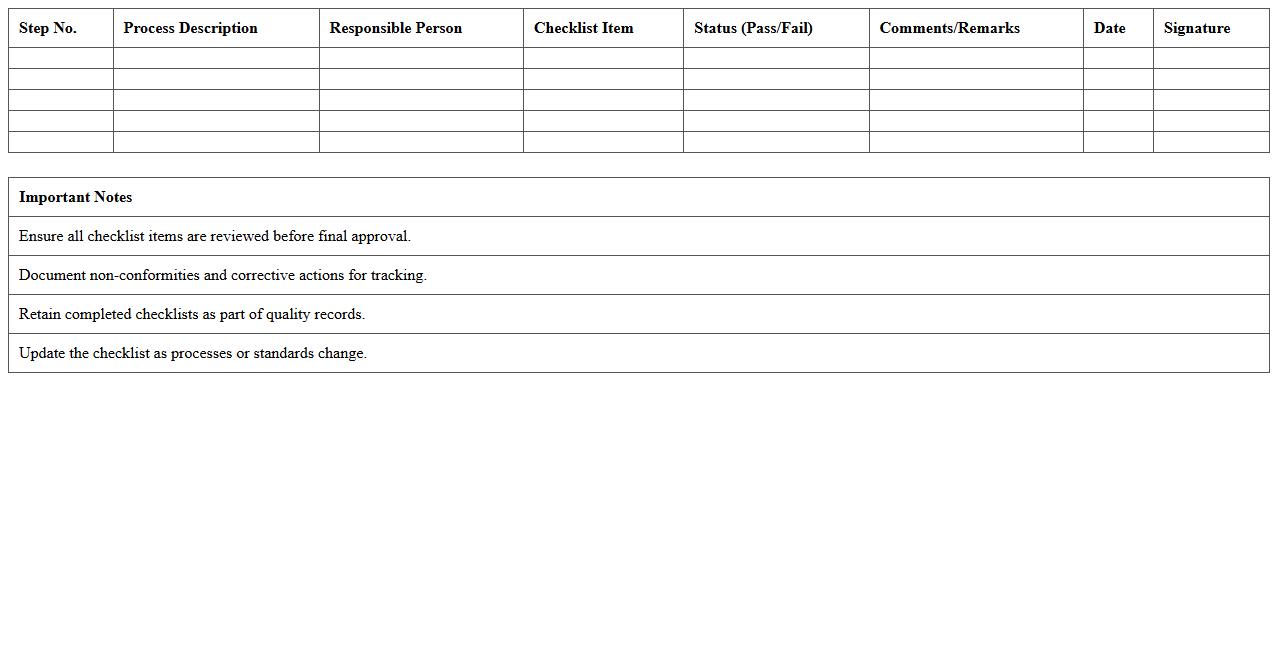
Quality Control Process Checklist Template
A
Quality Control Process Checklist Template is a structured document used to systematically verify that products or services meet specified standards and requirements. It helps organizations consistently monitor and evaluate quality parameters, ensuring compliance with industry regulations and reducing errors. This template enhances efficiency by providing a clear, step-by-step framework for quality assessments, fostering continuous improvement and customer satisfaction.
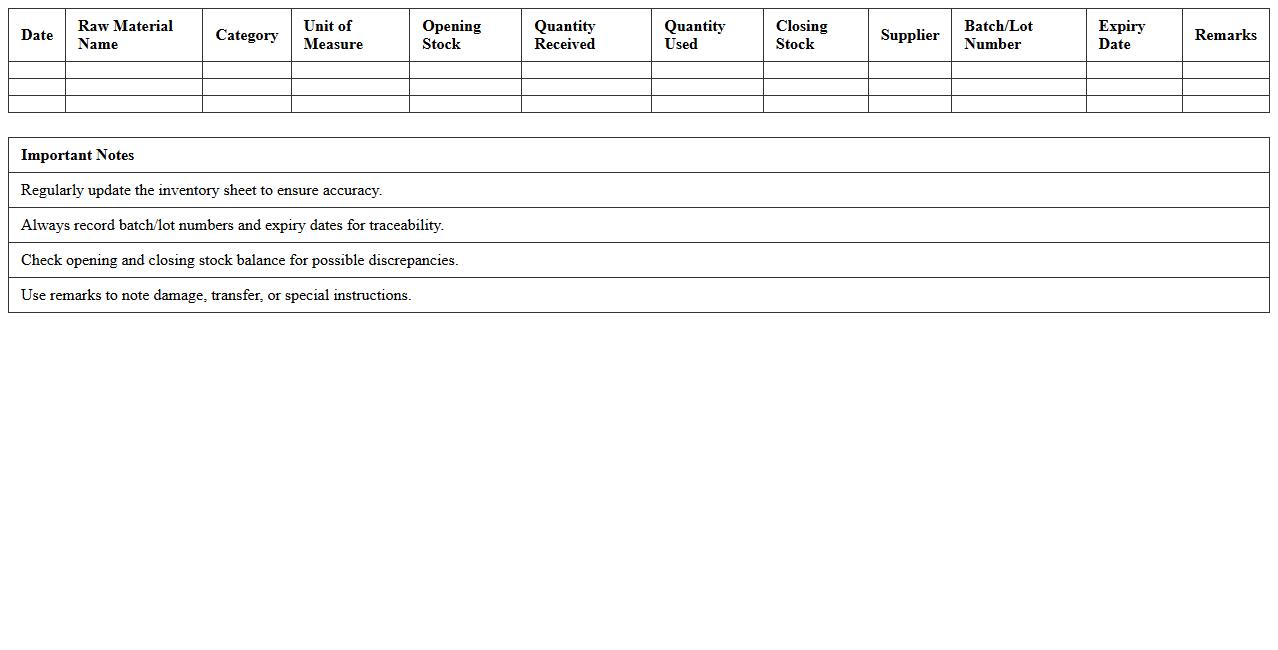
Raw Material Inventory Tracking Excel
Raw Material Inventory Tracking Excel is a powerful tool designed to monitor and manage the quantity, cost, and usage of raw materials in manufacturing or production processes. This document enables businesses to maintain accurate records, avoid stockouts, and optimize reorder levels, ensuring smooth operational workflows. By leveraging
real-time data analysis within Excel, companies can improve inventory accuracy, reduce carrying costs, and enhance overall supply chain efficiency.
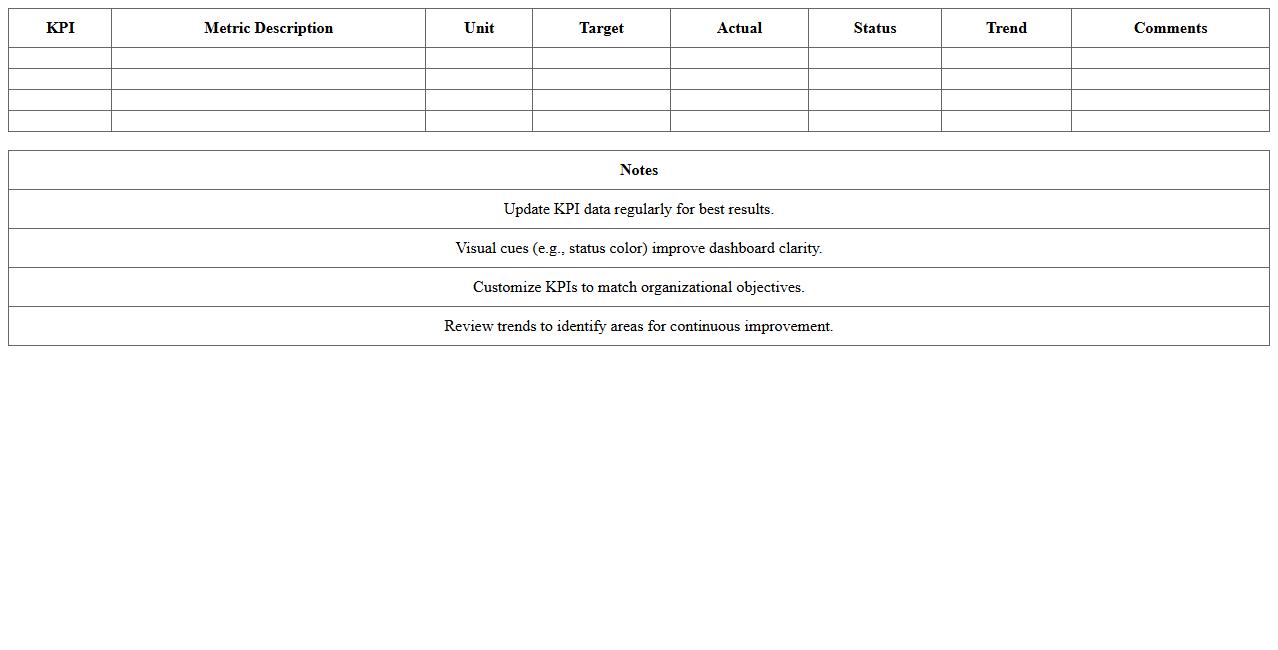
Lean Manufacturing KPI Dashboard Excel
A
Lean Manufacturing KPI Dashboard Excel document consolidates critical performance indicators such as cycle time, waste reduction, and overall equipment effectiveness (OEE) into a single, interactive spreadsheet. This tool streamlines data visualization and real-time monitoring, enabling manufacturing teams to identify bottlenecks, measure efficiency improvements, and drive continuous process optimization. Access to timely and accurate KPIs supports informed decision-making, ultimately enhancing productivity and reducing operational costs.
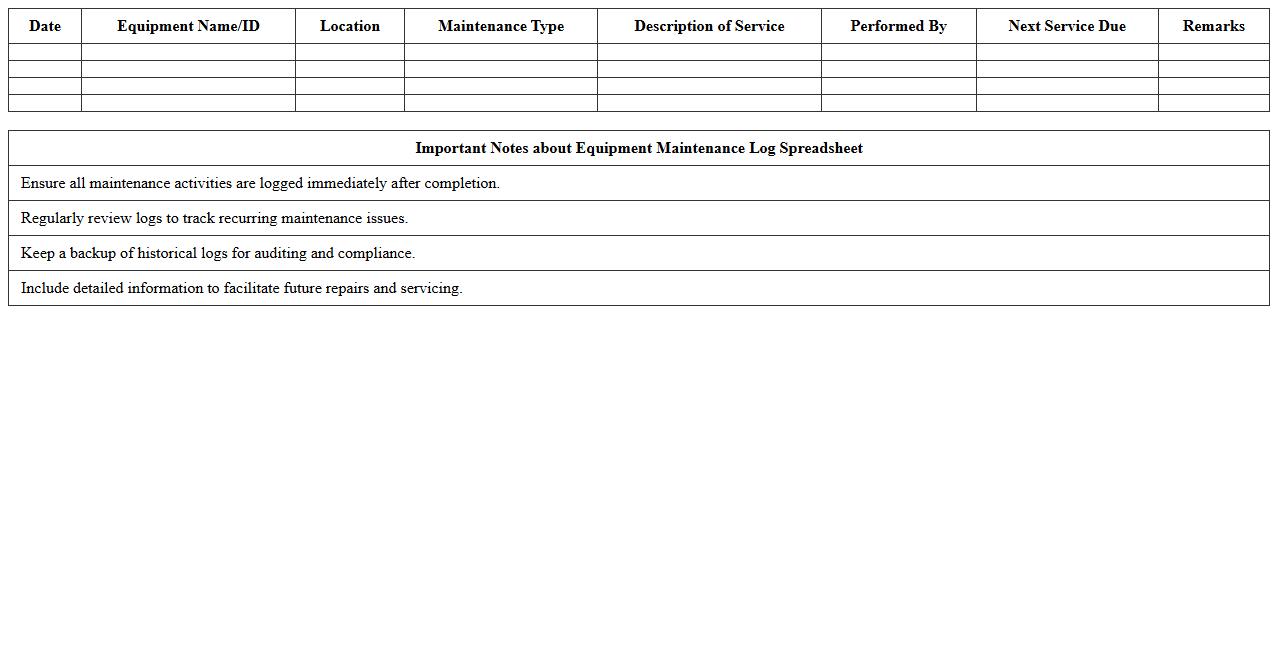
Equipment Maintenance Log Spreadsheet
An
Equipment Maintenance Log Spreadsheet is a structured document used to record detailed information about the upkeep, repairs, and servicing of equipment over time. It helps track maintenance schedules, identify recurring issues, and ensure compliance with safety standards, thereby extending the lifespan and efficiency of machinery. By centralizing maintenance data, this spreadsheet enhances asset management and supports informed decision-making for operational reliability.
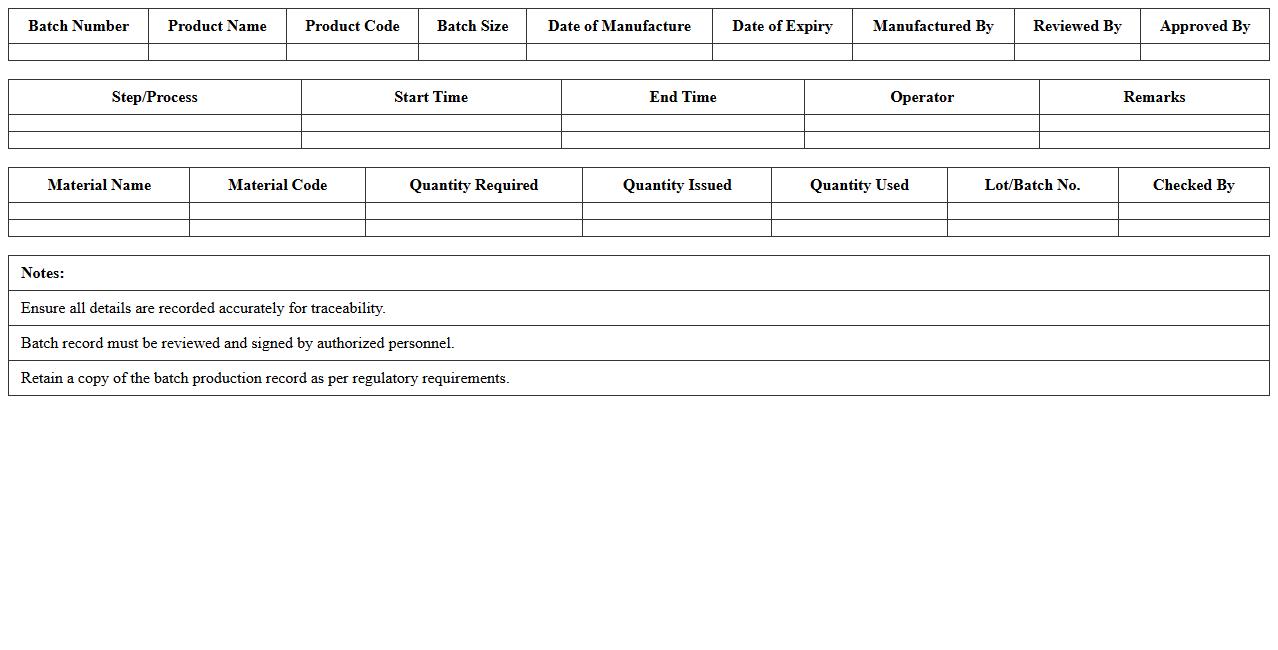
Batch Production Record Excel Template
A
Batch Production Record Excel Template document systematically captures and organizes detailed information about manufacturing batches, including raw materials, production steps, quality checks, and equipment used. It ensures accurate traceability, regulatory compliance, and consistency in product quality by standardizing data entry and monitoring processes. This template improves operational efficiency by facilitating real-time tracking, error reduction, and easy audit preparation in batch manufacturing environments.
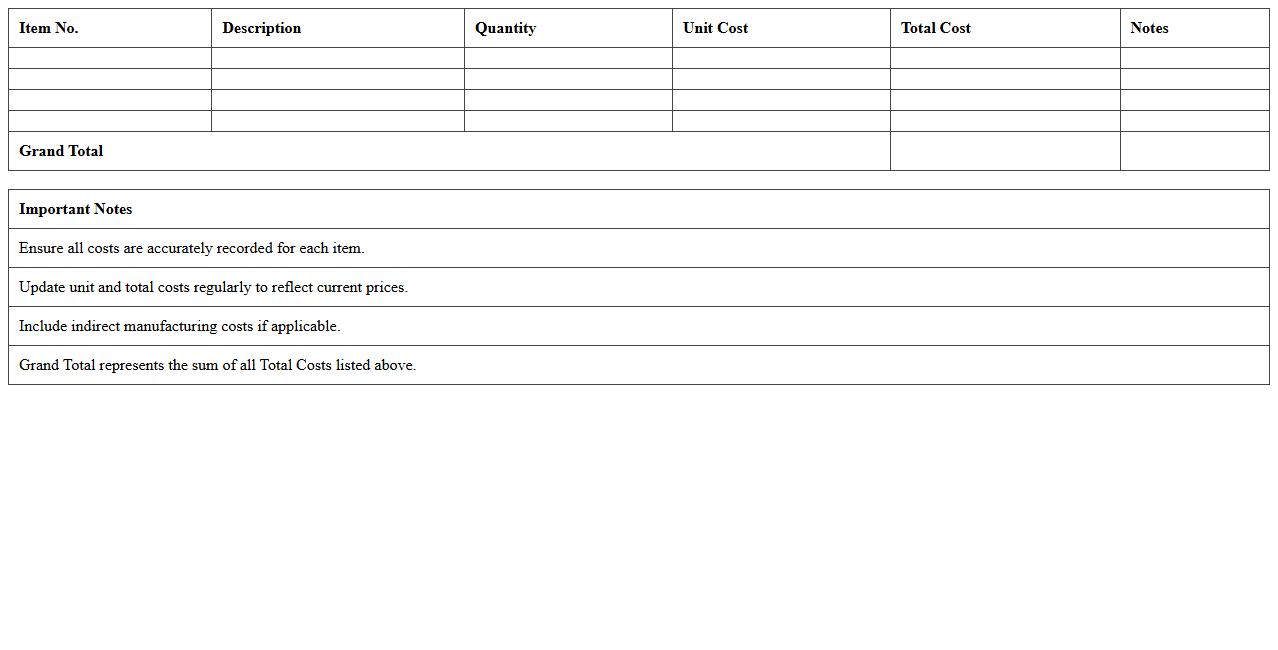
Manufacturing Cost Analysis Worksheet
The
Manufacturing Cost Analysis Worksheet is a detailed document that helps businesses itemize and evaluate all expenses associated with the production process, including raw materials, labor, and overhead costs. By providing a clear breakdown of manufacturing costs, this worksheet enables companies to identify cost-saving opportunities, improve budgeting accuracy, and enhance pricing strategies. It serves as a vital tool for financial planning, cost control, and decision-making within the manufacturing sector.
How can I automate defect logging in a manufacturing process tracking Excel sheet?
Automating defect logging in Excel can be achieved using macros or VBA scripts to capture defect data instantly. You can create a user form that operators fill out whenever a defect occurs, which then populates a centralized log. This method reduces manual entry errors and ensures consistent data capture throughout the manufacturing process.
What formulas best analyze machine downtime trends in production Excel documents?
Formulas such as SUMIFS and AVERAGEIFS are ideal for calculating total and average machine downtime based on dates or shift patterns. The COUNTIFS formula helps count the frequency of downtimes within specific periods, revealing trends over time. Integrating these with PivotTables allows deeper insight into downtime patterns across different machines or production lines.
How do I link barcode scanning data to real-time process tracking in Excel?
To link barcode data to Excel for real-time process tracking, use barcode scanners that input data directly into Excel cells formatted as data entry fields. Automate data refresh using VBA to instantly update process status or inventory levels whenever scanned. Connecting Excel with external databases or APIs can enhance real-time integration and improve overall tracking accuracy.
Which Excel features track operator shift handovers for manufacturing processes?
Excel Tables combined with time-stamping features can efficiently log shift handovers and operator details. Utilizing data validation and drop-down menus ensures consistent entry of operator names and shifts to reduce errors. Conditional formatting highlights incomplete or delayed handovers, enabling supervisors to quickly address any tracking issues.
How can I set up conditional alerts for missed process steps in Excel manufacturing logs?
Use Conditional Formatting rules to highlight missed or incomplete process steps automatically within manufacturing logs. Combining Excel's IF and ISBLANK functions can flag empty critical fields that indicate skipped steps. Set up notification macros or integrate with Outlook to send email alerts when a process step is missed, ensuring prompt corrective actions.