The Logistics Inventory Management Excel Template for Small Warehouses streamlines stock tracking and order management with easy-to-use spreadsheets designed specifically for small-scale operations. It enables efficient monitoring of inventory levels, reduces stockouts, and optimizes reorder points by providing clear, customizable data visualization. This template enhances accuracy and saves time, making warehouse management simple and effective for small businesses.
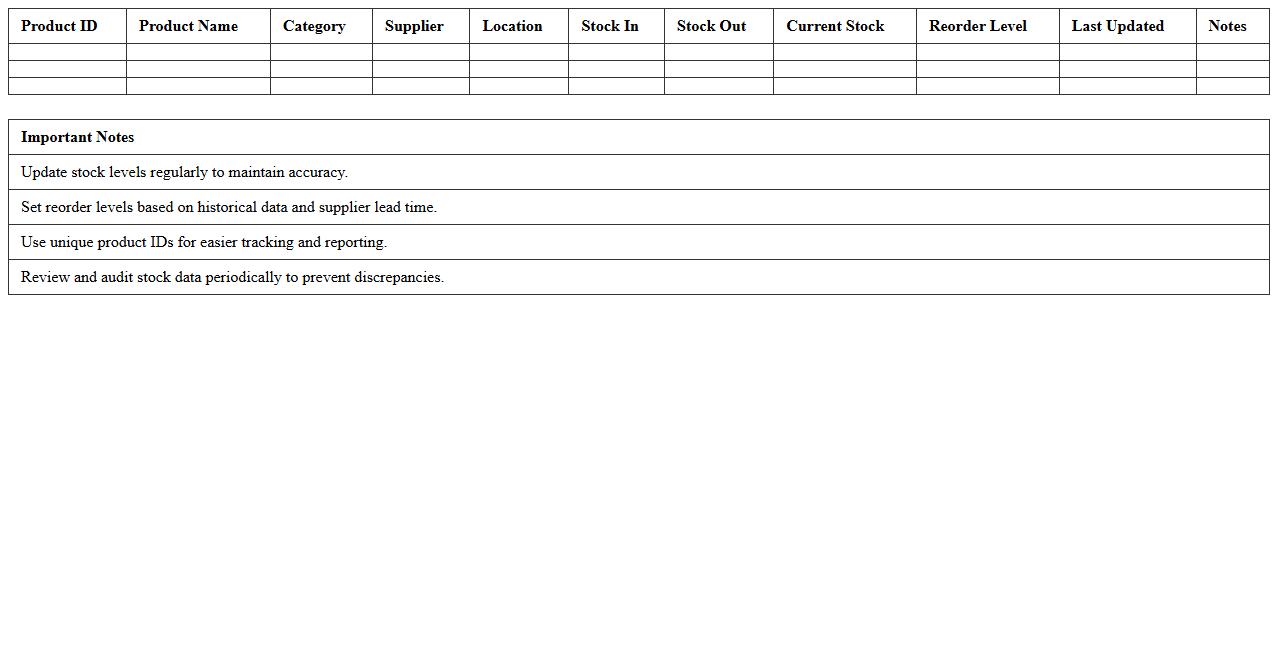
Product Stock Level Tracker Excel Template
The
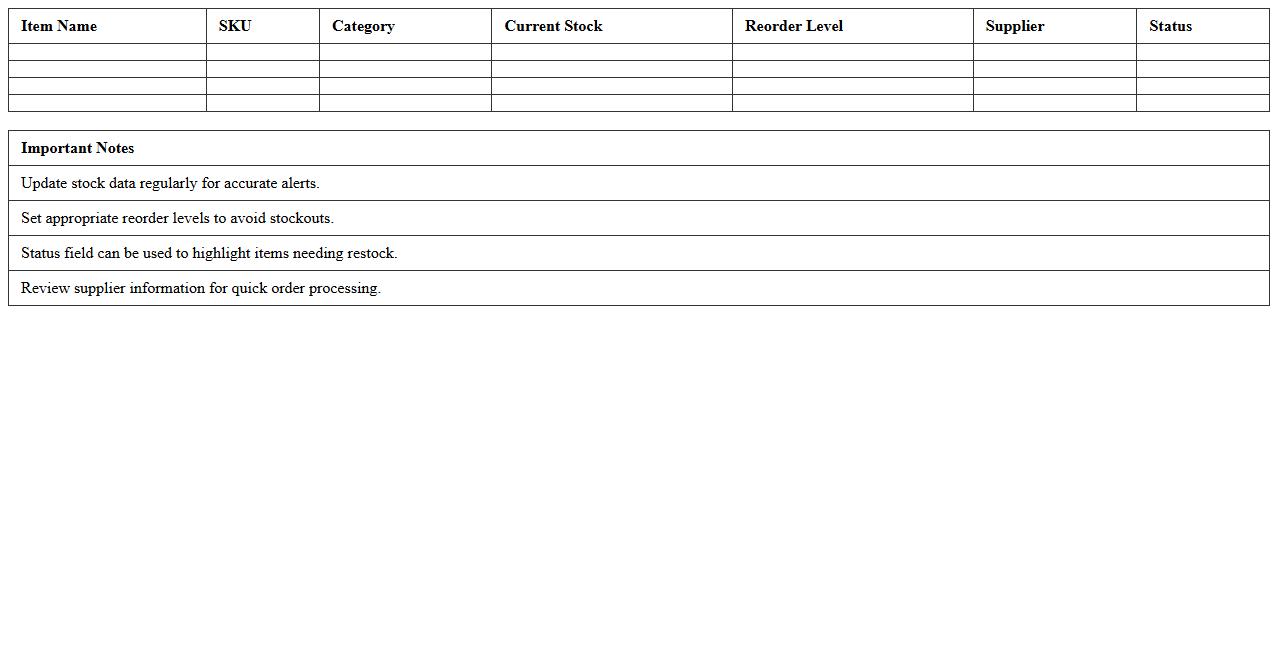
Product Stock Level Tracker Excel Template is a comprehensive tool designed to monitor inventory quantities in real-time, ensuring users maintain optimal stock levels and prevent overstocking or stockouts. It includes features such as automatic stock updates, reorder point alerts, and detailed reports that help streamline inventory management. By using this template, businesses can improve accuracy, reduce manual errors, and make informed decisions to enhance supply chain efficiency.
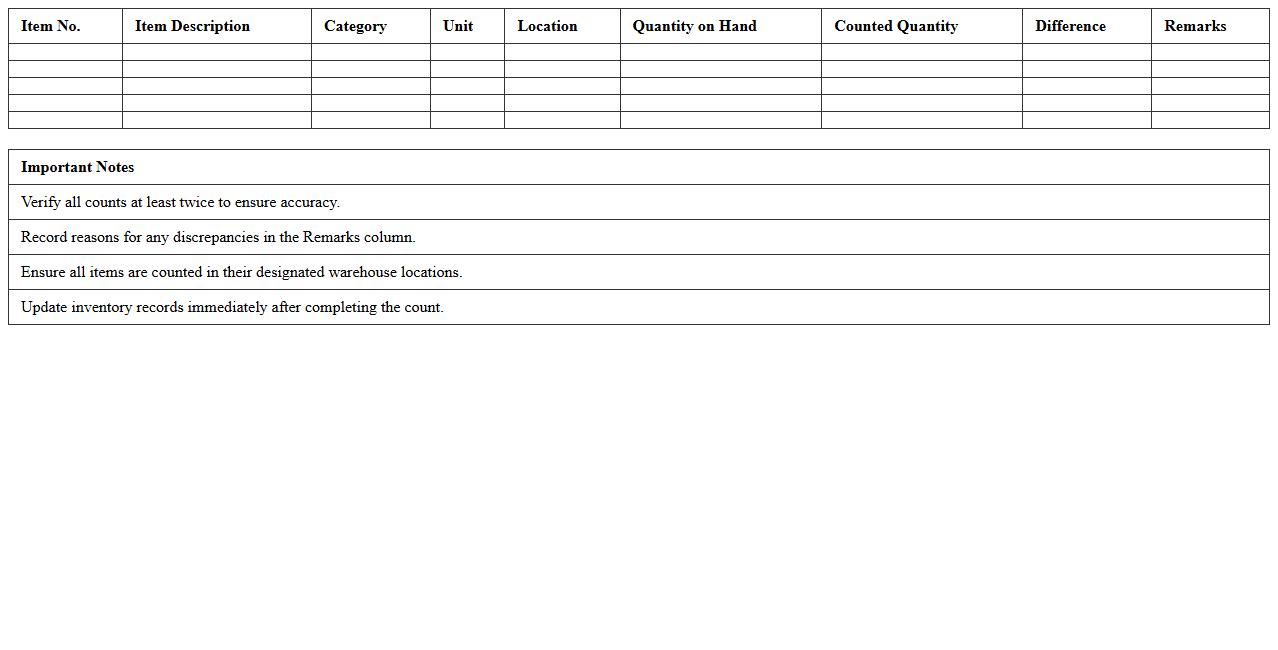
Warehouse Inventory Count Sheet
A
Warehouse Inventory Count Sheet is a detailed document used to record the quantities, descriptions, and locations of items within a warehouse. It helps maintain accurate stock levels, identify discrepancies, and streamline inventory management processes. Regular use of this sheet enhances operational efficiency, prevents stockouts or overstocking, and supports accurate financial reporting.
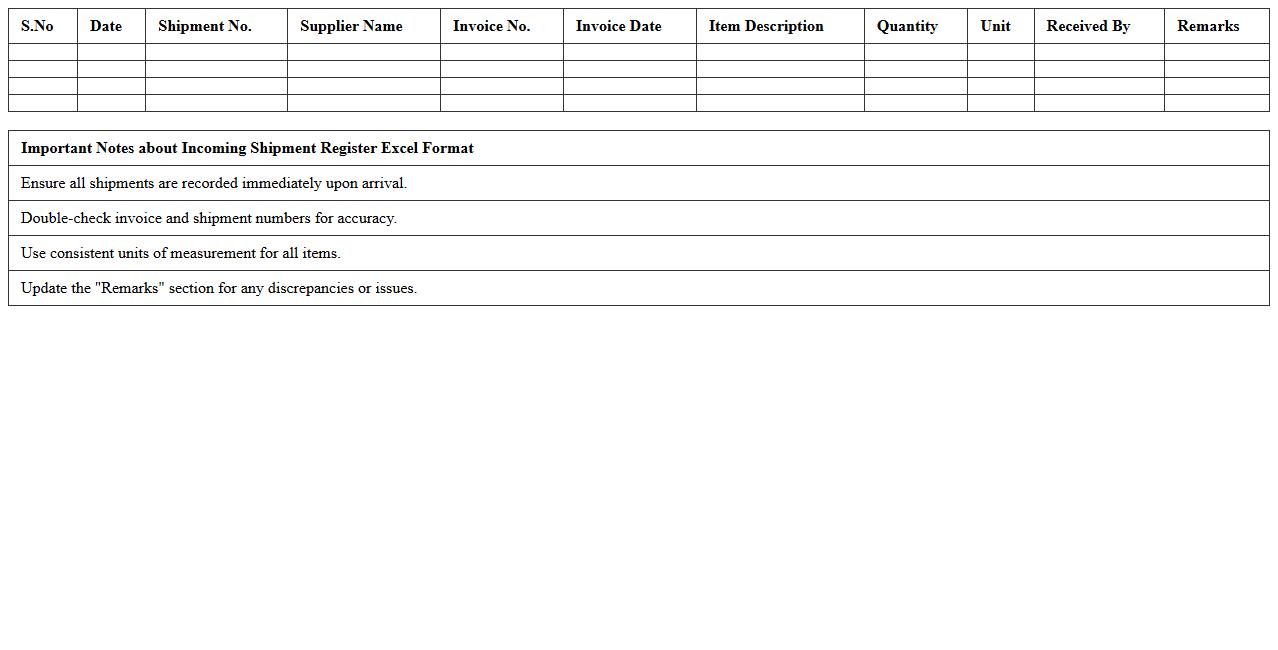
Incoming Shipment Register Excel Format
The
Incoming Shipment Register Excel Format is a structured spreadsheet designed to record and track all details related to shipments received, including shipment dates, supplier information, item descriptions, quantities, and delivery status. This document helps streamline inventory management by providing clear visibility on incoming goods, ensuring accuracy in stock levels, and facilitating timely reconciliation with purchase orders. Using this register enhances operational efficiency and reduces errors in tracking and processing shipments.
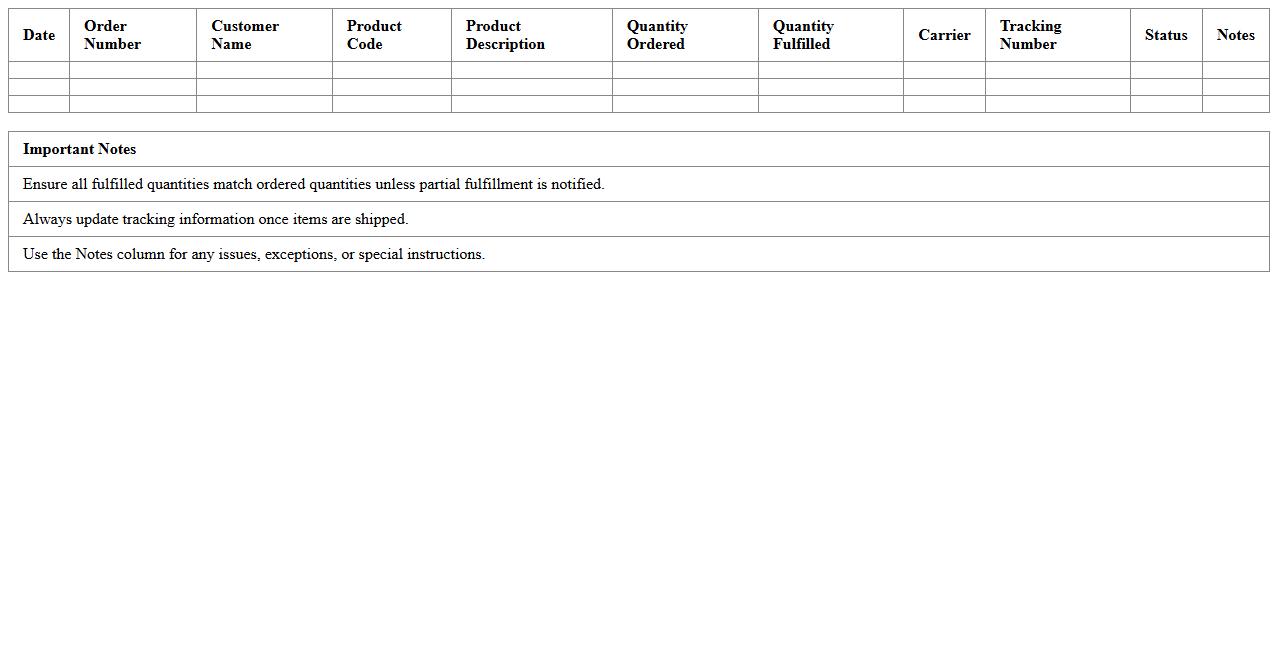
Outbound Order Fulfillment Log
The
Outbound Order Fulfillment Log document tracks the details of shipments leaving a warehouse, including order numbers, quantities, shipping dates, and carrier information. This log ensures accurate record-keeping, helps monitor order accuracy, and streamlines the shipping process by providing real-time visibility into outbound logistics. Utilizing this document reduces errors, improves customer satisfaction, and enhances overall supply chain efficiency.
Inventory Adjustment & Reconciliation Report
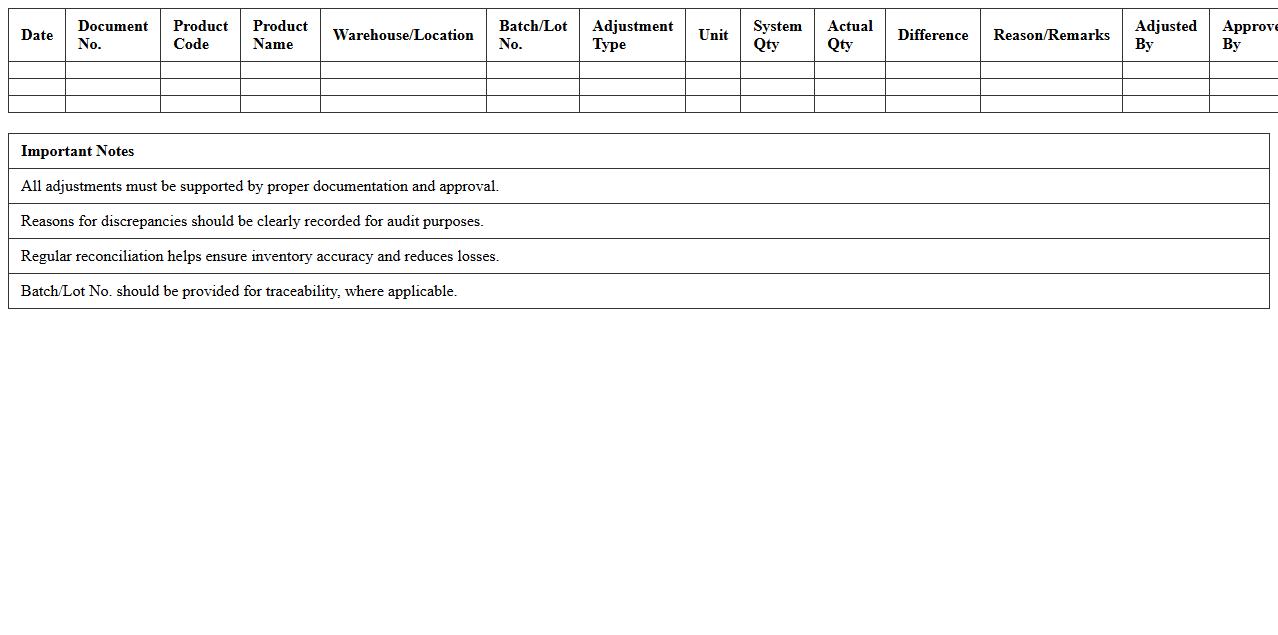
The
Inventory Adjustment & Reconciliation Report is a crucial document that tracks changes made to inventory records, including corrections of discrepancies between physical stock and recorded quantities. This report helps businesses identify and resolve errors such as theft, damage, or data entry mistakes, ensuring accurate inventory levels. By maintaining precise inventory data, it supports better decision-making, reduces carrying costs, and enhances overall operational efficiency.
SKU Barcode Master List Spreadsheet
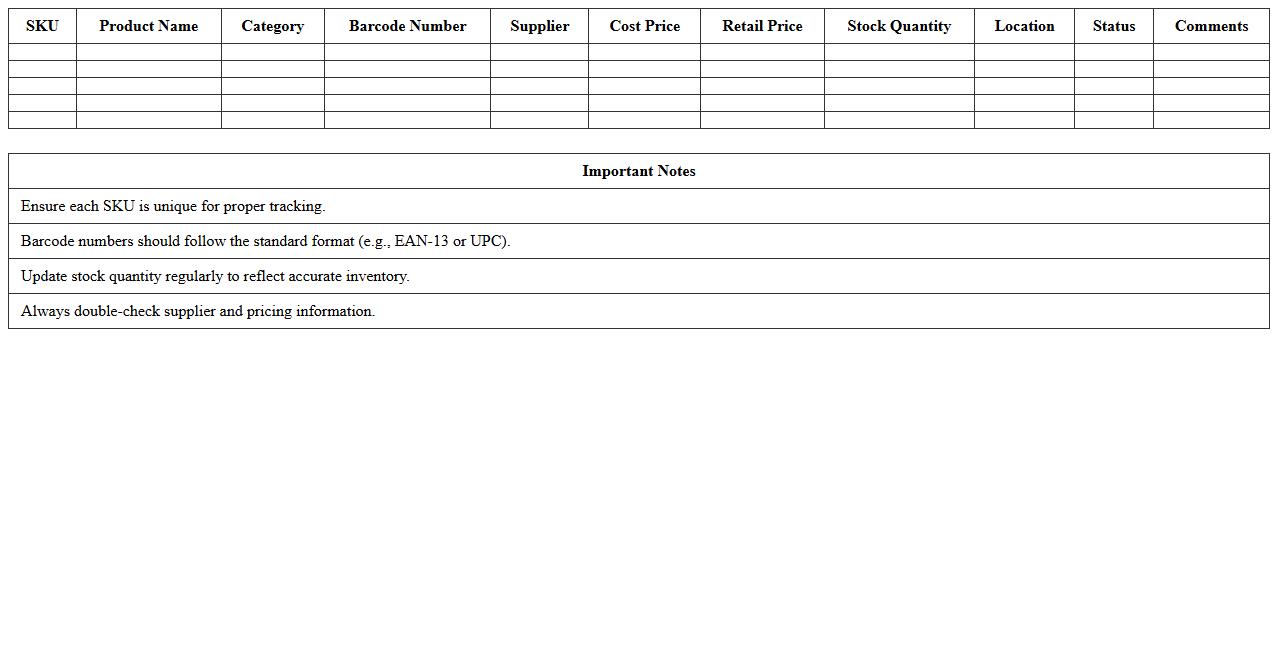
The
SKU Barcode Master List Spreadsheet is a comprehensive document that organizes all product SKUs alongside their corresponding barcodes in a single, easy-to-access file. This spreadsheet enhances inventory management by enabling quick barcode scanning, reducing errors, and improving stock tracking accuracy. Businesses use it to streamline product identification, facilitate faster checkouts, and maintain consistent product data across various sales channels.
Inventory Movement Tracking Sheet
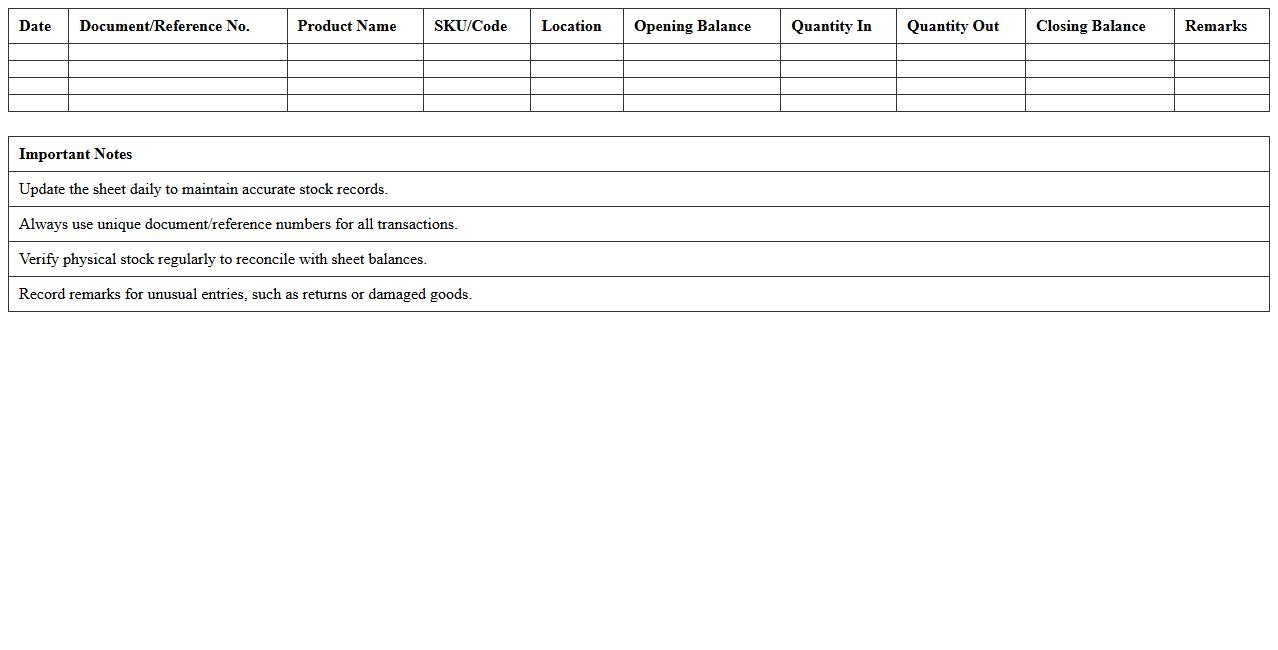
An
Inventory Movement Tracking Sheet is a detailed document used to record and monitor the inflow and outflow of inventory items within a business. It provides real-time data on stock levels, locations, and transaction dates, enabling accurate inventory control and minimizing errors such as overstocking or stockouts. This tool is essential for optimizing supply chain efficiency, improving order accuracy, and supporting informed decision-making in inventory management.
Supplier Delivery Schedule Excel Template
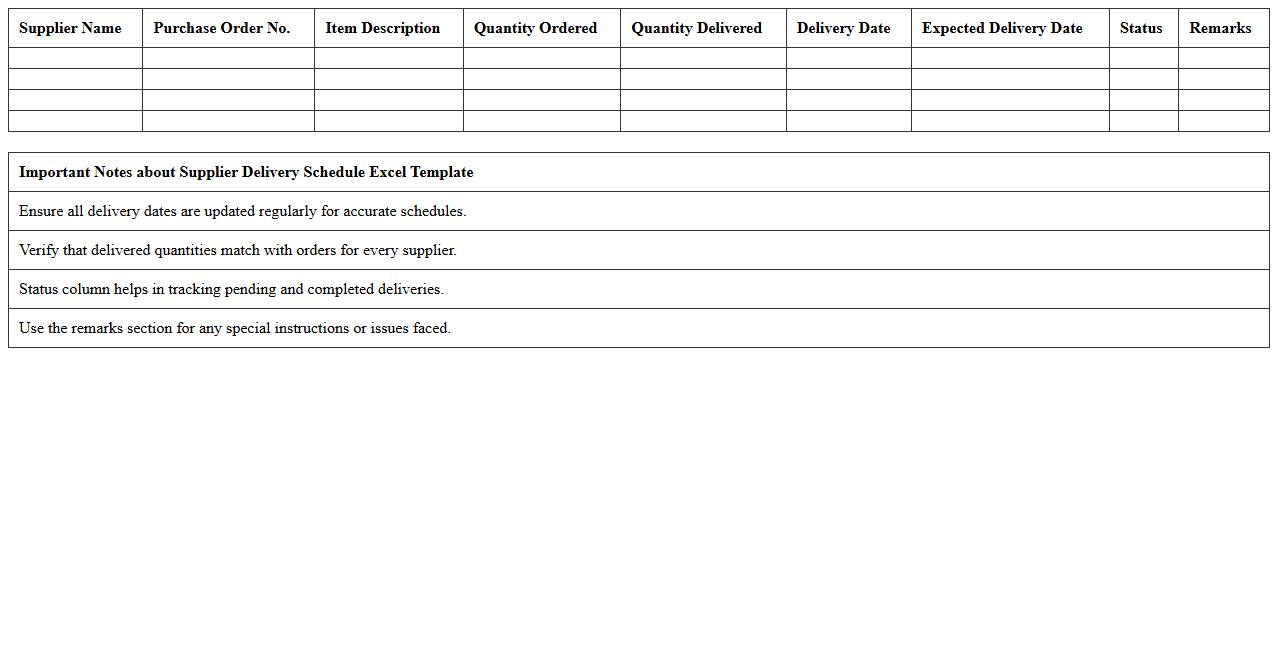
The
Supplier Delivery Schedule Excel Template document is a structured spreadsheet designed to track and manage delivery dates, quantities, and supplier details efficiently. It helps businesses streamline supply chain operations by providing a clear overview of upcoming shipments, reducing delays and improving inventory planning. Using this template enhances communication with suppliers and ensures timely product availability for smooth production workflows.
Low Stock Alert Dashboard
The
Low Stock Alert Dashboard document provides real-time insights into inventory levels, highlighting products that are nearing depletion to prevent stockouts. It enables efficient inventory management by allowing businesses to take timely action, such as reordering or adjusting supply chain processes. This proactive approach helps maintain optimal stock levels, minimizing lost sales and improving customer satisfaction.
Expiry Date Management Excel Sheet
An
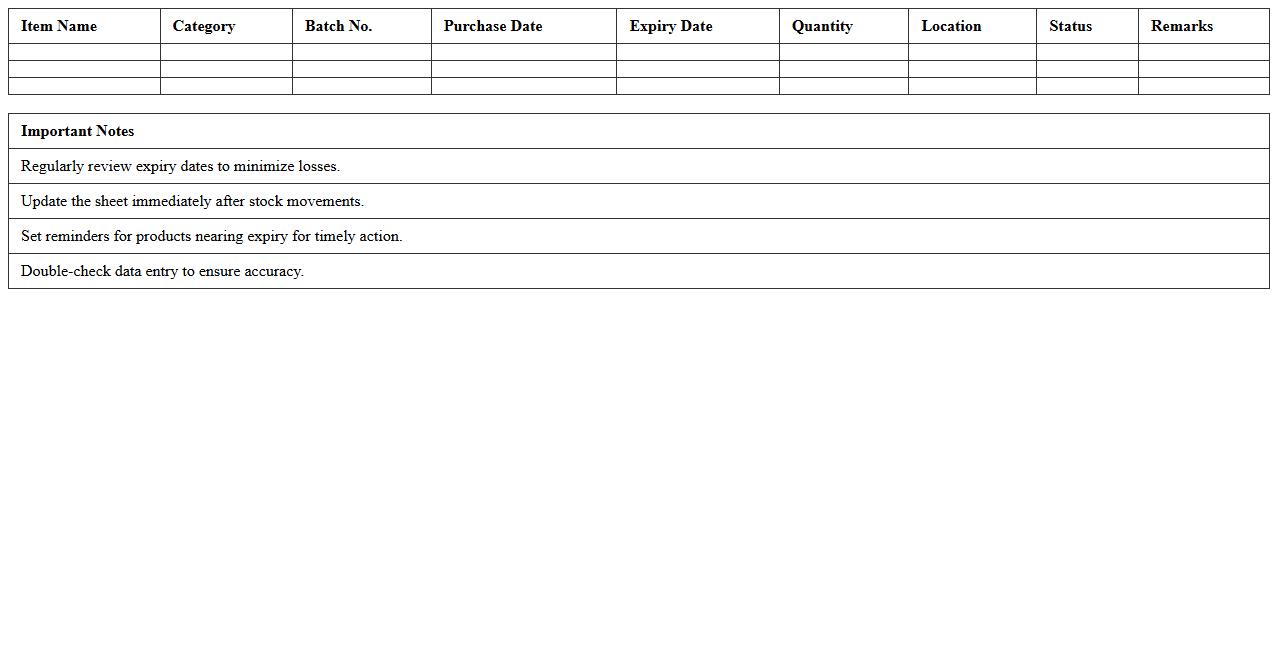
Expiry Date Management Excel Sheet is a structured spreadsheet designed to track and monitor the expiration dates of products, medicines, or perishable items efficiently. It helps prevent losses by providing timely alerts and organized data, ensuring that items are used or replaced before they expire. This tool enhances inventory control, reduces waste, and supports compliance with safety regulations.
How can I automate stock level alerts in Excel for small warehouse inventory?
To automate stock level alerts in Excel, set up conditional formatting rules that highlight cells when inventory falls below a defined threshold. Use the IF function combined with data validation to trigger visual cues or pop-up messages for low stock items. Additionally, applying Excel's built-in alert capabilities ensures timely notifications on critical inventory shortages.
What Excel formulas best track received vs. dispatched goods by item code?
Use the SUMIFS function to accurately track received versus dispatched goods by item code, summing quantities based on specific criteria. Employ separate columns for incoming and outgoing transactions, using formulas like =SUMIFS(ReceivedRange, ItemCodeRange, ItemCode) and =SUMIFS(DispatchedRange, ItemCodeRange, ItemCode). This approach ensures clear and dynamic inventory movement tracking per item.
How do I implement FIFO and LIFO inventory tracking in an Excel log?
Implementing FIFO and LIFO inventory tracking requires maintaining detailed logs with dates and quantities for each transaction. Use Excel tables sorted by transaction date for FIFO (first-in, first-out) and reverse date sorting for LIFO (last-in, first-out). With helper columns using INDEX and MATCH functions, you can systematically allocate stock according to your chosen method.
What's the most efficient way to generate pick lists from inventory data in Excel?
The most efficient method to generate pick lists is by creating dynamic filtered views or pivot tables based on order requirements and stock availability. Use Excel's filtering functions with criteria for minimum stock levels and specific item codes to compile accurate lists quickly. Automating pick list generation via macros can also streamline warehouse operations.
How can I create barcode scanning integration for Excel inventory sheets?
Integrate barcode scanning into Excel by connecting barcode scanners that input data directly into designated worksheet cells. Use VBA macros to automate processing scanned entries, such as updating stock quantities or generating alerts. This integration transforms manual entry into a faster, more reliable inventory management process.
More Logistics Excel Templates