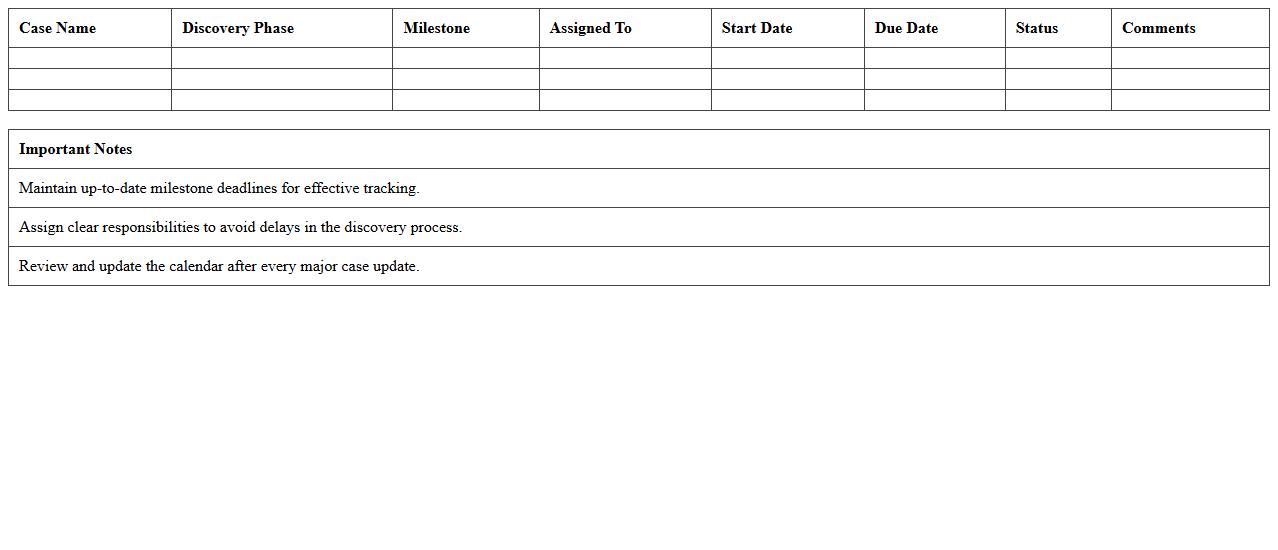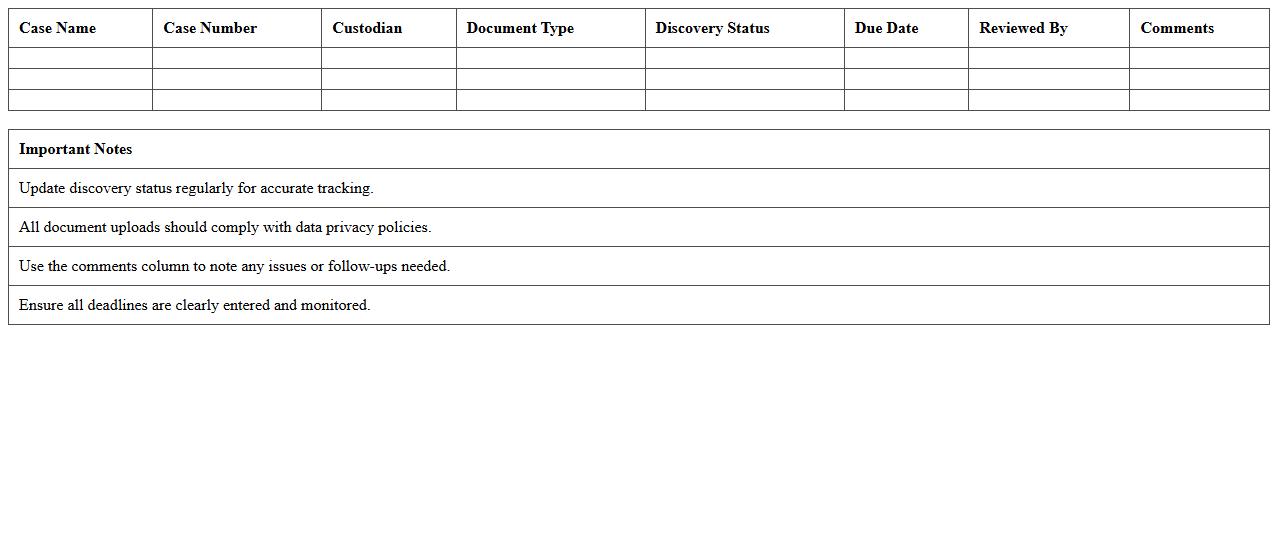
The Legal Discovery Timeline Excel Template for Litigation Teams streamlines the organization and tracking of critical discovery phases, ensuring deadlines and milestones are clearly outlined. This template enhances collaboration by providing a centralized, easy-to-navigate timeline tailored to complex litigation processes. Litigation teams benefit from improved efficiency and accuracy when managing document production, depositions, and motion deadlines.
Legal Discovery Task Tracker Excel Template
The
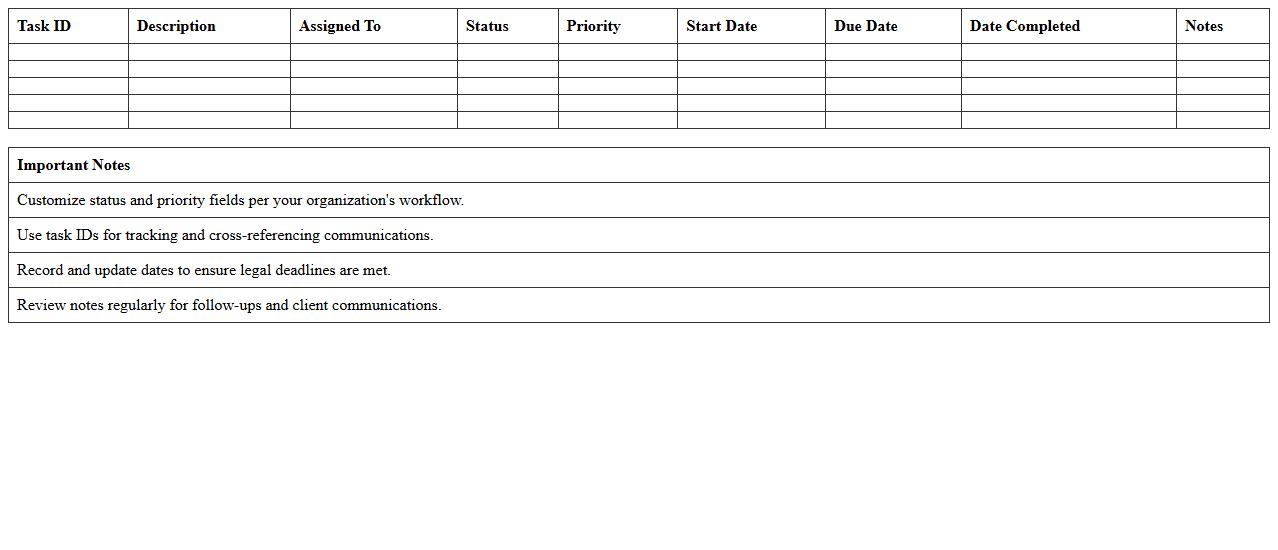
Legal Discovery Task Tracker Excel Template is a specialized tool designed to organize and manage the complex phases of the legal discovery process. It helps legal teams systematically track document requests, responses, deadlines, and case progress, ensuring compliance and reducing the risk of missed tasks. Utilizing this template enhances efficiency, promotes accountability, and streamlines communication across departments during litigation preparation.
Litigation Evidence Log Excel Template
The
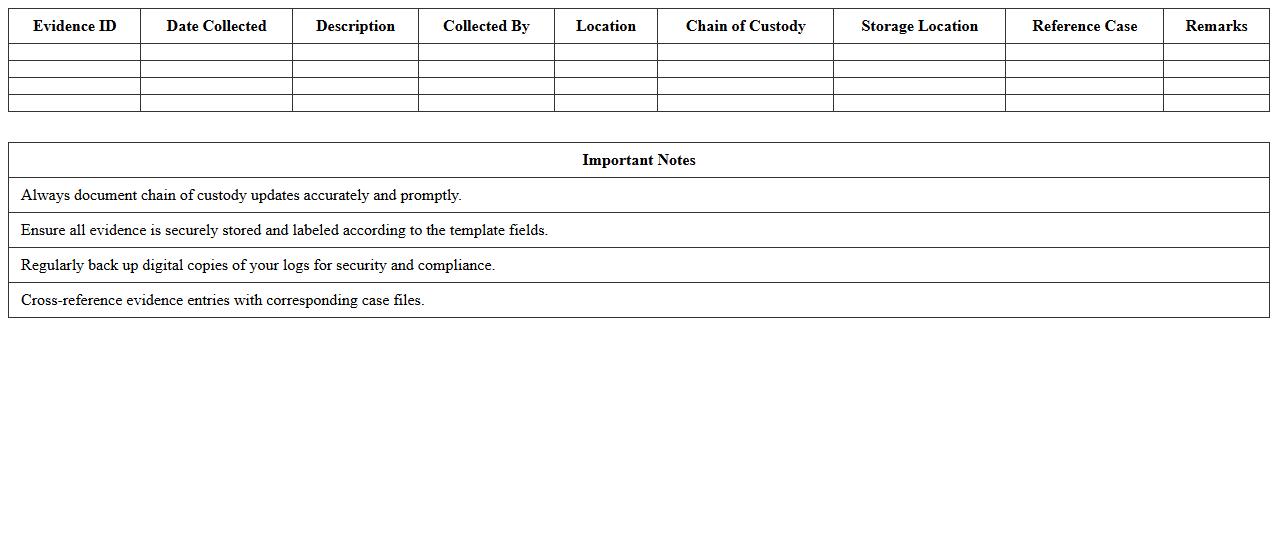
Litigation Evidence Log Excel Template is a structured document designed to systematically record, organize, and track all evidence related to legal cases. It enhances case management by providing clear columns for item descriptions, dates, sources, chain of custody, and relevance, ensuring thorough documentation for courtroom presentation. Using this template streamlines evidence monitoring, reduces errors, and supports effective legal strategy development.
Discovery Deadlines Schedule Excel Template
The
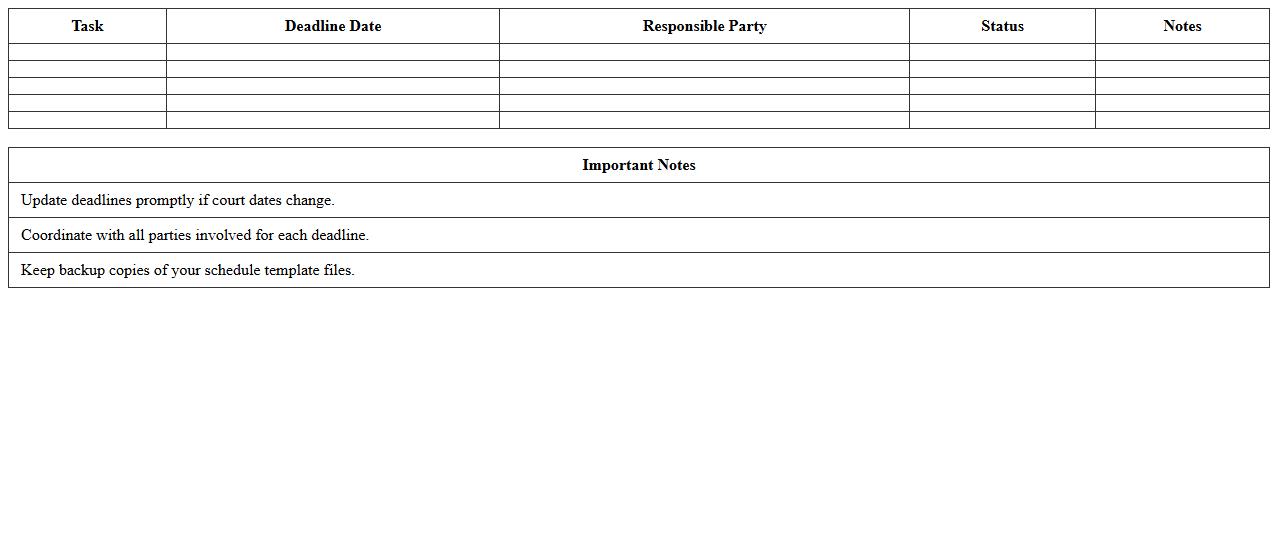
Discovery Deadlines Schedule Excel Template is a structured document designed to track and manage critical deadlines during the discovery phase of legal cases. It allows legal professionals to organize tasks such as interrogatories, depositions, and document requests, ensuring compliance with court-imposed timelines. This template enhances efficiency by providing clear visibility into due dates, minimizing the risk of missed deadlines and improving overall case management.
Deposition Management Excel Spreadsheet
A
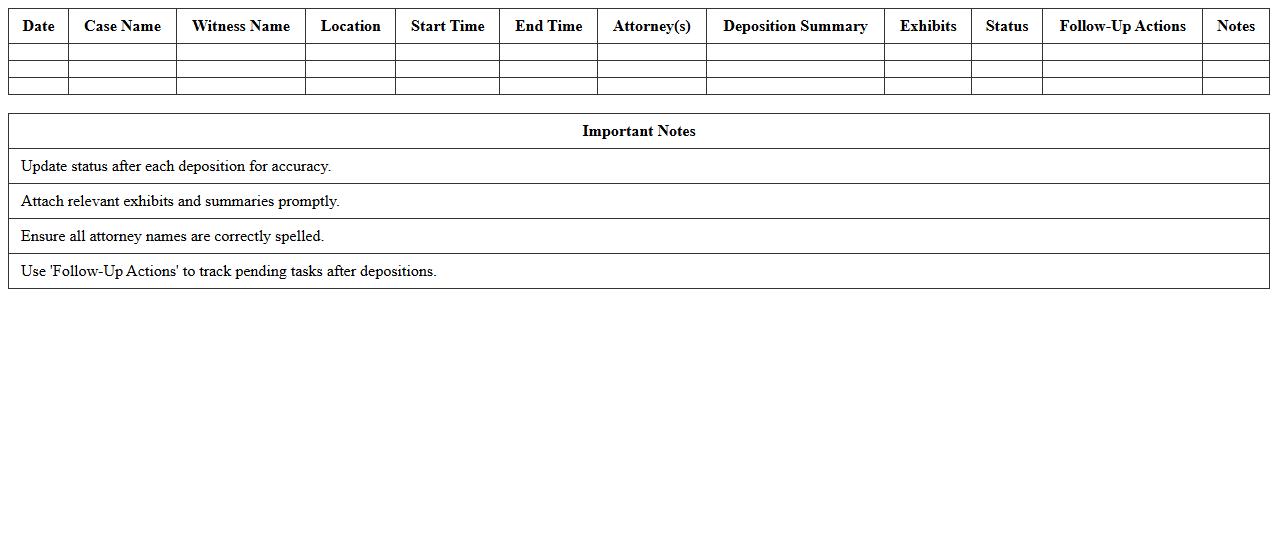
Deposition Management Excel Spreadsheet is a structured digital tool designed to organize and track key details related to legal depositions, including witness information, dates, locations, and case specifics. It enhances efficiency by centralizing intricate data in a searchable and sortable format, facilitating easier preparation and real-time updates. This document proves invaluable for legal professionals by streamlining case management and ensuring no critical information is overlooked during the litigation process.
E-Discovery Progress Monitor Excel Sheet
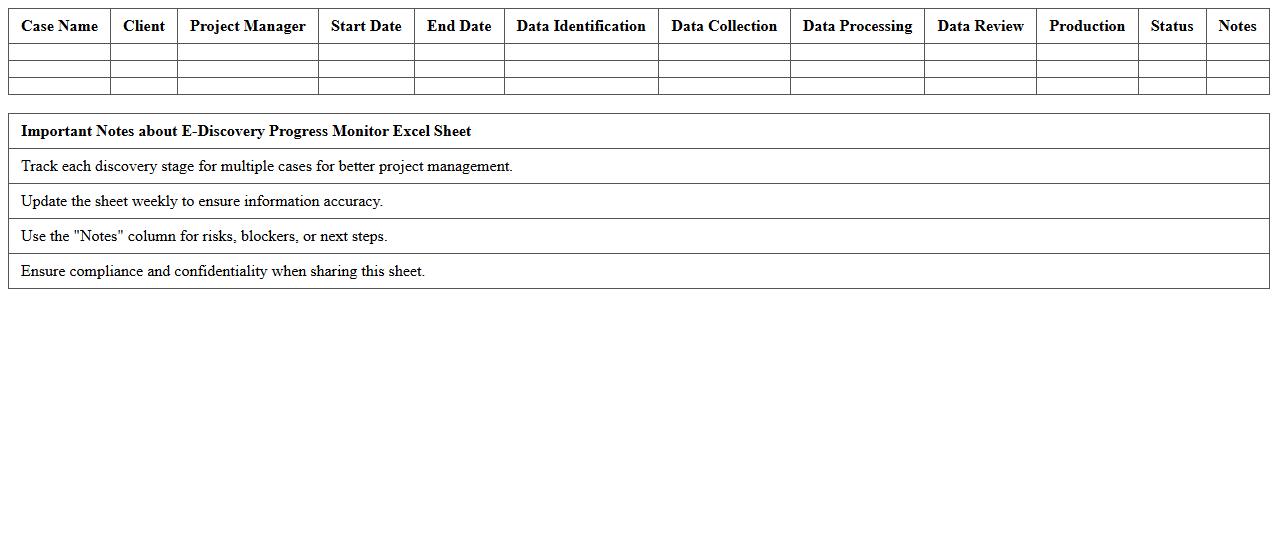
The
E-Discovery Progress Monitor Excel Sheet is a structured document designed to track and manage the stages of electronic discovery in legal cases. It provides a centralized platform to record key metrics such as data collection status, review progress, and issue resolution timelines, enabling efficient workflow monitoring. This tool enhances transparency and accountability, allowing legal teams to optimize resource allocation and ensure compliance with discovery deadlines.
Document Production Timeline Excel Planner
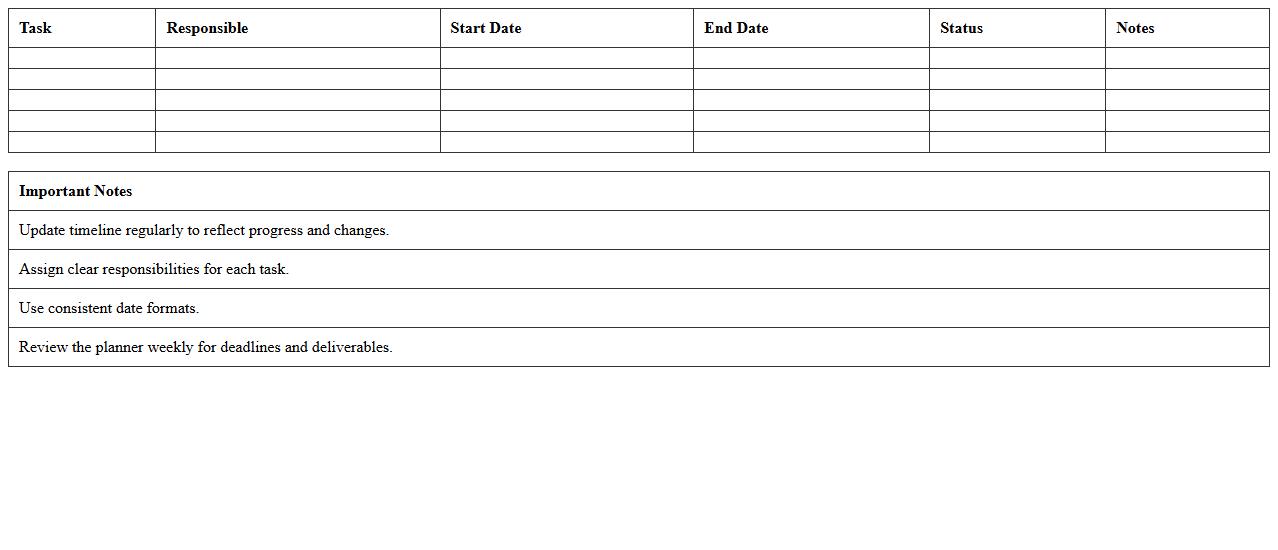
The
Document Production Timeline Excel Planner is a structured spreadsheet tool designed to organize and track the stages of document creation, ensuring deadlines are met efficiently. It allows users to allocate resources, monitor progress, and identify potential bottlenecks in the production process. This planner enhances project management by providing clear visibility into timelines and task dependencies, improving overall productivity and collaboration.
Litigation Document Review Tracker Excel Template
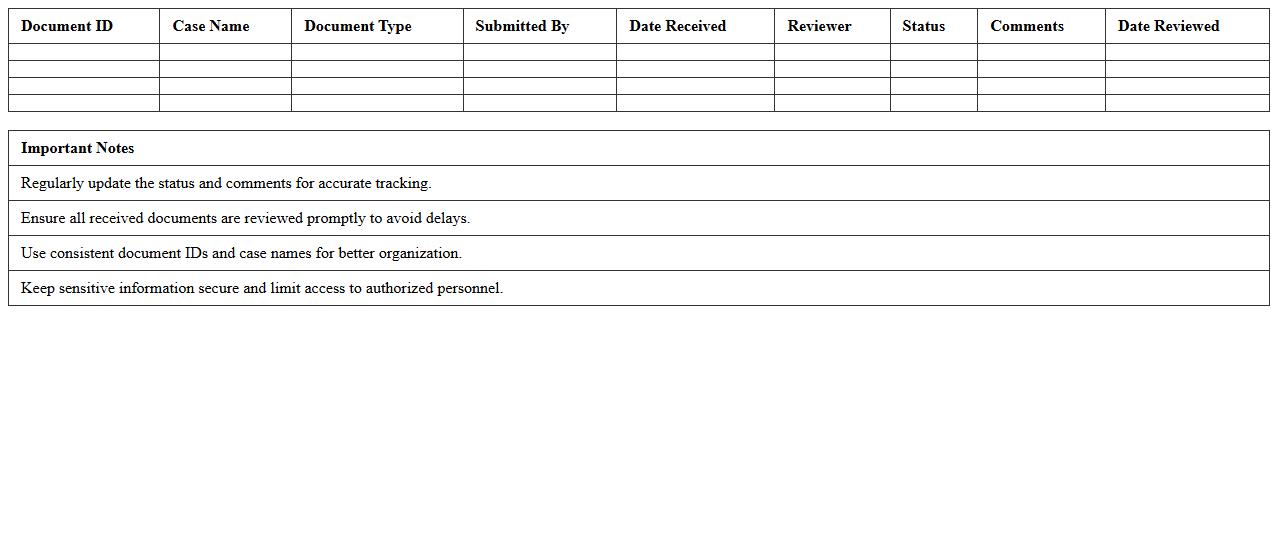
The
Litigation Document Review Tracker Excel Template is a comprehensive tool designed to organize and manage large volumes of legal documents efficiently during litigation processes. It enables legal teams to track the status, relevance, and key details of each document, improving accuracy and saving time in case preparation. This template enhances collaboration and ensures thorough review, reducing the risk of overlooking critical evidence.
Discovery Request Response Tracker Excel
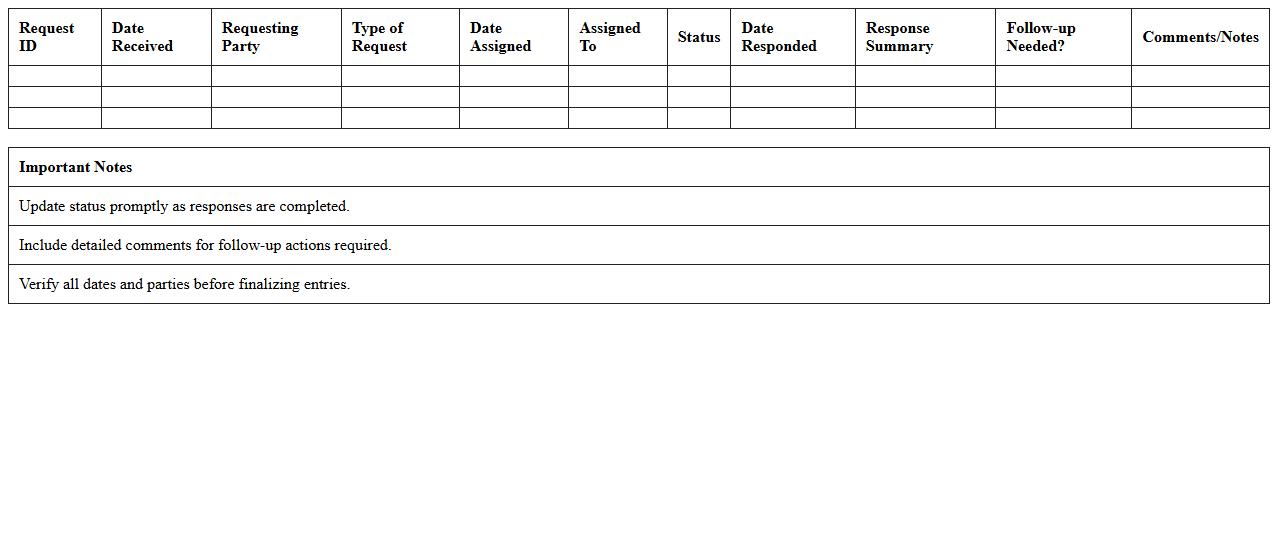
The
Discovery Request Response Tracker Excel is a comprehensive tool designed to organize and manage all discovery requests and their corresponding responses in legal proceedings. It streamlines the review process by allowing users to track deadlines, status updates, and document details efficiently, reducing the risk of missed communications or incomplete submissions. This tracker enhances collaboration among legal teams by providing a centralized platform to monitor and ensure timely compliance with discovery obligations.
Case Discovery Milestone Excel Calendar
The
Case Discovery Milestone Excel Calendar document is a structured tool that outlines critical dates and deadlines for legal discovery phases, helping legal teams track and manage essential tasks efficiently. It centralizes milestone scheduling, ensuring timely completion of depositions, document productions, and other discovery activities. This calendar enhances project management by reducing the risk of missed deadlines and improving coordination across all parties involved in litigation.
Legal Discovery Status Dashboard Excel Template
The
Legal Discovery Status Dashboard Excel Template is a specialized tool designed to streamline the tracking and management of legal discovery processes, including document review, evidence collection, and case progress. It enables legal teams to visualize key metrics, monitor deadlines, and organize case information efficiently within a single, customizable spreadsheet. This template enhances productivity by providing clear insights into discovery status, reducing risks of missed tasks, and improving collaboration across legal departments.
How to structure custodial data tracking in the Legal Discovery Timeline Excel?
Start by creating a clear custodian list that includes names and contact information for each individual. Organize tracking columns for key data points such as data collection dates, preservation notices, and data types. Use filters and sorting options to efficiently manage and update the timeline.
Which metadata fields are essential for document identification in litigation?
Include critical metadata fields such as document ID, author, date created, and last modified date for precise identification. Additionally, capture file type, custodian name, and document size to enhance sorting and filtering capabilities. Proper metadata management improves document retrieval and supports thorough legal analysis.
How to automate deadline reminders for review stages in Excel?
Utilize Excel's conditional formatting and formula-based alerts to highlight approaching deadlines automatically. Implement formulas like TODAY() combined with IF statements to trigger color changes or notifications. Embedding reminder cells linked to review due dates ensures timely task completion.
What formulas help monitor privilege log updates in discovery spreadsheets?
Apply COUNTIF and SUMIF formulas to track the number of privilege entries and status changes dynamically. Use IFERROR with VLOOKUP for cross-referencing updates between related datasets. These formulas enable efficient monitoring and ensure the privilege log remains accurate and current.
How to visualize document production phases for case teams in Excel?
Create Gantt charts or use stacked bar charts to represent different production phases clearly over time. Color-code each phase such as collection, review, and production for quick visual differentiation. Incorporating slicers and interactive elements enhances team collaboration and progress tracking.
More Legal Excel Templates