Insurance Policyholder Contacts Excel Template
The
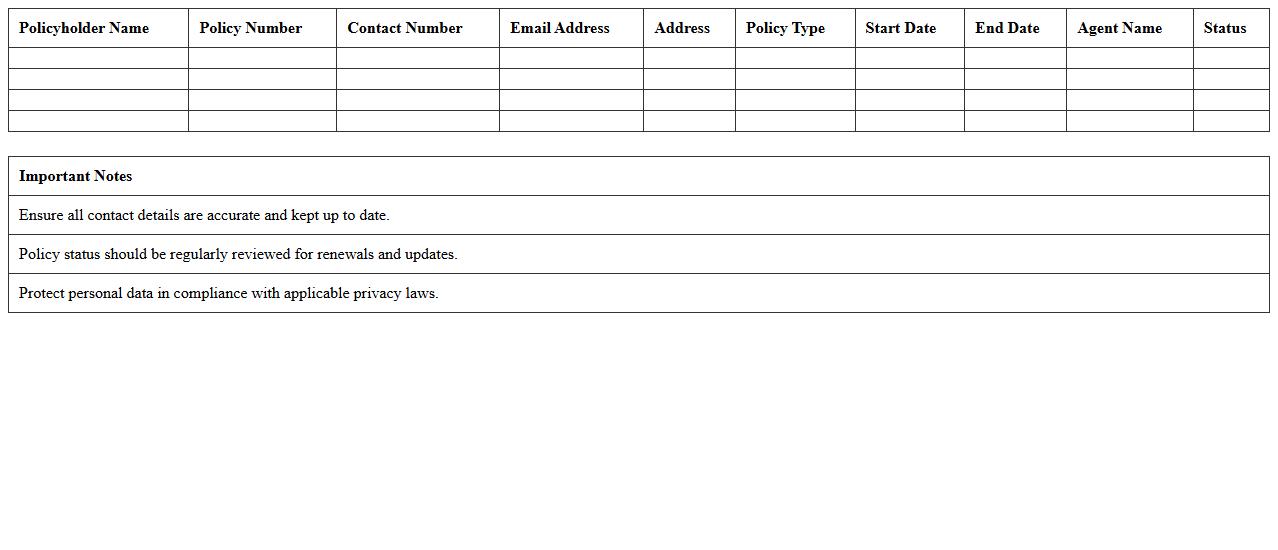
Insurance Policyholder Contacts Excel Template document organizes essential contact information of policyholders, including names, phone numbers, email addresses, and policy details. This template streamlines communication management, enabling insurance agents to quickly access and update customer data, improving client relationship efficiency. By maintaining accurate contact records, businesses enhance service delivery and ensure timely notifications for renewals and claims.
Client Policy Information Tracker Excel Sheet
The
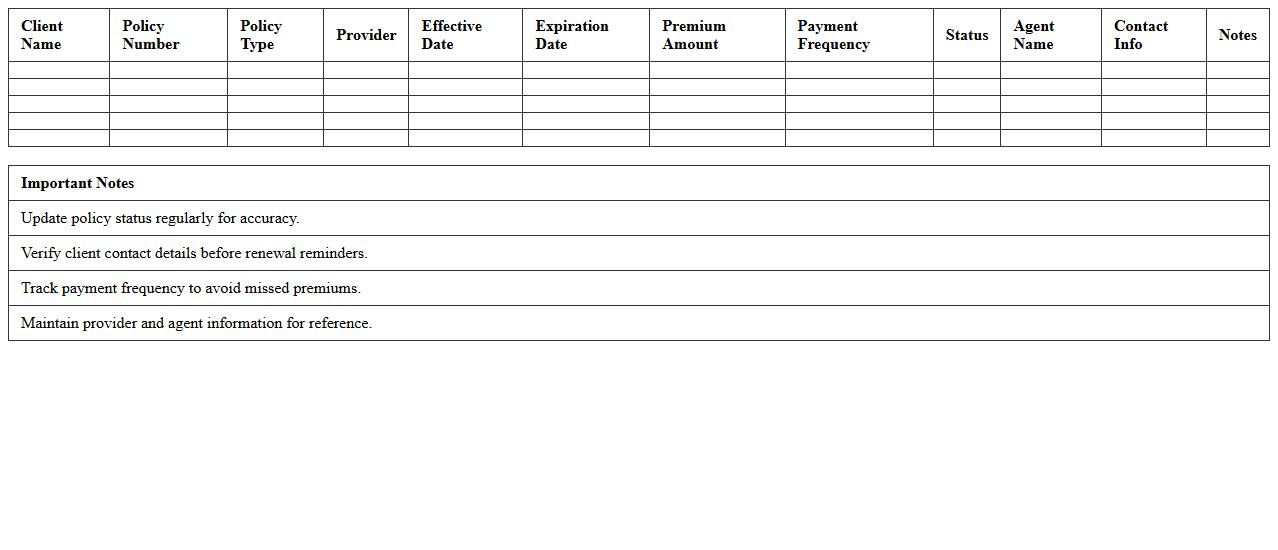
Client Policy Information Tracker Excel Sheet is a comprehensive document designed to organize and manage client policy details efficiently. It consolidates crucial data such as policy numbers, coverage types, renewal dates, and premium amounts, enabling quick access and accurate record-keeping. This tool enhances productivity, minimizes errors, and supports informed decision-making in client relationship management.
Insurance Claims Management Log Excel
An
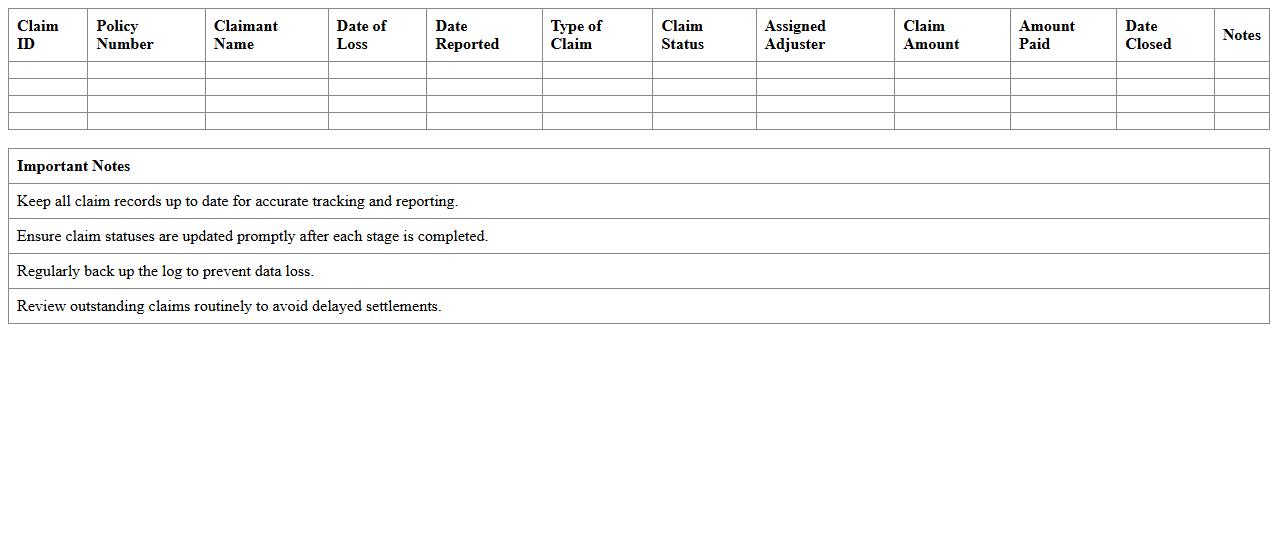
Insurance Claims Management Log Excel document is a structured spreadsheet used to track and organize insurance claims details, including claim numbers, dates, statuses, claimant information, and payout amounts. It enables efficient monitoring of claim progress, identifies bottlenecks, and ensures timely follow-up, reducing processing errors and administrative delays. This log enhances data accuracy and accessibility, helping insurance professionals streamline workflows and improve customer service outcomes.
Customer Premium Payment Record Excel
The
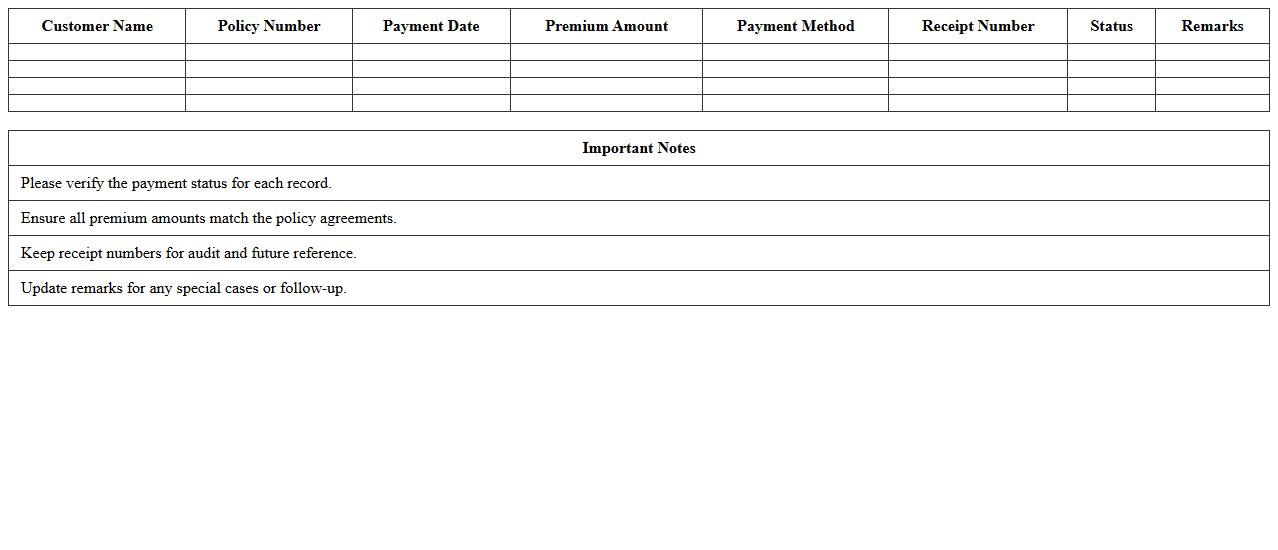
Customer Premium Payment Record Excel document is a detailed spreadsheet that tracks and organizes customer insurance premium payments over a specific period. It provides clear insights into payment schedules, amounts, due dates, and outstanding balances, enabling efficient financial management and improved customer follow-up. This document is essential for ensuring timely payments, reducing errors, and enhancing the overall customer service experience in insurance and finance sectors.
Insurance Renewal Reminders Excel Tracker
The
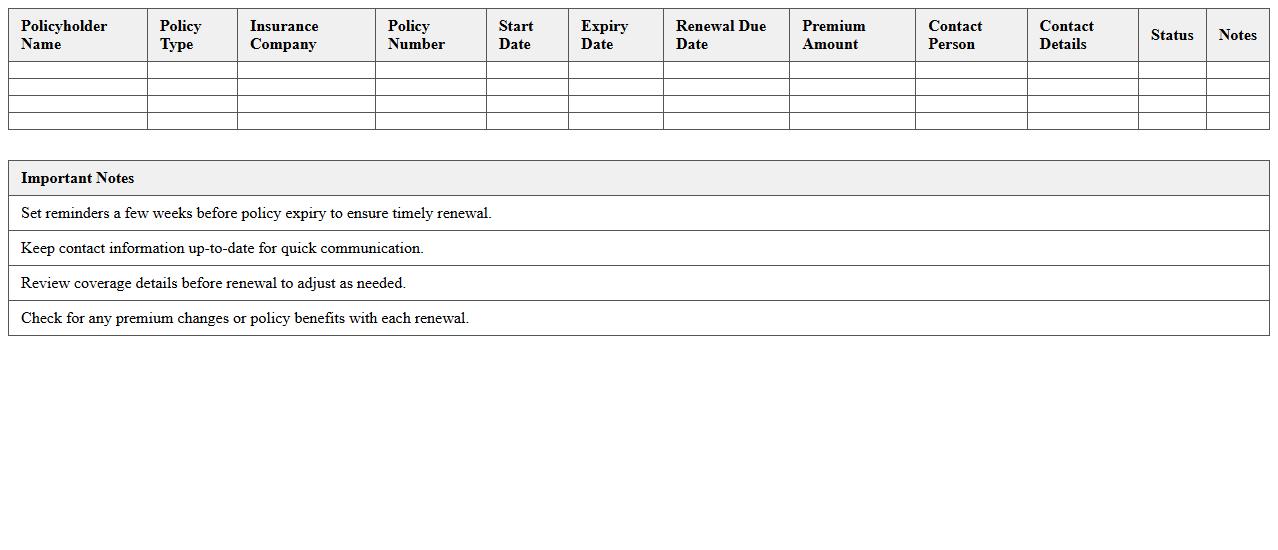
Insurance Renewal Reminders Excel Tracker document is a tool designed to organize and monitor insurance policy expiration dates efficiently. It helps users avoid lapses in coverage by sending timely notifications for renewals, ensuring continuous protection and compliance. By maintaining accurate records and renewal schedules, this tracker reduces the risk of missed deadlines and potential financial loss.
Lead Pipeline for Insurance Clients Excel
The
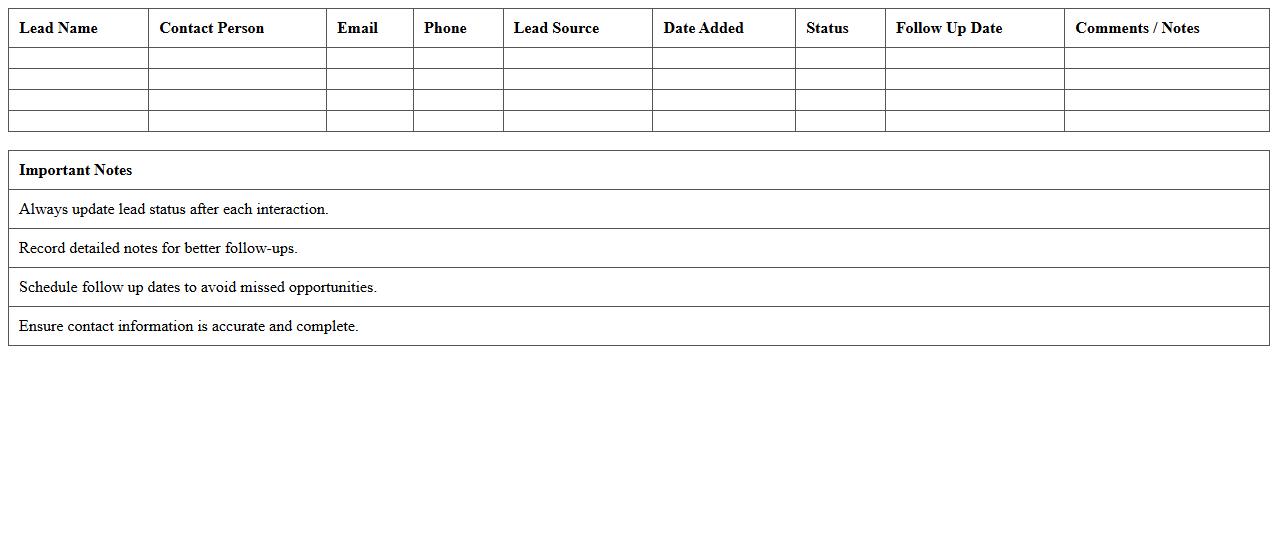
Lead Pipeline for Insurance Clients Excel document is a structured tool designed to track and manage prospective insurance clients throughout different stages of the sales process. It helps organize lead information, monitor follow-ups, and prioritize outreach efforts based on lead status and engagement level. By providing clear visibility into the pipeline, this document enhances decision-making, boosts conversion rates, and streamlines client acquisition strategies.
Customer Communication Log Excel Template
The
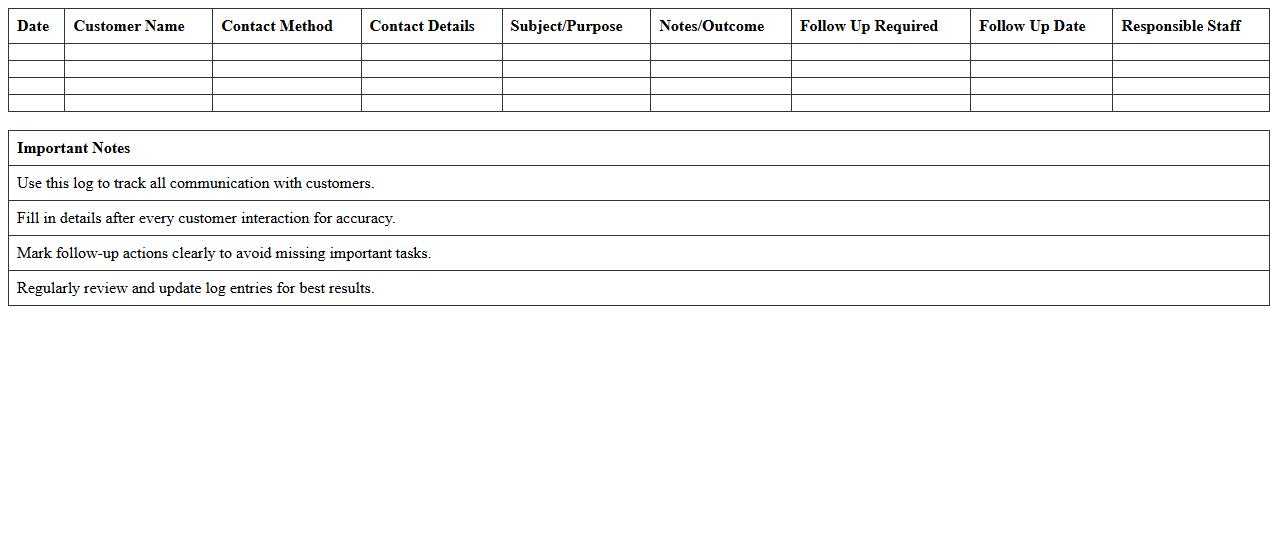
Customer Communication Log Excel Template document is a structured spreadsheet designed to record and track interactions between a business and its customers. It helps organize contact details, communication dates, methods, and key discussion points, enhancing follow-up efficiency and improving customer relationship management. Using this template ensures consistent documentation, which supports better analysis of customer needs and faster resolution of inquiries.
Insurance Policy Expiry Date Spreadsheet
An
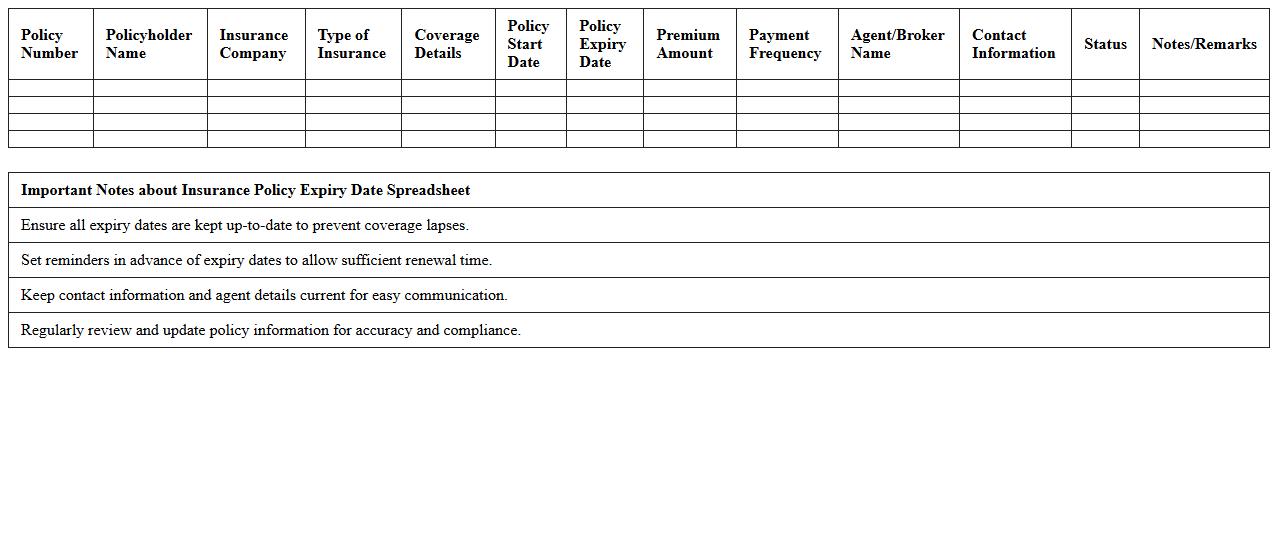
Insurance Policy Expiry Date Spreadsheet document systematically records and tracks the expiration dates of various insurance policies to ensure timely renewals and avoid lapses in coverage. It helps individuals and businesses maintain up-to-date policy information, minimizing risks associated with uninsured periods and enabling efficient financial planning. By organizing policy details, renewal dates, and contact information in one place, this spreadsheet enhances insurance management and supports proactive decision-making.
Agent-Customer Interaction History Excel
The
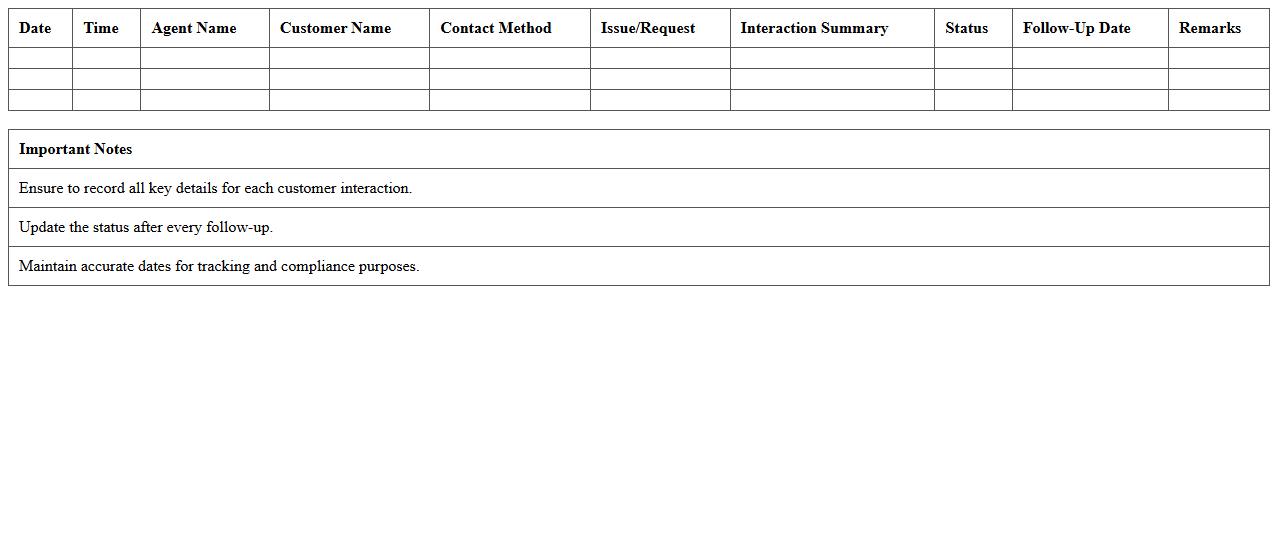
Agent-Customer Interaction History Excel document records detailed exchanges between customer service agents and clients, capturing data such as communication timestamps, query types, and resolution status. This structured format enables efficient tracking of customer issues, identification of recurring problems, and assessment of agent performance. Utilizing this document enhances customer support quality by providing insights for training, process improvement, and personalized customer engagement strategies.
Insurance Client Segmentation Excel Sheet
An
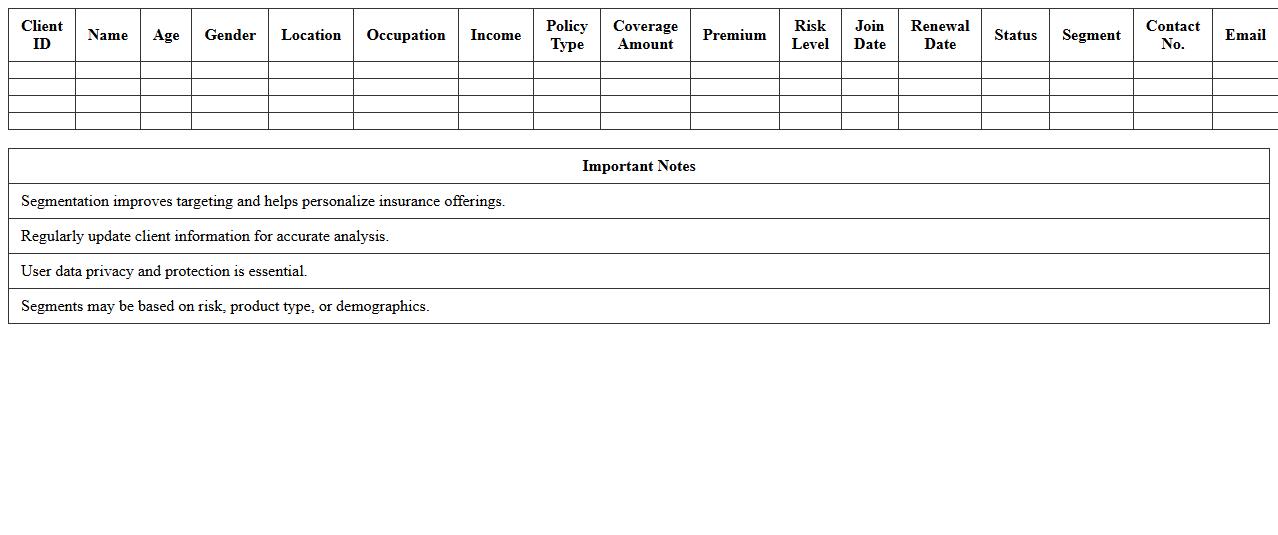
Insurance Client Segmentation Excel Sheet is a powerful tool designed to categorize insurance clients based on various criteria such as demographics, policy types, risk levels, and purchasing behavior. This segmentation helps insurance companies tailor marketing strategies, optimize risk assessment, and improve customer service by targeting specific client groups more effectively. Utilizing this document enhances decision-making processes, increases client retention rates, and drives profitability through personalized insurance solutions.
How to structure policy renewal tracking in an Insurance Customer Database Excel template?
To effectively structure policy renewal tracking in an Excel template, create a dedicated column for policy expiration dates. Use additional columns to record customer details and renewal status updates. Incorporate a dynamic dashboard to visually represent upcoming renewals and prioritize client follow-ups.
What formula optimizes overdue premium alerts in agency spreadsheets?
Utilize the IF and TODAY functions to create overdue premium alerts in Excel. A formula like =IF(TODAY()>DueDate, "Overdue", "On Time") instantly flags late payments. Combining this with conditional formatting enhances visibility for quick agency action.
Which Excel features best categorize customer claim histories for agencies?
Excel's PivotTables and Filters are ideal for categorizing customer claim histories effectively. They allow agencies to summarize claims by type, date, or amount, presenting data in a clear, organized format. Using slicers further refines claim history analysis for targeted insights.
How to integrate commission calculations in agent-specific database columns?
Include separate columns for sales amounts and commission rates to calculate agent commissions within the database. Use formulas multiplying sales by commission percentage to auto-calculate earnings. This structured approach simplifies review and adjustment of agent compensation.
What conditional formatting highlights inactive client records for follow-up?
Apply conditional formatting rules that identify inactive clients based on last activity date or interaction frequency. For example, highlight entries where last contact exceeds a set number of days with a distinct color. This visual cue ensures timely follow-up and improves client retention strategies.