Hospital Medical Equipment Tracking Excel Template
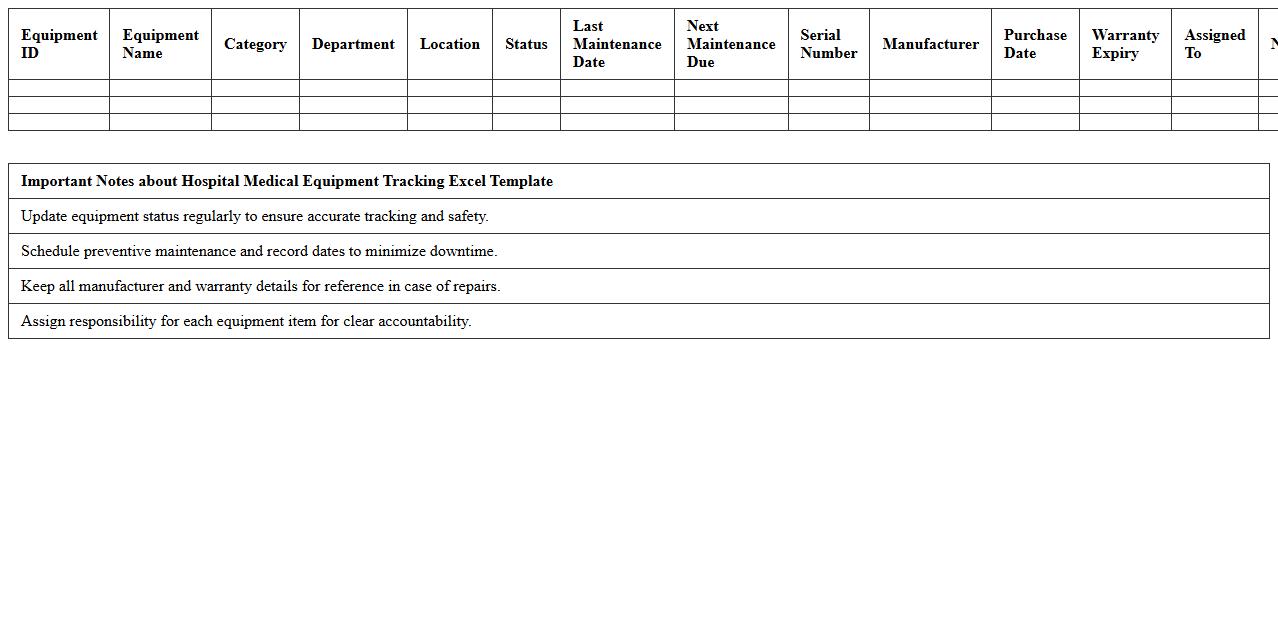
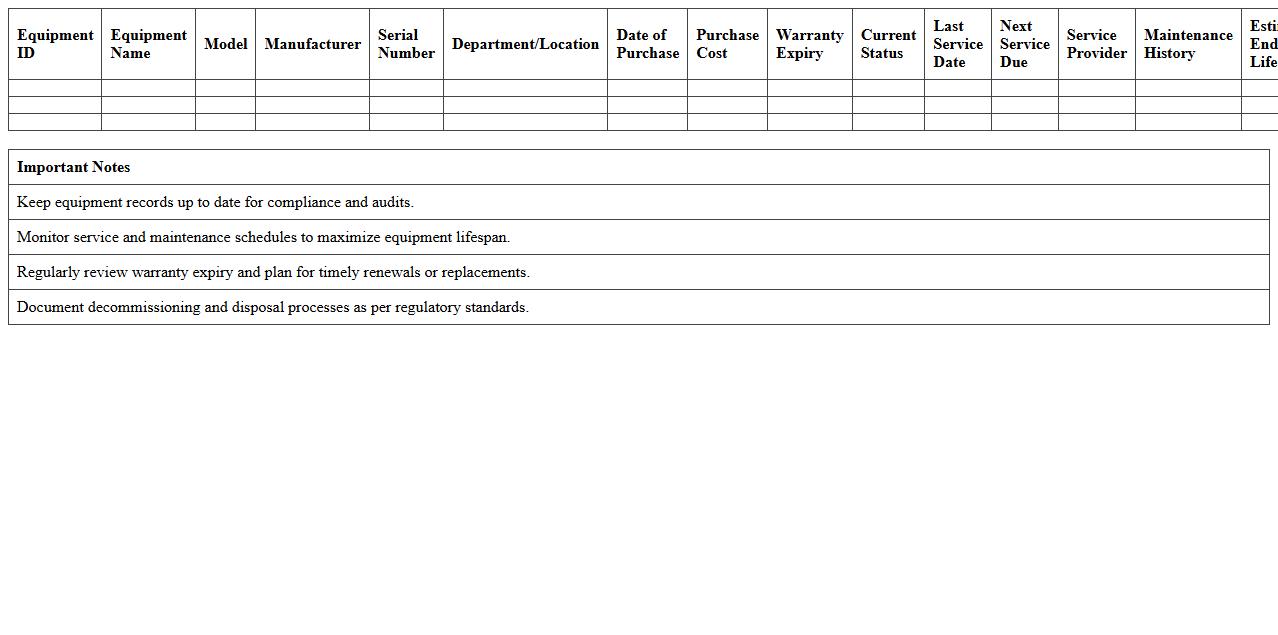
The
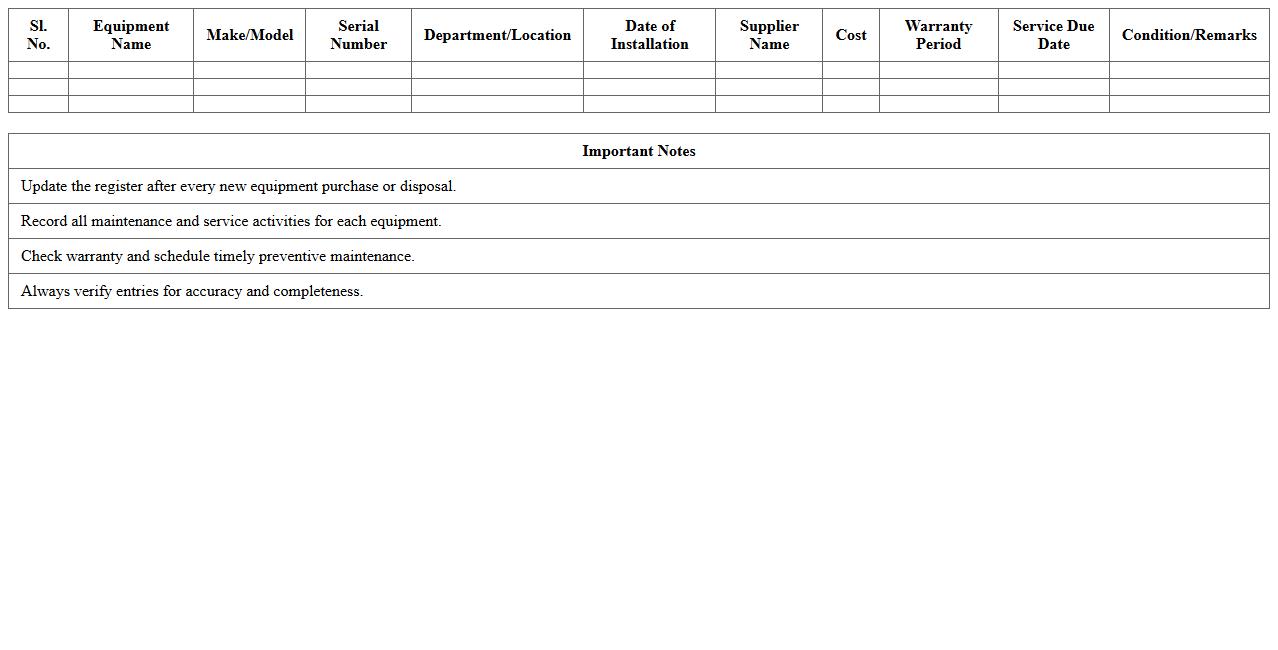
Hospital Medical Equipment Tracking Excel Template is a comprehensive tool designed to monitor and manage the inventory of medical devices within healthcare facilities. It enables accurate tracking of equipment status, location, maintenance schedules, and usage history, ensuring operational efficiency and regulatory compliance. Utilizing this template helps reduce equipment loss, prevent downtime, and enhance asset management through organized data visualization and reporting features.
Clinic Asset Inventory Management Spreadsheet
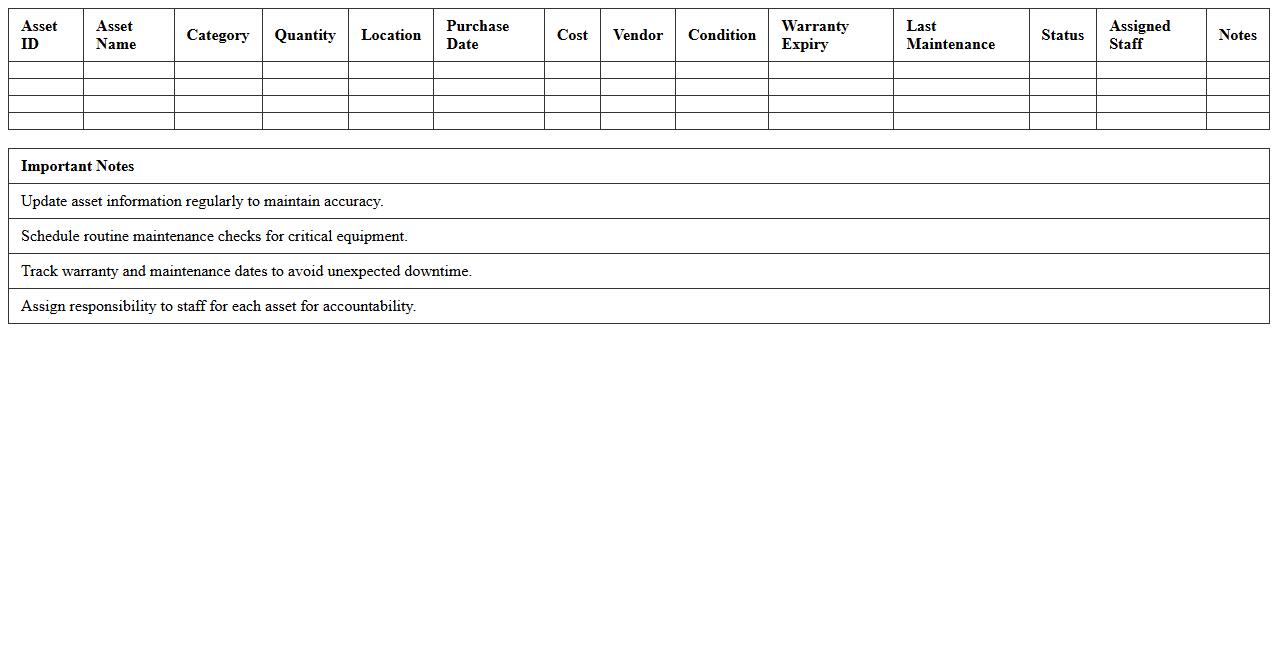
The
Clinic Asset Inventory Management Spreadsheet document is a comprehensive tool designed to track and organize all physical assets within a healthcare facility, including medical equipment, furniture, and supplies. It enables accurate monitoring of asset locations, maintenance schedules, and depreciation values, ensuring efficient resource allocation and compliance with regulatory standards. By streamlining asset management, this spreadsheet reduces operational costs, minimizes equipment downtime, and supports informed decision-making for clinic administrators.
Surgical Instruments Stock Excel Log
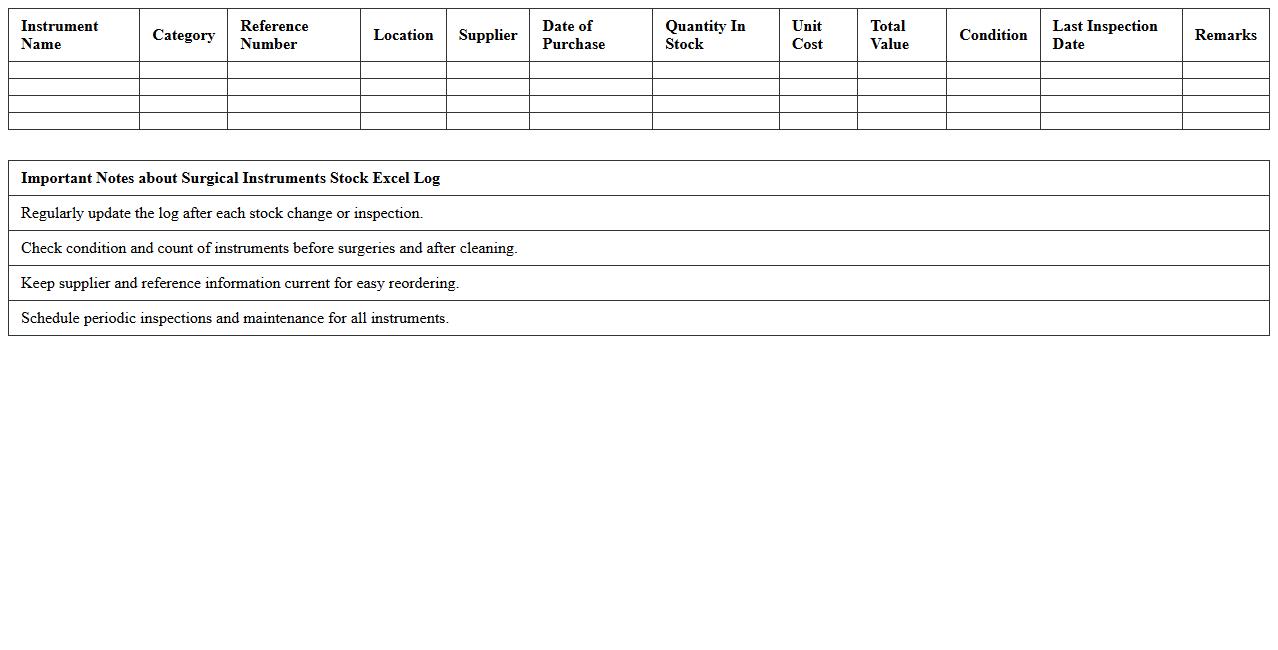
The
Surgical Instruments Stock Excel Log document is a detailed spreadsheet designed to track the inventory, usage, and maintenance schedules of surgical instruments within medical facilities. It helps ensure accurate stock levels, prevents instrument shortages, and aids in timely procurement decisions. By maintaining organized and up-to-date records, healthcare providers can enhance surgical efficiency and reduce operational risks related to instrument management.
Healthcare Device Maintenance Schedule Template
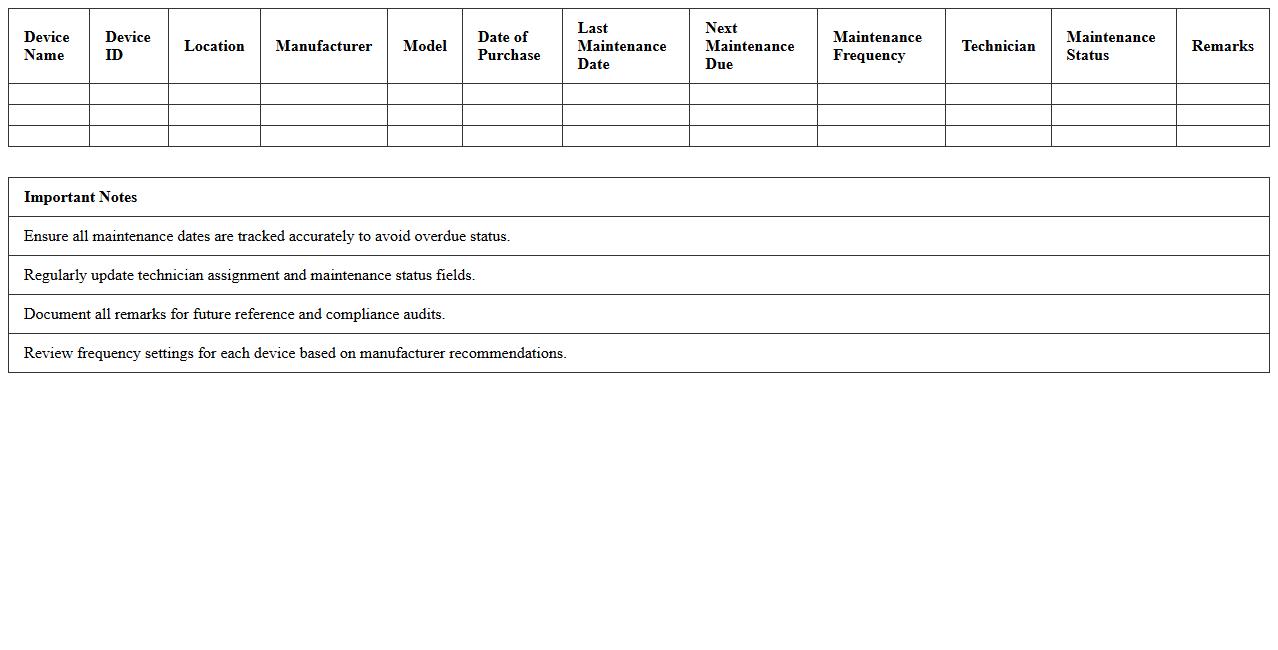
A
Healthcare Device Maintenance Schedule Template is a structured document used to plan, track, and manage routine maintenance tasks for medical equipment, ensuring optimal performance and compliance with safety standards. It helps healthcare facilities prevent device malfunctions, reduce downtime, and extend the lifespan of critical medical instruments by providing clear timelines and responsibilities. Utilizing this template improves operational efficiency, supports regulatory audits, and enhances patient safety through reliable medical device functionality.
Medical Equipment Lifecycle Tracker Spreadsheet
The
Medical Equipment Lifecycle Tracker Spreadsheet is a comprehensive document designed to monitor and manage the entire lifespan of medical devices, from acquisition to disposal. It enables healthcare facilities to schedule maintenance, track usage, and ensure regulatory compliance, thereby minimizing downtime and optimizing asset performance. This tool supports cost-effective decision-making by providing detailed insights into equipment history, warranty status, and replacement timelines.
Biomedical Equipment Barcode Inventory Sheet
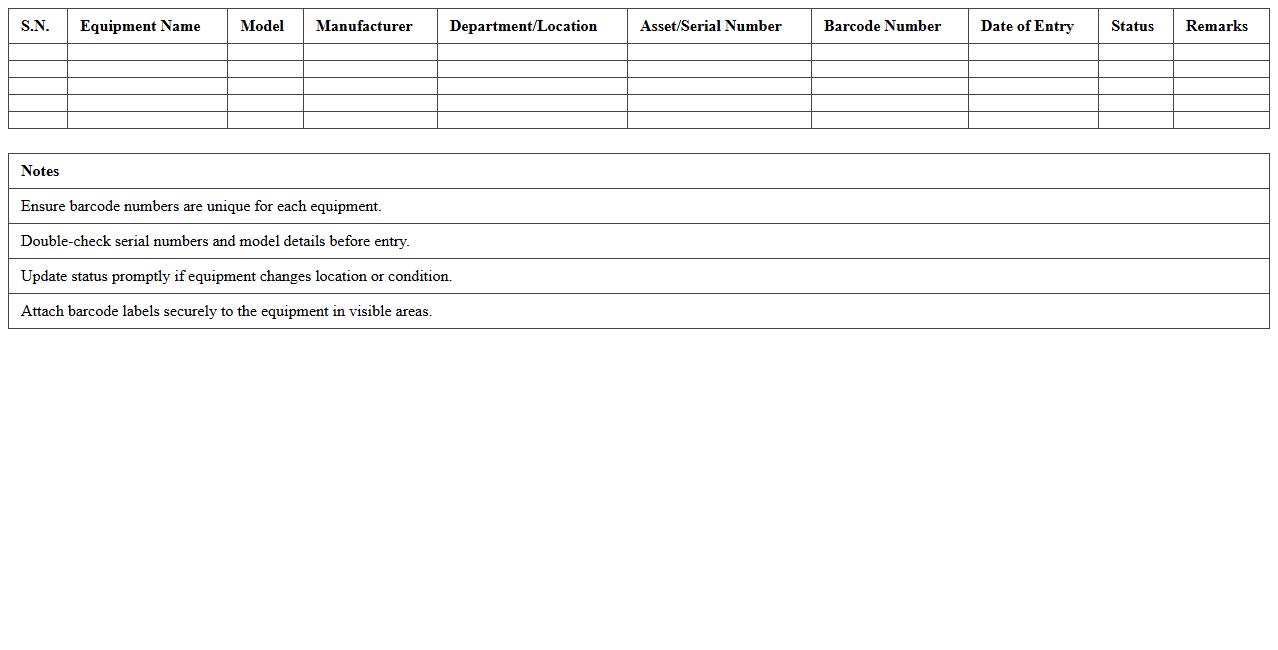
A
Biomedical Equipment Barcode Inventory Sheet is a document that catalogs medical devices using unique barcode identifiers to ensure accurate tracking and management. It streamlines equipment maintenance, reduces errors in asset handling, and improves inventory accuracy by enabling quick scanning and data retrieval. This document supports healthcare facilities in enhancing operational efficiency and ensuring compliance with regulatory standards.
Health Facility Equipment Assignment Excel Sheet
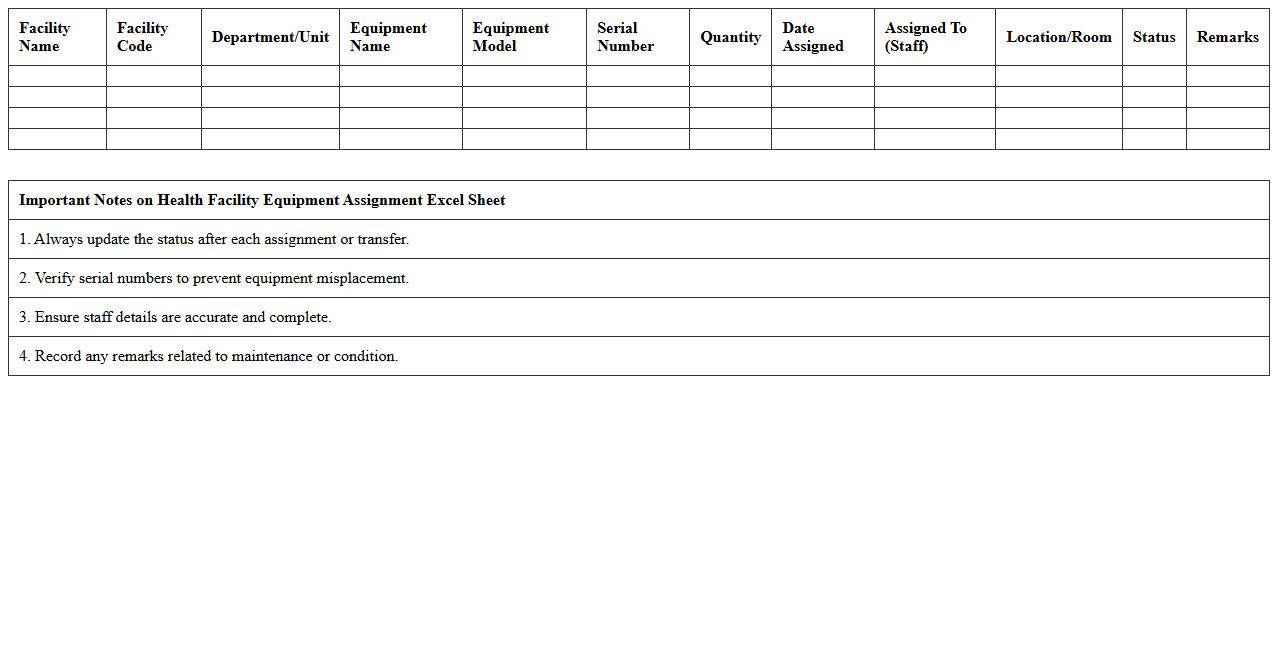
The
Health Facility Equipment Assignment Excel Sheet document is a systematic tool designed to track and manage medical equipment allocation within healthcare facilities. It helps in organizing essential data such as equipment type, quantity, location, and maintenance schedules, ensuring efficient resource utilization and reducing downtime. This document supports healthcare administrators in optimizing inventory control, improving operational workflows, and enhancing patient care quality by maintaining precise equipment readiness.
Medical Supplies Condition Audit Template
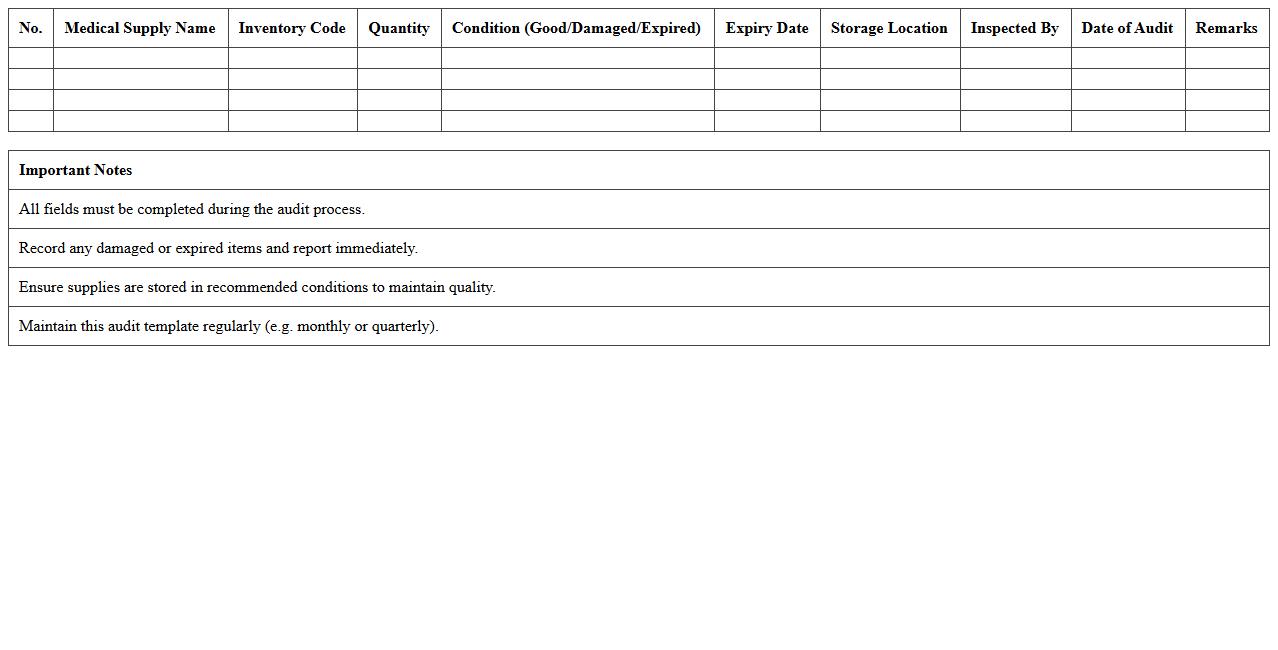
A
Medical Supplies Condition Audit Template document is a standardized tool designed to assess the state and usability of medical supplies within healthcare facilities. This template helps ensure compliance with safety standards, tracks inventory quality, and identifies expired or damaged items to maintain optimal healthcare delivery. Using this document enhances operational efficiency by providing clear guidelines for regular audits and supports informed decision-making for procurement and resource management.
Patient Care Equipment Inventory Register
The
Patient Care Equipment Inventory Register document is a detailed log that tracks all medical devices and tools used in patient care, including their quantities, maintenance schedules, and usage status. It ensures accurate asset management, helping healthcare facilities maintain operational efficiency and safety standards. This register supports regulatory compliance and facilitates timely equipment servicing, reducing the risk of equipment failure during critical medical procedures.
Diagnostic Tools Inventory and Service Log
The
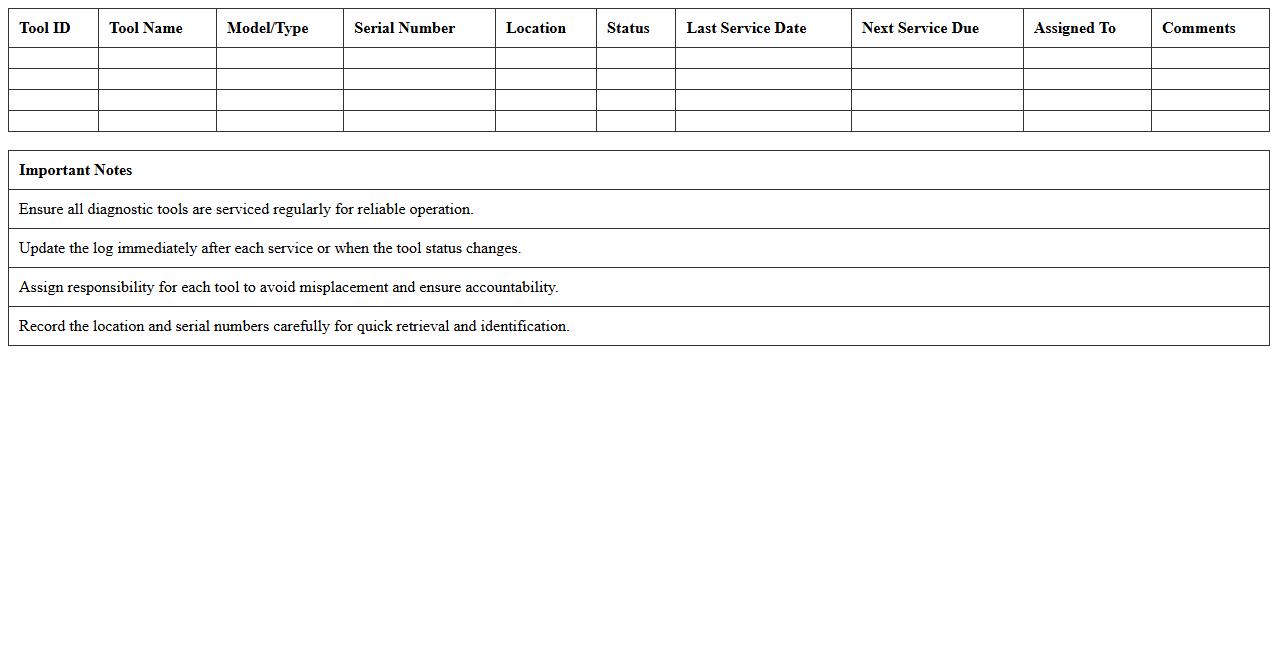
Diagnostic Tools Inventory and Service Log document is a detailed record that tracks all diagnostic equipment, their specifications, and maintenance history. It provides essential information for monitoring tool availability, scheduling timely servicing, and ensuring operational efficiency. Using this log enhances equipment reliability, reduces downtime, and supports compliance with industry standards.
How does the Excel template track maintenance schedules for each healthcare equipment item?
The Excel template utilizes a dedicated maintenance schedule sheet where users input specific dates for upcoming service tasks. It incorporates conditional formatting to highlight equipment that requires immediate or upcoming maintenance. Automated alerts are generated based on the last service date and the predefined maintenance interval.
What formulas are used to calculate equipment depreciation in the inventory sheet?
The depreciation calculation relies primarily on the SLN (Straight Line Depreciation) formula to evenly allocate the cost over the asset's useful life. In some cases, the template uses DB (Declining Balance) method formulas for accelerated depreciation. These formulas dynamically calculate accumulated and current depreciation values based on acquisition date and life span.
How are regulatory compliance fields integrated within the inventory document?
The template integrates customizable regulatory compliance columns to capture certification dates, inspection results, and relevant audit remarks. These fields are linked with data validation lists to ensure consistent data entry aligned with healthcare regulations. Compliance deadlines are tracked using date formulas and conditional formatting to flag overdue or at-risk items.
Which columns in the Excel file allow for barcode or asset tag input for equipment tracking?
Barcode or asset tag inputs are usually recorded in designated columns labeled "Barcode/Asset Tag" or similar identifiers. These columns accept alphanumeric entries and are formatted to support integration with barcode scanners. This structure enables streamlined equipment tracking and identification across inventory processes.
How does the document automate notification flags for equipment nearing end-of-life or warranty expiration?
The Excel template employs conditional formulas comparing current dates with equipment end-of-life and warranty expiration fields. When the dates approach or pass predefined thresholds, the template triggers color-coded flags or alert messages to notify users. This automation enhances proactive asset management and timely decision-making.