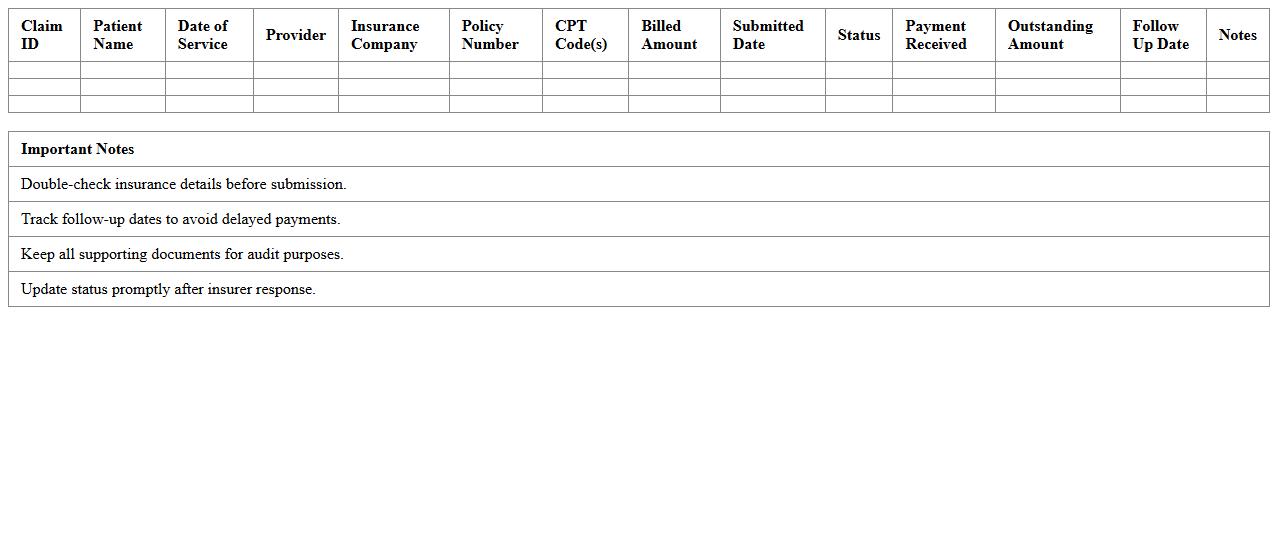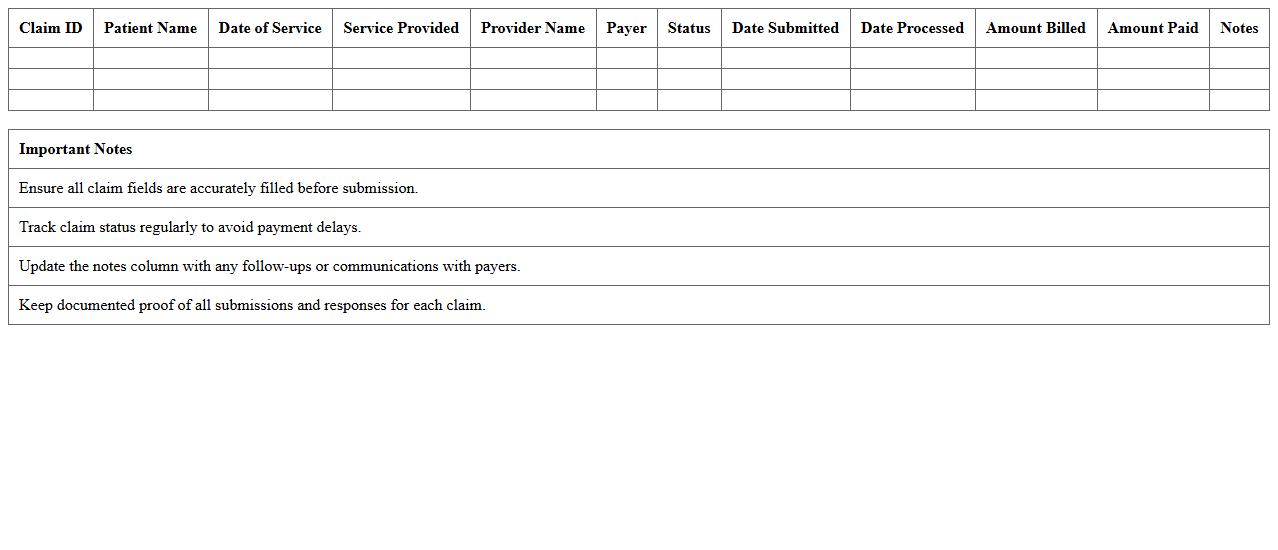
The Healthcare Claims Tracker Excel Template is designed to streamline billing department workflows by efficiently monitoring and managing claim submissions, statuses, and payments. It offers customizable fields for tracking patient information, insurance details, and claim outcomes, ensuring accuracy and reducing errors. This tool enhances financial reporting and improves claim processing time, ultimately boosting departmental productivity.
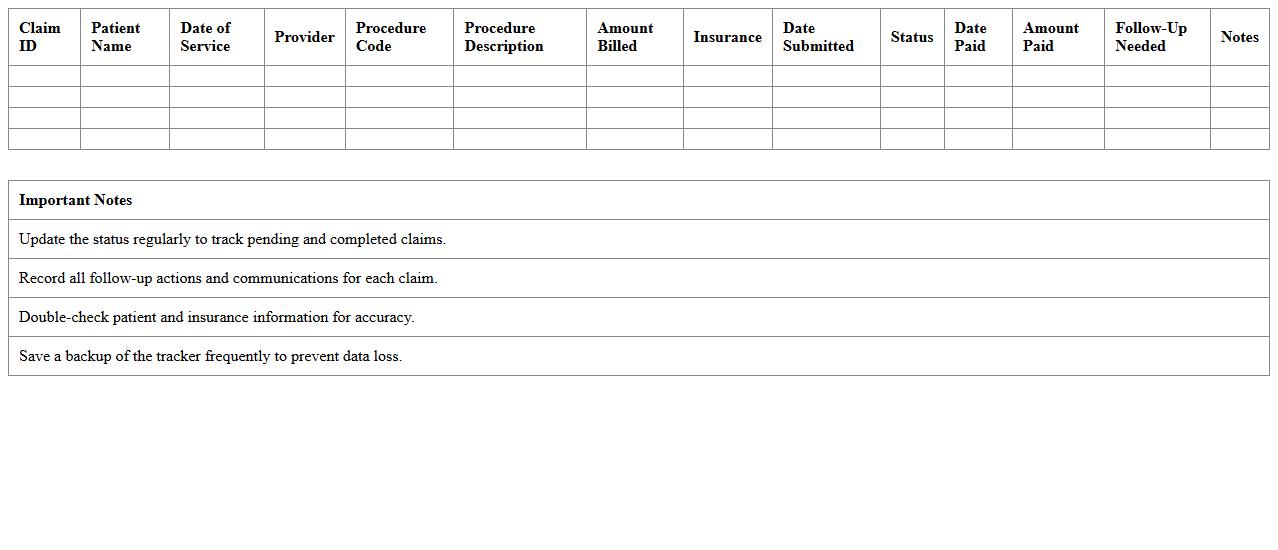
Dental Claims Tracker Excel Template for Billing Teams
The
Dental Claims Tracker Excel Template is a comprehensive tool designed for billing teams to efficiently manage and monitor dental insurance claims. It streamlines the tracking of claim statuses, payment details, and follow-up actions, reducing errors and enhancing revenue cycle management. By organizing crucial data in a customizable spreadsheet, this template improves accuracy, speeds up claim resolution, and supports financial reporting for dental practices.
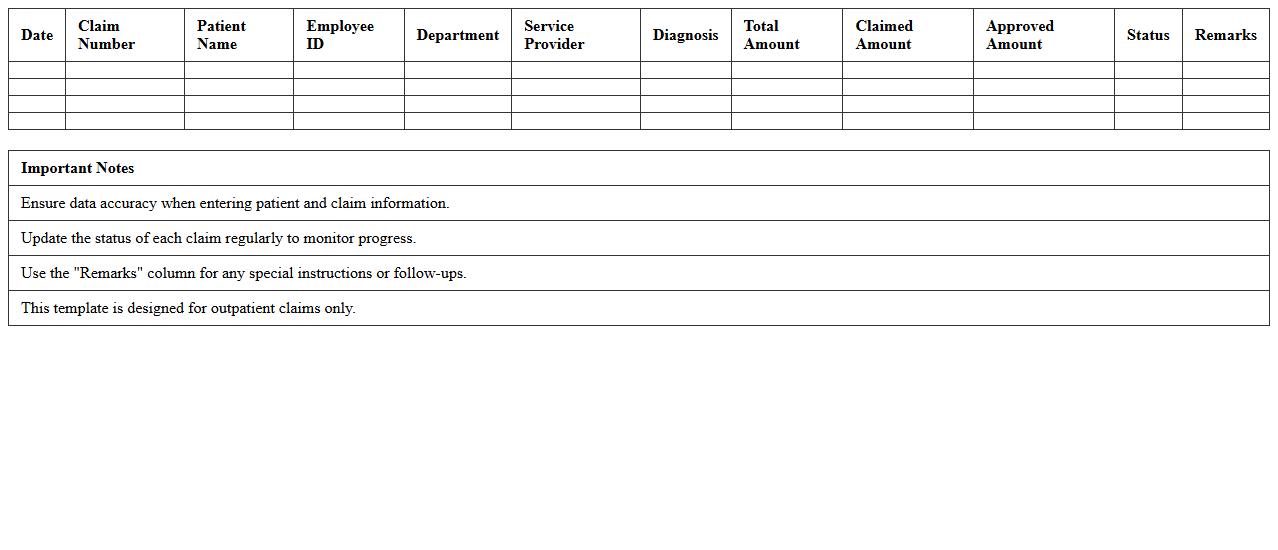
Outpatient Claims Monitoring Excel Spreadsheet Template
The
Outpatient Claims Monitoring Excel Spreadsheet Template is a structured tool designed to track and analyze outpatient medical claims data efficiently. It helps healthcare providers and billing departments monitor claim statuses, identify discrepancies, and ensure timely reimbursements by organizing patient details, service dates, claim amounts, and payment updates in one customizable file. Utilizing this template improves accuracy in financial reporting and streamlines the claims management process, reducing errors and accelerating cash flow.
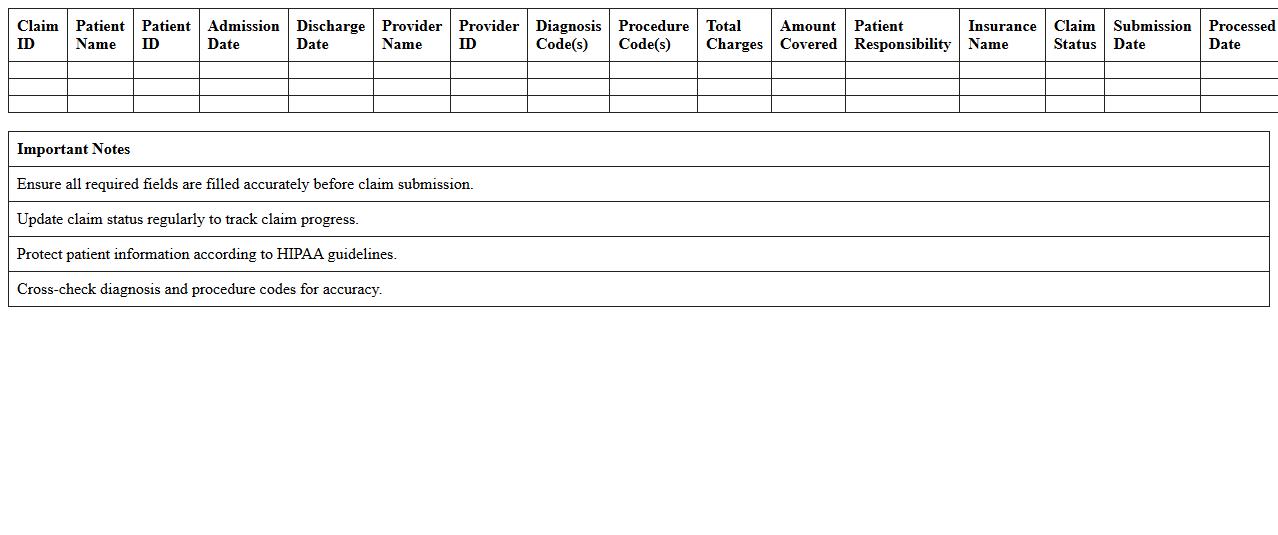
Hospital Inpatient Claims Log Excel Sheet
The
Hospital Inpatient Claims Log Excel Sheet is a structured document used to record and track inpatient hospital claims, including patient details, admission dates, procedures, and billing information. It enhances accuracy in claims management by allowing easy data organization, quick retrieval, and error reduction during the insurance reimbursement process. This tool is essential for healthcare administrators and billing specialists to monitor claims status, optimize revenue cycle management, and ensure compliance with insurance policies.
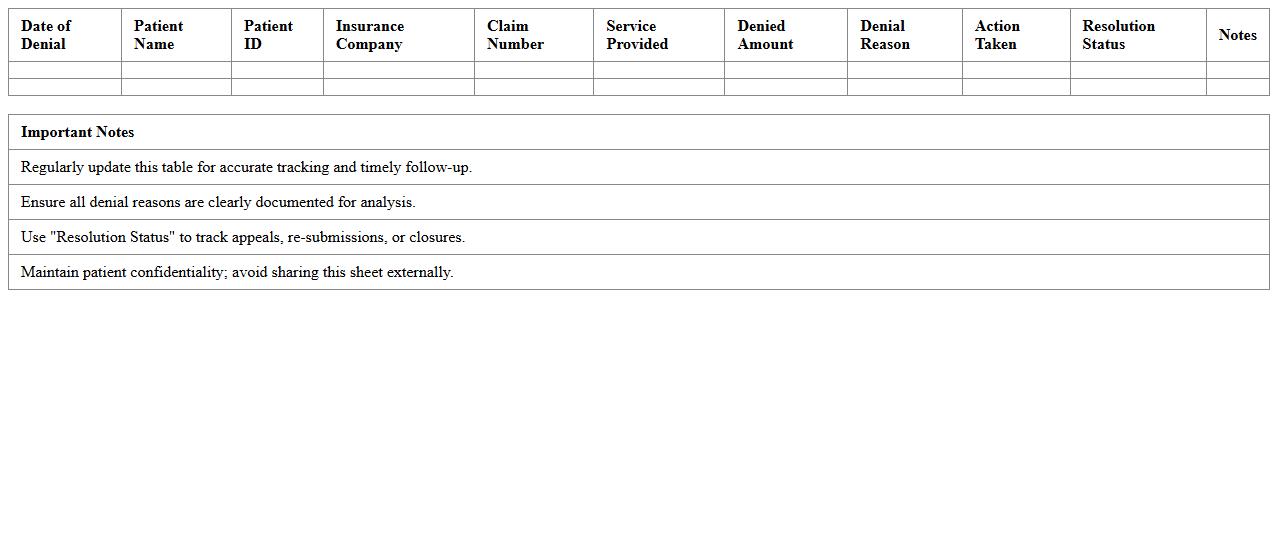
Insurance Denials Tracking Excel Template for Clinics
The
Insurance Denials Tracking Excel Template for Clinics is a crucial tool designed to systematically document and monitor insurance claim denials. This template helps clinics identify patterns in denied claims, enabling the billing team to address common issues and reduce revenue loss. By utilizing this document, healthcare providers can streamline their claim management process, improve cash flow, and enhance overall financial performance.
Physical Therapy Claims Submission Tracker Excel
The
Physical Therapy Claims Submission Tracker Excel is a vital tool designed to organize and monitor the status of insurance claims related to physical therapy services. It streamlines the claims management process by recording submission dates, claim numbers, patient details, and payment statuses, enabling efficient follow-up and reducing delays in reimbursement. This document enhances financial accuracy, ensures timely claim resolution, and supports improved cash flow management for physical therapy practices.
Medical Claims Follow-Up Excel Sheet for Practices
A
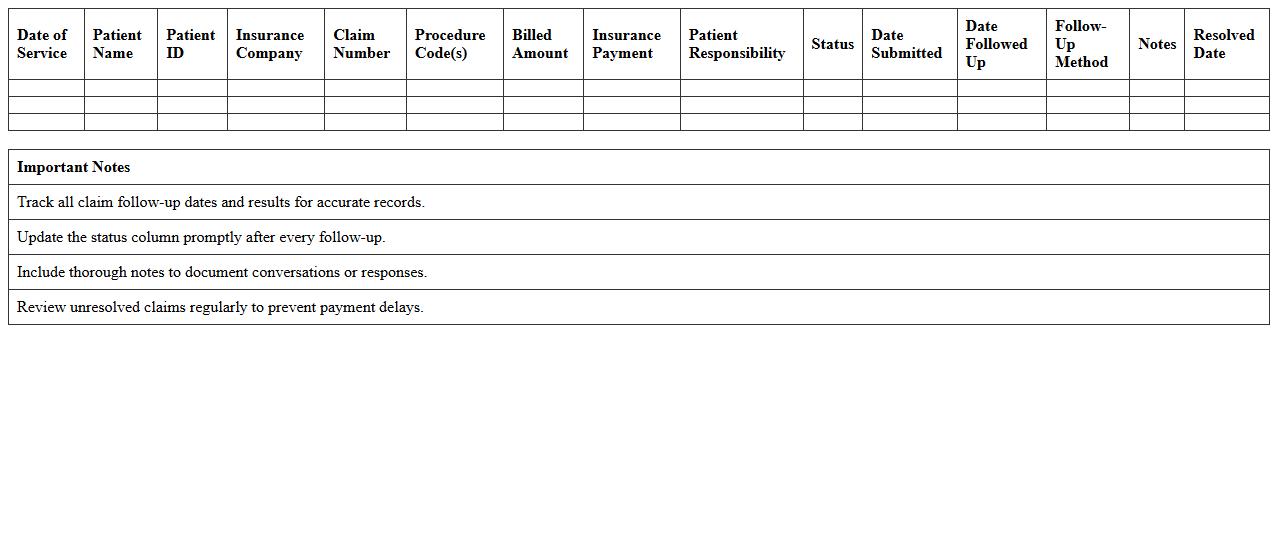
Medical Claims Follow-Up Excel Sheet for practices is a comprehensive tool designed to track the status of medical insurance claims efficiently. It helps healthcare providers monitor pending, approved, and denied claims, ensuring timely follow-ups and reducing revenue delays. By organizing claim details, dates, and payer responses, this document streamlines claim management and improves overall financial performance.
Laboratory Claims Reconciliation Excel Template
The
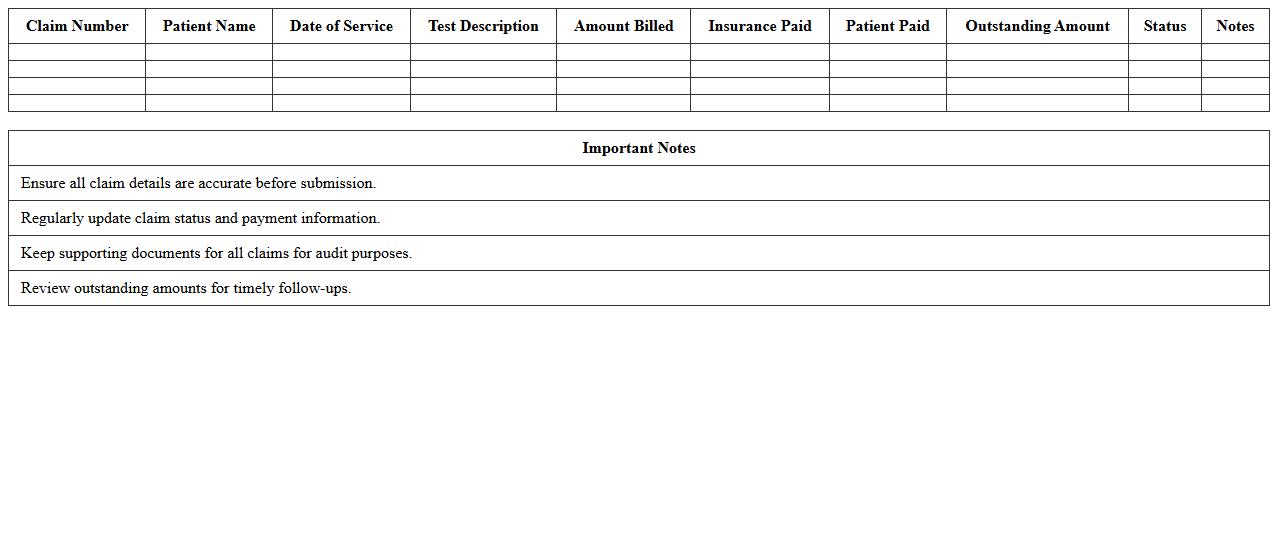
Laboratory Claims Reconciliation Excel Template is a specialized document designed to accurately match and verify laboratory claims against payments received, ensuring financial accuracy and compliance. It streamlines the reconciliation process by organizing claim data, payment details, and discrepancies in a clear, structured format, reducing errors and saving time for finance teams. This tool is invaluable for healthcare providers and billing departments aiming to optimize revenue cycle management and maintain precise financial records.
Pharmacy Billing Claims Management Excel Sheet
The
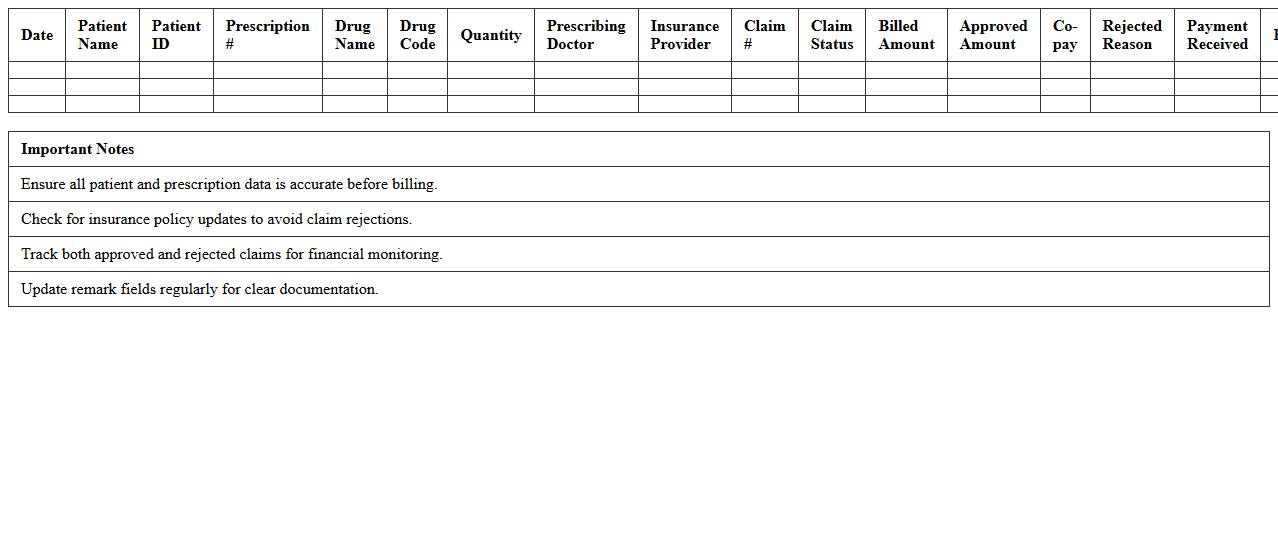
Pharmacy Billing Claims Management Excel Sheet document is a specialized tool designed to organize, track, and manage pharmacy claims efficiently. It helps pharmacies streamline the billing process by recording patient information, medication details, insurance claims status, and payment tracking in one centralized location. This document improves accuracy, reduces claim denials, and accelerates reimbursement timelines.
Home Healthcare Claims Status Tracker Excel Template
The
Home Healthcare Claims Status Tracker Excel Template is a versatile tool designed to efficiently monitor and manage insurance claims for home healthcare services. It helps streamline the tracking of claim submissions, approvals, denials, and payment statuses, ensuring timely follow-ups and reducing delays in reimbursements. Utilizing this template enhances financial organization and improves cash flow management within home healthcare operations.
Surgery Claims Processing Excel Template for Billing Departments
The
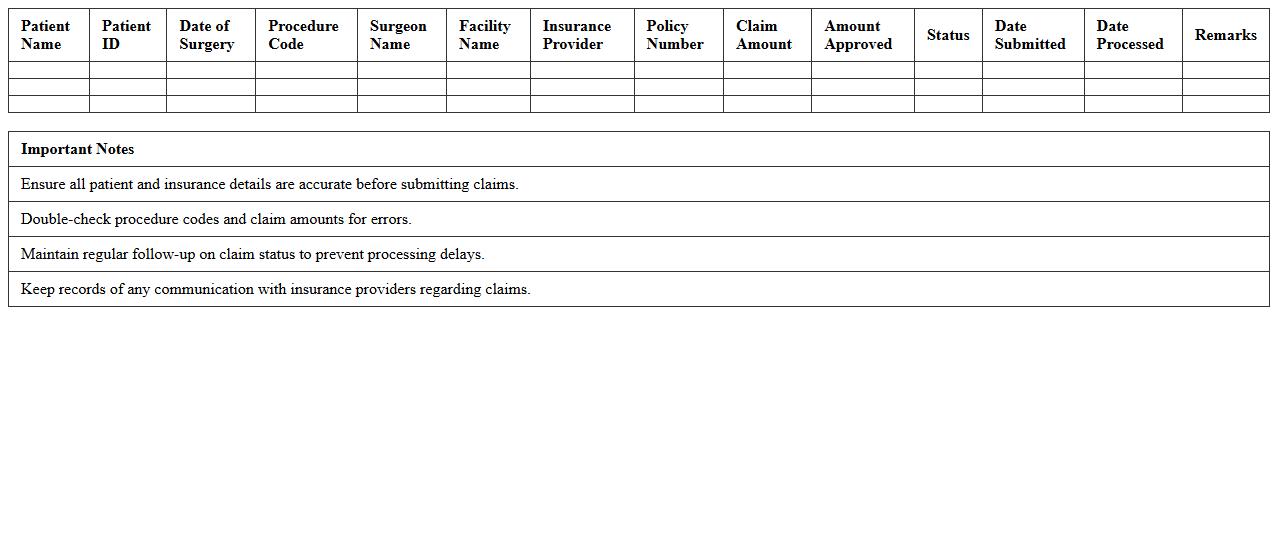
Surgery Claims Processing Excel Template is a specialized document designed to streamline tracking and managing surgical billing claims within billing departments. It allows for efficient organization of patient details, procedure codes, claim statuses, and payment records, reducing errors and improving reimbursement timelines. This template enhances accuracy in billing operations and accelerates claim settlements, ultimately supporting better financial management in healthcare facilities.
How can we automate claim status updates in the Healthcare Claims Tracker Excel?
Automating claim status updates in the Healthcare Claims Tracker Excel can be efficiently done using Excel's Power Query or VBA macros. These tools enable real-time connection to external data sources such as insurance databases or EHR systems. This automation dramatically reduces manual entry errors and enhances the tracker's accuracy and timeliness.
What Excel formulas identify duplicate claim entries in our tracker?
To identify duplicate claim entries, Excel formulas like COUNTIF and CONDITIONAL FORMATTING are highly effective. COUNTIF helps count occurrences of each claim ID, while conditional formatting highlights duplicates visually. Together, they ensure quick detection and cleaning of redundant data in the claims tracker.
How does the tracker flag denied claims for follow-up in billing workflows?
The tracker flags denied claims by using IF statements combined with data validation lists that categorize claim statuses. When a claim is marked "Denied," conditional formatting changes the row color, signaling immediate follow-up. Automated alerts or reminders can also be integrated to streamline billing workflow responses.
Which VBA scripts streamline monthly claims reconciliation reporting?
VBA scripts that automate sorting, filtering, and summarizing claims data greatly streamline monthly reconciliation reporting. Scripts can generate customized reports by extracting key metrics like total claims, denied claims, and payment amounts. This automation saves time and ensures consistent, error-free reporting processes every month.
How can protected health information (PHI) be securely managed within the Excel tracker?
Secure management of protected health information (PHI) within Excel involves using strong password protection and restricted user access via workbook encryption. Implementing cell-level locking and auditing macros can prevent unauthorized edits or viewing. Additionally, integrating Excel with secure cloud platforms ensures compliance with healthcare data privacy regulations like HIPAA.
More Healthcare Excel Templates