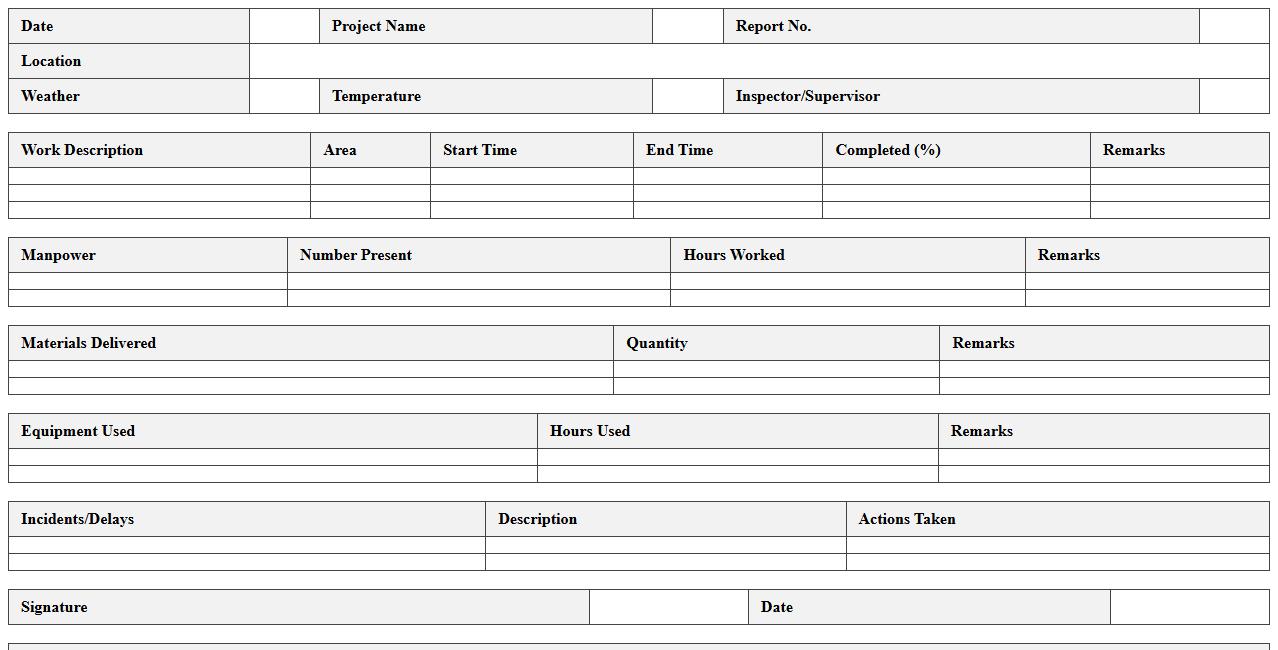
Construction Daily Progress Report Excel Template
The
Construction Daily Progress Report Excel Template is a structured document designed to track daily activities, labor, equipment usage, and project milestones on construction sites. It streamlines data entry and ensures consistent reporting, promoting transparency and timely decision-making. This template enhances project management efficiency by providing clear insights into daily progress and potential issues.
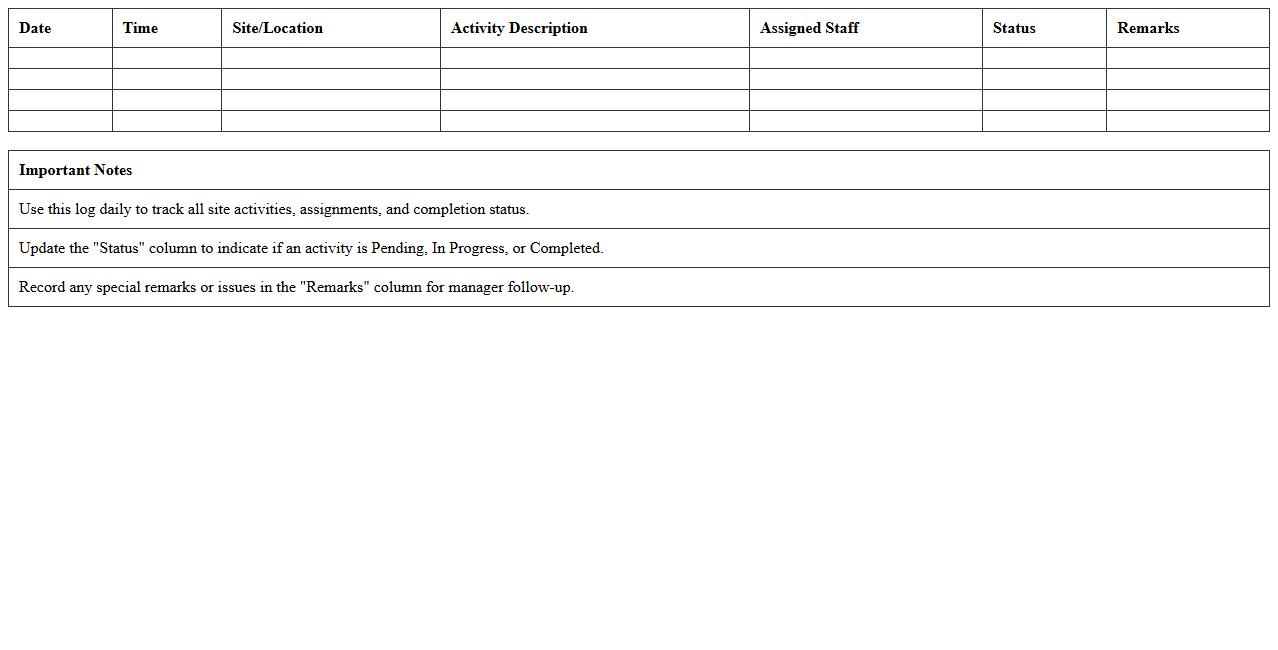
Site Activity Log Excel Template for Managers
The
Site Activity Log Excel Template for Managers is a structured spreadsheet designed to track daily operations, employee tasks, and site incidents efficiently. It helps managers maintain detailed records of site activities, enabling quick analysis and reporting for improved decision-making and accountability. This template streamlines workflow monitoring and ensures all critical site data is organized and easily accessible.
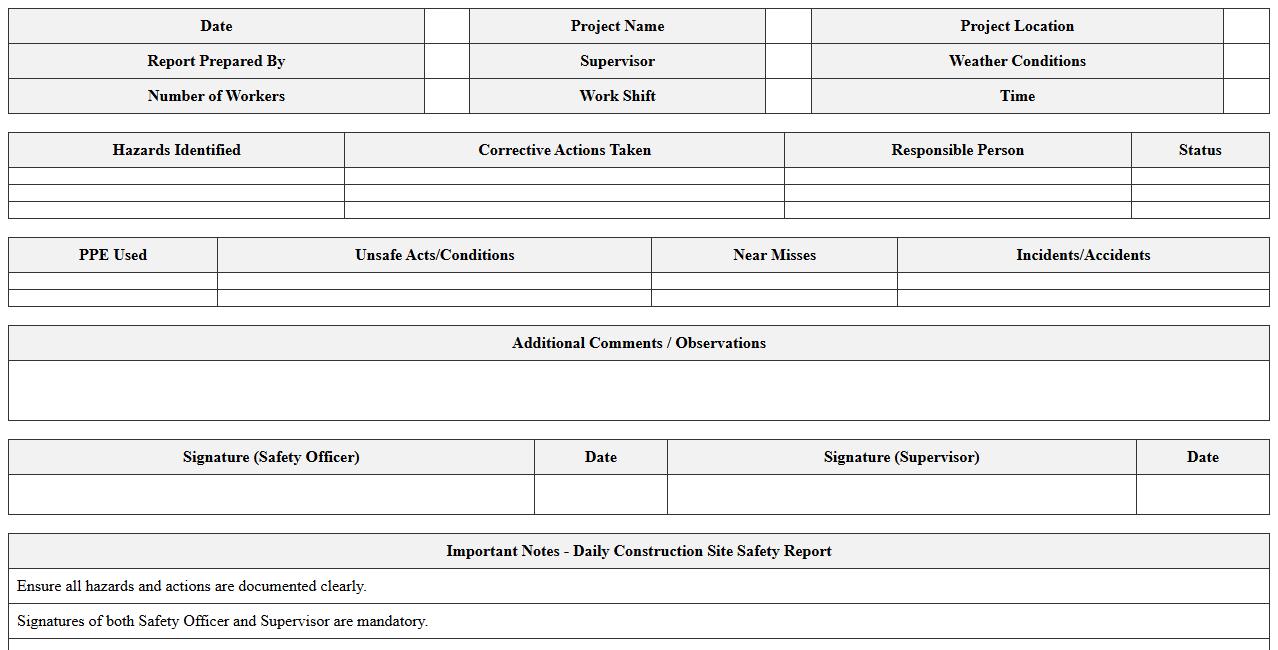
Daily Construction Site Safety Report Excel Sheet
A
Daily Construction Site Safety Report Excel Sheet document systematically records safety activities, incidents, inspections, and compliance checks on a construction site each day. This tool facilitates real-time tracking of hazards, worker safety measures, and equipment status, enabling project managers to maintain regulatory compliance and reduce accident risks effectively. By organizing critical safety data efficiently, it supports proactive decision-making and enhances communication among safety teams.
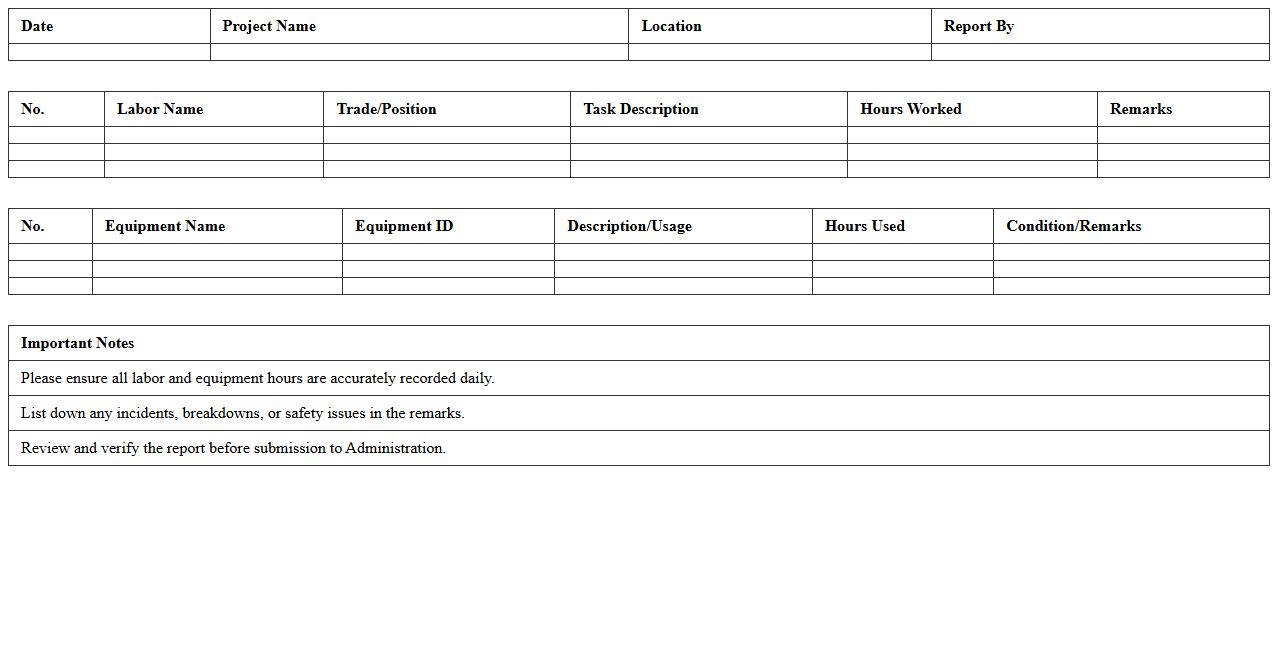
Labor and Equipment Usage Daily Report Excel
The
Labor and Equipment Usage Daily Report Excel document tracks daily hours and usage of workforce and machinery on project sites, enabling efficient resource management. It provides detailed records that assist in monitoring productivity, controlling costs, and ensuring accurate billing for hours worked and equipment usage. This report helps project managers optimize allocation, prevent downtime, and maintain compliance with labor regulations.
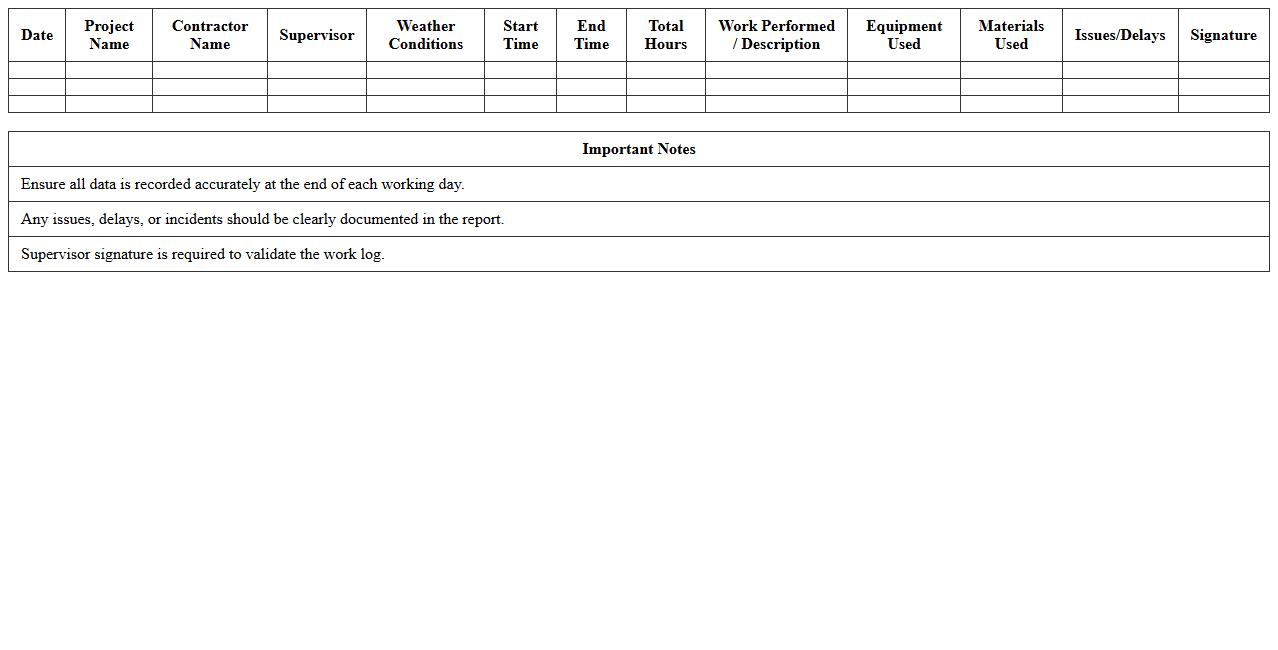
Contractor Work Log Daily Report Excel Template
The
Contractor Work Log Daily Report Excel Template is a structured document designed to track daily activities, hours worked, and project progress for contractors. It enhances project management by providing clear records that improve communication, accountability, and accuracy in time tracking. Using this template helps streamline reporting processes, reduce errors, and maintain organized documentation for payroll and project analysis.
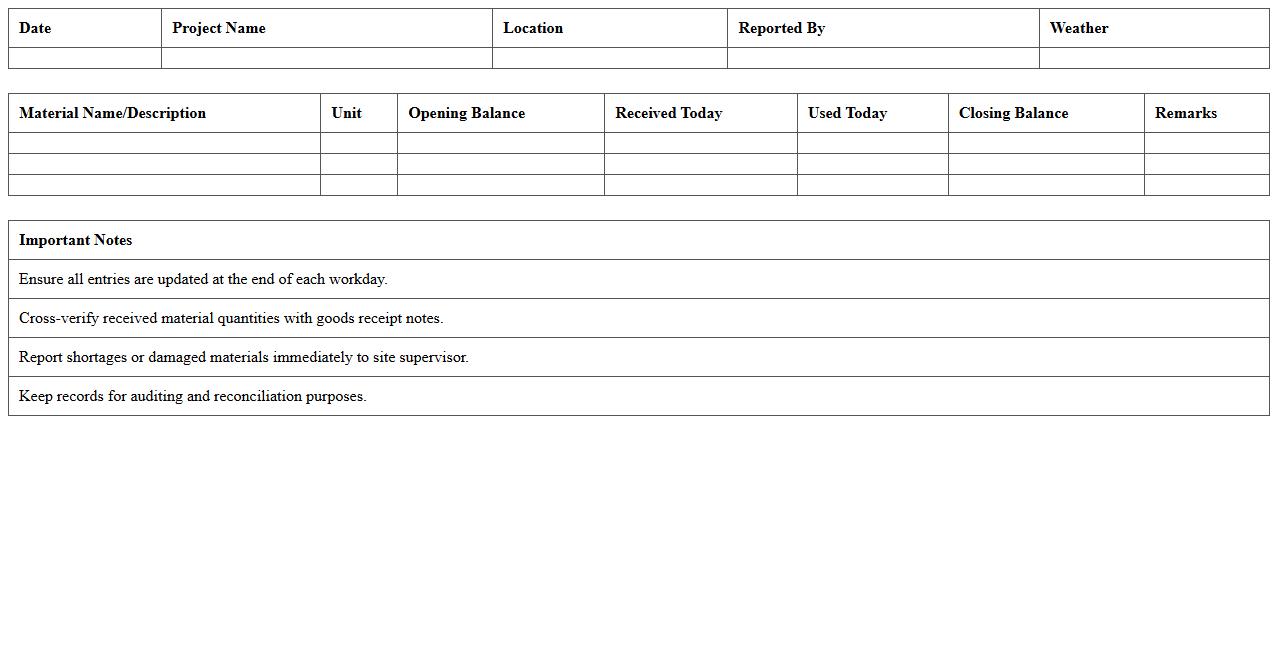
Construction Site Material Tracking Daily Report Template
A
Construction Site Material Tracking Daily Report Template is a structured document designed to record and monitor the inflow, usage, and inventory of materials on a construction site each day. It provides essential data such as quantities received, materials consumed, and discrepancies, enabling project managers to maintain accurate stock levels and reduce delays caused by shortages or mismanagement. This template enhances accountability, improves resource allocation, and supports effective project cost control by delivering consistent, easy-to-review daily updates.
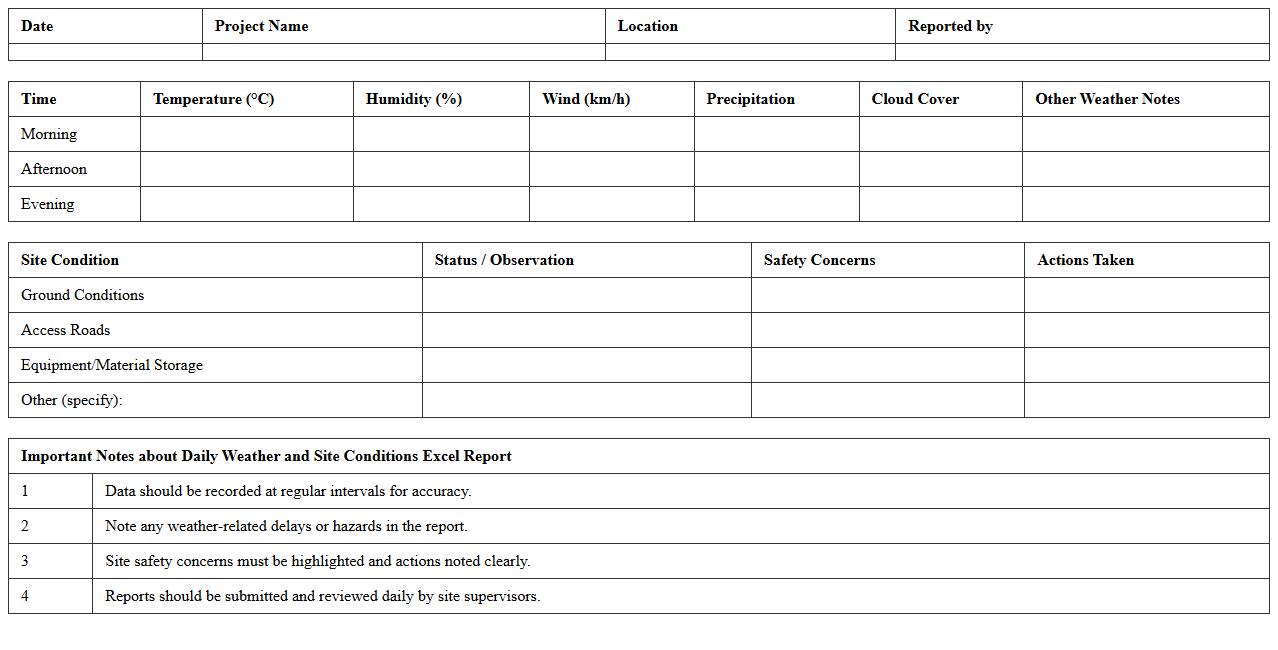
Daily Weather and Site Conditions Excel Report
The
Daily Weather and Site Conditions Excel Report document tracks key meteorological data and site-specific conditions, including temperature, humidity, wind speed, and precipitation, on a day-to-day basis. This report is essential for construction managers, environmental scientists, and project planners to monitor and evaluate weather impacts on operational schedules and safety protocols. By providing precise, organized data, it helps optimize decision-making and mitigate risks associated with adverse weather and site variability.
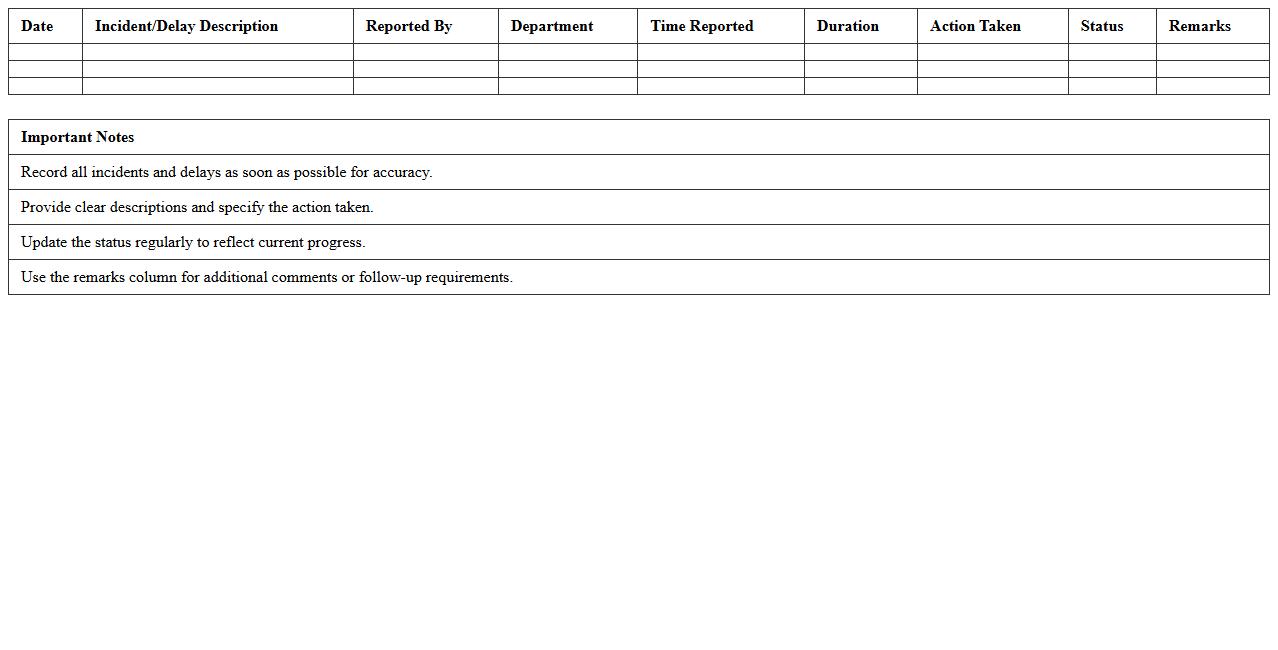
Incident and Delay Daily Log Excel Template
The
Incident and Delay Daily Log Excel Template is a structured document designed to record and track occurrences of incidents and delays on a daily basis, providing a clear overview of disruptions in workflow or project timelines. It helps organizations systematically document event details, analyze patterns, and identify root causes to improve operational efficiency. By maintaining consistent logs, businesses can enhance communication, support compliance efforts, and implement preventive measures to reduce future incidents and delays.
Subcontractor Daily Activity Report Spreadsheet
The
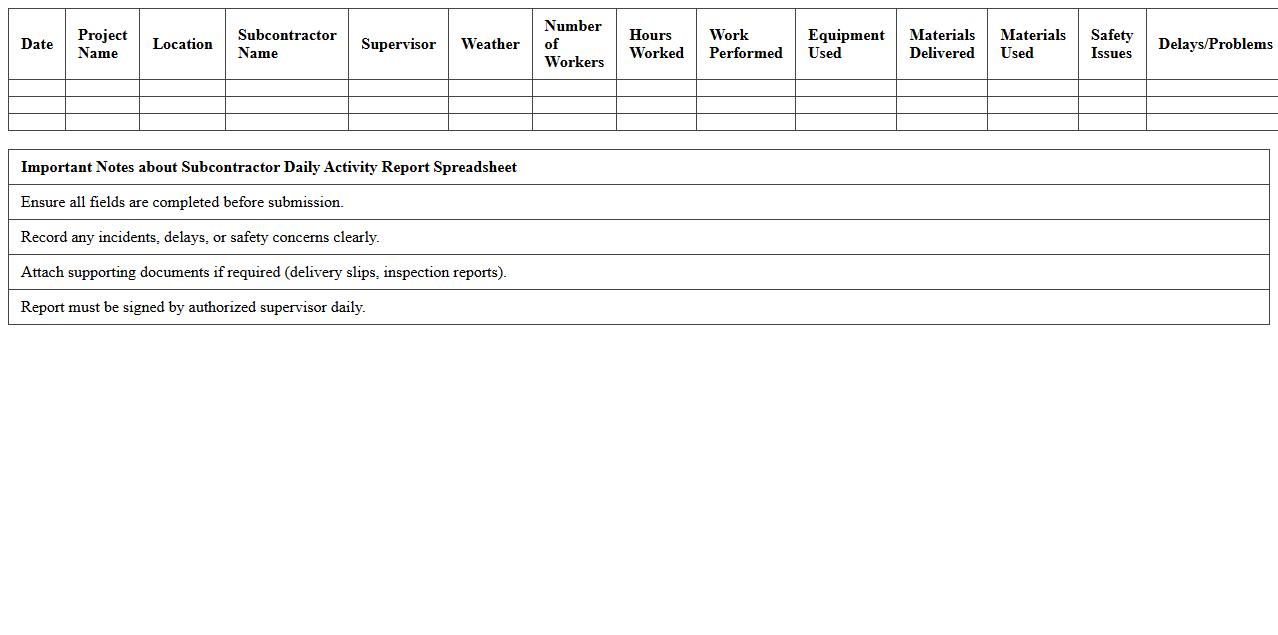
Subcontractor Daily Activity Report Spreadsheet is a structured document that records daily work progress, labor hours, equipment usage, and materials used by subcontractors on a construction site. This report helps project managers monitor subcontractor performance, track productivity, and ensure compliance with project timelines and budgets. It also serves as essential documentation for resolving disputes, managing costs, and improving overall project efficiency.
Site Visit Inspection Daily Report Excel Form
The
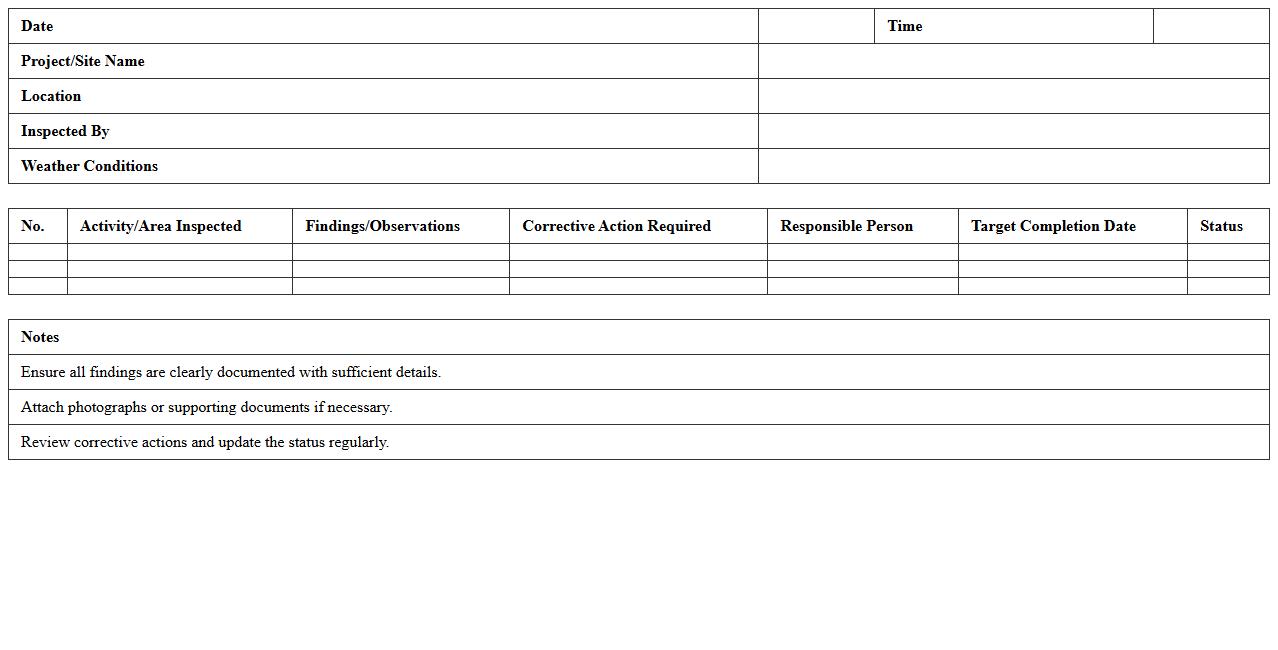
Site Visit Inspection Daily Report Excel Form is a structured document used to record and track daily observations, progress, and issues during site visits on construction or project sites. It helps ensure accurate documentation of work conditions, safety compliance, and project milestones, facilitating clear communication between site managers and stakeholders. Using this form enhances accountability, improves decision-making, and supports timely resolution of on-site challenges.
How can conditional formatting in Excel highlight delayed tasks in a Construction Daily Report?
Conditional formatting in Excel can be used to automatically highlight delayed tasks by setting rules based on task deadlines and completion dates. For example, you can apply a formula to change the cell color if the completion date is later than the scheduled date. This visual cue allows project managers to quickly identify and address delays in the construction timeline.
What formulas track material usage variances in daily site logs?
Formulas like SUM, IF, and VLOOKUP are commonly used to track material usage variances by comparing recorded usage against expected quantities. For instance, a formula calculating the difference between actual and planned material quantities highlights surplus or shortages. This helps site supervisors monitor inventory and control costs effectively.
Which Excel chart types best visualize labor productivity trends for site managers?
Line charts and bar charts are ideal for visualizing labor productivity trends over time, showing day-to-day or weekly performance changes. Line charts clearly depict productivity fluctuations, while bar charts summarize hours worked against output. These visuals enable site managers to make informed decisions to improve workforce efficiency.
How to automatically generate safety incident summaries from daily inputs in a report?
Using Excel formulas like COUNTIF and CONCATENATE along with tables, summaries of safety incidents can be generated automatically from daily input data. COUNTIF helps tally specific incident types, while CONCATENATE compiles details into readable summaries. This automation enhances reporting accuracy and ensures timely tracking of site safety issues.
What data validation rules prevent entry errors in site activity logs on Excel?
Data validation rules such as dropdown lists, date restrictions, and numeric limits ensure accurate and consistent data entry in site activity logs. Dropdowns restrict input to predefined options, while date and number validations prevent invalid records. Implementing these rules minimizes errors and maintains the integrity of the construction data.