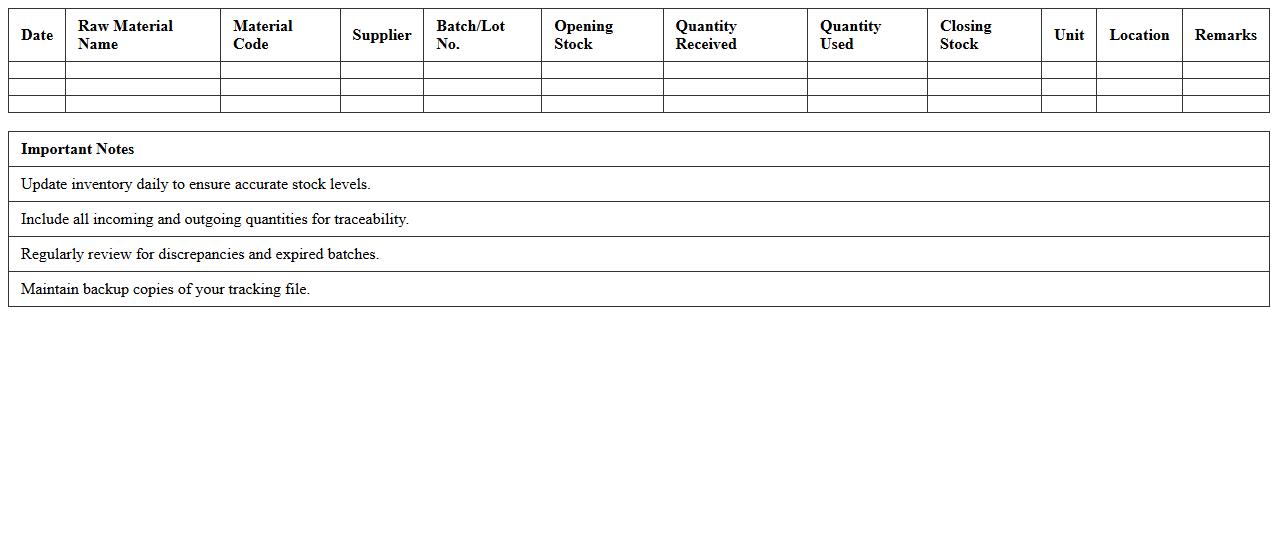
Raw Material Inventory Tracking Excel Template
The
Raw Material Inventory Tracking Excel Template is a spreadsheet designed to systematically monitor the quantities, costs, and usage of raw materials in manufacturing or production processes. It helps businesses maintain accurate stock levels, prevent shortages, reduce excess inventory, and optimize reorder schedules. By providing real-time insights into inventory status, this template supports efficient resource management and cost control.
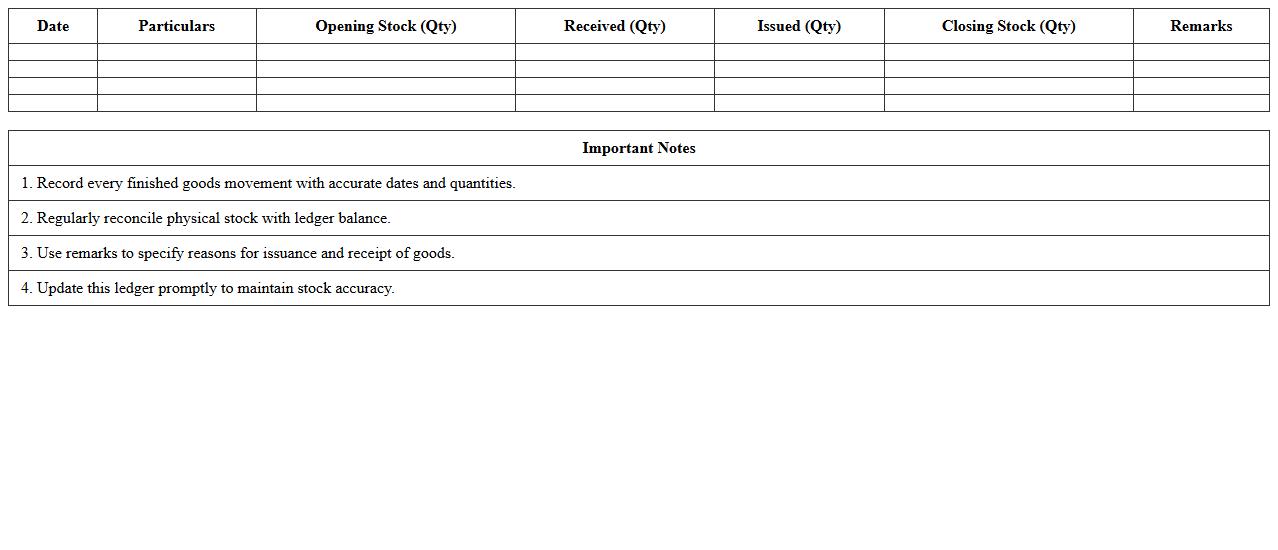
Finished Goods Stock Ledger Excel Template
The
Finished Goods Stock Ledger Excel Template is a comprehensive spreadsheet designed to track inventory levels, record stock movements, and monitor finished goods in manufacturing or retail businesses. It helps maintain accurate records of product quantities, dates of stock in and out, and ensures real-time visibility into inventory status, reducing the risk of stockouts or overstocking. This template streamlines inventory management, enhances reporting accuracy, and supports informed decision-making for production planning and sales forecasting.
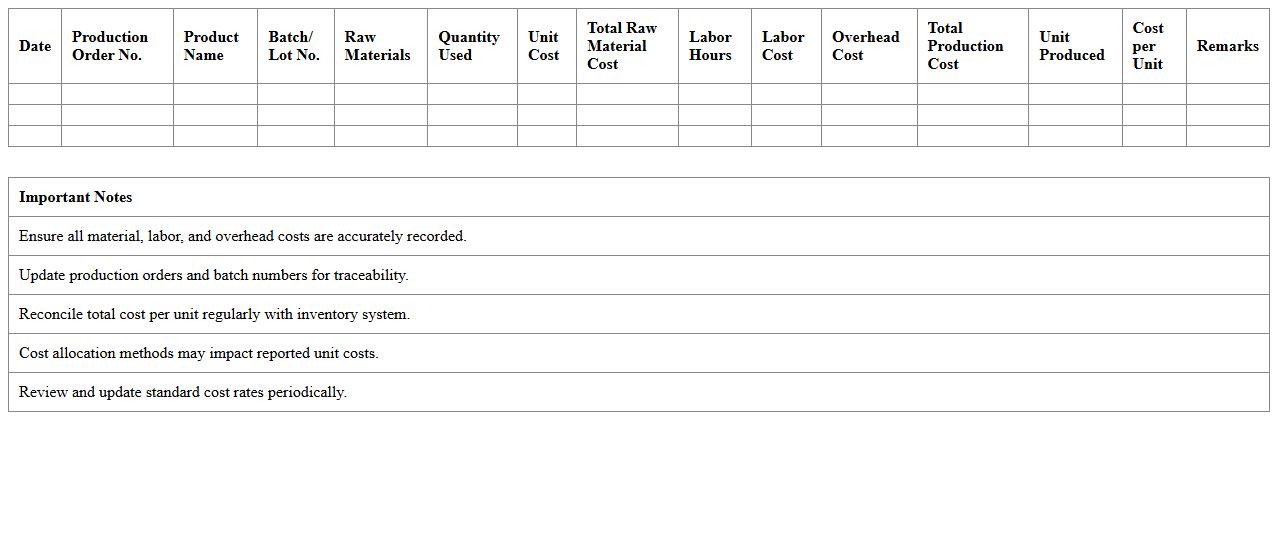
Production Cost Accounting Excel Sheet
A
Production Cost Accounting Excel Sheet is a detailed financial tool designed to track, analyze, and allocate costs associated with manufacturing processes. It helps businesses identify direct and indirect expenses, monitor raw material usage, labor costs, and overhead, enabling accurate product costing and profitability analysis. Utilizing this document enhances budget control, cost reduction strategies, and improves decision-making for operational efficiency.
Inventory Valuation and Aging Report Excel Template
The
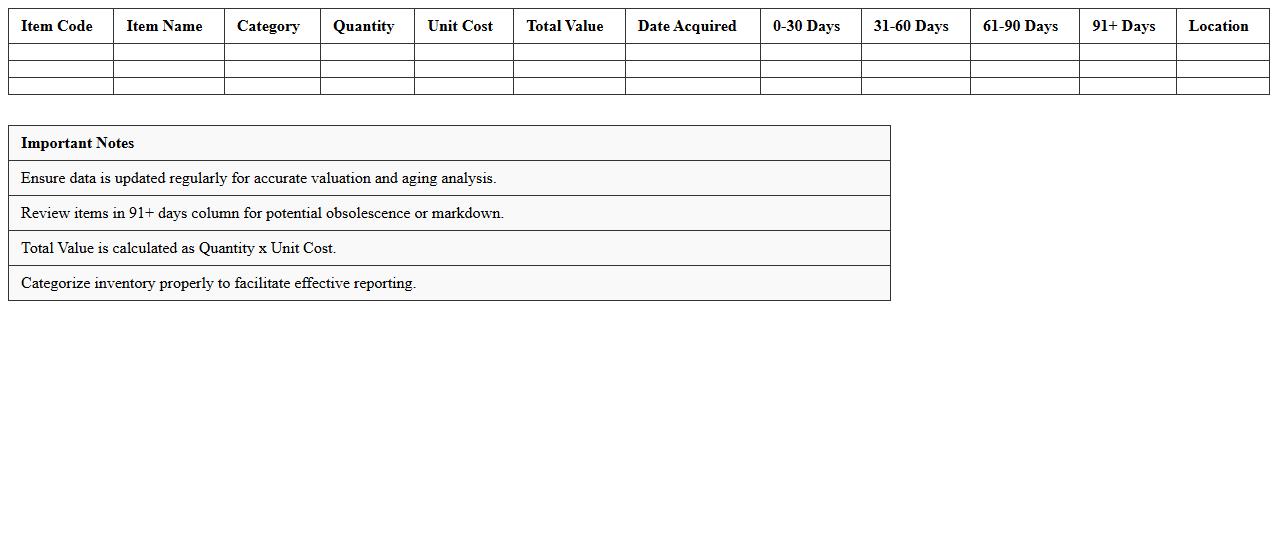
Inventory Valuation and Aging Report Excel Template is a powerful tool designed to track the value and age of inventory items accurately. It helps businesses identify slow-moving or obsolete stock by categorizing inventory based on purchase or production dates, ensuring optimal inventory management. By providing clear insights into inventory costs and turnover rates, this template aids in making informed decisions on purchasing, pricing, and reducing holding costs.
Bill of Materials (BOM) Management Excel Spreadsheet
A
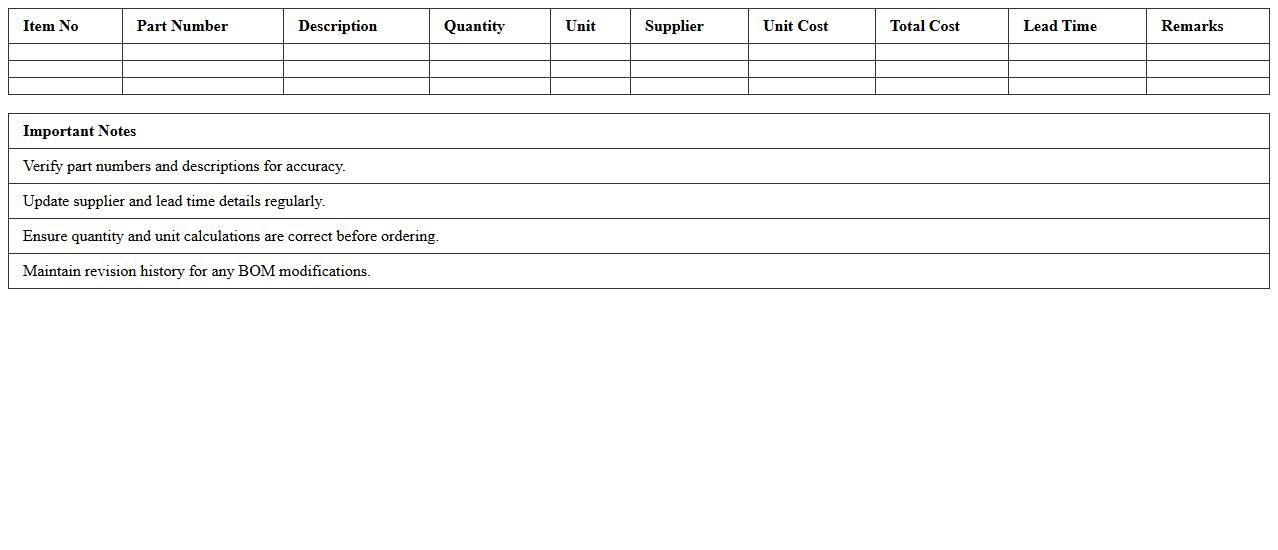
Bill of Materials (BOM) Management Excel Spreadsheet is a detailed document that lists all components, materials, and quantities required to manufacture a product. It streamlines production planning, inventory control, and cost estimation by providing a clear, organized view of each item's specifications and supplier details. This tool enhances project accuracy and efficiency, reducing errors and facilitating better resource management across supply chain operations.
Manufacturing Order Tracking and Inventory Excel Template
A
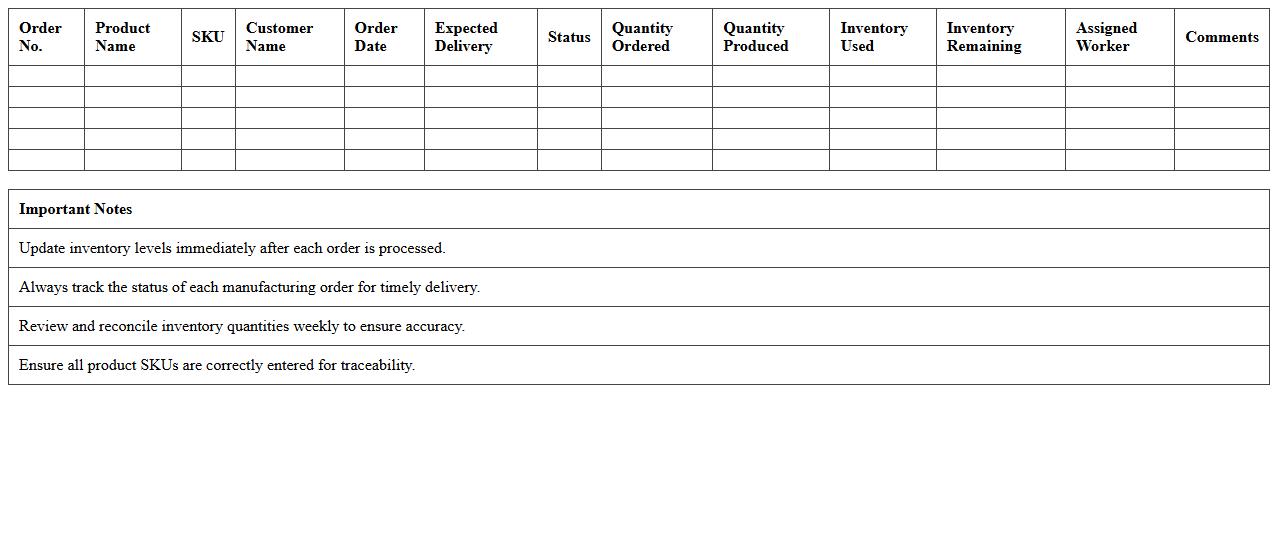
Manufacturing Order Tracking and Inventory Excel Template is a spreadsheet tool designed to monitor production orders and manage stock levels efficiently. It helps track the status of manufacturing processes, material usage, and inventory availability in real-time, ensuring accurate data for timely decision-making. This template improves operational control, reduces errors, and enhances productivity by providing a centralized system for order management and inventory oversight.
Work-in-Progress Inventory Control Excel Template
The
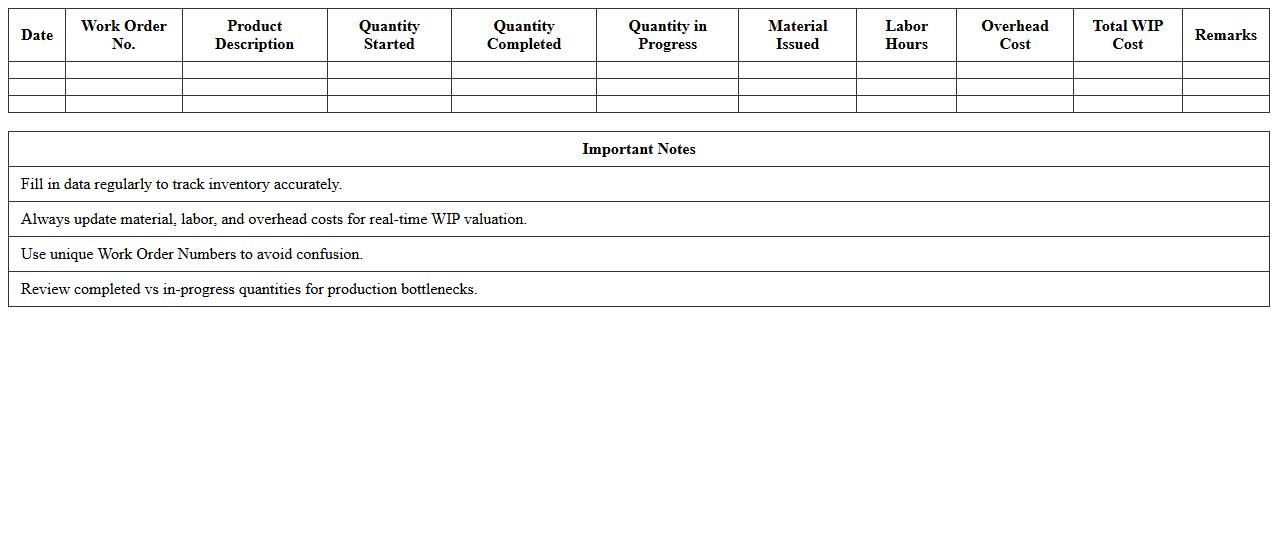
Work-in-Progress Inventory Control Excel Template is a structured spreadsheet designed to track and manage production stages and inventory levels of unfinished goods. It helps businesses monitor real-time inventory status, optimize resource allocation, and reduce bottlenecks in manufacturing workflows. This template enhances operational efficiency by providing clear visibility into ongoing processes, enabling better decision-making and inventory cost control.
Batch Production Inventory & Accounting Excel Sheet
A
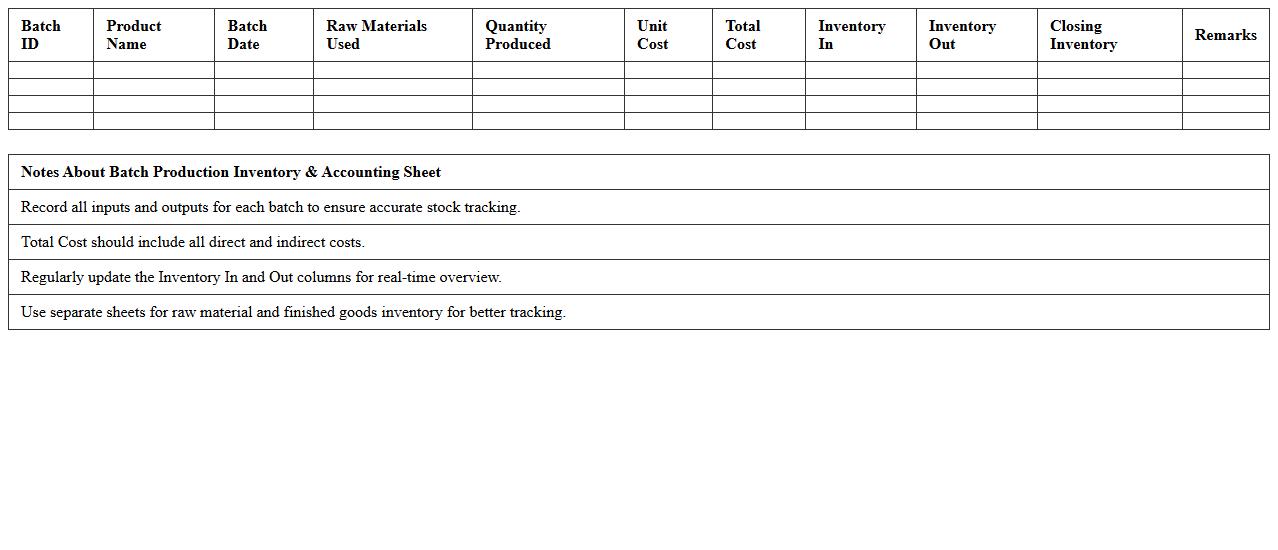
Batch Production Inventory & Accounting Excel Sheet document is a structured tool designed to track and manage raw materials, work-in-progress, and finished goods inventory specific to batch manufacturing processes. It streamlines cost calculation, production scheduling, and inventory valuation, enabling accurate financial reporting and effective resource allocation. This document enhances operational efficiency by providing real-time insights into batch costs, inventory levels, and production timelines, assisting businesses in optimizing profitability and reducing waste.
Consumables and Spare Parts Inventory Excel Template
The
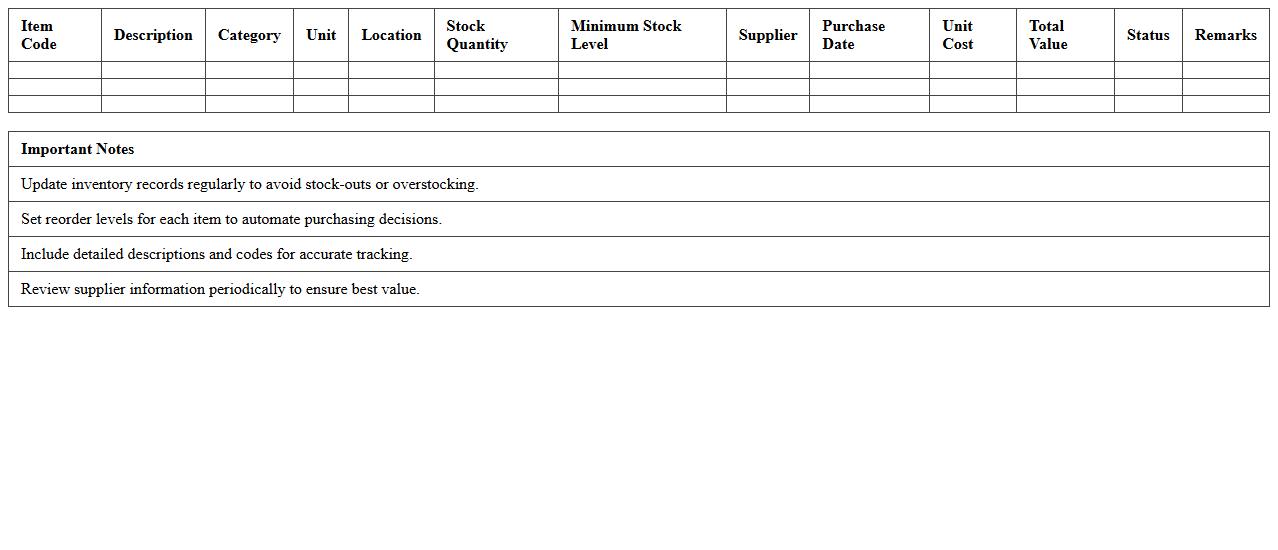
Consumables and Spare Parts Inventory Excel Template document is a structured tool designed to track and manage inventory levels of essential materials and replacement parts in businesses or maintenance operations. It helps monitor stock quantities, reorder points, and usage rates, ensuring timely procurement and minimizing downtime due to stockouts. This template streamlines inventory control, improves cost efficiency, and enhances operational continuity by providing clear visibility into consumable and spare parts availability.
Goods Received and Dispatch Inventory Log Excel Template
The
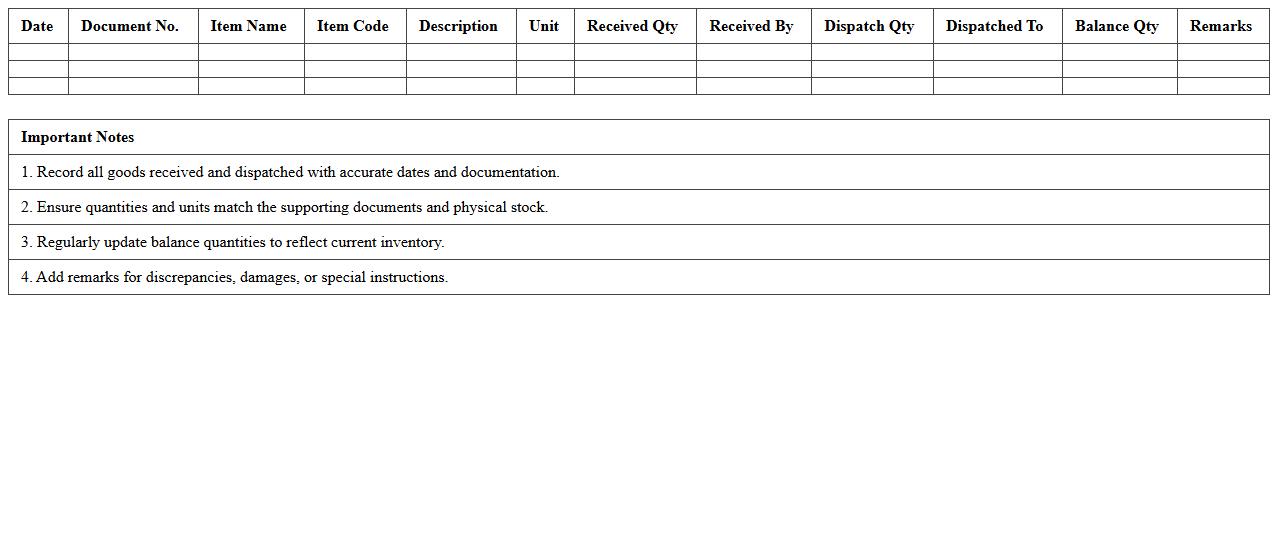
Goods Received and Dispatch Inventory Log Excel Template is a structured document designed to accurately record incoming and outgoing inventory items, enabling efficient tracking and management of stock levels. This template enhances operational efficiency by providing clear visibility into inventory movement, reducing errors, and simplifying audit processes. Using this tool helps businesses maintain updated inventory records, optimize supply chain workflows, and support informed decision-making regarding procurement and stock control.
How to automate inventory stock level tracking in Excel for manufacturing workflows?
To automate inventory stock level tracking in Excel, start by setting up a dedicated worksheet for all inventory transactions. Use formulas like SUMIF or COUNTIF to dynamically calculate stock levels based on purchase and sales entries. Implement data validation and conditional formatting to track reorder points and prevent stockouts efficiently.
What formulas calculate cost of goods sold (COGS) using FIFO/LIFO in inventory spreadsheets?
To calculate COGS using FIFO or LIFO in Excel, use array formulas or structured tables to identify item costs in order of purchase dates (FIFO) or reverse order (LIFO). Functions such as INDEX, MATCH, and SUMPRODUCT help accumulate costs based on units sold matching purchase batches. Accurate record-keeping enables precise cost calculations reflecting real-time inventory flow.
How to design a real-time inventory valuation report using Excel for raw materials?
Design a real-time inventory valuation report by linking raw materials stock quantities with their current purchase prices using dynamic Excel tables. Utilize formulas like SUMPRODUCT to multiply quantities by unit costs, updating automatically as inventory changes. Embedding pivot tables and slicers provides interactive reporting and fast data analysis.
Best practices for linking purchase orders and inventory receipts in accounting Excel documents?
The best practice for linking purchase orders and inventory receipts involves creating unique reference IDs to maintain data integrity across worksheets. Use VLOOKUP or XLOOKUP functions to cross-reference purchase order details with receipt records efficiently. Consistent documentation and timestamping improve accountability and audit readiness in accounting processes.
How to integrate barcode scanning data into Excel-based inventory accounting for manufacturers?
Integrate barcode scanning data by connecting barcode scanners to Excel through compatible input devices or software add-ins. Automate data entry by capturing scanned codes directly into inventory spreadsheets to minimize manual errors. Combine barcode data with Excel macros or Power Query to streamline updates in inventory accounting seamlessly.