The Accounting Excel Template for Event Planners streamlines financial tracking by organizing budgets, expenses, and payments in one easy-to-use spreadsheet. It helps event planners monitor cash flow, generate reports, and ensure accurate invoicing with customizable categories tailored to various event needs. This efficient tool enhances financial management, allowing planners to focus more on delivering successful events.
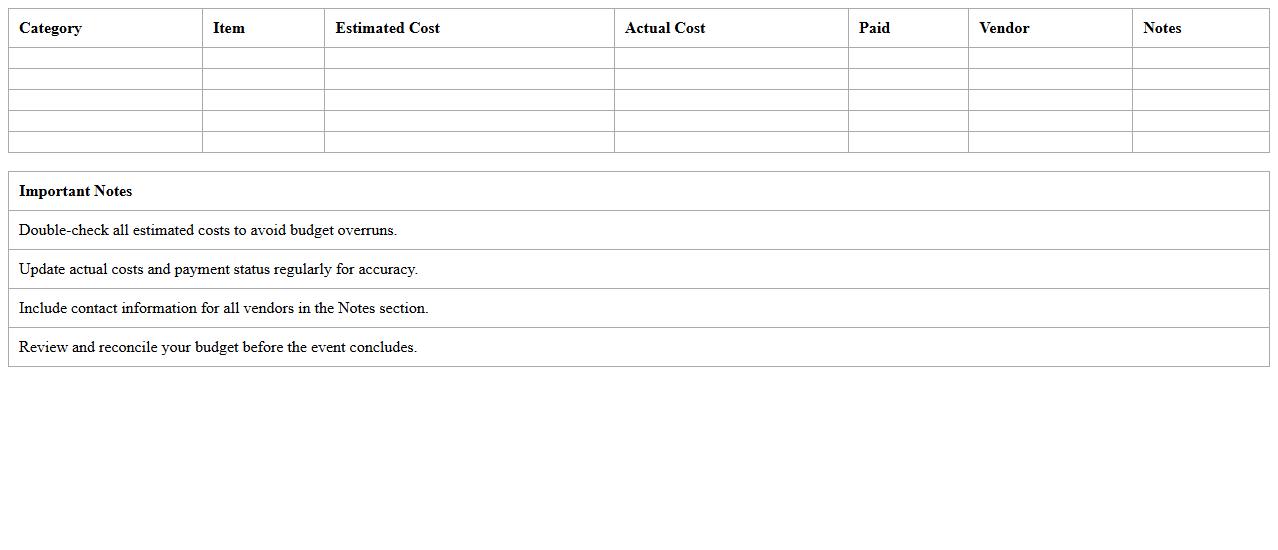
Event Budget Tracker Excel Template
The
Event Budget Tracker Excel Template is a pre-designed spreadsheet that helps organize and monitor all financial aspects of an event, including expenses, income, and allocations. It is useful for maintaining accurate budget control, preventing overspending, and ensuring all costs are accounted for in real-time. By providing clear visual summaries and detailed expense breakdowns, this template streamlines financial planning and reporting processes for event managers and organizers.
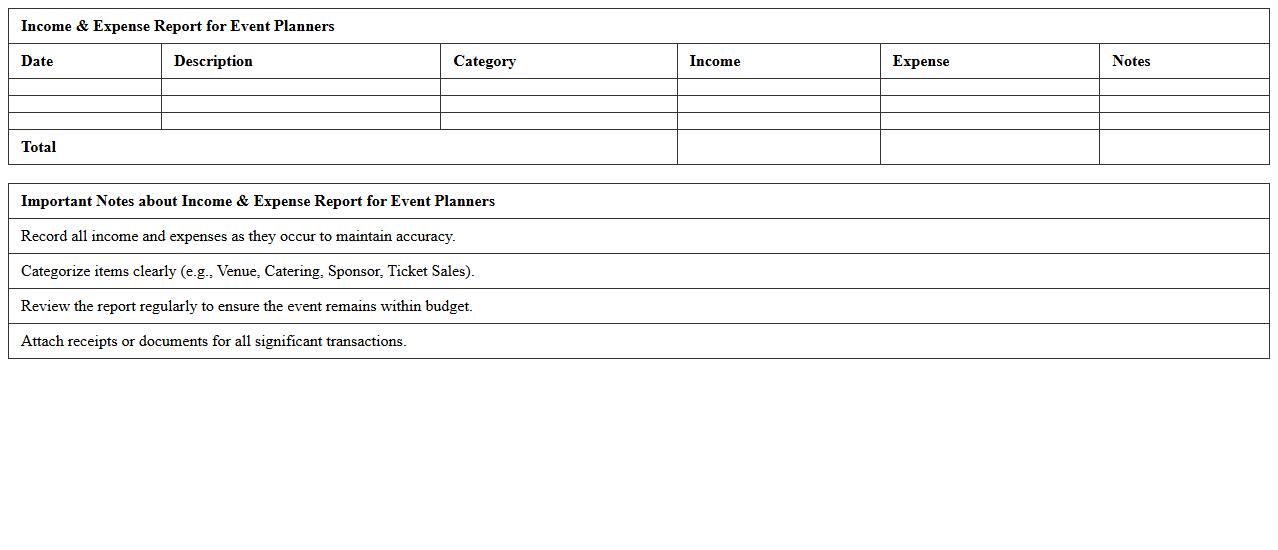
Income & Expense Report for Event Planners
An
Income & Expense Report for event planners is a detailed financial document that tracks all revenue and expenditures related to an event. It provides clear insights into budget management, helping planners identify profitable areas and control costs effectively. This report is essential for ensuring financial transparency, optimizing resource allocation, and improving future event profitability.
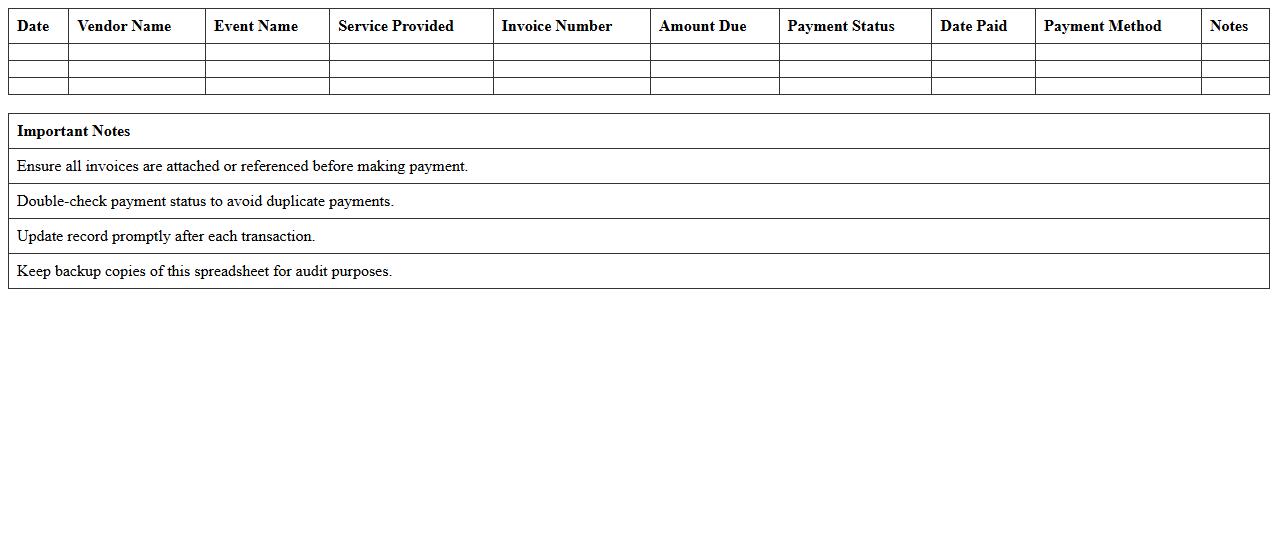
Event Vendor Payment Log Spreadsheet
An
Event Vendor Payment Log Spreadsheet is a detailed document that tracks all payments made to vendors during event planning and execution. It helps organize financial transactions, ensuring accurate budget management, timely payments, and easy reconciliation of expenses. This spreadsheet improves transparency, reduces errors, and streamlines vendor communication, making event financial oversight more efficient.
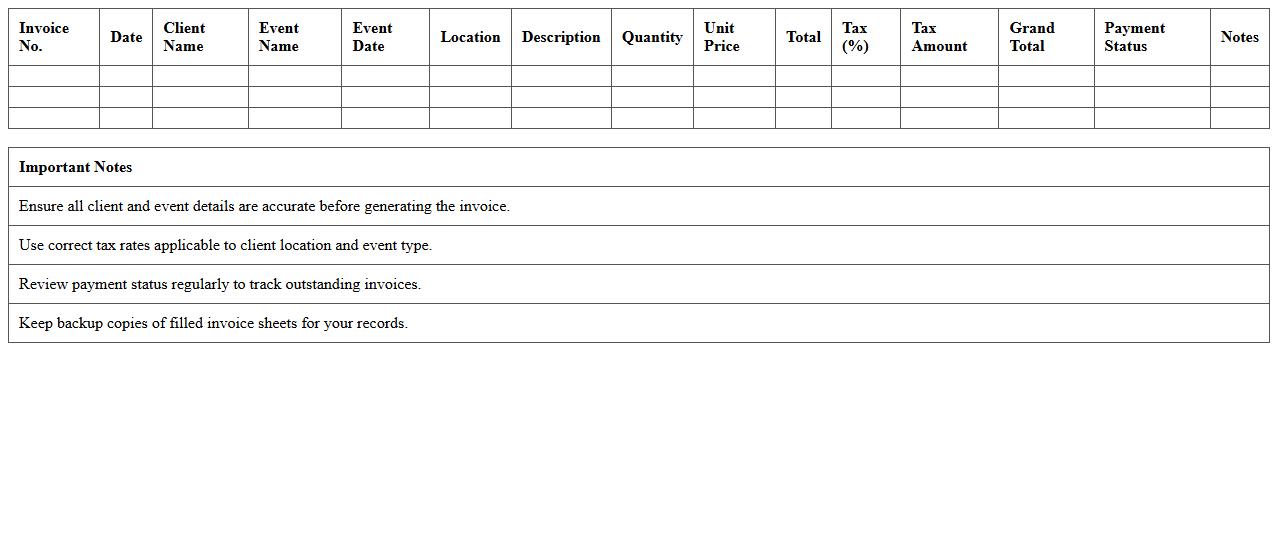
Event Client Invoice Generator Excel Sheet
The
Event Client Invoice Generator Excel Sheet is a powerful tool designed to streamline the invoicing process for event organizers, enabling quick and accurate creation of client invoices. It automates calculations for services rendered, itemizes costs, and maintains organized financial records, reducing errors and saving time. By using this sheet, users can enhance billing efficiency, improve cash flow management, and maintain professional documentation for all event-related transactions.
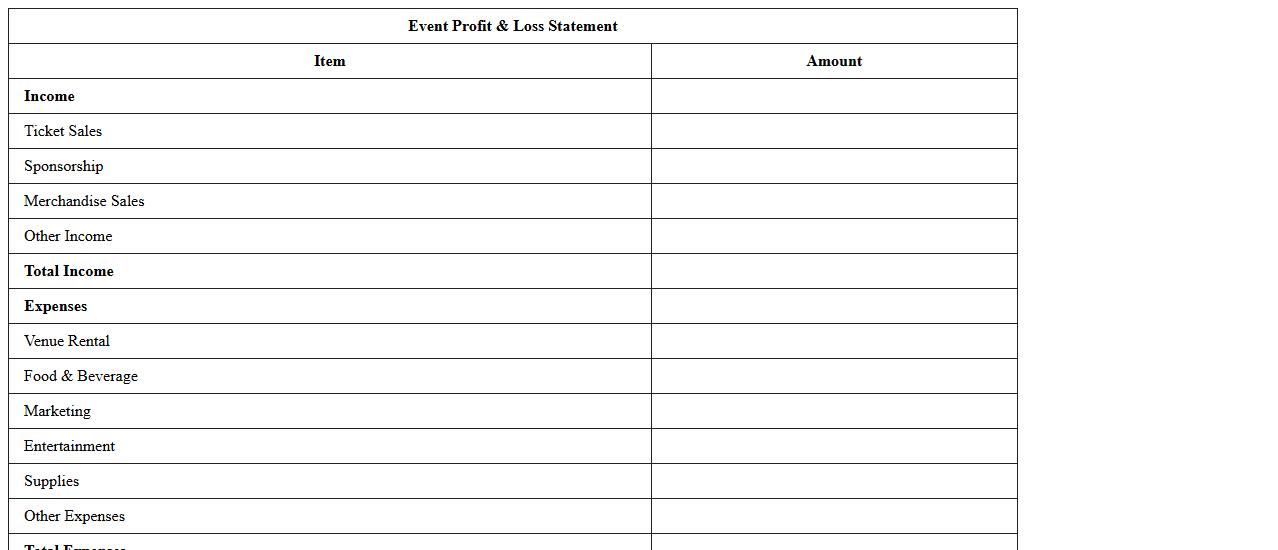
Event Profit & Loss Statement Excel Template
The
Event Profit & Loss Statement Excel Template is a financial tool designed to track and analyze revenues and expenses related to a specific event, providing a clear overview of profitability. It allows users to input detailed income sources such as ticket sales, sponsorships, and merchandise, alongside costs including venue, marketing, and staffing, ensuring accurate budget management. By offering real-time data visualization and automated calculations, this template helps event planners make informed decisions to optimize financial outcomes and improve future event planning.
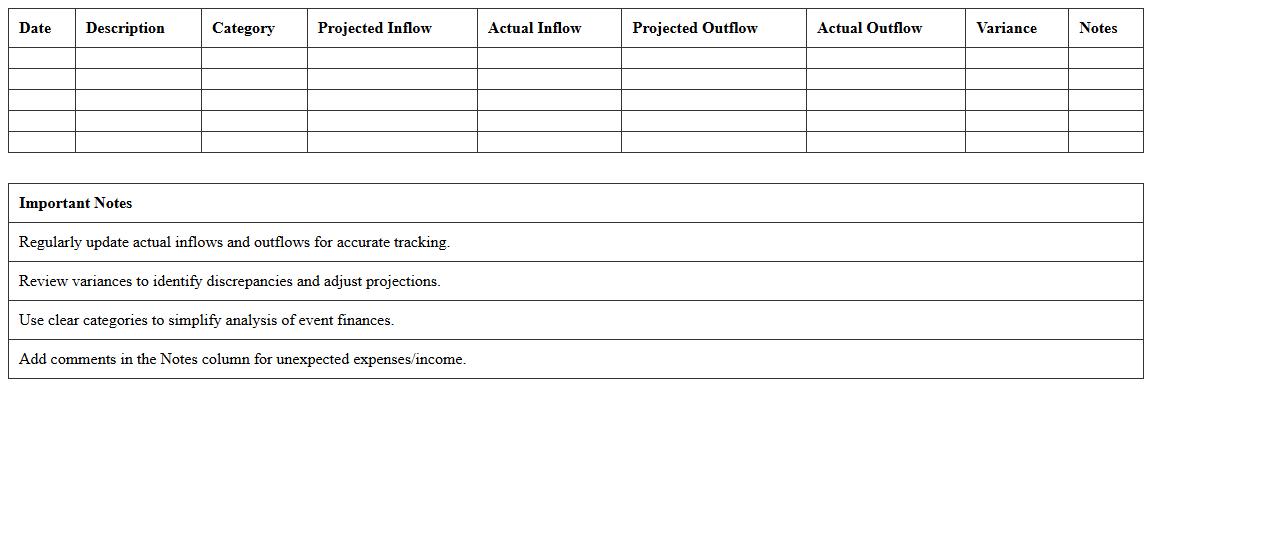
Event Cash Flow Management Spreadsheet
An
Event Cash Flow Management Spreadsheet is a financial tool designed to track and organize all cash inflows and outflows related to an event. It helps event planners monitor budget adherence, forecast expenses, and ensure liquidity throughout the event lifecycle. Using this spreadsheet enhances financial control, minimizes overspending, and improves overall event profitability.
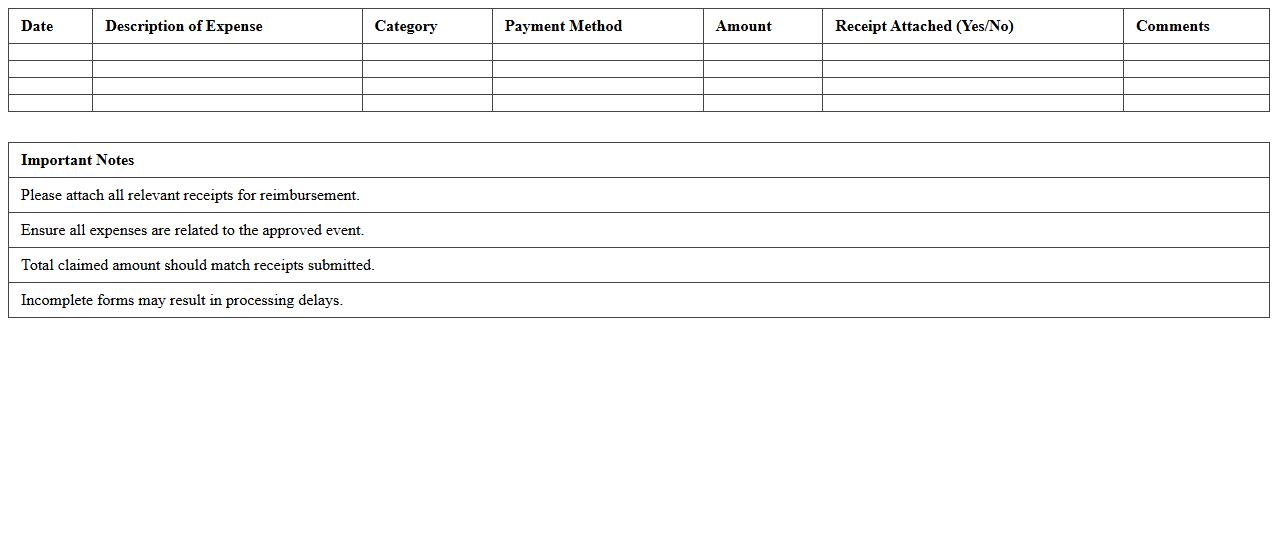
Event Expense Reimbursement Form Excel
An
Event Expense Reimbursement Form Excel document is a structured template designed to record and manage expenses incurred during events, streamlining the reimbursement process. It helps track costs such as travel, accommodation, meals, and materials, ensuring accuracy and transparency for both employees and finance teams. Utilizing this form reduces errors, simplifies audit trails, and speeds up financial approvals within organizations.
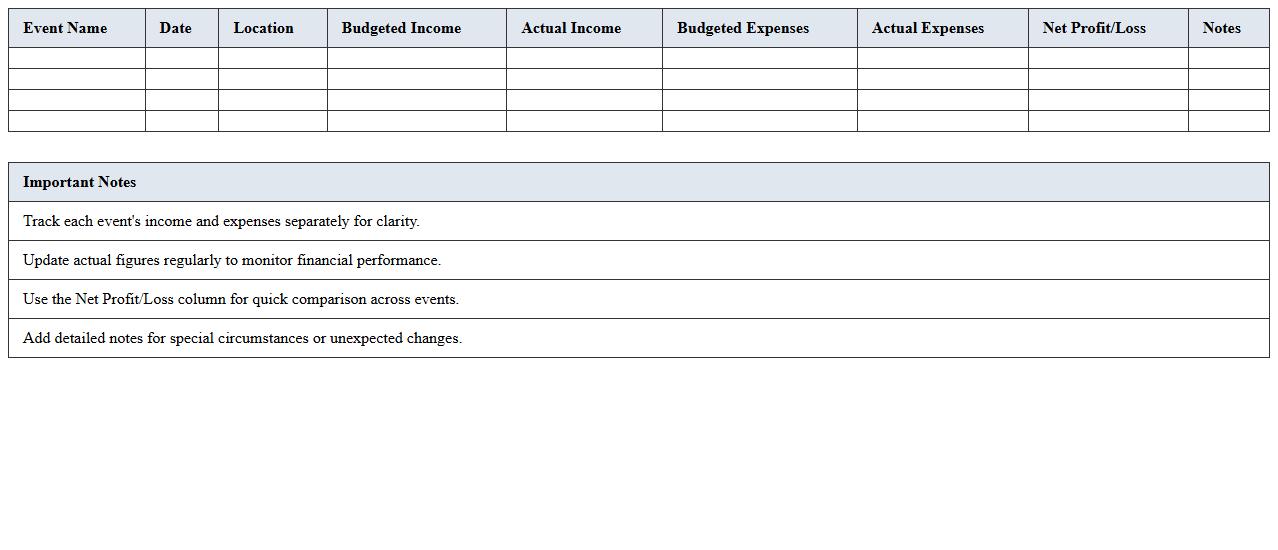
Multi-Event Financial Overview Dashboard
The
Multi-Event Financial Overview Dashboard document consolidates financial data from multiple events into a single, comprehensive view, enabling efficient tracking of revenue, expenses, and profitability across various projects. This dashboard supports strategic decision-making by highlighting key performance indicators and financial trends, allowing businesses to allocate resources and manage budgets more effectively. Utilizing this document improves transparency, enhances financial reporting accuracy, and streamlines the process of monitoring event-based financial outcomes.
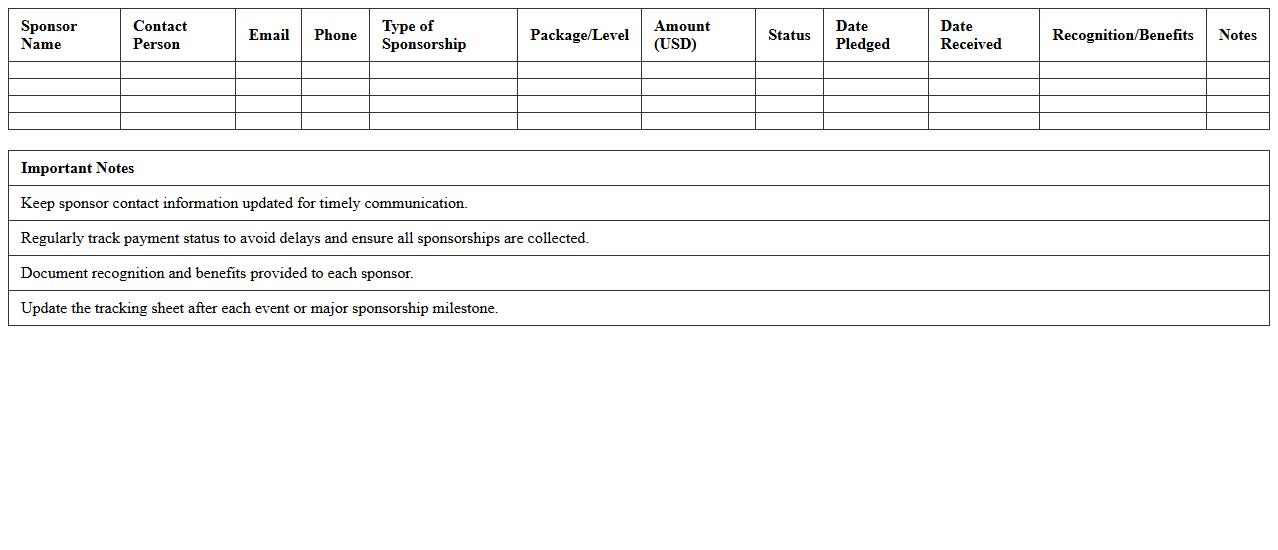
Sponsorship Tracking Sheet for Events
A
Sponsorship Tracking Sheet for Events is a detailed document designed to organize and monitor all sponsorship-related activities, including sponsor names, contribution amounts, agreements, and deadlines. It helps event planners maintain clear communication with sponsors, ensuring timely fulfillment of commitments and maximizing funding opportunities. By centralizing this information, the sheet improves accountability and streamlines event budget management, leading to more successful and financially efficient events.
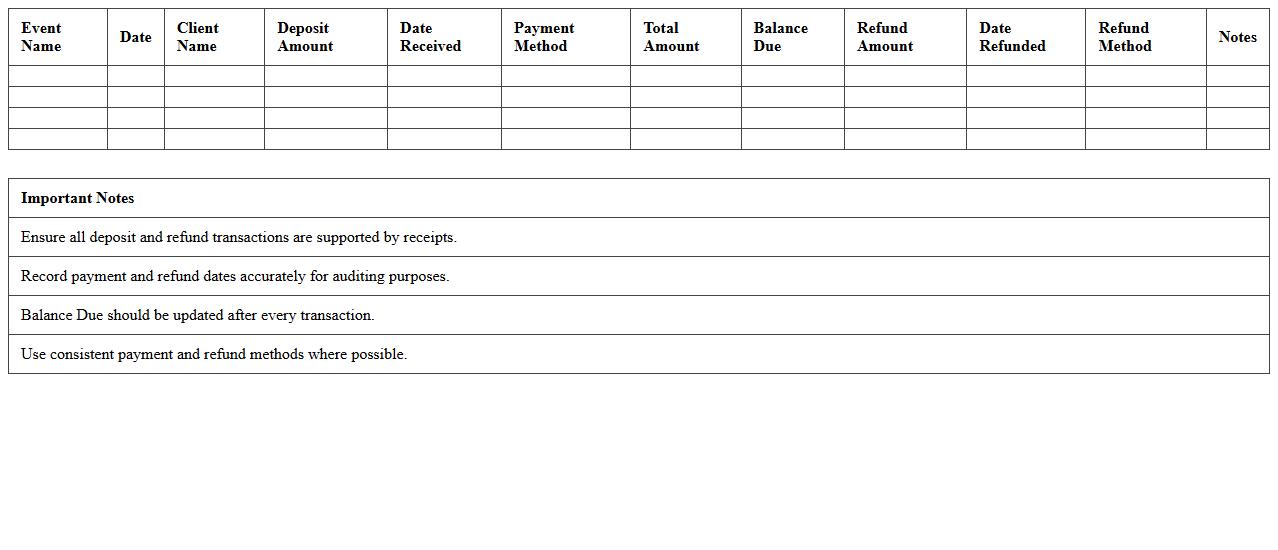
Event Deposits & Refunds Record Template
The
Event Deposits & Refunds Record Template document is a structured tool designed to track all financial transactions related to event deposits and subsequent refunds, ensuring transparent and accurate record-keeping. It enables organizers to monitor payment statuses, manage client funds efficiently, and resolve discrepancies quickly by maintaining detailed logs of each deposit and refund. Utilizing this template streamlines accounting processes, supports audit readiness, and improves overall financial control for event management teams.
How can event planners automate invoice generation in Excel for multiple clients?
Event planners can use Excel macros to automate invoice generation, creating a template that fills out client-specific details dynamically. By linking client data stored in tables with VBA scripts, invoices are generated with minimal manual input. This automation saves time and reduces errors when handling multiple client invoices.
What custom Excel formulas track event-specific expenses and revenues?
Using SUMIF and SUMIFS formulas, planners can track expenses and revenues specific to each event by filtering data based on event names or categories. Additionally, the VLOOKUP formula helps pull related financial details for comprehensive tracking. These formulas help maintain accurate financial records across numerous events efficiently.
Which Excel templates best manage vendor payments for event budgets?
The most effective Excel templates for managing vendor payments include detailed budget tracking sheets with sections for due dates, payment statuses, and amounts. Templates designed for accounts payable management offer automated reminders and conditional formatting to highlight overdue payments. Using these structured templates ensures timely and organized vendor payment tracking.
How to design an Excel recap sheet for tracking deposits and outstanding balances?
Create a recap sheet with columns for client names, deposit amounts, total charges, and outstanding balances, using formulas like =Total Charges - Deposits. Incorporate conditional formatting to quickly identify overdue balances and maintain a running total of all outstanding payments. This design helps streamline financial monitoring and improves cash flow management for events.
What methods in Excel help reconcile booking confirmations and receipts for events?
Using pivot tables and conditional formatting, event planners can effectively reconcile booking confirmations with receipts by cross-checking payment statuses. Implementing data validation ensures receipt numbers match booking references, reducing discrepancies. These methods enhance accuracy in financial reconciliation processes for event management.
More Accounting Excel Templates