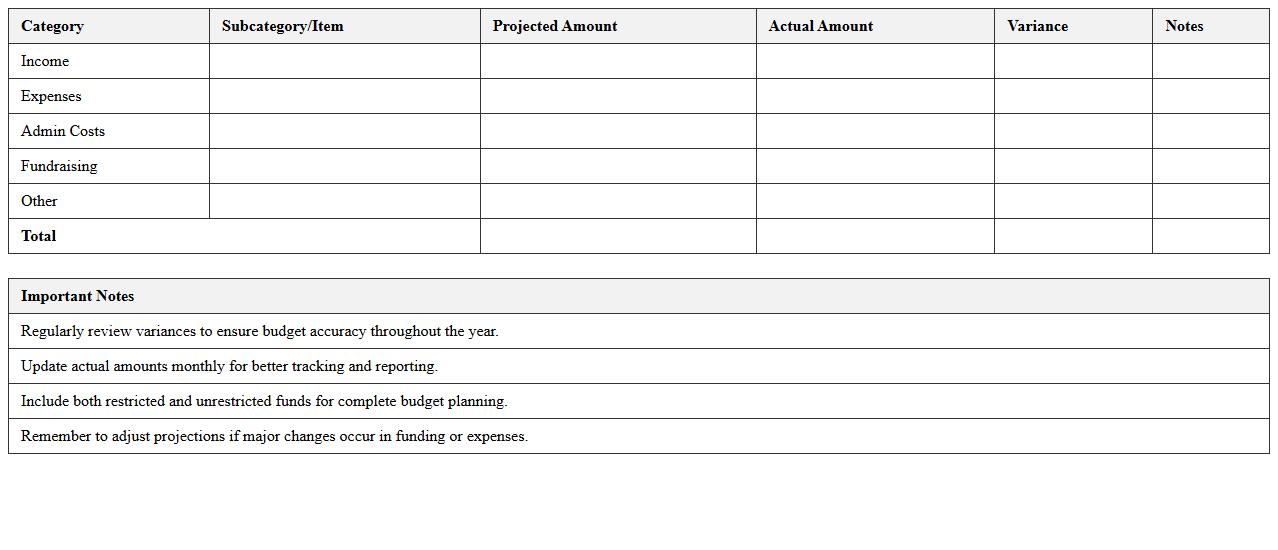
The Accounting Budget Excel Template for Nonprofits is a specialized tool designed to help organizations efficiently manage their financial planning and track expenses. It provides customizable categories and detailed worksheets that ensure transparency and accuracy in budgeting processes. This template simplifies financial reporting, making it easier for nonprofits to maintain compliance and optimize resource allocation.
Annual Budget Planning Excel Template for Nonprofits
The
Annual Budget Planning Excel Template for Nonprofits is a structured spreadsheet designed to help organizations forecast income, expenses, and cash flow for the entire fiscal year. It enables nonprofit managers to allocate resources efficiently, track program costs, and ensure financial sustainability by providing clear visibility on funding requirements. This template supports strategic decision-making by simplifying budget adjustments and generating comprehensive financial reports.
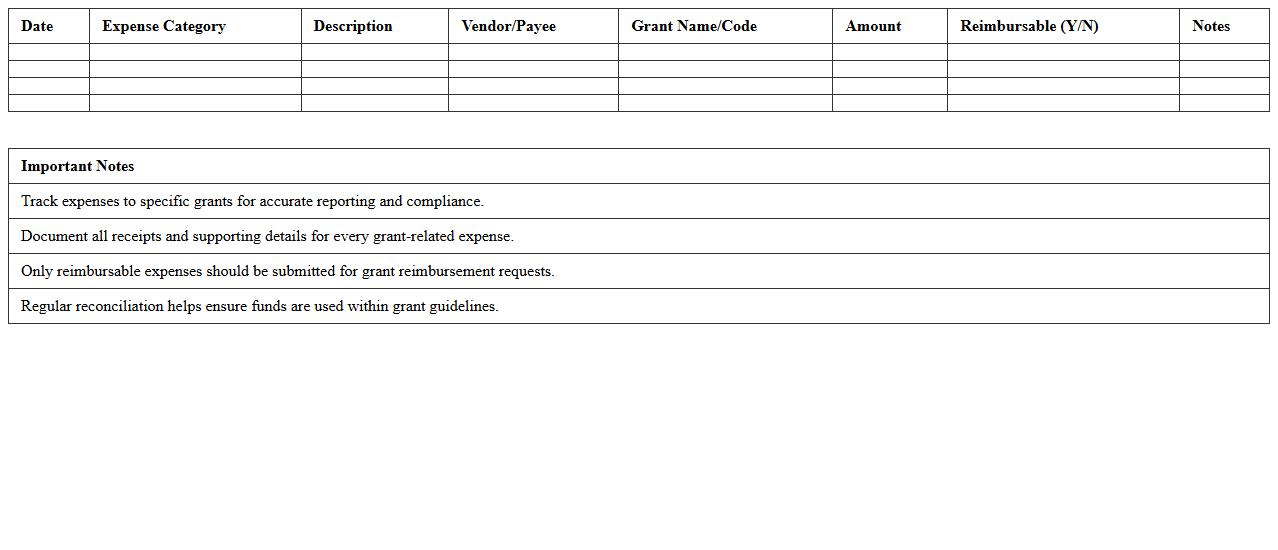
Grant Expense Tracking Spreadsheet for Nonprofit Accounting
A
Grant Expense Tracking Spreadsheet for Nonprofit Accounting is a tool designed to record, monitor, and categorize expenditures related to grant funds. It ensures accurate financial reporting, compliance with grant requirements, and simplifies audit processes. By maintaining detailed expense records, nonprofits can effectively manage budgets, demonstrate transparency to donors, and optimize grant utilization.
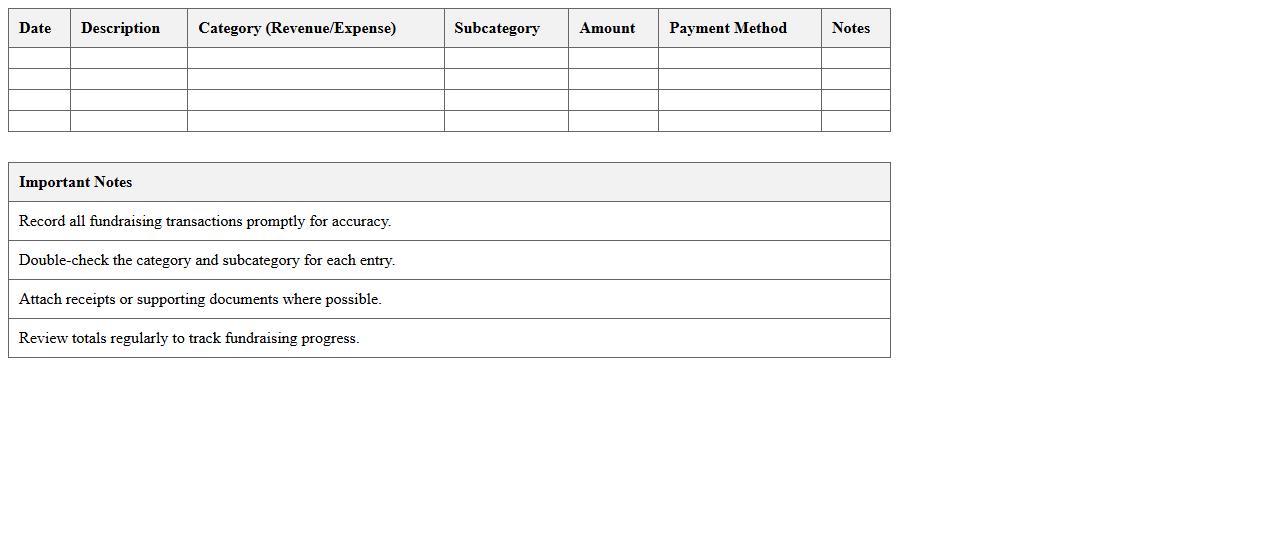
Fundraising Revenue and Expense Log Template
A
Fundraising Revenue and Expense Log Template document is a structured tool designed to track all income and expenditures related to fundraising activities. It helps organizations maintain accurate financial records, monitor campaign performance, and ensure transparency in handling funds. This template is essential for budgeting, financial reporting, and making informed decisions to maximize fundraising effectiveness.
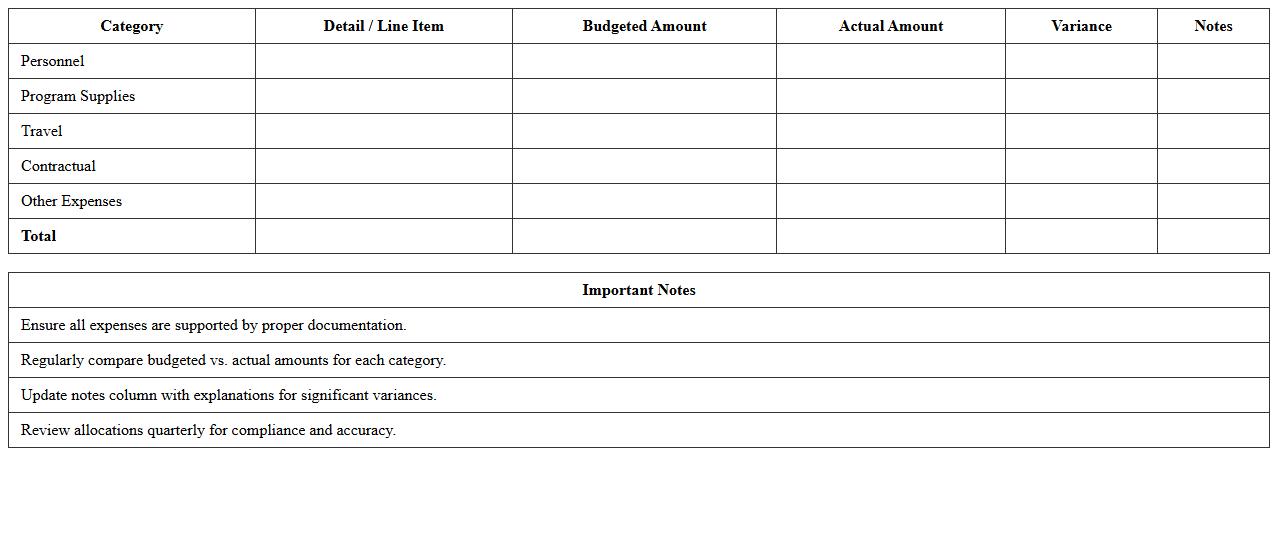
Nonprofit Program Budget Allocation Sheet
A
Nonprofit Program Budget Allocation Sheet is a financial document that outlines the distribution of funds across various programs within a nonprofit organization. It helps ensure transparent and efficient allocation of resources, aligning spending with specific program goals and grant requirements. This sheet is essential for tracking expenditures, facilitating strategic planning, and demonstrating fiscal responsibility to stakeholders and donors.
Monthly Income and Expense Statement Excel Format
A
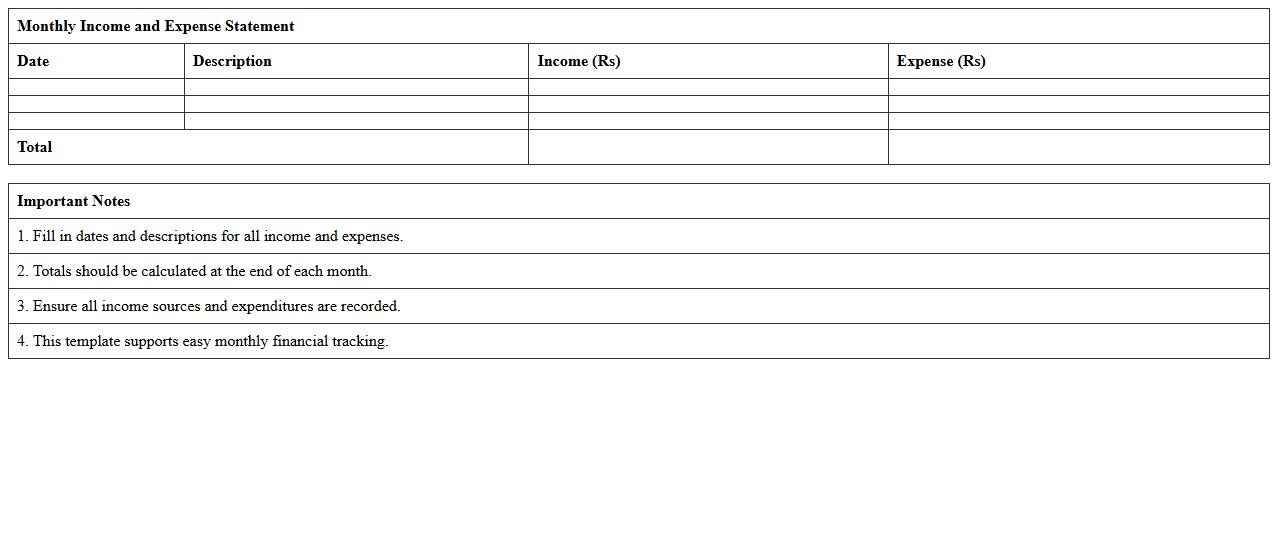
Monthly Income and Expense Statement Excel Format document is a structured spreadsheet designed to track all sources of income and categorize monthly expenditures systematically. It helps users monitor their financial health by providing clear visibility into cash flow, enabling budget adjustments and better financial planning. This format simplifies data entry and analysis, making it easier to identify spending patterns and optimize savings.
Donation Tracking and Reporting Spreadsheet for Nonprofits
A
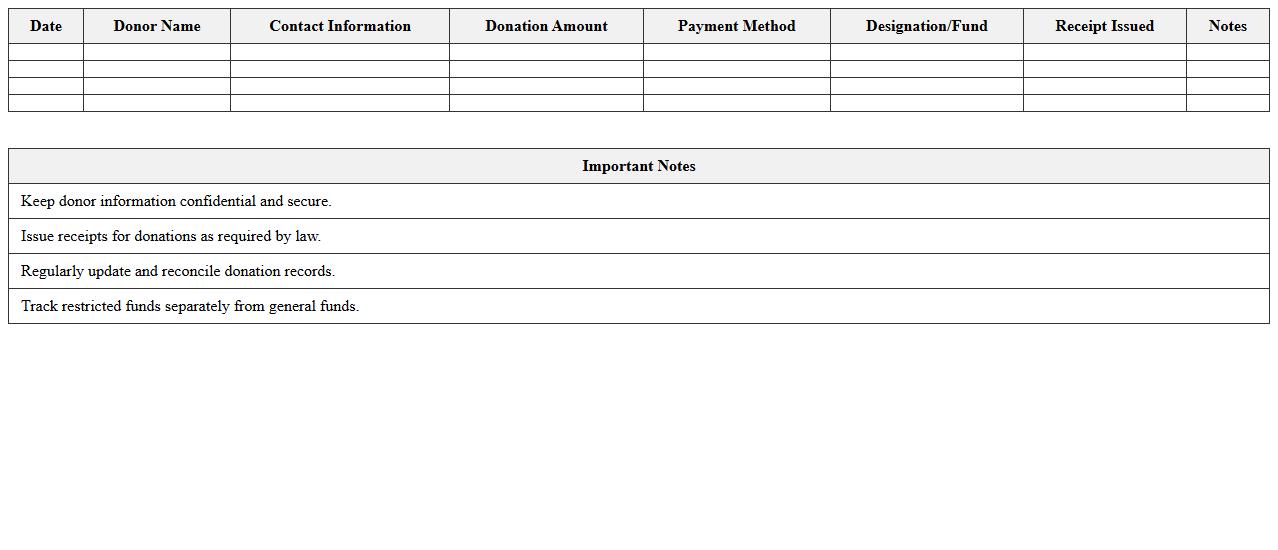
Donation Tracking and Reporting Spreadsheet for nonprofits is a comprehensive tool designed to systematically record and monitor all incoming donations, including donor details, amounts, and dates. This document enables organizations to maintain transparency, ensure accurate financial reporting, and analyze donation patterns to improve fundraising strategies. By using this spreadsheet, nonprofits can enhance donor relationship management and streamline compliance with regulatory requirements.
Project Budget vs Actual Analysis Template
The
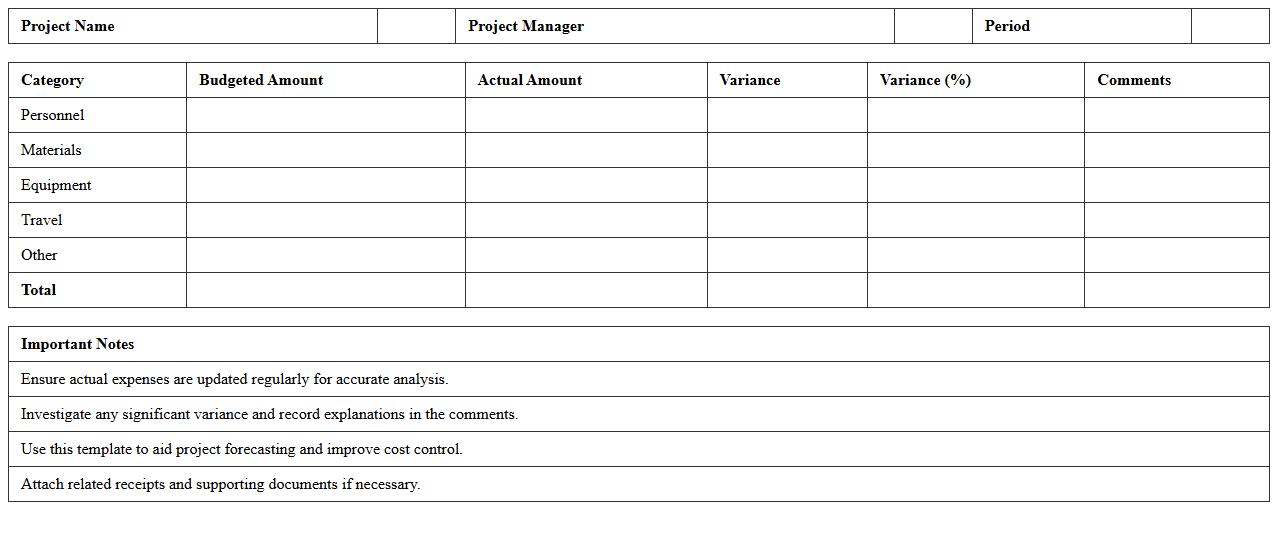
Project Budget vs Actual Analysis Template document is a tool designed to compare estimated project costs against actual expenditures, enabling precise financial tracking and management. It helps identify cost variances, monitor budget adherence, and supports informed decision-making to control project finances effectively. By using this template, organizations can enhance budget accuracy, optimize resource allocation, and improve overall project financial performance.
Nonprofit Financial Summary Dashboard Excel
The
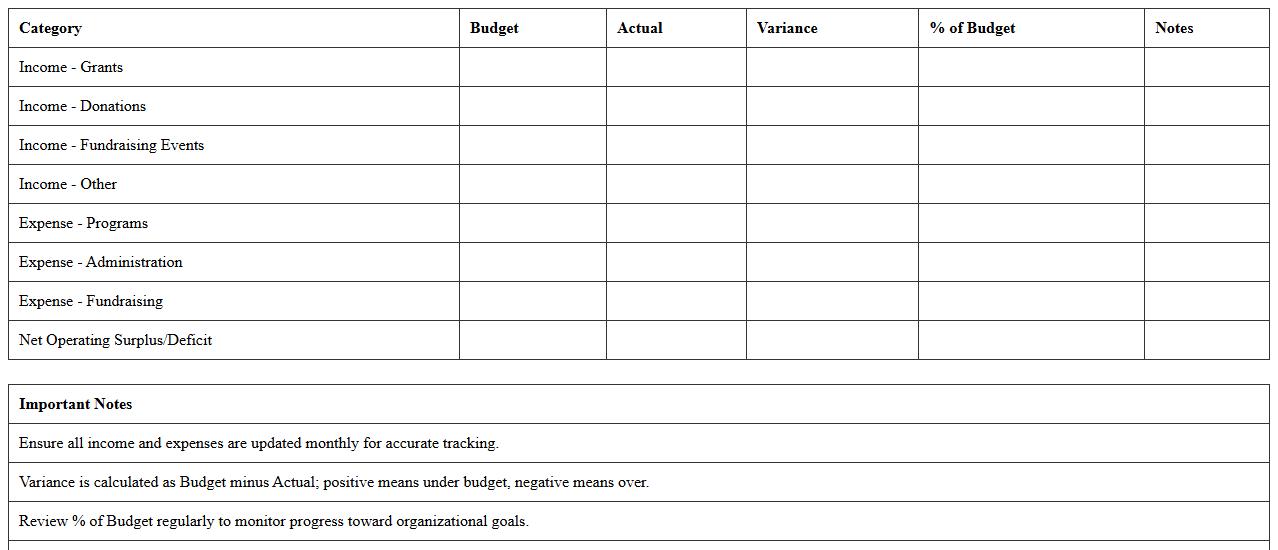
Nonprofit Financial Summary Dashboard Excel document consolidates key financial metrics such as budget allocations, expense tracking, donation inflows, and grant management into a visual and easily interpretable format. It enables organizations to monitor their financial health, ensure transparency, and make data-driven decisions to optimize resource allocation and fundraising efforts. This tool is essential for maintaining fiscal accountability and supporting strategic planning within nonprofit entities.
Payroll and Staffing Budget Planner for Nonprofits
The
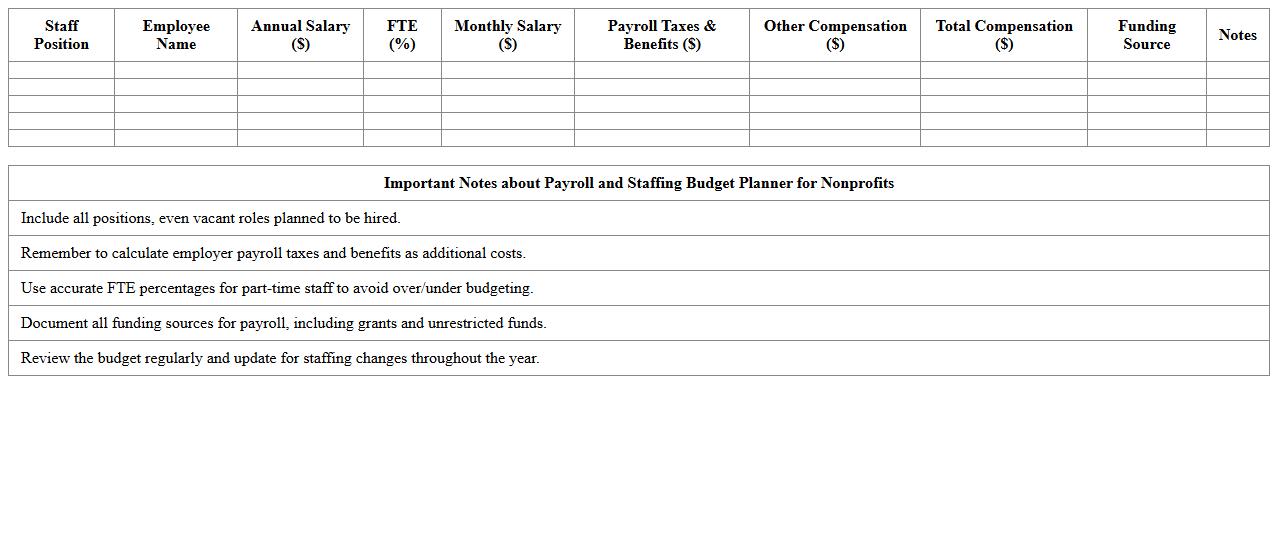
Payroll and Staffing Budget Planner for Nonprofits document is a strategic tool designed to help organizations accurately forecast and manage employee expenses, including salaries, benefits, and taxes. It enables nonprofits to align staffing levels with available funding, ensuring sustainable financial planning and effective resource allocation. Using this planner supports compliance with budget constraints while optimizing workforce productivity and program impact.
Cash Flow Forecasting Excel Sheet for Nonprofit Organizations
A
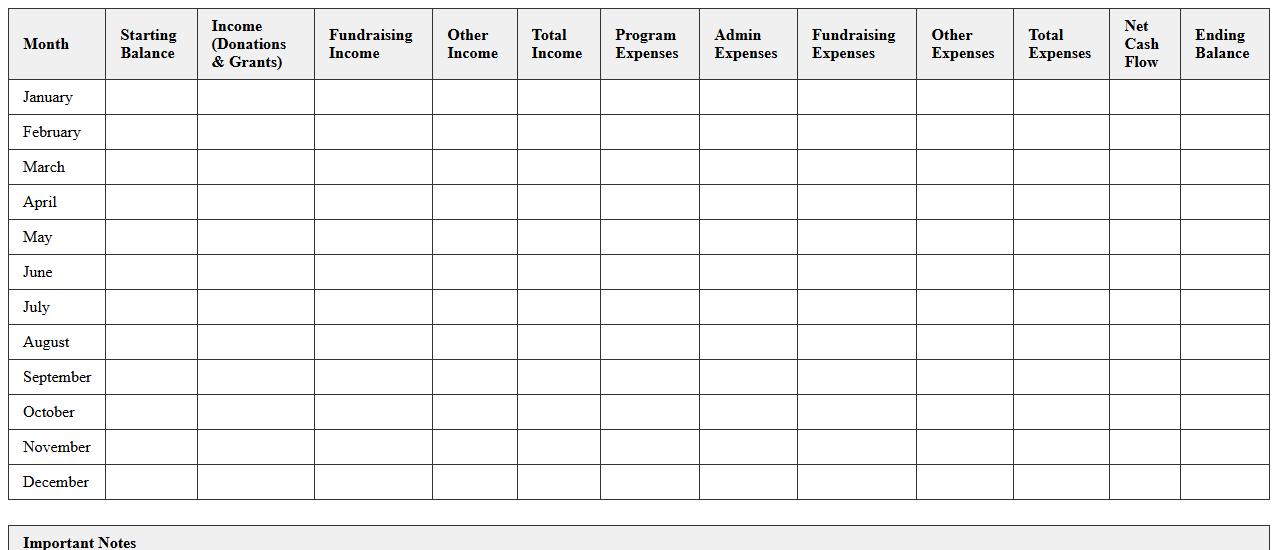
Cash Flow Forecasting Excel Sheet for Nonprofit Organizations is a financial planning tool that helps predict incoming and outgoing cash over a specific period. It enables nonprofits to manage their funds efficiently by anticipating periods of surplus or deficit, ensuring operational sustainability and timely funding of programs. This document aids in strategic decision-making, grant reporting, and maintaining financial transparency critical for donor confidence and regulatory compliance.
How do I format restricted and unrestricted funds in an Excel budget for nonprofits?
To format restricted and unrestricted funds in an Excel budget, use separate columns or sheets to clearly distinguish each fund type. Apply conditional formatting to visually differentiate the funds, helping stakeholders easily identify allocation restrictions. This method ensures clear tracking of how resources are designated and spent according to donor requirements.
Which Excel formulas best track grant expenditures versus allocations?
The SUMIF and SUMIFS formulas are essential for tracking grant expenditures versus allocations in Excel. These formulas allow you to aggregate expenses based on specific criteria such as grant name or funding source, improving accuracy in budgeting. Using these functions helps maintain transparency and adherence to grant conditions.
How can I automate monthly budget variance reports in nonprofit accounting using Excel?
Automate monthly budget variance reports by creating formulas that calculate the difference between actual and budgeted amounts using simple subtraction formulas. Combine these with Excel's PivotTables and charts to summarize variances dynamically. Automation enhances efficiency, making it easier to monitor financial performance regularly.
What's an effective Excel template for tracking in-kind donations alongside cash budgets?
An effective template for tracking in-kind donations alongside cash budgets includes separate sections or columns for item descriptions, estimated value, donor information, and date received. Use calculated fields to total in-kind values and integrate these with cash budget totals for comprehensive financial insights. This approach ensures both donation types are accurately recorded and reported.
How do I link program-specific budgets to an organizational budget in one Excel worksheet?
Link program-specific budgets to an organizational budget by using cell references or named ranges to consolidate individual program data into a master budget sheet within Excel. Utilize formulas like =SUM across program categories to reflect the overall organizational financial picture. This technique enables seamless aggregation and real-time updates in one unified worksheet.
More Accounting Excel Templates