Office IT Incident Tracking Spreadsheet Template
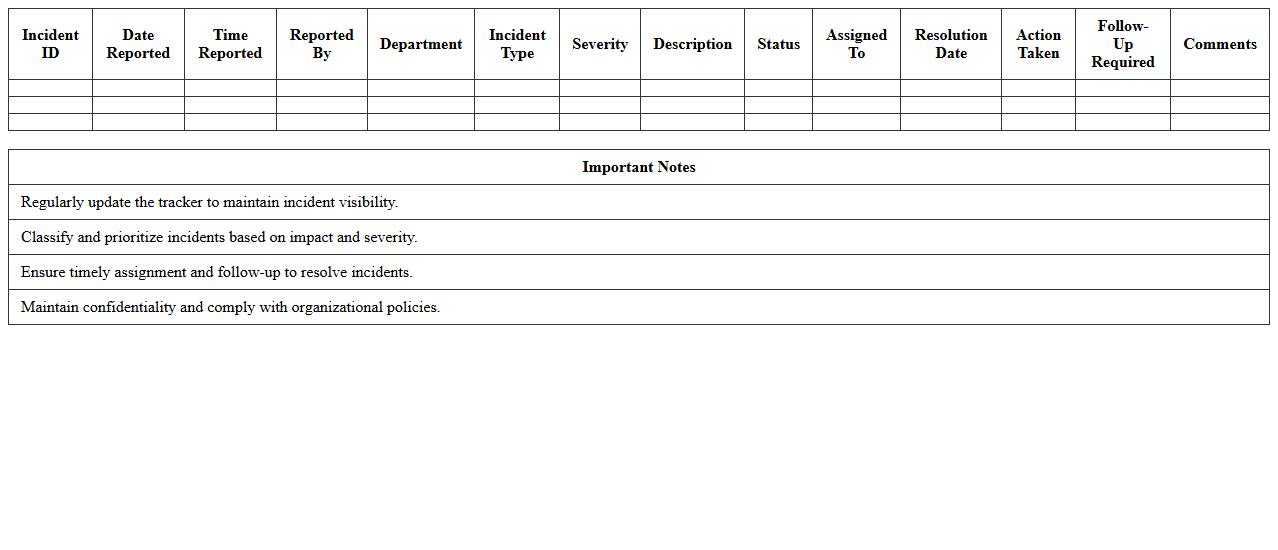
The
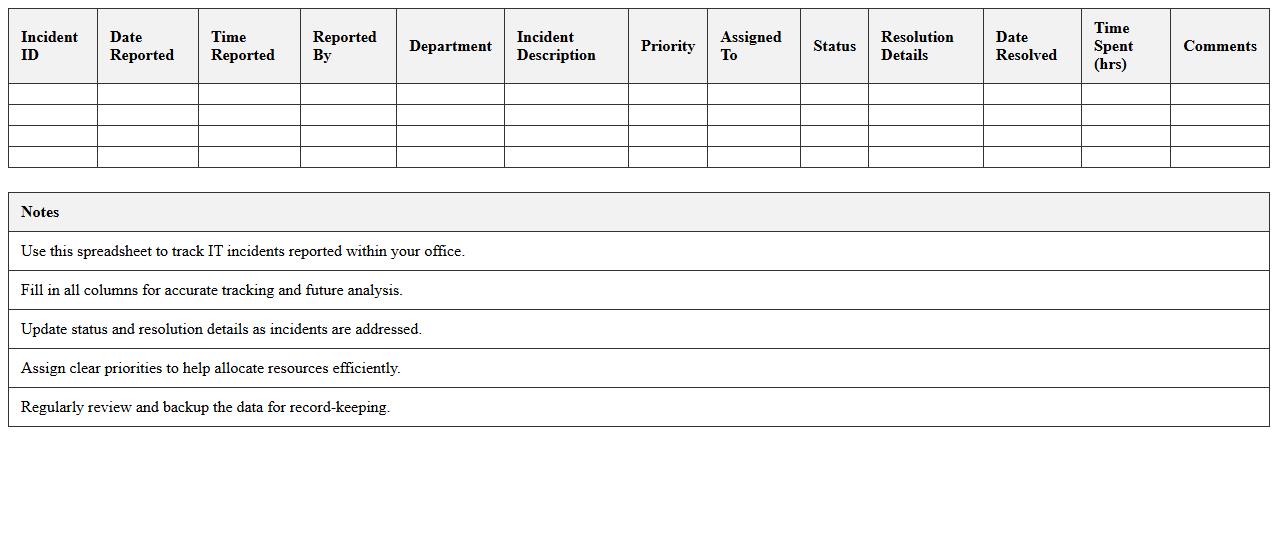
Office IT Incident Tracking Spreadsheet Template is a structured document designed to log and monitor IT-related incidents within an organization. It helps streamline the process of recording, categorizing, and prioritizing technical issues, enabling efficient resolution and minimizing downtime. By using this template, IT teams can improve communication, track recurring problems, and generate reports for better decision-making and resource allocation.
Network Downtime Incident Log Excel Template
The
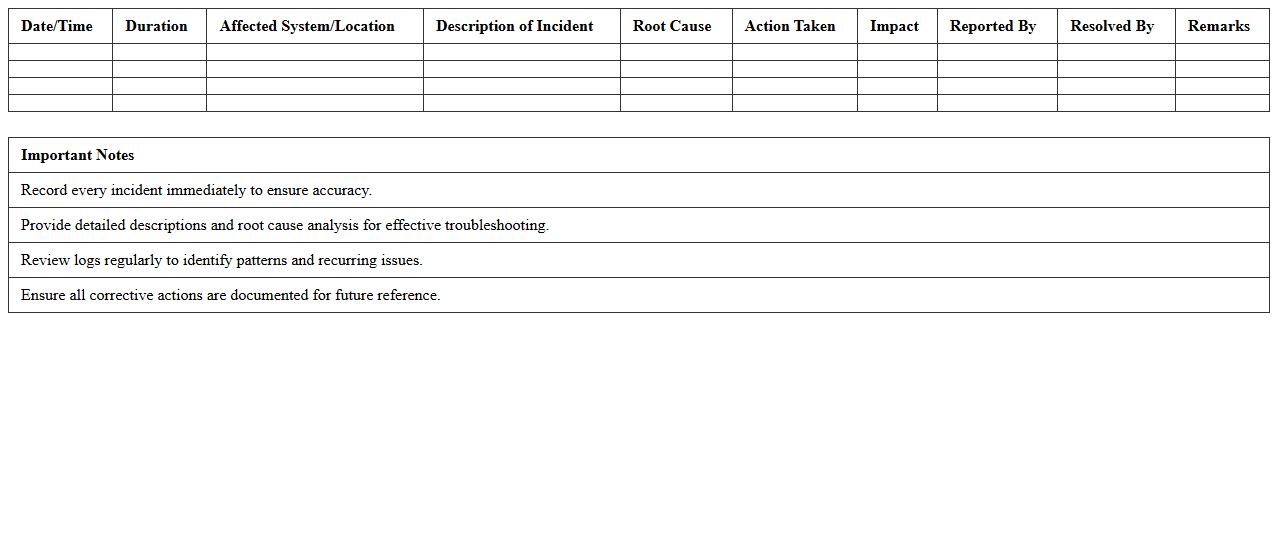
Network Downtime Incident Log Excel Template document is a structured tool designed to record and analyze network outages, including details such as incident time, duration, affected systems, and resolutions. It helps IT teams identify patterns, track response efficiency, and improve network reliability by providing a clear, organized history of downtime events. Using this template enables organizations to minimize disruptions, optimize maintenance schedules, and enhance overall network performance.
Helpdesk Support Incident Report Sheet
A
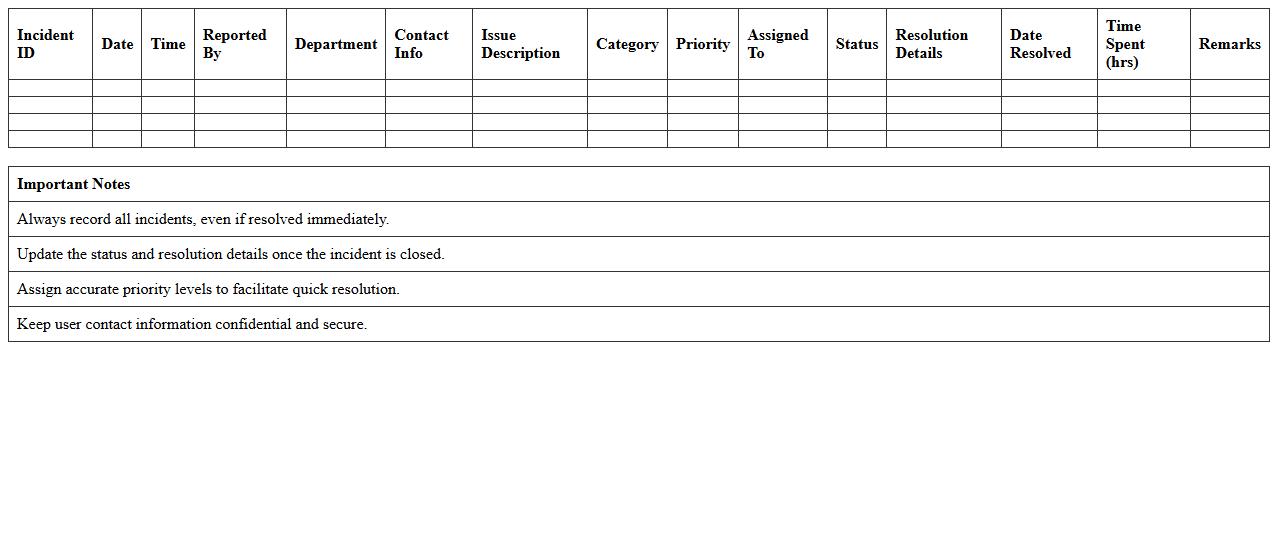
Helpdesk Support Incident Report Sheet document systematically records details of technical issues, including user information, incident description, resolution steps, and timestamps. This structured documentation facilitates efficient tracking of recurring problems, accountability, and performance analysis of support teams. Utilizing the report sheet enhances problem resolution speed and improves overall IT service management by providing clear, actionable data.
IT System Failure Incident Logging Template
An
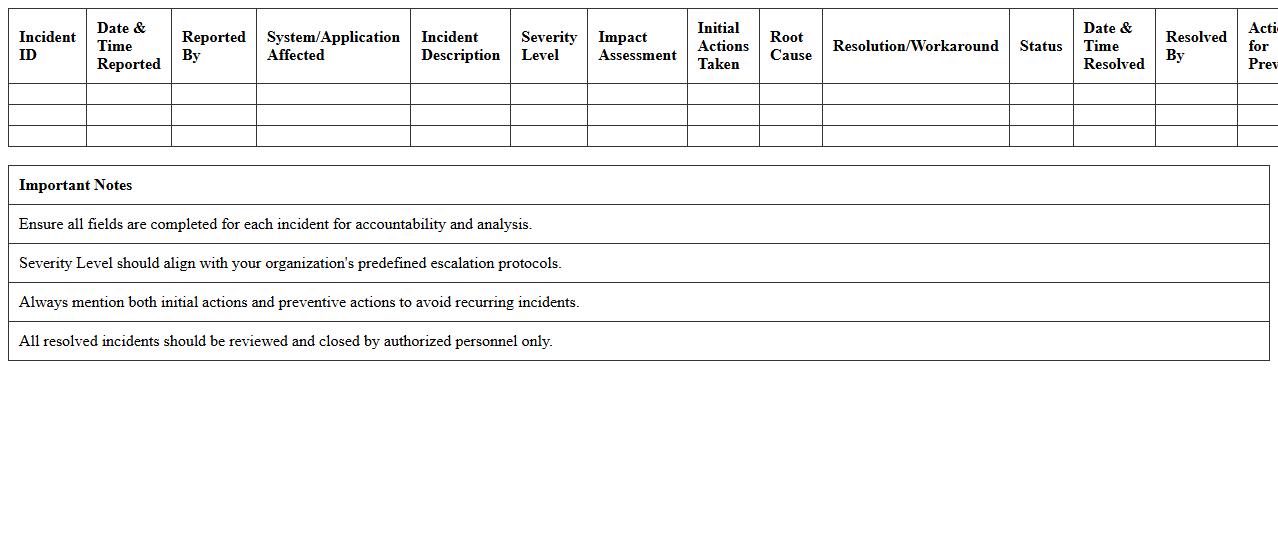
IT System Failure Incident Logging Template document systematically records details of system failures, including time, impact, root cause, and resolution steps. It facilitates efficient incident management by enabling teams to track, analyze, and respond promptly to system downtimes, minimizing operational disruptions. This template also supports continuous improvement through trend analysis and helps maintain compliance with IT service management standards.
Cybersecurity Incident Report Tracker Excel
The
Cybersecurity Incident Report Tracker Excel document is a structured tool designed to log and monitor security breaches, phishing attempts, and malware incidents within an organization. It facilitates real-time tracking, enabling IT teams to analyze patterns, assess risks, and implement timely responses to mitigate potential damage. By maintaining detailed incident records, this tracker supports compliance with regulatory standards and enhances overall cybersecurity posture.
Office Hardware Malfunction Incident Record
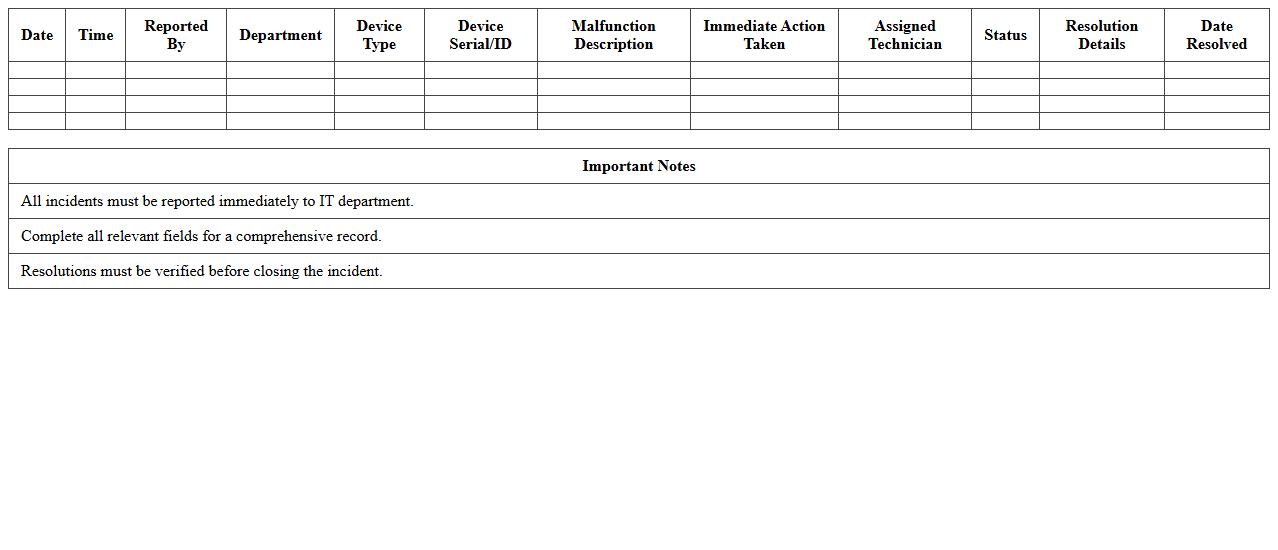
The
Office Hardware Malfunction Incident Record document systematically logs all instances of equipment failures, detailing the nature of the malfunction, affected devices, and resolution steps. This record enhances troubleshooting efficiency by providing historical data, enabling quicker diagnosis and reducing downtime. Maintaining accurate incident records supports resource management and informs cost-effective decisions for hardware maintenance and replacement.
IT Service Disruption Incident Register
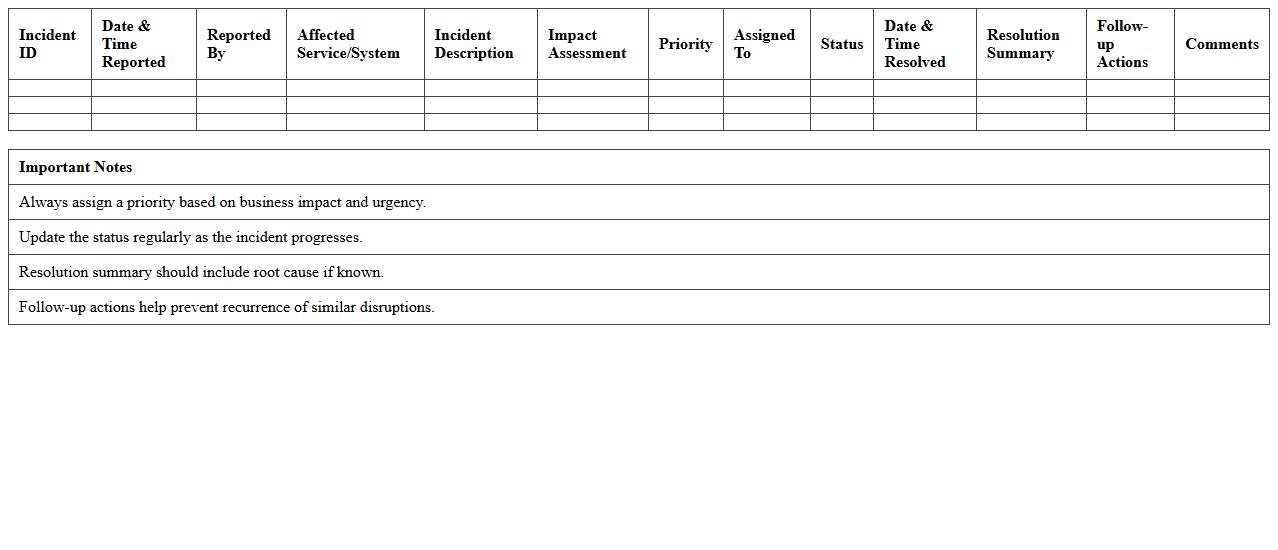
The
IT Service Disruption Incident Register is a detailed log that records all instances of IT service interruptions, capturing critical data such as incident timestamps, affected services, root causes, and resolution times. This document enables IT teams to analyze patterns, prioritize incidents effectively, and implement preventive measures to reduce future disruptions. Maintaining this register enhances transparency, supports compliance reporting, and improves overall service reliability for the organization.
User Ticket and Incident Management Template
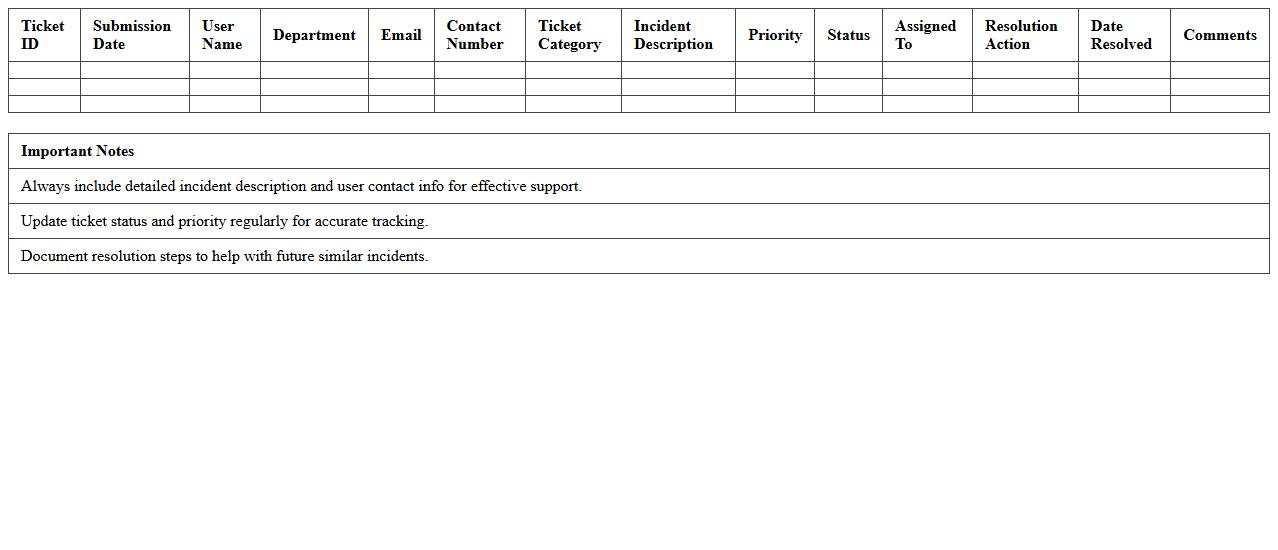
The
User Ticket and Incident Management Template document standardizes the process of logging, tracking, and resolving user-reported issues efficiently, ensuring a consistent workflow across IT support teams. It enhances communication by providing clear fields for incident categorization, priority levels, and resolution steps, which helps reduce downtime and improve service quality. Utilizing this template facilitates quicker response times, better resource allocation, and comprehensive incident documentation for future analysis.
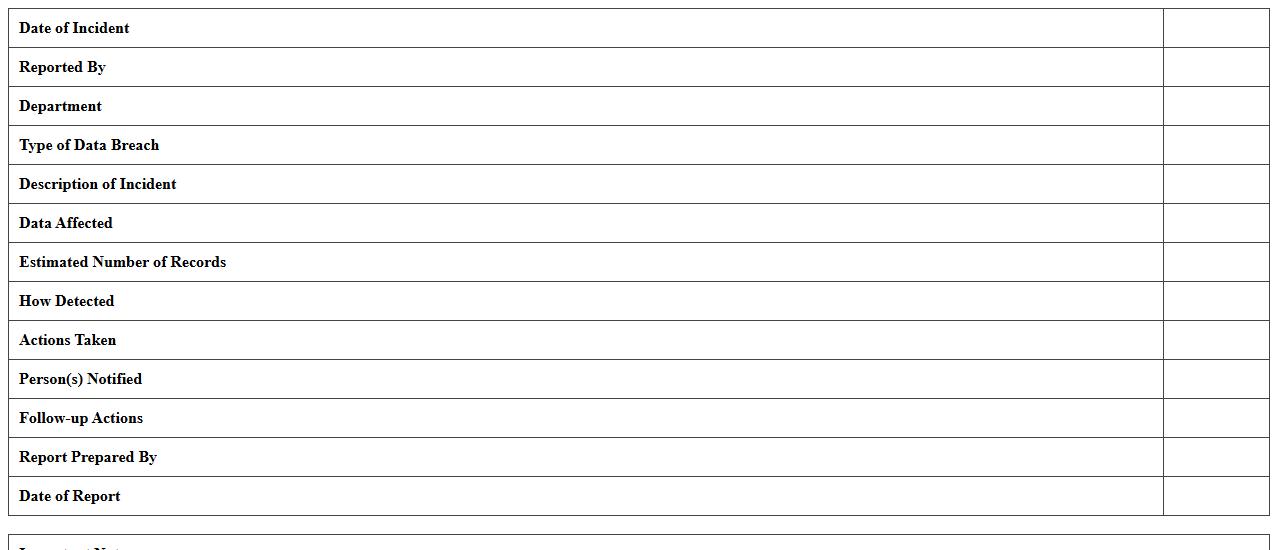
Office Data Breach Incident Report Excel
The
Office Data Breach Incident Report Excel document is a structured template designed to log and analyze data breach incidents within an organization. It captures critical details such as incident date, type of breach, affected systems, and response actions, enabling efficient tracking and compliance with regulatory requirements. This document helps organizations quickly assess vulnerabilities, improve security protocols, and generate reports for stakeholders and auditors.
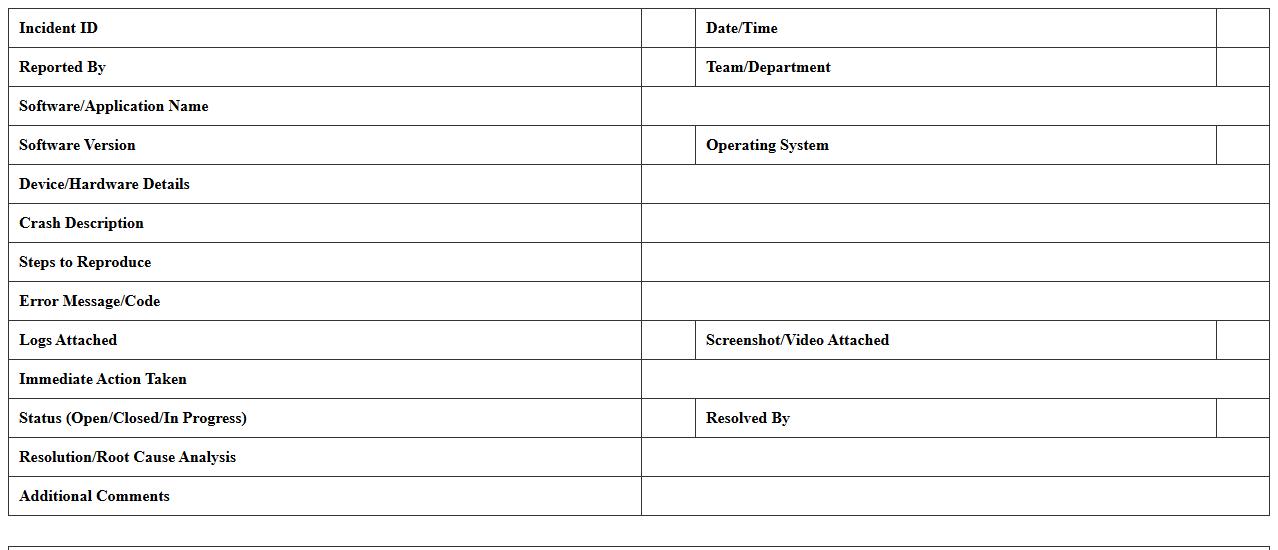
Software Crash Incident Documentation Sheet
A
Software Crash Incident Documentation Sheet is a detailed report capturing the specifics of a software crash event, including error messages, affected modules, system environment, and steps leading to the failure. This documentation is crucial for developers and IT teams to analyze root causes effectively, streamline troubleshooting processes, and prevent recurrence of similar issues. Maintaining accurate crash incident sheets improves software reliability, accelerates bug resolution, and enhances overall system stability.
How does the Excel template standardize IT incident categories for office-specific issues?
The Excel template uses a predefined drop-down list to ensure consistency in categorizing IT incidents across different offices. This list includes standardized categories tailored to common office-specific issues, reducing ambiguity and errors. By enforcing these categories, the template facilitates uniform reporting and efficient data analysis.
What automated formulas track incident response times in the report?
Automated formulas like DATEDIF and time-based calculations are embedded to calculate the duration between incident reporting and resolution. These formulas dynamically update to provide accurate incident response times in real-time. This automation enhances monitoring by highlighting delays and ensuring timely follow-ups.
Which columns capture escalation paths for unresolved IT incidents?
The template includes specific escalation path columns such as "Escalated To" and "Escalation Date" to document the movement of unresolved incidents. These columns track who the issue was escalated to and when, ensuring transparent responsibility at each escalation level. This structure improves incident management by clarifying accountability.
How is sensitive data in incident logs secured within the Excel sheet?
Sensitive data within the incident logs is protected using password protection and cell locking features in Excel. These security measures restrict unauthorized access and editing of confidential information. Additionally, data validation and controlled access ensure compliance with data privacy standards.
Can the document generate summary charts for monthly IT incident trends?
The Excel template is equipped with pivot tables and dynamic charts that automatically update to display monthly IT incident trends. These visualizations provide insights into incident volume, categories, and response efficiency over time. This feature supports data-driven decisions by highlighting patterns and areas for improvement.