The Agriculture Fieldwork Log Excel Template for Daily Tasks is designed to streamline the tracking of daily farming activities, including planting, irrigation, and harvesting. This customizable Excel template enables farmers to efficiently record task details, labor hours, and crop conditions, improving overall farm management. With clear organization and easy data entry, it supports better decision-making and productivity in agricultural operations.
Crop Planting Schedule Log Excel Template
The
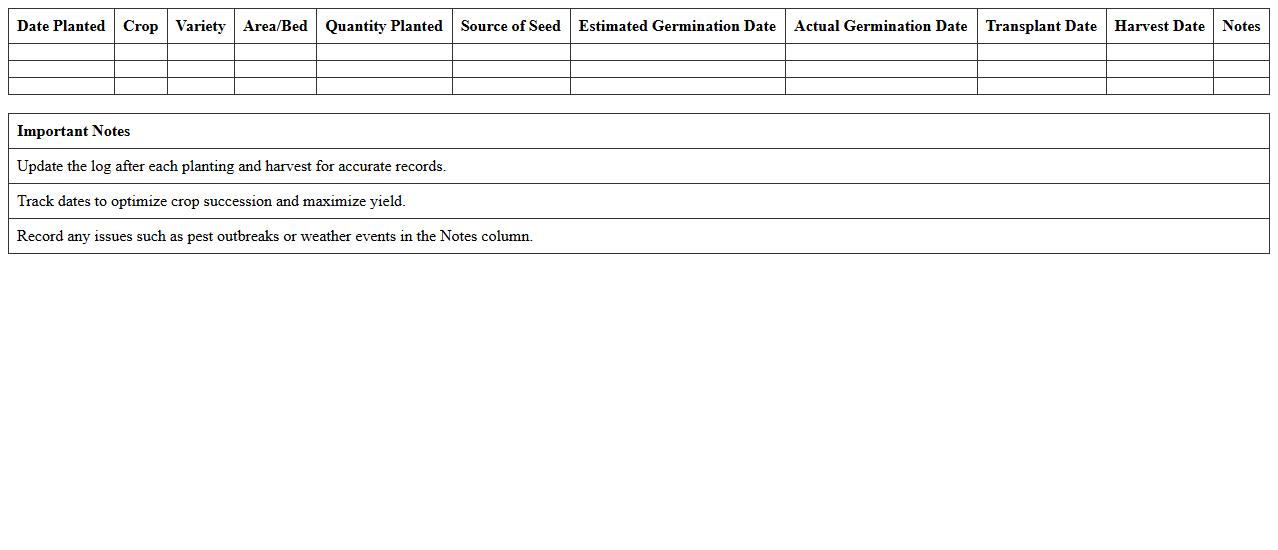
Crop Planting Schedule Log Excel Template is a digital tool designed to organize and track planting dates, crop types, and growth stages efficiently. It helps farmers, gardeners, and agricultural planners optimize planting times, monitor crop progress, and improve yield forecasts by providing a structured and easy-to-update format. Using this template enhances decision-making and resource management through accurate record-keeping and clear visualization of planting schedules.
Fieldwork Fertilizer Application Record Sheet
The
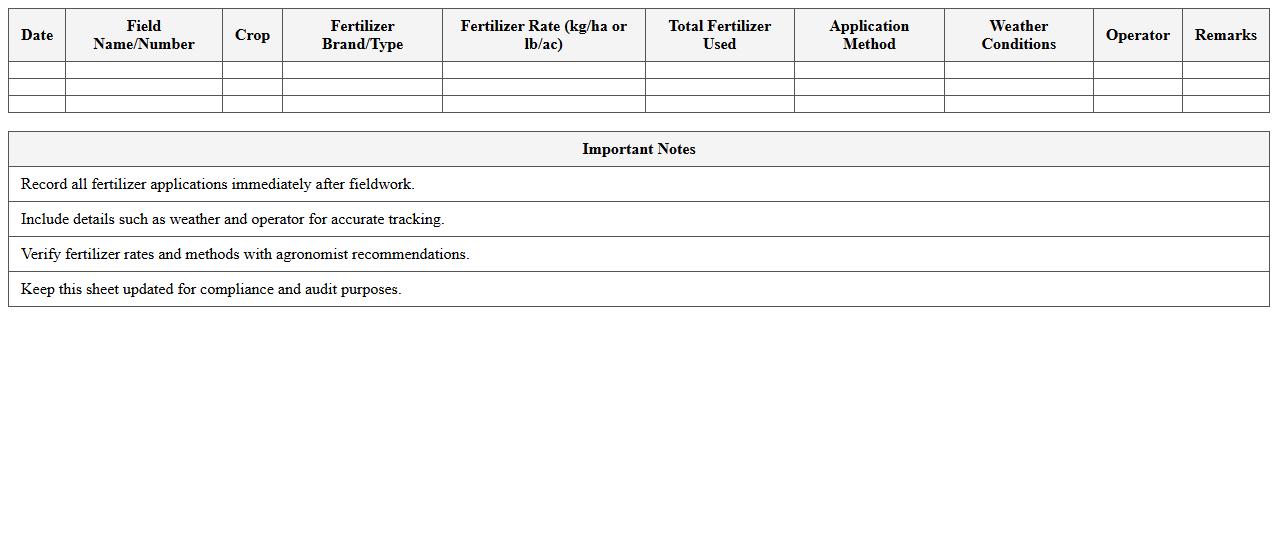
Fieldwork Fertilizer Application Record Sheet document systematically tracks the types, quantities, and dates of fertilizers applied to specific agricultural fields, ensuring precise nutrient management. This record enables farmers to monitor soil health, optimize crop yield, and maintain compliance with agricultural regulations. Furthermore, it provides valuable data for analyzing fertilizer efficiency and planning future fertilization strategies.
Daily Irrigation Monitoring Log Excel Template
The
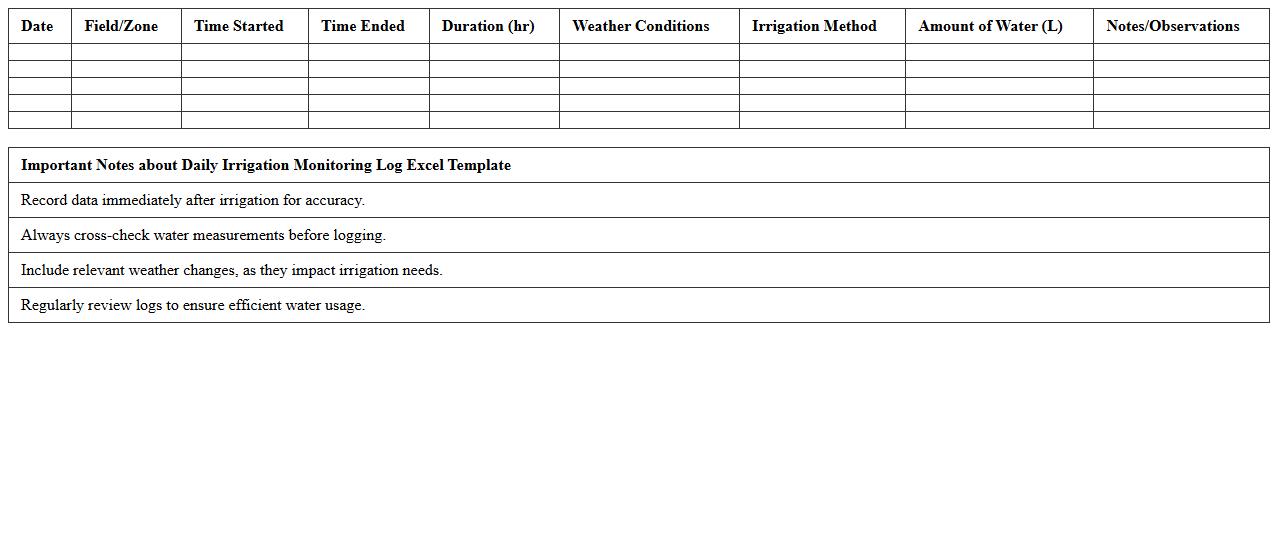
Daily Irrigation Monitoring Log Excel Template document is a structured tool designed to record and track irrigation activities on a daily basis, including water usage, irrigation times, and crop water requirements. This template helps optimize water management by providing accurate data for scheduling irrigation, preventing overwatering or underwatering, and improving overall crop health and yield. It is particularly useful for farmers, agronomists, and irrigation managers aiming to enhance efficiency and sustainability in water resource usage.
Pesticide Application Tracker for Agriculture Fields
The
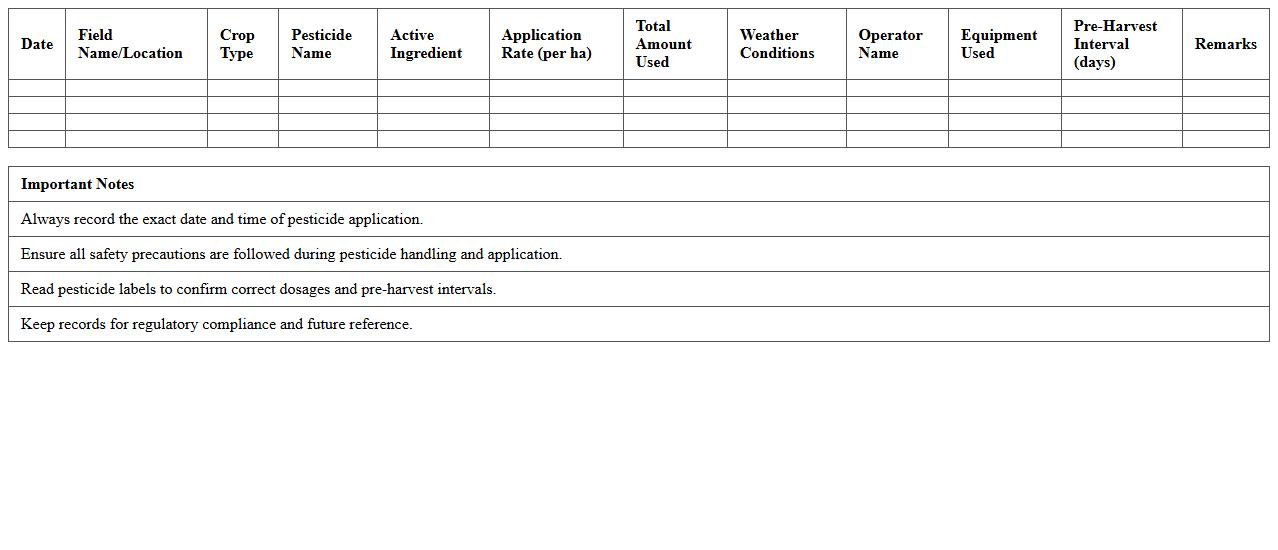
Pesticide Application Tracker for Agriculture Fields is a detailed document that records the type, quantity, and timing of pesticide use on crops, ensuring compliance with safety standards and environmental regulations. It helps farmers monitor pesticide applications to optimize crop protection while minimizing chemical overuse and potential harm to soil health and nearby ecosystems. This tool supports data-driven decision-making for sustainable agricultural practices and enhances traceability for crop safety certifications.
Harvest Yield Tracking Excel Template
The
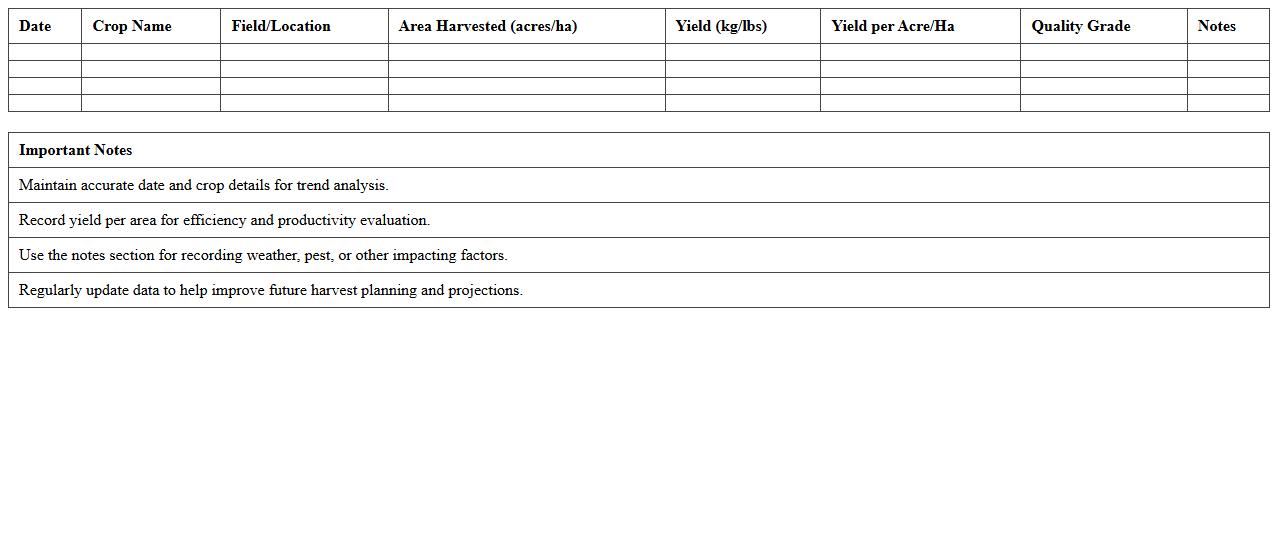
Harvest Yield Tracking Excel Template is a structured digital tool designed to record, analyze, and monitor agricultural crop yields efficiently. It enables farmers and agronomists to input data on crop types, planting dates, harvested quantities, and field locations for precise yield assessment. This template aids in optimizing farm management decisions by providing clear insights into productivity trends and identifying areas for improvement.
Soil Testing Results Record Sheet
A
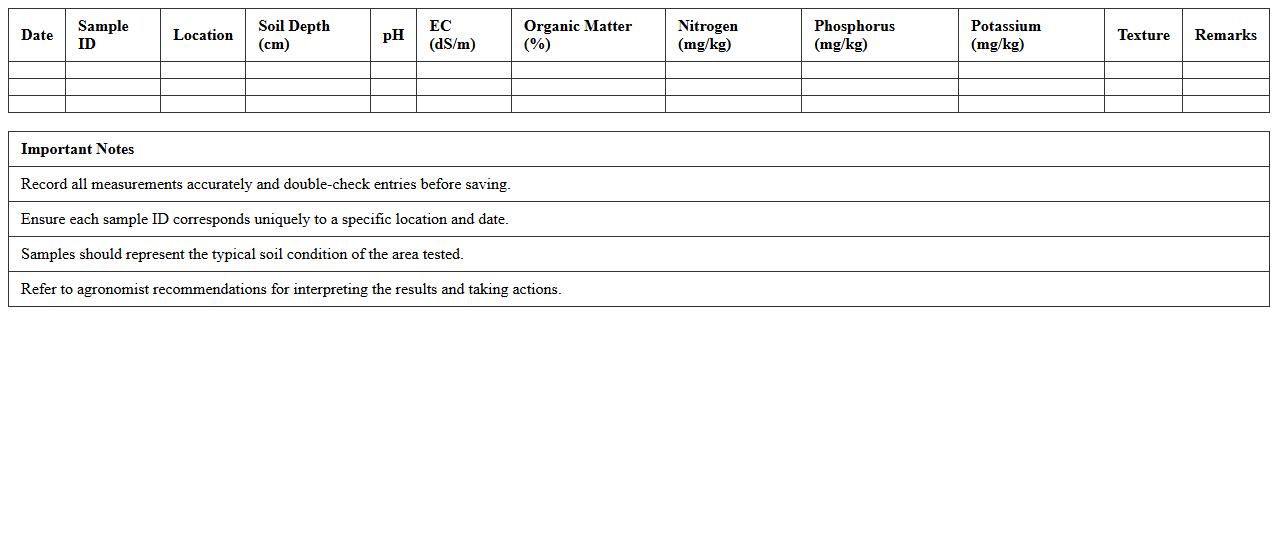
Soil Testing Results Record Sheet is a detailed document that captures the chemical, physical, and biological properties of soil samples analyzed during testing. This record sheet provides essential data such as pH levels, nutrient availability, moisture content, and contamination presence, enabling informed decisions in agriculture, construction, and environmental management. Utilizing these results supports efficient soil management practices, enhances crop yield predictions, and ensures compliance with environmental standards.
Machinery Usage and Maintenance Log
A
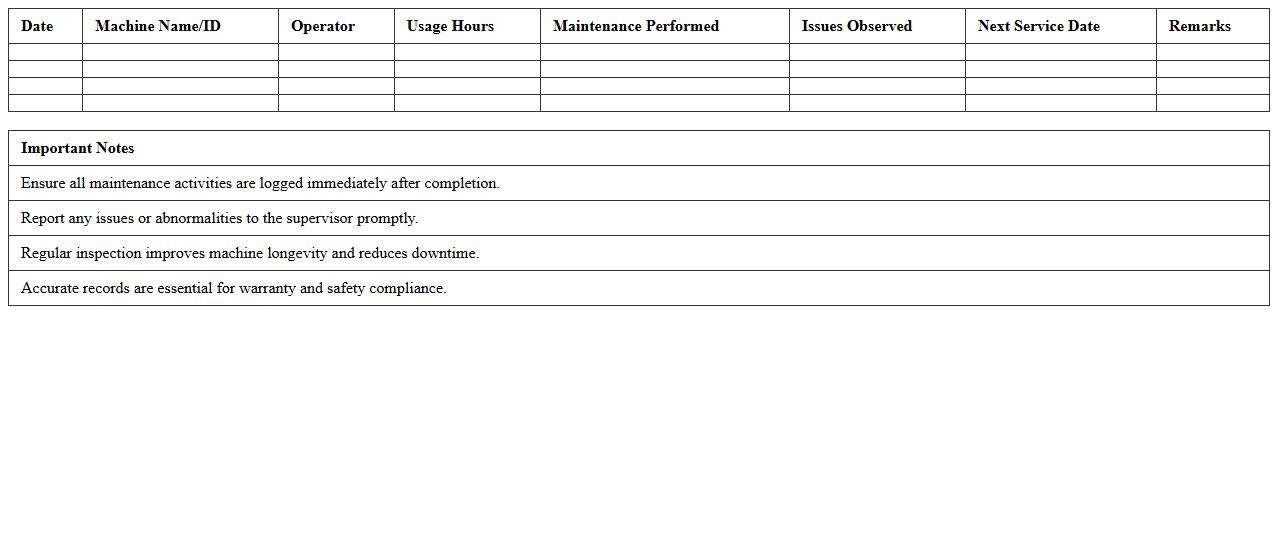
Machinery Usage and Maintenance Log is a detailed record that tracks the operational hours, maintenance activities, repairs, and inspections of machinery. This document is crucial for monitoring equipment performance, preventing breakdowns, and ensuring timely maintenance, which extends the lifespan of machinery and enhances safety. Businesses benefit from accurate logs by reducing downtime, optimizing maintenance schedules, and improving asset management decisions.
Farm Labor Attendance Daily Log Excel
The
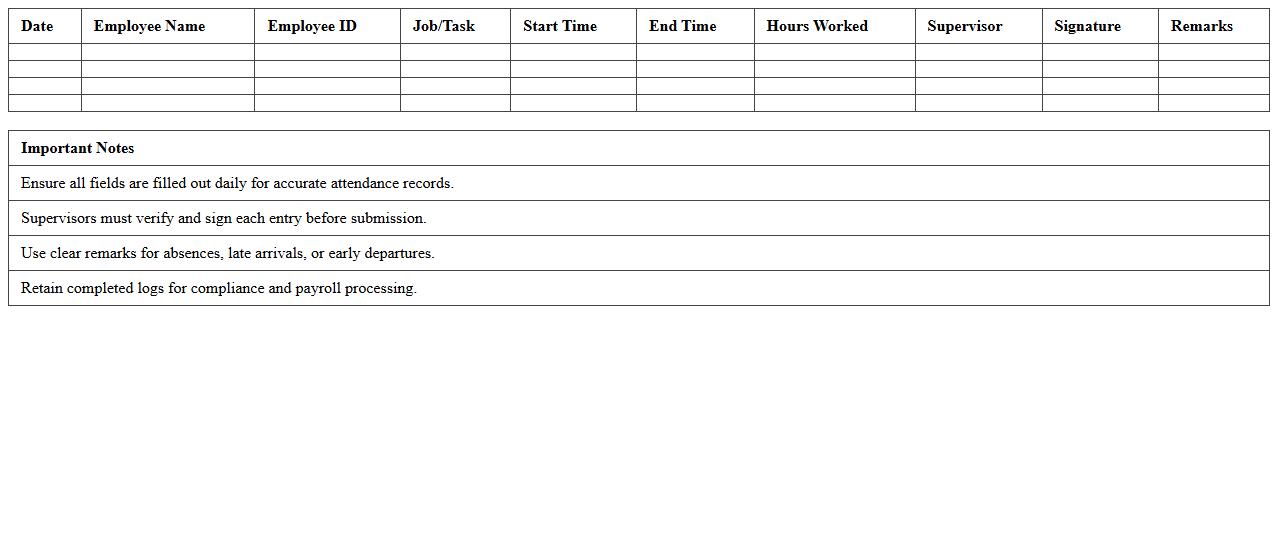
Farm Labor Attendance Daily Log Excel document systematically tracks the daily attendance of farm workers, recording hours worked, tasks performed, and worker details. This tool enhances labor management by providing accurate records for payroll processing, compliance with labor regulations, and workforce productivity analysis. Utilizing this log helps farm operators optimize labor costs and ensure efficient farm operation management.
Pest and Disease Field Observation Sheet
The
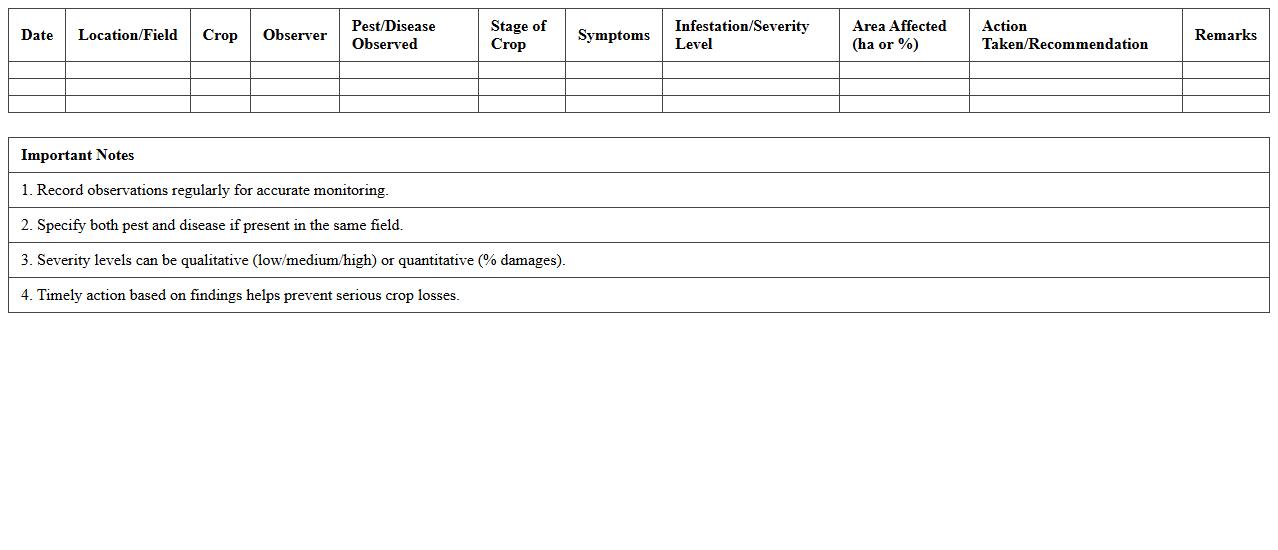
Pest and Disease Field Observation Sheet is a critical document used in agriculture and horticulture to systematically record the presence, severity, and spread of pests and diseases in crops. It helps farmers, agronomists, and researchers monitor plant health, identify early signs of infestation or infection, and make informed decisions about pest control and disease management strategies. This document enhances crop protection efforts, reduces economic losses, and promotes sustainable farming practices through accurate field data collection and analysis.
Weather Monitoring Record for Agriculture Fields
The
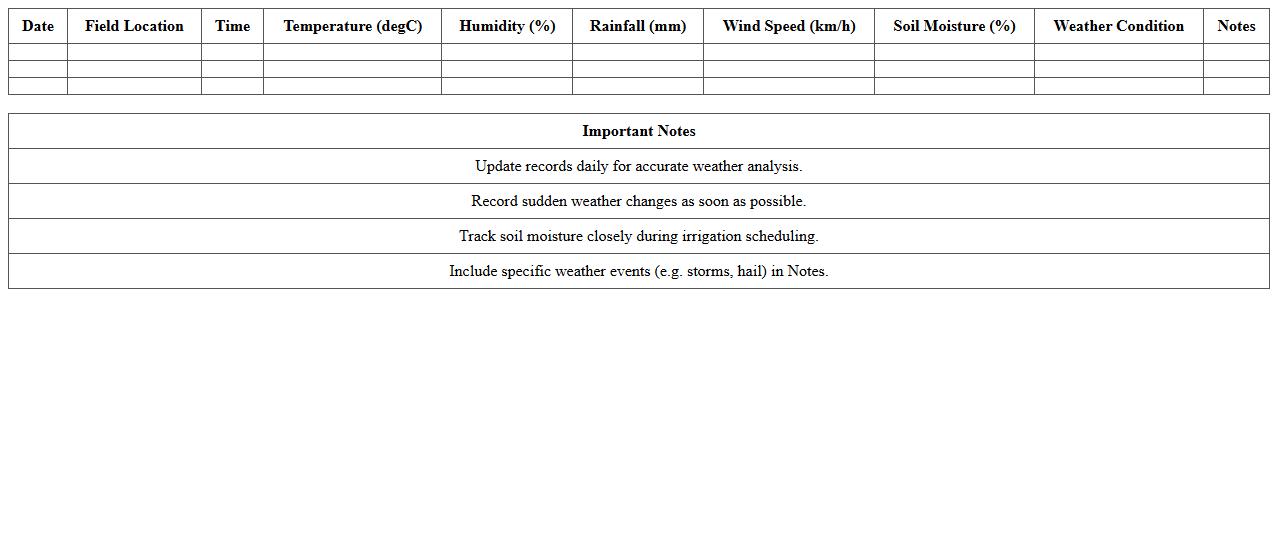
Weather Monitoring Record for Agriculture Fields document tracks daily climatic data such as temperature, humidity, rainfall, and wind speed, crucial for optimizing crop management. This detailed record helps farmers anticipate weather patterns, plan irrigation schedules, and mitigate risks related to pests and diseases, enhancing overall yield quality and efficiency. By analyzing historical and real-time weather information, agricultural stakeholders can make informed decisions that promote sustainable farming practices.
How can I automate crop yield calculations in an Agriculture Fieldwork Log Excel sheet?
You can automate crop yield calculations in Excel by using formulas that multiply the harvested area by the average yield per unit area. Incorporate dynamic ranges with SUMPRODUCT or ARRAYFORMULA functions to account for varying crop data entries. This ensures precise and automated tracking of total harvest amounts in your fieldwork log.
What formula tracks pesticide application intervals in a daily task log?
To track pesticide application intervals, use the formula =TODAY()-LAST_APPLICATION_DATE where LAST_APPLICATION_DATE is the date of the previous pesticide use. This calculates the days elapsed between treatments, helping to maintain proper application schedules. By combining this with conditional formatting, you can visually alert when an application is overdue.
How to set conditional formatting for overdue fieldwork tasks in Excel?
Set conditional formatting by selecting the task date column and using a formula like =AND(TODAY()>DUE_DATE, STATUS<>"Completed"). Apply a red fill to highlight overdue tasks that are not yet finished. This method enhances task management by providing immediate visual cues for overdue fieldwork in your log.
Which Excel functions help monitor equipment usage hours per task?
Functions like SUMIF and SUMIFS effectively aggregate equipment usage hours based on task criteria in Excel. You can sum the total hours by filtering data for each equipment type or task to analyze utilization. These functions support detailed monitoring and maintenance scheduling within your fieldwork log.
How to generate a daily labor cost summary from a fieldwork log worksheet?
Use the SUMPRODUCT function to multiply hours worked by hourly wages across all labor entries for a daily total. Group your data by date to isolate each day's labor costs accurately. Creating a pivot table with labor costs fields can also dynamically summarize daily expenses for quick financial overview.